Explained
XLR Microphones, Explained
After reading this you'll know why some XLR mics need a booster, why a cheap condenser can ruin a home podcast, and exactly what you're buying beyond the mic itself.
In this guide
An XLR microphone is the pro path for podcasting, streaming, and vocals: it uses a professional connector and plugs into an audio interface rather than straight into a USB port. That extra gear buys better sound and room to grow, but it also means the mic alone is only part of the purchase. The thing that trips up first-time buyers most is 'clean gain' and choosing the wrong capsule type for a noisy room.
The 30-second version
- XLR is a chain, not a device. The mic needs an interface, a cable, and often a stand or arm before it makes a single sound, so budget for the whole setup.
- Dynamic beats condenser in a normal room. A cardioid dynamic ignores keyboard clatter, fans, and echo, while a sensitive condenser drinks it all in unless you've treated the space.
- Clean gain is the make-or-break spec. Some popular dynamics are very quiet and need a strong, hiss-free interface (or an inline booster) to sound their best.
- More expensive isn't automatically better for you. The priciest broadcast mics often demand heavy stands and a quiet front end; a mid-priced mic often gets a beginner further.
- Match the mic to your voice and use. Smooth, neutral mics flatter singing and varied voices; forward, presence-boosted mics excel at spoken clarity.
The products this guide is about
Our verdict on each, with the full reasoning on the companion review.
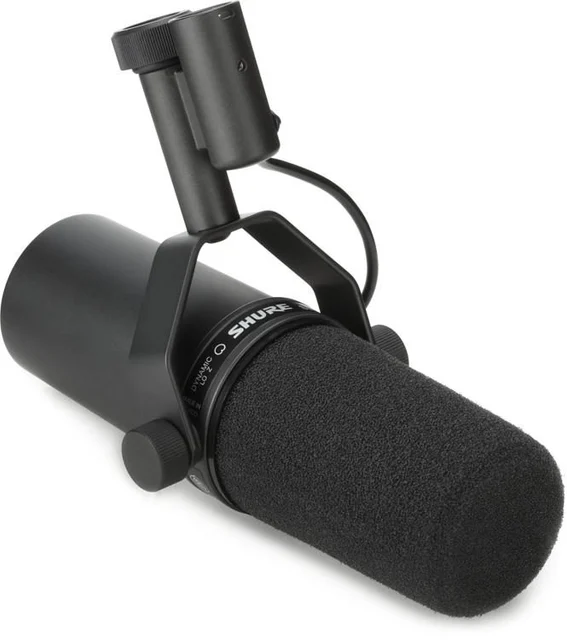
- Buy Shure SM7B The broadcast-grade dynamic that flatters almost any voice and forgives an untreated room, provided you feed it enough clean gain. Amazon
- Buy Rode PodMic A tank-built dynamic that delivers most of a flagship broadcast sound for a fraction of the outlay. Amazon
- It depends Electro-Voice RE20 A legendary broadcast mic with uncanny consistency up close, but it asks for a strong front end and a real budget. Amazon
- Skip MXL 990 A cheap large-diaphragm condenser that sounds nice in a treated booth but sabotages most home podcasters. Amazon
What actually matters
- Capsule type (dynamic vs condenser) - this single choice decides how much background noise you capture. Dynamics are forgiving in untreated rooms; condensers are more detailed but only shine in a quiet, treated space.
- Room forgiveness - most people record in a bedroom or office, not a booth. A mic with tight pickup and built-in shock/pop protection hides a messy room; a sensitive one exposes it.
- Clean gain demand - how loud a signal the mic produces on its own. Low-output mics need a powerful, quiet preamp; get this wrong and you'll hear hiss the moment you turn things up.
- Voice character - some mics sound neutral and smooth, others forward and punchy. Neutral suits vocals and a wide range of voices; forward suits talk and spoken clarity.
- Build and mounting - heavier, larger mics need a sturdy boom arm rather than a flimsy desk stand, which adds to the cost and the desk footprint.
- Total cost of ownership - the interface, cable, arm, and possible booster can quietly match or exceed the price of the mic, so compare full setups, not just capsules.
- Onboard tone controls - built-in bass roll-off and presence switches let you shape the sound without any software, which is handy if you don't want to fiddle with plugins.
The specs, in plain English
Green flags vs red flags
Green flags
- A dynamic, cardioid capsule if you're recording in an ordinary untreated room
- Moderate gain needs that a typical mid-tier interface can drive without a booster
- An integrated mount or yoke and built-in pop protection, which lowers your accessory bill
- Onboard bass roll-off or presence switches so you can shape tone without plugins
- A consistent reputation across independent testing and long-run owner reports
Red flags
- A cheap condenser marketed for streaming or podcasting in a normal, echoey room
- Very low output with no mention of the strong preamp or booster it quietly requires
- A heavy, large mic paired with only a lightweight desk stand in the listing photos
- Owner reports flagging unit-to-unit variation, so your copy may not match the reviews
- A price that looks like a bargain until you add the interface, cable, and arm you still need
Who's who: the brands
- Shure - Long-standing pro-audio maker whose broadcast dynamics are studio and podcast defaults for their smooth, forgiving sound.
- Rode - Australian brand known for value-packed, all-metal mics that deliver broadcast-style sound without premium spend.
- Electro-Voice - Veteran broadcast-mic maker whose radio-standard dynamics are prized for even, authoritative tone up close.
- MXL - Budget-focused maker of large-diaphragm condensers often sold as a first mic, best suited to quiet, treated rooms.
How to read a listing without getting fooled
Start with the capsule type, because it decides everything else: 'dynamic' means forgiving in a real room, 'condenser' means detailed but demanding. Next, hunt for the output or gain figures - a mic described as 'low output' or needing lots of gain is warning you it wants a strong, quiet interface, and if the listing stays silent on this, assume a booster may be in your future. Treat 'needs phantom power' as a flag that you're looking at a condenser. Check the weight and whether a mount is included, since a heavy mic with no mount means extra spend on a sturdy arm. Finally, ignore a single flattering frequency graph or a lone glowing quote; look for where independent testing and lots of owner reports agree, and note where real-world experience diverges from the spec sheet.
How much should you spend?
Spend based on your room and your front end, not on chasing the most expensive capsule. The value sweet spot for most first-time buyers is a well-built mid-priced dynamic that a modest interface can drive on its own - it sidesteps the booster problem and leaves budget for the cable and a decent stand. Stepping up to a premium dynamic is worth it when your voice is difficult or you want a sound you won't outgrow, but only if you can also afford the clean gain it demands. The flagship broadcast mics pay off for established creators who already own a strong interface or preamp and want a career-long tool; for a beginner their extra cost mostly buys demands, not results. And going too cheap on a sensitive condenser is a false economy in a noisy room, where a similarly priced dynamic will sound cleaner. Always price the whole chain, since the surrounding gear can quietly match the cost of the mic itself.
Questions, answered
Do I really need an audio interface, or can I plug an XLR mic into my computer?
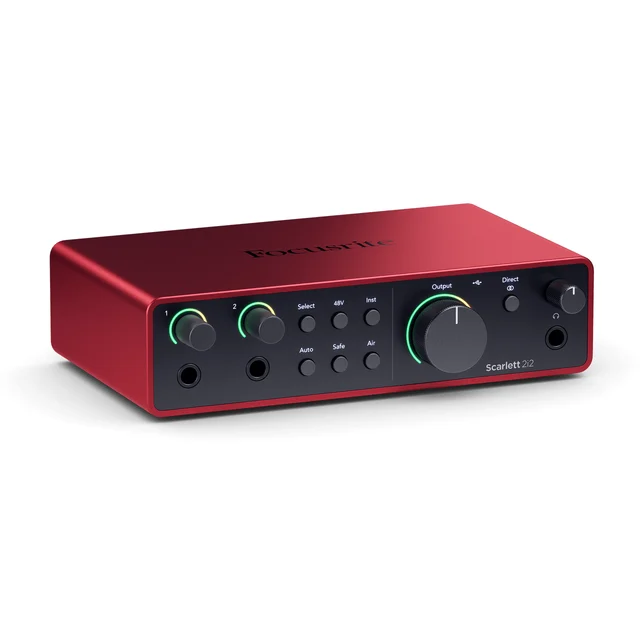
You need an interface. XLR mics don't connect to a USB port directly - the interface supplies gain, phantom power when required, and converts the sound to digital. If you want a true plug-and-talk device with no extra box, a USB mic is the simpler route.
What's the difference between a dynamic and a condenser mic for me?
A dynamic mic only hears what's close and loud, so it rejects keyboard noise, fans, and echo - ideal for untreated home rooms. A condenser is more sensitive and detailed but captures everything around it, so it only works well in a quiet, treated space and it needs phantom power.
Why do people talk about needing a Cloudlifter or booster?
Some popular dynamics have very low output and want a lot of clean gain. If your interface is quiet and powerful enough you may be fine; if it hisses when you turn it up, an inline booster adds clean volume before the signal reaches the interface. Higher-output mids usually don't need one.
Can I use these mics for singing as well as talking?
Yes. Smooth, neutral dynamics are studio staples for both sung and spoken vocals, while more forward, presence-boosted mics lean toward speech clarity but still handle singing capably. A sensitive condenser can record vocals beautifully, but only in a controlled, quiet room.
What else should I budget for beyond the microphone?
Plan for an audio interface with enough clean gain, an XLR cable, and a sturdy boom arm or stand, plus possibly an inline booster for a hungry dynamic. Heavier mics in particular need a solid arm, so fold mounting into your total rather than comparing bare mic prices.
Or jump to the head-to-head: Shure SM7B vs Rode PodMic.