Explained
OBD2 Scanners, Explained
After reading this you will understand the difference between a code reader and a scan tool, and which features are worth paying for, so you buy the right diagnostic tool for your skill level.
In this guide
An OBD2 scanner plugs into the port under your dashboard and tells you why the check-engine light is on. But "scanner" covers everything from a cheap dongle that reads a single code to a professional tool that talks back to your car's computer. This guide explains the tiers so you buy one that matches what you actually want to do, without overpaying for features you'll never touch.
The 30-second version
- A code reader and a scan tool are not the same thing. The cheapest tools just read and clear engine codes. Full scan tools add live data, other systems and, at the top, the ability to command components.
- Bluetooth dongles are powerful but depend on an app. A small dongle plus your phone can rival a handheld cheaply, but the experience hinges on the app, and some charge a subscription for the good features.
- A code is a starting point, not a diagnosis. A trouble code points to a system, not always the failed part. Live data and freeze-frame are what turn a code into an actual fix.
- Bidirectional control is the pro dividing line. Being able to command a component - cycle a fan, test an actuator - separates real diagnostic tools from simple readers, at a real price step.
- Coverage and updates decide longevity. Cheap tools cover generic engine codes; deeper systems and newer cars need broader coverage and ongoing software updates.
The products this guide is about
Our verdict on each, with the full reasoning on the companion review.
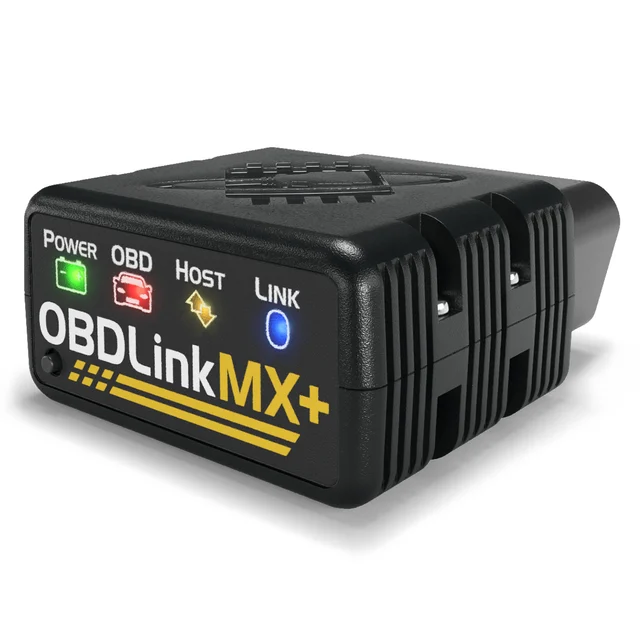
- Buy OBDLink MX+ The most capable phone-paired dongle: a genuine, secure chip that reads far more than generic codes. Amazon
- Buy BlueDriver Bluetooth Pro OBDII Scan Tool The friendliest way to go from trouble code to "here's what's probably wrong and how to fix it." Amazon
- It depends Innova 5610 CarScan Pro A self-contained, no-subscription handheld that does nearly everything - if you're willing to pay for it. Amazon
- Skip Autel AutoLink AL329 A well-built little reader that does too little - you'll outgrow it before the light comes back on. Amazon
What actually matters
- Tool tier is the first decision: a basic code reader (read/clear engine codes), a mid-range scan tool (live data, more systems), or a professional tool (bidirectional control, full coverage). Buy for the jobs you'll actually do.
- Form factor shapes the experience. A Bluetooth dongle uses your phone and app; a handheld is self-contained and doesn't drain your battery or depend on a connection. Each has trade-offs in cost and convenience.
- Live data is what makes a scanner genuinely useful. Watching real-time sensor readings - fuel trims, temperatures, oxygen sensors - turns a vague code into a diagnosis you can act on.
- System coverage determines how far past the engine you can see. Cheap tools read generic powertrain codes; ABS, airbag, transmission and manufacturer-specific codes need a higher tier.
- Bidirectional control lets the tool command the car, not just listen. It's the feature that enables active tests, and the main reason pro tools cost more.
- App quality, updates and subscriptions decide the long-term experience, especially for dongles. Check whether the useful features are free or paywalled, and whether the tool gets software updates for newer vehicles.
The specs, in plain English
Green flags vs red flags
Green flags
- Live data and freeze-frame, not just read/clear codes
- Clear statement of which systems it covers beyond the engine
- Free core features rather than a paywall on the basics (for dongles)
- Ongoing software updates for newer vehicles
Red flags
- "Reads and clears codes" with no mention of live data
- A dongle whose useful features are locked behind a subscription
- Vague coverage claims with no system list
- No updates, so it can't keep up with newer cars
Who's who: the brands
- BlueDriver - A well-regarded Bluetooth dongle with a polished app and repair reports; strong for DIY owners.
- Autel - Spans affordable handhelds to professional-grade tools with bidirectional control and deep coverage.
- Innova - Long-standing maker of approachable handheld readers and mid-range scan tools.
- ANCEL - Popular for budget-to-mid handhelds that add ABS, airbag and some special functions affordably.
How to read a listing without getting fooled
Decide what you want to do first. If you only need to know why the light is on and clear it after a fix, a basic reader or a good dongle is plenty. If you want to actually diagnose - watch sensors, chase an intermittent fault, see beyond the engine - prioritize live data and system coverage. If you'll command components and do active tests, you're in scan-tool territory with bidirectional control. For dongles, weigh the app and any subscription as heavily as the hardware, and check that whichever tool you pick still gets updates for newer cars.
How much should you spend?
Basic code readers and simple Bluetooth dongles are inexpensive and fine for reading and clearing engine codes. Mid-range handhelds and better dongles add live data, freeze-frame and more systems (ABS, airbag); the sweet spot for owners who want to diagnose, not just read. Professional scan tools with bidirectional control and full coverage cost substantially more and are worth it for serious DIYers and shops, but overkill if you just want to understand a check-engine light.
An OBD2 scanner answers the question every driver eventually asks: why is the check-engine light on? It plugs into a standardized port under the dashboard, present on every US car and light truck since 1996, and reads what the car’s computer has stored. The confusing part is that “scanner” spans a huge range, from a cheap dongle that reads one code to a professional tool that can command your engine. Knowing the tiers is how you avoid both overpaying and buying something too basic to help.
The tiers, from reader to pro tool
At the bottom is the code reader. It reads and clears diagnostic trouble codes for the engine and not much else. It’ll tell you that, say, a misfire code is set, which is enough to know roughly what’s wrong and to reset the light after a repair. It won’t tell you why.
The middle tier is the scan tool proper. It adds live data - real-time sensor readings - plus freeze-frame snapshots and coverage of systems beyond the engine, like ABS and airbags. This is the tier where a scanner stops being a fortune cookie and starts being a diagnostic instrument.
At the top are professional tools with bidirectional control: they can command components, run active tests, and cover manufacturer-specific systems in depth. They cost accordingly, and most owners don’t need them - but serious DIYers and shops do.
Dongle or handheld?
Cutting across those tiers is form factor. A Bluetooth dongle is a small adapter that pairs with your phone; the app is the interface. Dongles are cheap and, with a good app, surprisingly capable - a dongle plus a phone can match a mid-range handheld. But the app is everything: a great one makes the tool a pleasure, a poor one makes it frustrating, and some gate the genuinely useful features behind a subscription. A handheld, by contrast, is self-contained - its own screen and buttons, no phone or connection to fuss with, and no battery to drain on your device. The trade is cost and screen size. Judge a dongle as much on its software and pricing as its hardware.
A code is a clue, not a verdict
The most common misunderstanding is treating the code as the answer. A trouble code points to a system or a symptom - a misfire, a lean condition, a sensor reading out of range - not necessarily the failed part. That’s why live data matters so much: watching fuel trims, temperatures and oxygen-sensor readings in real time is what turns a vague code into an actual diagnosis. Freeze-frame helps too, capturing the conditions at the moment the fault triggered. And clearing a code without fixing the cause just resets the light until the fault sets it again, usually soon.
Coverage and updates decide how long it lasts
Every scanner reads generic engine codes, because that’s the OBD2 standard. Beyond that, coverage varies widely. Reading ABS, airbag, transmission and manufacturer-specific codes requires a higher-tier tool. And because cars keep changing, a scanner that receives software updates will keep working on newer vehicles, while one that doesn’t slowly ages out. If you own a newer or less common car, check both the coverage list and the update policy before you buy.
Matching the tool to you
Start from what you want to do. If you just want to know why the light is on and reset it after a fix, a basic reader or a solid dongle is plenty. If you want to actually diagnose - chase an intermittent fault, watch sensors, see past the engine - prioritize live data and system coverage. If you’ll command components and run active tests, you’re buying a scan tool with bidirectional control. Get the tier right and the scanner pays for itself the first time it saves you a diagnostic fee. To see how the leading scanners compare across those tiers - and which popular one we’d skip - read our OBD2 scanner comparison.
Questions, answered
What's the difference between a code reader and a scan tool?
A code reader is the basic tier: it reads and clears diagnostic trouble codes for the engine, telling you roughly what triggered the check-engine light. A scan tool goes further, adding live sensor data, freeze-frame snapshots, coverage of other systems like ABS and airbags, and at the top end the ability to command components. If you only want to know why the light is on, a reader suffices; if you want to diagnose the cause, you want a scan tool.
Are cheap Bluetooth OBD2 dongles any good?
The good ones are genuinely capable and can rival a handheld for far less, because they use your phone's screen and processing. The catch is that the experience depends entirely on the app: some are excellent, others are clumsy, and some lock the useful features, such as live data or repair reports, behind a subscription. Judge a dongle by its app and pricing model as much as its hardware, and stick to reputable ones for reliable connections.
Does clearing a code fix the problem?
No. Clearing a code just turns off the warning light; if the underlying fault is still there, the code and the light will return, often quickly. A trouble code is a clue pointing to a system or symptom, not a repair. The real diagnosis comes from live data, freeze-frame and knowing what the code actually means, then fixing the cause before you clear it.
What is bidirectional control and do I need it?
Bidirectional control lets the scanner command your car's computer to do something - cycle a cooling fan, activate an actuator, run an active test - rather than only reading information. It's powerful for advanced diagnosis and the main reason professional tools cost more. Most owners who just want to understand and clear codes don't need it; serious DIYers and technicians do.
Will one scanner work on every car?
For generic engine codes, largely yes: every car and light truck sold in the US since 1996 uses the OBD2 standard, so any scanner reads those, though some tools are region-restricted. Beyond that it varies. Deeper systems and manufacturer-specific codes need a tool with broader coverage, and newer vehicles may require software updates the tool has to support. Check the coverage and update policy if you own a newer or less common car.
Or jump to the head-to-head: OBDLink MX+ vs BlueDriver Bluetooth Pro OBDII Scan Tool.