

Automotive · Head-to-head
OBDLink MX+ vs BlueDriver Bluetooth Pro OBDII Scan Tool
Which should you buy? Our verdict on both, pulled from our full The Best OBD2 Scanners: 4 Compared (and One to Skip) comparison.
The OBDLink MX+ is the best all-round buy: a genuine, secure dongle that reads far beyond generic codes and works with the widest range of apps. The BlueDriver Bluetooth Pro is the pick for beginners who'd rather be handed likely fixes than raw data.
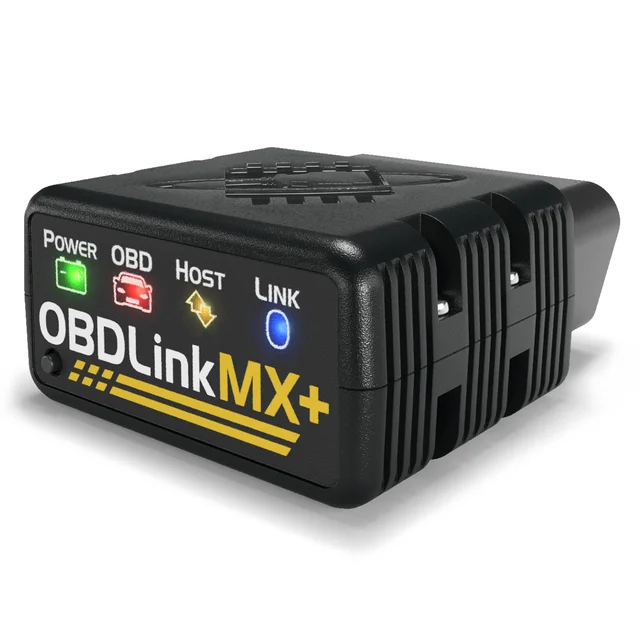
OBDLink MX+
Buy itThe most capable phone-paired dongle: a genuine, secure chip that reads far more than generic codes.
- Goes beyond generic engine codes, with free OEM-specific data add-ons in the OBDLink app and support for advanced Ford and GM networks (MS-CAN and SW-CAN)
- Fast, reliable hardware that plays nicely with the free OBDLink app plus a huge range of third-party apps (FORScan Lite, BimmerCode, Car Scanner and others)
- Low-power BatterySaver mode (2 mA), automatic sleep, encrypted Bluetooth and a physical pairing button, so it can be left plugged in
- Needs a phone, tablet or laptop plus an app - there's no built-in screen
- Some third-party apps charge for their coding and advanced features, even though the OBDLink app itself is free
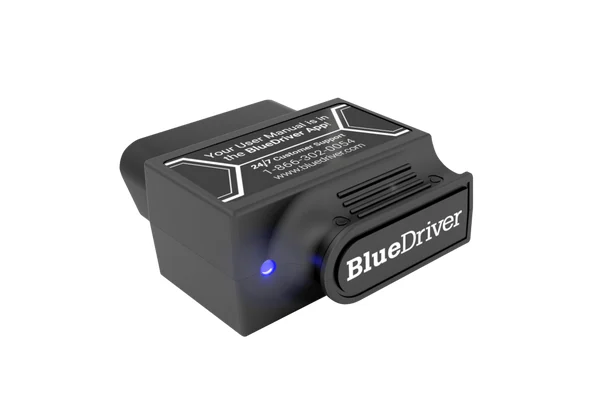
BlueDriver Bluetooth Pro OBDII Scan Tool
Buy itThe friendliest way to go from trouble code to "here's what's probably wrong and how to fix it."
- Guided Repair Reports that pair your code and vehicle with reported fixes and possible causes in plain English, with no subscription
- Handles enhanced diagnostics on many makes (ABS, airbag/SRS, transmission) plus smog/emissions readiness, freeze frame and mode 6
- Genuinely beginner-proof app and a solidly built dongle owners report lasting for years
- Built around BlueDriver's own app; the maker does not advertise third-party app support the way OBDLink does
- Live-data logging and advanced tinkering are shallower than a power user's toolkit; enhanced coverage varies by make
Side by side
The 7 criteria below are the ones our full comparison judged every product on, narrowed to these two.
| OBDLink MX+ Our pick | BlueDriver Bluetooth Pro OBDII Scan Tool | |
|---|---|---|
| Our verdict | Buy | Buy |
| Best for | DIYers and enthusiasts who want the most data and OEM-level access for the money and don't mind using their phone. | First-time DIYers who want clear repair guidance rather than a wall of raw data. |
| Price tier | $$ · mid-range | $$ · mid-range |
| Form factor | Bluetooth dongle (needs phone) | Bluetooth dongle (needs phone) |
| System coverage | Engine + OEM data add-ons (varies by make and app) | Engine + enhanced (ABS/SRS/trans on many makes) |
| Repair guidance | Via free app + third-party apps | Best-in-class guided Repair Reports |
| Live data & logging | Excellent (with app) | Good |
| App & subscription | Free app; some third-party features are paid add-ons | Free app, no subscription |
| Compatibility | iOS, Android & Windows; many third-party apps | iOS & Android; own app only |
| Beginner friendliness | Moderate | Very easy |
Which one is right for you?
Pick the OBDLink MX+ if
dIYers and enthusiasts who want the most data and OEM-level access for the money and don't mind using their phone.
Know before buying: needs a phone, tablet or laptop plus an app - there's no built-in screen.
Pick the BlueDriver Bluetooth Pro OBDII Scan Tool if
first-time DIYers who want clear repair guidance rather than a wall of raw data.
Know before buying: built around BlueDriver's own app; the maker does not advertise third-party app support the way OBDLink does.
The bottom line
Our overall pick is the OBDLink MX+ - The most capable phone-paired dongle: a genuine, secure chip that reads far more than generic codes. Choose the BlueDriver Bluetooth Pro OBDII Scan Tool instead if first-time DIYers who want clear repair guidance rather than a wall of raw data.
Want the full picture, including the other options we compared and the popular one we'd skip? Read the complete The Best OBD2 Scanners: 4 Compared (and One to Skip).