Explained
Laser Engravers, Explained
After reading, you'll understand what laser power, laser class and enclosure claims mean and what to check before buying.
In this guide
Laser engraver listings stack watts, speeds and certifications into a few lines, and the numbers do not always compare directly. Power ratings, laser classes and enclosure claims mean different things depending on the machine. First-time buyers also underestimate setup: ventilation, cooling and software all shape ownership. This guide explains the terms so you can read a listing carefully.
The 30-second version
- Power is a rating, so read the maker's one-pass cutting table to see what a given wattage actually cuts.
- Enclosed does not mean fume-free, since makers still describe ventilation or filters for smoke.
- Laser class wording matters, because a Class 1 enclosure can contain a higher-class laser inside.
- Bed size is not footprint, so compare the stated working area and the external dimensions separately.
- CO2 tubes are consumables, with a rated lifetime and a water-cooling requirement.
The products this guide is about
Our verdict on each, with the full reasoning on the companion review.
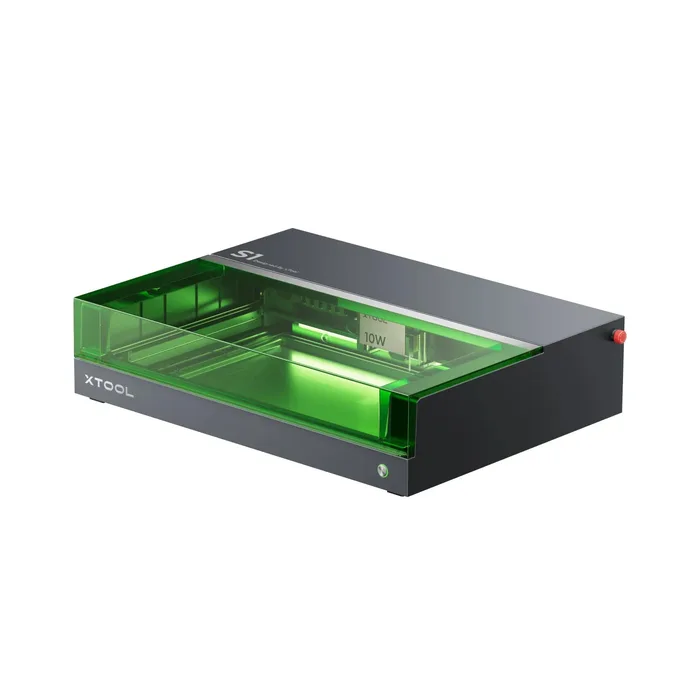
- Buy xTool S1 An enclosed 40W diode machine with a big bed and the most complete safety feature list in this group.
- Buy AtomStack A20 Pro V2 A 20W open-frame diode laser with a large bed at a fraction of the enclosed-machine cost. Amazon
- Buy Creality Falcon A1 Pro A compact enclosed machine with a camera, touchscreen and built-in smoke filter, aimed at plug-and-play use. Amazon
- It depends Glowforge Aura A 6W diode craft laser built around easy software and Proofgrade materials, with a small work area.
- It depends SCULPFUN S30 Ultra 22W A very large open-frame bed for sign makers and panel cutters, with up to 22W of diode power.
- Skip OMTech K40+ 45W A compact desktop CO2 laser whose tube, water cooling and software make it the most demanding machine to own here.
What actually matters
- Laser type - Diode lasers are compact and common at home, while CO2 tubes are bigger and need cooling. The type affects materials and upkeep.
- Power (watts) - Higher wattage generally cuts thicker material in one pass. Check the maker's table, because ratings are not defined the same way everywhere.
- Work area - The area the laser can reach decides the largest project. Expanding it can require extension kits.
- Enclosure - A lid keeps people away from the beam and contains some smoke. Open frames leave protection to the owner.
- Laser class - The class on the maker page describes the product as sold, and you should read the exact wording.
- Ventilation - Lasers burn material, so exhaust or filtration is needed. Follow the manual.
- Software - LightBurn, LaserGRBL and maker apps differ in features and supported operating systems.
The specs, in plain English
Green flags vs red flags
Green flags
- The maker publishes a spec table with working area, spot size and speed.
- Laser class and certifications are stated in specific wording.
- The page lists ventilation requirements and safety features such as a lid-open stop.
- LightBurn or LaserGRBL support is listed.
- Replacement parts and warranty terms are published.
Red flags
- Only a wattage figure appears with no cutting table.
- Laser class is missing on a high-power machine.
- Ventilation requirements are not mentioned.
- Photos show the machine running with no safety hardware described.
- Cooling or tube lifetime details are buried or absent.
Who's who: the brands
- xTool - Known for enclosed diode machines and a broad ecosystem of modules and accessories.
- Creality - Known for 3D printers and the Falcon line of laser engravers.
- AtomStack - Known for budget and mid-range open-frame diode lasers and enclosure bundles.
- Glowforge - Known for cloud-connected craft lasers and Proofgrade materials.
- OMTech - Known for CO2 desktop and larger-format laser cutters.
How to read a listing without getting fooled
Start with the spec table, not the headline wattage. Look for laser type, working area, spot size and maximum speed, then find the maker's material and thickness table. Next read the safety section: laser class wording, certifications, enclosure, and what stops the machine if the lid opens. Then check ventilation and software requirements. If a number appears only in marketing text and not in the spec table, treat it with caution.
How much should you spend?
Open-frame diode machines sit in the mid-range tier, enclosed machines with cameras and larger beds sit in the premium tier, and bundles that add enclosures, filters or rotaries move a listing up. CO2 desktop units look mid-range at first, but cooling and tube replacement add to the cost of owning one. Budget for ventilation and any safety equipment the maker's manual calls for.
Questions, answered
Is a bigger wattage always better?
Not always. More power cuts thicker material in one pass, but it also needs more care with ventilation and safety. Read the maker's one-pass table for the wattage you are considering. A lower-power machine can be enough for engraving and thin materials.
What does Class 1 mean on a laser listing?
It is a classification stated by the maker for the product as sold. Glowforge, for example, says the Aura is certified as a Class 1 laser product containing an embedded Class 4 laser. Read the exact wording and the manual rather than assuming the whole machine is harmless.
Can I use LightBurn with these machines?
Several makers list it. xTool, AtomStack and Creality list LightBurn support. OMTech says its standard K40+ package does not include LightBurn and ships with LaserDRW. Check the listing for your model.
What should I check about ventilation?
Check what the maker requires: a filter, an exhaust duct or an openable window within a stated distance. Follow the manual exactly. Also check whether the filter is included or sold separately.
Or jump to the head-to-head: xTool S1 vs AtomStack A20 Pro V2.