Explained
4K Gaming Monitors, Explained
After reading this you will understand what every spec on a 4K gaming monitor box actually means and which ones change how games look and feel.
In this guide
A 4K gaming monitor is a display that shows roughly four times the detail of a 1080p screen and is tuned for fast, smooth motion. The spec sheets read like alphabet soup: WOLED, QD-OLED, 240Hz, GtG, HDR True Black, HDMI 2.1. What trips people up is assuming a bigger number always wins, when the real deciding factor is usually the panel technology and how it behaves in your specific room.
The 30-second version
- Panel type is the biggest decision. OLED (WOLED or QD-OLED) delivers per-pixel contrast and near-instant response that edge-lit IPS LCD generally cannot match, so it is the spec that most changes how a game looks.
- Refresh rate and response time work together. A high refresh rate keeps motion fluid and a fast response time keeps it sharp; OLED wins on response so cleanly that it looks great even at lower frame rates.
- Match the screen coating to your lighting. Glossy coatings look best in controlled light while matte or glossy WOLED handle a bright, sunny room better, so your environment should steer the choice.
- Ignore the HDR badge and look at how light is controlled. Per-pixel light control on OLED produces real HDR, whereas an edge-lit LCD with an HDR sticker is a pleasant bonus rather than a genuine feature.
- Connectivity decides everyday convenience. HDMI 2.1 matters for consoles, and USB-C with power delivery plus a KVM turns the monitor into a tidy single-cable hub for a laptop.
The products this guide is about
Our verdict on each, with the full reasoning on the companion review.
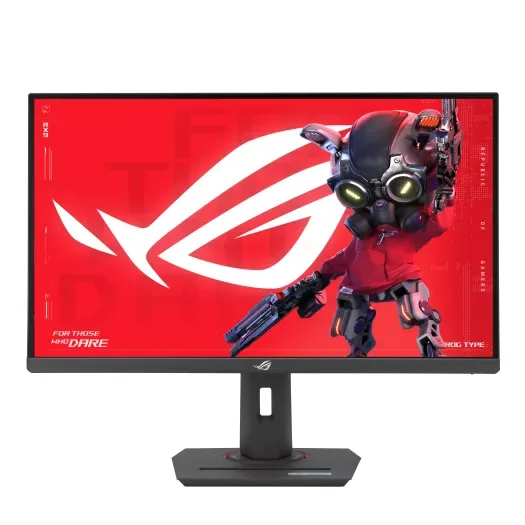
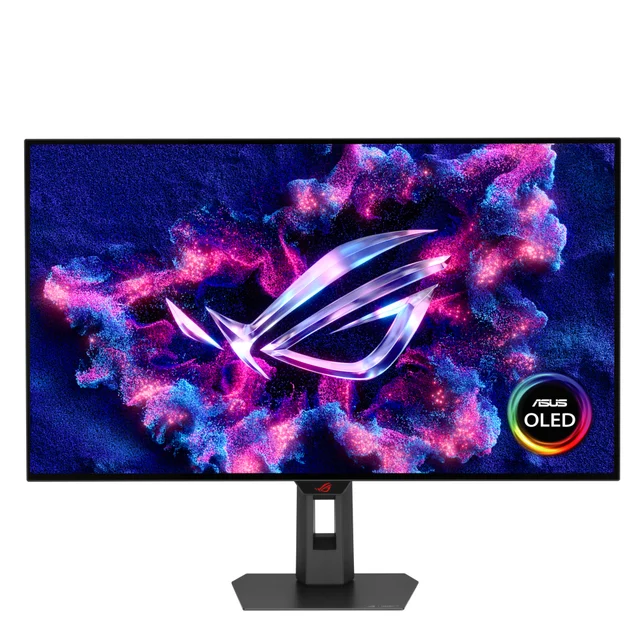
- Buy ASUS ROG Strix XG32UCWMG A 32-inch 4K glossy WOLED that runs 240Hz natively and flips to 480Hz at 1080p, and it holds its blacks in a bright room. Amazon
- Buy GIGABYTE MO27U2 A lower-cost way into 4K/240Hz QD-OLED, with a 27-inch panel and a USB-C KVM. Amazon
- It depends Samsung Odyssey OLED G8 (G81SF) A gorgeous 32-inch 4K QD-OLED with a glare-free matte finish, held back mainly by a flagship price and no USB-C. Amazon
- Skip LG UltraGear 27GR93U-B A solid 27-inch 4K/144Hz IPS that was a great deal a couple of years ago, but affordable OLED has passed it by. Amazon
What actually matters
- Panel technology decides contrast, motion clarity, and viewing angles all at once. True OLED lights each pixel individually for perfect blacks, while edge-lit IPS LCD shines a shared backlight through the panel, leaving blacks looking grey.
- Refresh rate is how many times per second the image updates, measured in hertz. Higher numbers mean smoother motion, but you only benefit if your graphics card can actually push that many frames at 4K.
- Response time is how quickly a pixel changes color. Slow response smears fast motion into a blur; OLED response is so fast that motion stays crisp regardless of the game.
- HDR and contrast determine how convincingly a screen shows both deep shadows and bright highlights at the same time. Per-pixel control is what makes HDR look dramatic rather than merely brighter.
- Screen coating (glossy versus matte) governs how the display copes with room light. The wrong coating for your room can wash out the image no matter how good the panel is.
- Connectivity determines what you can plug in and how cleanly. HDMI 2.1 unlocks 4K at 120Hz on consoles, and USB-C can carry video, data, and laptop charging over one cable.
- Burn-in protection and warranty matter specifically for OLED. Modern panels include safeguards, and a multi-year warranty that explicitly covers burn-in removes most of the worry.
The specs, in plain English
Green flags vs red flags
Green flags
- The panel is described as WOLED or QD-OLED rather than IPS or VA LCD
- The listing states a real refresh rate at full 4K, not only a lower resolution
- HDMI 2.1 is present if you plan to connect a current-generation console
- A multi-year warranty explicitly covers burn-in
- The coating (glossy or matte) is stated so you can match it to your room
- USB-C with power delivery is listed if you want a single-cable laptop setup
Red flags
- HDR is advertised with only a basic badge and an edge-lit backlight, meaning greyish blacks
- The headline refresh rate turns out to apply only at a reduced resolution
- Contrast is quoted around 1000-to-1, a giveaway of an ordinary LCD
- No mention of burn-in protection or warranty coverage on an OLED
- Vague marketing terms like 'gaming-grade' stand in for actual panel and response specs
- A flagship price on a panel that uses the same generation as cheaper rivals
Who's who: the brands
- ASUS (ROG) - Republic of Gamers line spans premium OLED gaming displays, often with extra tricks like dual-mode refresh switching.
- GIGABYTE - Known for delivering current panel technology, such as 4K QD-OLED, at aggressive prices with useful extras like a built-in KVM.
- Samsung (Odyssey) - Makes the QD-OLED panels themselves and sells refined flagship Odyssey monitors, often with distinctive matte, glare-free coatings.
- LG (UltraGear) - A major OLED and IPS panel maker whose UltraGear gaming line ranges from value IPS screens to high-end OLEDs.
How to read a listing without getting fooled
Start with the panel technology, because it dictates most of what you will actually see; if a listing buries the panel type or leans on vague phrases like 'gaming-grade,' treat that as a warning. Confirm that the headline refresh rate applies at full 4K rather than only at a lower resolution, and check the response time is in the sub-millisecond OLED range if motion clarity matters to you. Be skeptical of an HDR badge on its own: an edge-lit LCD with an HDR sticker will still show grey blacks, so look for per-pixel control or a True Black tier instead. Finally, verify the connections you personally need, especially HDMI 2.1 for consoles and USB-C with power delivery for a laptop, and read the warranty for explicit burn-in coverage on any OLED.
How much should you spend?
The good news for 2026 is that affordable 4K OLED has reshaped this category, so you no longer need to spend at the very top to get a genuinely excellent screen. The value sweet spot sits with a current-generation OLED that offers 4K at a high refresh rate without the flagship extras; a smaller 27-inch OLED typically costs less than a 32-inch one while looking every bit as good up close. Spending more is worth it when you want a larger 32-inch panel, a specific glare-free matte coating, or a special feature such as dual-mode refresh switching. Spending more is not worth it when a pricier model uses the same panel generation as a cheaper rival with no meaningful advantage, and stepping down to an edge-lit IPS LCD saves only a little now while giving up the contrast and motion that make OLED worth owning.
Questions, answered
QD-OLED or WOLED, which should I get for a 4K gaming monitor?
Both are excellent and share the per-pixel contrast and near-instant response that define OLED. QD-OLED tends to produce slightly richer, more saturated color, while WOLED often looks a bit brighter and, in its glossy TrueBlack form, keeps blacks looking black under room lighting. If your room has a lot of ambient light, a glossy WOLED or a matte QD-OLED is the safer choice; otherwise it comes down to preference.
Do I really need 240Hz at 4K, and can my PC even drive it?
240Hz at 4K is a meaningful upgrade for fast games, but only if your graphics card can push that many frames; in slower or single-player titles you may rarely reach it. The reassuring part is that OLED motion looks great even at lower frame rates thanks to its instant pixel response, and many high-refresh panels can drop to a lower resolution for an even higher refresh rate in competitive play.
Should I worry about OLED burn-in on a gaming monitor?
It is a fair concern, but current panels ship with pixel-shifting, logo dimming, and automatic maintenance cycles, and independent long-run testing suggests normal mixed use is generally fine. Just as important, many OLED monitors now carry a multi-year warranty that explicitly covers burn-in. Varying your content and hiding persistent taskbars where you can further reduces the risk.
Is a cheaper IPS LCD still worth buying instead of OLED?
For a dedicated gaming showcase, most buyers will be happier with OLED, because an edge-lit IPS backlight gives greyish blacks and only bonus-tier HDR. Since a value QD-OLED now costs only modestly more, the gap is hard to justify for gaming. An IPS still makes sense if you specifically want zero burn-in risk, all-day desktop brightness, and a mix of work and casual play rather than a showcase display.
Will one of these work for both my PC and a game console?
Look for HDMI 2.1, which lets a current console output 4K at up to 120Hz; most modern 4K gaming monitors include it. OLED panels give the best console HDR and motion. If you also want a single-cable laptop or handheld connection, prioritize a model with USB-C and power delivery. This is general product information to help you compare, not a guarantee of compatibility with a specific system.
Or jump to the head-to-head: ASUS ROG Strix XG32UCWMG vs GIGABYTE MO27U2.