Explained
Gaming Controllers, Explained
After reading this you'll know which controller specs actually affect your gaming, which are marketing, and how to match a pad to the platforms you play on.
In this guide
A gaming controller looks simple, but the spec sheets are full of jargon like TMR, Hall-effect, adaptive triggers, and licensing that quietly decide whether the pad works on your console and how long it lasts. The single biggest trap is stick drift, and the second is buying a controller that turns out not to work natively on the system you actually own. This guide decodes the terms so you can shop with confidence.
The 30-second version
- Stick technology is the durability story. magnetic sticks (TMR or Hall-effect) resist the drift that eventually plagues conventional sticks, and it's the most important spec to check.
- Platform support is not universal. a controller that works on PC does not automatically work on Xbox or PlayStation, because consoles require official licensing, so confirm native support before you buy.
- Pro features cost real money. rear paddles, trigger stops, and on-board profiles help competitive players but you should only pay the premium if you'll actually use them.
- Battery life varies wildly. some pads run for dozens of hours or take swappable AAs, while some flagship models need frequent charging, so check real-world runtime.
- The cheapest pads now punch above their price. budget and mid-range controllers cover most players' needs, and flagship pricing rarely wins on value.
The products this guide is about
Our verdict on each, with the full reasoning on the companion review.
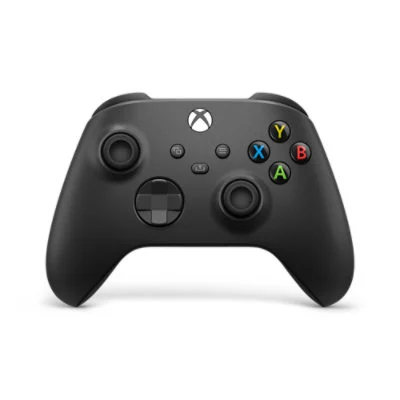
- Buy Microsoft Xbox Wireless Controller (Carbon Black) The safest, most versatile pad for the widest range of players and platforms. Amazon
- Buy 8BitDo Ultimate 2 Wireless Controller Drift-resistant TMR sticks, extra paddles, and a charging dock for a fraction of pro-pad money. Amazon
- It depends Sony DualSense Edge Wireless Controller A superb PS5 pro pad held back by short battery life and a flagship price. Amazon
- Skip SCUF Valor Pro Wireless Controller Genuine pro ergonomics undercut by a flagship price and a spotty support reputation. Amazon
What actually matters
- Stick technology and drift resistance - this decides how long the controller stays accurate. Conventional potentiometer sticks wear down and start registering movement you didn't make (drift); magnetic sensor sticks avoid that contact wear.
- Native platform support - a controller must be officially licensed to work on a given console. PC and mobile are usually open, but Xbox and PlayStation are gated, so verify the pad supports the exact system you play on.
- Customization (paddles, trigger stops, profiles) - extra rear buttons and adjustable triggers can raise your competitive ceiling, but they add cost and complexity you may not need.
- Battery life and charging - wireless runtime and whether a charging dock or swappable batteries are included affect the day-to-day experience more than any headline feature.
- Build quality and comfort - grip shape, button feel, and D-pad quality determine whether the pad is still pleasant to hold months in, and reliability determines whether it lasts.
- Wired vs wireless and latency - most players won't notice wireless lag, but competitive players and certain features (like full haptics) can favor a wired connection.
The specs, in plain English
Green flags vs red flags
Green flags
- Magnetic sticks (TMR or Hall-effect) called out in the spec sheet
- Clear, explicit list of supported platforms including the console you own
- Included extras like a charging dock, wireless adapter, or swappable batteries
- A companion app for remapping, stick curves, and profiles
- Consistent owner reports of long-term reliability, not just a good first impression
Red flags
- No mention of stick technology, which usually means conventional drift-prone sticks
- Vague platform claims like "works with games" that dodge whether it's console-licensed
- Flagship pricing with standard sticks and no drift protection
- Recurring owner complaints about paddle breakage, drift, or slow warranty service
- Marketing that leans on haptics or triggers that only work in a handful of games
Who's who: the brands
- Microsoft (Xbox) - Makes the default all-rounder pad; universally compatible across Xbox, PC, cloud, and mobile with a standout D-pad.
- Sony (PlayStation) - Known for immersive haptics and adaptive triggers on its DualSense line, best experienced on a PS5.
- 8BitDo - Enthusiast-favorite value brand offering drift-resistant magnetic sticks, paddles, and deep customization at mid-range prices.
- SCUF - Premium competitive-focused brand built around rear paddles and ergonomic grips, at flagship prices with a mixed support reputation.
How to read a listing without getting fooled
Start with the sticks: scan for the words "Hall-effect" or "TMR." If the listing is silent on stick technology, assume conventional drift-prone sticks and factor that in. Next, find the exact list of supported platforms and match it to the console you own, remembering that "PC compatible" says nothing about Xbox or PlayStation support. Then separate features you'll use from features that sound exciting in a bullet list: adaptive triggers and advanced haptics only shine in games that support them and often need a wired connection, while paddles and profiles only help if you take the time to set them up. Finally, weigh what's actually in the box (dock, adapter, batteries) and read owner reports for long-term reliability rather than trusting the launch-day gloss.
How much should you spend?
You do not need to spend flagship money to get an excellent controller. The budget tier now covers most players well, delivering solid build quality and broad compatibility, and its main compromise is conventional sticks that may eventually drift. Stepping up to the mid-range is where the value sweet spot sits for enthusiasts: that's where drift-resistant magnetic sticks, rear paddles, and charging accessories tend to appear without the premium markup. The flagship tier buys you the most feature-rich official pads (top-end haptics, replaceable stick modules, elaborate paddle layouts), but you're paying a premium that only makes sense if you'll genuinely use those extras and are committed to one platform. As a rule, treat flagship pricing as something you pay for specific features you'll actually use, not as a shortcut to durability, since some flagship pads still ship with standard sticks.
Questions, answered
What is stick drift and how do I avoid it?
Stick drift is when a joystick registers movement on its own, making your aim or camera wander. It comes from wear in conventional stick sensors. The best defense is buying a controller with magnetic sticks, either Hall-effect or TMR, which have no wearing contacts and are rated by independent testing as far more drift-resistant.
Will any controller work on my console?
No. Consoles require official licensing, so a pad has to be certified for your specific system. PC and mobile are generally open to most controllers, but Xbox and PlayStation are not, so always confirm native support for the exact console you own before buying.
Are expensive pro controllers worth it?
Only if you'll use their extras. Rear paddles, trigger stops, and on-board profiles genuinely help competitive players, and premium haptics are impressive on supported games. For most people, a budget or mid-range pad delivers the core experience for far less, and mid-range models can add paddles and drift-resistant sticks without reaching flagship prices.
What's the difference between Hall-effect and TMR sticks?
Both use magnets instead of physical contact to sense position, so neither suffers the wear that causes drift. TMR is a newer variation that's often smaller and more power-efficient. For buying purposes, treat them as equivalent wins: either one is the durability upgrade over standard sticks.
Do I need a wired or wireless controller?
Most players are perfectly happy wireless, as modern latency is low enough that you won't notice it in typical play. Wired connections matter if you're a competitive player chasing the lowest possible latency, or if you want the fullest version of features like advanced haptics and adaptive triggers, which can be reduced over wireless.
How long should a controller's battery last?
It varies a lot by model. Some pads run for dozens of hours per charge or accept swappable AA batteries, while some feature-heavy flagship models need charging much more often. Check real-world owner reports for runtime, and value included extras like a charging dock that make topping up painless.
Or jump to the head-to-head: Microsoft Xbox Wireless Controller (Carbon Black) vs 8BitDo Ultimate 2 Wireless Controller.