Explained
Wi-Fi Routers, Explained
After reading, you'll understand what every number on a router box means and which ones actually matter for your home.
In this guide
Buying a Wi-Fi router means wading through a wall of numbers, band names, and version labels that vendors rarely explain. The good news is that most of it collapses into a few simple questions: how fast is your internet, how big is your home, and how much do you want to fiddle with settings. This guide decodes the jargon so you can match a router to your actual life instead of the biggest number on the box.
The 30-second version
- Match the router to your internet, not the marketing. a router can't deliver speed your internet plan and devices don't already have, so the headline throughput number is mostly headroom.
- Bands and Wi-Fi version matter more than the giant "BE" number. tri-band with a 6 GHz lane and Wi-Fi 6E or Wi-Fi 7 support tells you far more than the combined speed rating.
- Wired ports quietly decide future-proofing. a 10 Gigabit port and a couple of 2.5 Gigabit ports matter the moment you get multi-gig internet or a fast home server.
- Decide upfront: tinker or set-and-forget. some routers reward deep control while others hide everything behind a simple app, and the wrong fit will frustrate you daily.
- Check the subscription fine print before you buy. the best security and parental controls are sometimes locked behind a recurring fee, which changes the true cost of ownership.
The products this guide is about
Our verdict on each, with the full reasoning on the companion review.
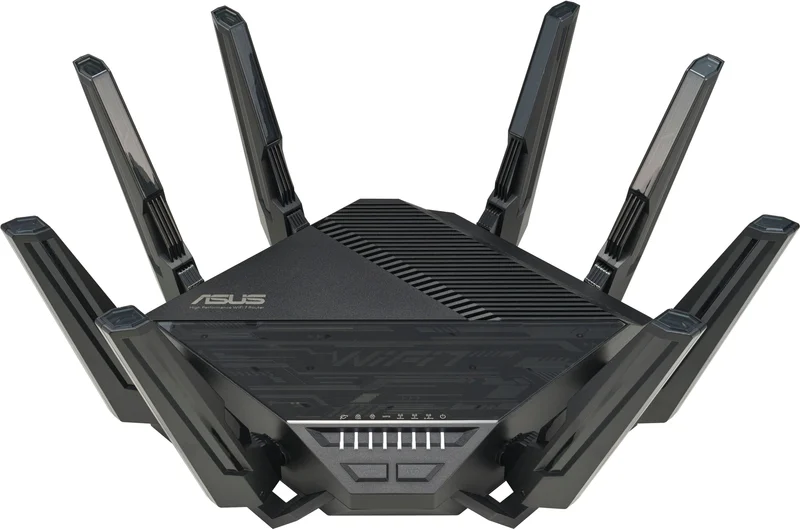
- Buy ASUS RT-BE96U A tri-band Wi-Fi 7 powerhouse with deep controls and no paywall on its security suite. Amazon
- Buy NETGEAR Nighthawk RS700S NETGEAR's flagship BE19000 tower, if you can live with security features behind a subscription. Amazon
- It depends eero Amazon eero Max 7 (1-pack) The easiest router to live with, but it trades control and outright speed for simplicity. Amazon
- Skip TP-Link Archer BE800 Excellent hardware undercut by a U.S. regulatory and security cloud. Amazon
What actually matters
- Coverage for your specific home, because square footage, floors, and wall materials decide whether one strong router is enough or you need mesh nodes to reach every corner.
- Real-world speed at range, not the peak lab number, since the meaningful question is how fast the connection stays two rooms and a wall away from the router.
- Band count and 6 GHz support, because a dedicated 6 GHz lane gives newer devices a clean, uncongested path that helps in busy homes.
- Multi-gig wired ports, since a 10 Gigabit or 2.5 Gigabit port is what lets you actually use fast internet or wire up a demanding device.
- Software depth versus simplicity, because the control philosophy determines whether you'll feel empowered or overwhelmed every time you open the settings.
- Whether key features cost extra, as some brands rent out advanced security and parental controls that others include for free.
- Long-term support and availability, because a router is a multi-year purchase that only stays safe if the maker keeps shipping firmware and security updates in your region.
The specs, in plain English
Green flags vs red flags
Green flags
- Tri-band with a dedicated 6 GHz lane, giving your newest devices a clean, high-capacity path.
- At least one 10 Gigabit port plus one or more 2.5 Gigabit ports, so the router won't bottleneck a future fast plan.
- Security and parental controls included at no extra charge, rather than rented monthly.
- A clear, ongoing firmware-update track record and a stable, sanctioned support path in your country.
- Software that matches your temperament, whether that's deep manual control or a clean, guided app.
- The ability to add mesh nodes later, so one router can grow into a whole-home system if you move or expand.
Red flags
- A dazzling combined speed rating with no mention of bands, Wi-Fi generation, or port speeds.
- The best security or parental features locked behind a subscription that isn't disclosed upfront.
- Only 1 Gigabit wired ports on a premium router you hope to keep for years.
- A brand or model facing regulatory bans or unresolved security questions in your region.
- First-generation firmware with a history of needing many patches just to run reliably.
- A single-unit purchase of a system designed mainly for mesh, which underuses what you paid for.
Who's who: the brands
- ASUS - Known for deep, tinker-friendly software, strong performance, and including its security suite without a recurring fee.
- NETGEAR - Its Nighthawk line targets high speed and range, with a polished app but some features behind a paid plan.
- eero (Amazon) - The set-and-forget choice, built for effortless mesh and smart-home integration, trading manual control for simplicity.
- TP-Link - Historically strong hardware and value, but facing serious U.S. regulatory and security scrutiny in 2026 that clouds its buyability.
- Google - Nest Wifi mesh systems have emphasized simplicity and clean design for mainstream users who want easy whole-home coverage.
How to read a listing without getting fooled
Start by ignoring the giant combined speed number on the front of the box; it's a sum no device ever reaches. Instead, look for three things in order: the Wi-Fi generation (6, 6E, or 7) and whether it's tri-band with 6 GHz, which tells you how modern and uncongested it is; the wired ports, where a 10 Gigabit and some 2.5 Gigabit connections signal real future-proofing; and the software philosophy, which decides whether you'll enjoy or resent living with it. Then read the fine print for the words "subscription" or "plus plan" near security and parental controls, because that's where hidden ongoing cost hides. Finally, sanity-check coverage against your home's size and layout rather than a vague square-footage claim, and confirm the brand is fully supported where you live.
How much should you spend?
How much to spend comes down to matching the router to the internet and devices you actually have, not the ceiling of what's possible. If your plan is a standard broadband speed and your devices are a couple of years old, a solid mid-tier router will saturate your connection and leave money in your pocket; paying flagship prices buys headroom you can't yet use. Stepping up makes sense when you have or expect multi-gig internet, a large or multi-floor home, a heavy device count, or a genuine appetite for the latest Wi-Fi 7 features. Remember that the sticker isn't the whole price: a cheaper router that charges monthly for security can cost more over a few years than a pricier one that includes everything. Buy for the next two or three years of your real needs, and treat the biggest numbers as optional insurance rather than a requirement.
Questions, answered
Is Wi-Fi 7 worth it right now, or should I wait?
For most homes it isn't essential yet, because the biggest gains need both a multi-gig internet plan and Wi-Fi 7 devices, and both are still uncommon. That said, features like Multi-Link Operation and wider channels can improve stability even with today's gear, so a Wi-Fi 7 router is reasonable future-proofing if the price fits. If your current setup works and your budget is tight, there's no urgency.
Do I need a single powerful router or a mesh system?
It depends on your home. A single strong router is simpler, often faster at close and medium range, and usually cheaper than a multi-node kit, which makes it ideal for apartments and smaller houses. Mesh wins in large or multi-floor homes with thick walls, where one unit can't reach every corner. Match the shape of your coverage problem to the shape of the solution.
Will a faster router make my internet faster?
Only up to the speed you already pay for. A router can't create bandwidth your internet plan doesn't deliver; at best it removes bottlenecks and spreads your existing speed more reliably across more devices. If web pages load slowly everywhere, the fix is usually a better internet plan, not a pricier router. A new router mainly helps with coverage, congestion, and using speed you already have.
What ports and speeds should I look for to future-proof?
Prioritize at least one 10 Gigabit port if your plan is or may become multi-gig, plus one or more 2.5 Gigabit ports for wired devices like a desktop or home server. Tri-band operation with a 6 GHz band gives newer devices a clean, high-capacity lane. These wired and band details age far better than the headline speed rating.
Why would a good router be a bad buy in 2026?
Because a router is a multi-year purchase that stays safe only if the maker keeps shipping firmware and security updates. Some foreign-produced routers face U.S. regulatory scrutiny and security investigations that put future updates, support, and availability in doubt. Even excellent hardware isn't worth it if its long-term support is uncertain in your region, so factor buyability and support alongside the specs.
Or jump to the head-to-head: ASUS RT-BE96U vs NETGEAR Nighthawk RS700S.