Explained
4K Streaming Devices, Explained
After reading this, you will understand what actually makes a 4K streaming device good, which specs to ignore, and how to pick one that stays fast for years.
In this guide
A 4K streaming device is a small box or stick that plugs into your TV and replaces the sluggish, ad-heavy software most sets ship with. The category looks confusing because every model brags about resolution, chip names, and storage, but almost none of those numbers predict how the thing will actually feel to use. What trips people up is buying on the spec sheet instead of on the two things that decide daily happiness: how fast the interface stays over time, and how many ads and how much tracking you are willing to tolerate.
The 30-second version
- Processor headroom, not 4K, is the real spec. Every modern device does 4K; what separates them is whether the chip keeps the menus snappy three and five years in.
- Ads and privacy vary wildly. Some home screens are clean and quiet, others lead with a permanent banner and track what you watch, and this gap matters more than any hardware feature.
- Sticks are portable and cheap; boxes last longer. A plug-in stick hides behind the TV and travels well, while a set-top box usually has a faster chip and ages more gracefully.
- Ecosystem fit changes the value. The right pick depends on whether you live in Apple, Google, or no particular ecosystem, because the extras only pay off if you use them.
- Extra ports and storage are rarely the deciding factor. Ethernet and large storage help a small minority; most buyers should weight interface speed and clutter far higher.
The products this guide is about
Our verdict on each, with the full reasoning on the companion review.
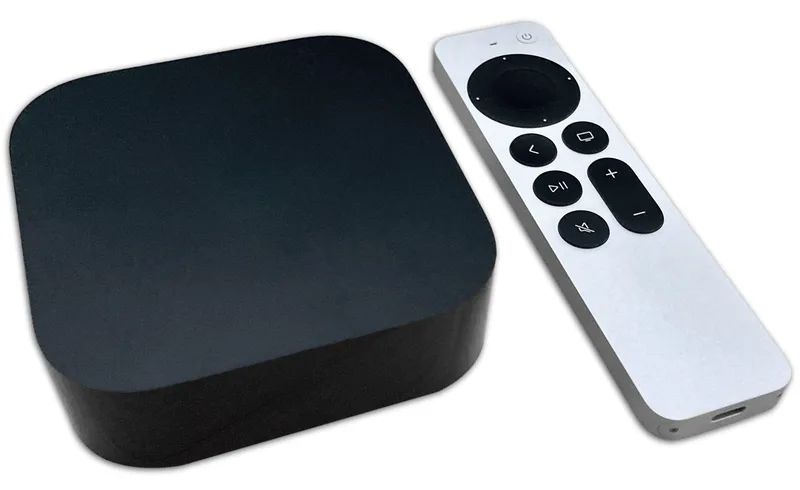
- Buy Apple TV 4K (3rd Gen) The fastest, cleanest, most private streamer, if you'll pay a premium for it. Amazon
- Buy Roku Streaming Stick 4K The easy, cheap pick that doesn't care which phone or services you own. Amazon
- Skip Google TV Streamer Capable, but overpriced; cheaper players do the same job for most people. Amazon
What actually matters
- Processor headroom - the chip decides whether the interface stays fast or starts stuttering as apps grow heavier over the years; it is the single best predictor of how long the device stays pleasant to use.
- Ad load on the home screen - some platforms keep the start screen clean while others lead with a large, unremovable ad banner you look at every single day, so this shapes the everyday experience more than any feature.
- Privacy and data collection - streaming platforms differ sharply in how much they track what you watch and how they monetize it, and the quieter, less nosy options are worth seeking out.
- HDR format support - Dolby Vision, HDR10+, and HDR10 improve contrast and color, but they only help if your TV supports the same format, so match the device to your set rather than chasing the longest list.
- App and content breadth - a neutral, comprehensive app catalog with cross-service search that finds where a title is cheapest beats a platform that steers you toward its own store.
- Form factor - a stick disappears behind the TV and moves between rooms easily, while a box sits on a shelf but tends to run cooler and faster; pick for your setup.
- Remote quality - a rechargeable remote with useful shortcut buttons and a lost-remote finder is a small daily pleasure that cheaper tiers often strip out.
The specs, in plain English
Green flags vs red flags
Green flags
- A modern, capable processor that independent testing and long-term owner reports say still feels fast years after purchase
- A clean home screen with little or no advertising and a platform that is not aggressive about tracking what you watch
- Cross-service search that finds a title across apps and shows where it is cheapest, rather than steering you to one store
- HDR support that matches your TV's formats (Dolby Vision or HDR10+) plus a rechargeable remote with a lost-remote finder
- A neutral, comprehensive app catalog that does not favor one company's services
Red flags
- A permanent advertising banner on the home screen that you cannot remove
- Reviewers and owners repeatedly reporting stutter, frame-rate problems, or slowdown within the first couple of years
- A mid-range price attached to hardware that cheaper players match or beat in independent testing
- Heavy reliance on the chip being from an older or budget class, hinting at a short useful life
- An interface padded with AI-generated recommendation rows and ad-style suggestions that get between you and your apps
Who's who: the brands
- Apple - Makes the premium set-top box, known for the fastest, cleanest, most private experience and the longest useful life, at a premium price.
- Roku - The neutral, platform-agnostic choice; simple app-grid menus, wide content catalog, and affordable sticks that do not care which phone or services you own.
- Google - Makes a capable set-top streamer with strong cross-service recommendations and a built-in smart-home hub, but leans on ad-heavy rows and is priciest relative to what most people use.
- Amazon - Well-known for affordable Fire TV sticks with broad app support, though the interface pushes Amazon's own content and advertising hard.
How to read a listing without getting fooled
When you look at a product listing, mentally cross out the specs everyone shares. 4K support tells you nothing because they all have it, and a long list of HDR and audio formats only matters where it overlaps with what your TV and speakers can actually reproduce. Instead, hunt for signals about the processor and how the device ages: marketing rarely states this plainly, so lean on independent testing and long-term owner reports that describe how it feels after a year or two, not just out of the box. Treat big storage numbers, Ethernet ports, and smart-home hubs as bonuses that only count if you have a specific need for them, never as the reason to buy. Finally, read between the lines on ads: if a listing brags about 'personalized recommendations' and 'content discovery,' that often means a busy, ad-supported home screen. A device that stays quiet, fast, and private is worth more than one stacked with features you will never touch.
How much should you spend?
Spending here follows a clear curve. The cheapest mainstream sticks already deliver reliable 4K HDR and cover what most households need, so the entry level is genuinely good value rather than a compromise. The premium boxes cost meaningfully more, and what that money buys is not more resolution but a faster chip that resists slowdown, a cleaner ad-free interface, better privacy, and a nicer remote, in other words, longevity and polish. The awkward zone is the middle: a mid-range price does not guarantee a mid-range experience, and independent testing has found mid-priced players that cheaper options match or beat. The value sweet spot depends on your horizon. If you replace devices every couple of years or move a streamer between rooms, the budget end makes the most sense. If you want to buy once and forget it on a main TV for five years, paying up for processor headroom and a quiet interface is the rare premium that earns its keep. Paying more only for extra storage, an Ethernet port, or a smart-home hub you will not use is where people overspend.
Questions, answered
Do I even need a separate streaming device if my TV is already smart?
Often, yes. The smart software built into most TVs slows down and loses app support within a few years, while a dedicated device stays faster and updated longer. If your TV's interface already lags or drops apps, an external streamer is the cheapest meaningful upgrade you can make.
Should I pay for a premium box or is a cheap stick enough?
A cheap stick handles the core job, fast, wide app support and 4K HDR, well enough for most people. The premium boxes are worth it if you want a main-TV device that stays fast and ad-free for five years, or if you value privacy and a nicer remote. Match the spend to how long you plan to keep it.
How long will a streaming device last before it feels slow?
Budget sticks typically start to feel sluggish within two to three years as apps grow heavier, while premium boxes with stronger chips often stay smooth five or more years. Processor headroom, not resolution support, decides real longevity. If longevity matters, weight the chip above everything else.
Is Dolby Vision, HDR10+, or Atmos worth prioritizing?
Only if your TV and speakers actually support the same formats. If they do not pass the signal through, the support is just a label you will never benefit from. Since most mainstream devices handle the common formats anyway, prioritize interface speed and app stability, which affect daily use far more.
Do the extra storage, Ethernet port, or smart-home hub actually matter?
For most people, no. Ethernet helps only if your Wi-Fi is unreliable, large storage matters mainly if you sideload many apps or games, and a smart-home hub pays off only if you are actively building a smart home. Buy these features only when you already know you have a specific need.
Or jump to the head-to-head: Apple TV 4K (3rd Gen) vs Roku Streaming Stick 4K.