Explained
Bluetooth Trackers, Explained
After reading, you will know why the tracker you should buy is decided by the phone in your pocket, not by any single spec on the box.
In this guide
A Bluetooth tracker is a small tag you attach to keys, a bag, or a wallet so you can find them again. The trap for first-time buyers is thinking of it as a piece of hardware: what actually makes a tracker useful is the invisible network of other people's phones quietly listening for it. Get that one idea right and the rest of the buying decision falls into place.
The 30-second version
- The network is the product. A tag only chirps over Bluetooth; it is the millions of nearby phones on Apple's, Google's, or Samsung's network that report a lost item's location back to you.
- Your phone picks the tracker. iPhone owners want one type of tag, Samsung Galaxy owners another, and mixed or Android households a third, so start with the phone you carry, not the feature list.
- Ultra-wideband is a nice-to-have, not a must-have. It guides you the last few feet with an on-screen arrow, but a loud ring and a big recovery network matter more for genuinely lost items.
- Watch for strings attached. Some trackers gate their most useful features behind a subscription or come from companies with a location-data track record worth knowing about.
- None of these are disposable. Every mainstream tracker now uses a user-replaceable battery, so a dead tag means a cheap coin cell, not a landfill purchase.
The products this guide is about
Our verdict on each, with the full reasoning on the companion review.
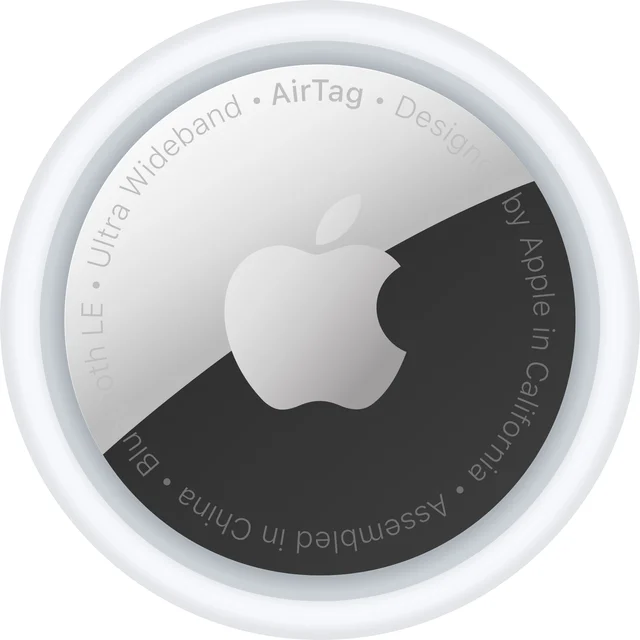
- Buy Apple AirTag (2nd generation) The most reliable finder if you live in Apple's world, and useless outside it. Amazon
- Buy Samsung Galaxy SmartTag2 Excellent battery and close-range guidance, but only for Galaxy owners. Amazon
- It depends Chipolo POP The flexible one: pick Apple or Google, but give up ultra-wideband to get there. Amazon
- Skip Life360 Tile Pro A capable finder held back by a thin network, paywalls, and privacy baggage. Amazon
What actually matters
- Crowd-finding network size decides whether a lost item ever resurfaces; the tags tied to Apple, Google, or Samsung recover things in public far more often than anything on a small proprietary network.
- Phone compatibility is the gate everything else passes through, because a tag locked to iPhone, or to Samsung Galaxy specifically, is useless on the wrong device.
- Ultra-wideband (UWB) Precision Finding determines whether your phone can point an exact direction and distance to a nearby tag, which is the difference between hunting a room and walking straight to the item.
- Battery type and life shapes daily living with the tag; replaceable cells that last many months mean you rarely think about it.
- Attachment matters more than it sounds, since a tag without a built-in keyring hole forces you to buy a separate holder that adds bulk and cost.
- Water and dust resistance, expressed as an IP rating, tells you whether the tag survives a rained-on bag or a trip through a puddle.
- Subscription and privacy terms decide whether your one-time purchase stays one-time and whether the company's business model sits comfortably with a device that knows where your things are.
The specs, in plain English
Green flags vs red flags
Green flags
- The tag rides one of the large networks tied to Apple, Google, or Samsung, so lost-item recovery in public is realistic.
- It is compatible with the phone you actually carry, confirmed before you buy rather than assumed.
- It uses a user-replaceable battery, so the tag lasts for years of coin-cell swaps.
- It has a built-in keyring hole or loop, so you can attach it without a separate accessory.
- It offers ultra-wideband Precision Finding if pinpoint in-room finding matters to you.
- A well-sealed IP rating, such as IP67, if the tag will ride an outdoor bag or get wet.
Red flags
- The tracker leans on a small, proprietary crowd network, which means a lost item rarely gets located once it leaves home.
- Genuinely useful protections are locked behind a paid subscription, turning a one-time buy into a recurring cost.
- The maker has a documented history of monetizing user location data, which is uncomfortable for a device whose job is knowing where things are.
- An off-brand or no-name tag with no meaningful network behind it, however cheap it looks.
- No built-in attachment point, forcing an extra holder purchase you were not told about.
- Marketing that emphasizes hardware features while staying vague about which network actually finds your item.
Who's who: the brands
- Apple - Makes the AirTag and runs the vast Find My network; the default for iPhone households and useless outside Apple's world.
- Samsung - Makes the Galaxy SmartTag line with long battery life and UWB, but it only works with Samsung Galaxy phones through SmartThings Find.
- Chipolo - Independent tracker maker whose tags register to either Apple Find My or Google Find Hub, making it the flexible pick for Android and platform-switchers.
- Tile (Life360) - The original cross-platform tracker brand, now owned by Life360; runs its own smaller network and carries subscription and privacy caveats.
- Google - Does not sell its own tag but operates the Find Hub network that Android-friendly trackers like Chipolo can use, the Android counterpart to Apple's Find My.
How to read a listing without getting fooled
When you read a tracker's listing, ignore the hero feature for a moment and find two facts first: which network it uses and which phones it works with. A page that shouts about a loud ring or a sleek design but is coy about the network is steering you away from the thing that decides real-world recovery. Confirm the tag works with your exact phone, not just "iOS and Android" in general, because some tags require a specific brand of Android. Then check whether "precision" or "Precision Finding" appears, which signals ultra-wideband, and whether the battery is described as replaceable. Finally, read the fine print for the word "subscription" or "premium": if the features that sold you sit behind a paywall, the sticker is not the real price.
How much should you spend?
Bluetooth trackers are one of the rare categories where the cheapest credible option is often the right one, because the value lives in the network rather than the hardware, and the big networks cost you nothing to join. Spend enough to get a tag on Apple's, Google's, or Samsung's network; that single choice buys you real recovery odds and is worth far more than saving a little on an off-brand tag that will never resurface. Paying a bit more is justified when you specifically need ultra-wideband Precision Finding or a longer-lasting battery, and multipacks lower the per-tag cost if you are outfitting several items. Where spending more rarely pays off is a subscription tacked onto the purchase: treat any recurring fee as a reason to look harder at a network-native tag that asks for nothing beyond the tag itself.
Questions, answered
Do Bluetooth trackers use GPS?
No. These tags have no GPS and no cellular connection. They broadcast Bluetooth, and nearby phones on the maker's network anonymously report the location back to you. That is exactly why a large, dense crowd network matters far more than any single hardware feature when you truly lose something.
Can an AirTag-style Apple tag work with an Android phone?
No. Apple's tags depend on the Find My network and app, which do not run on Android. If you use Android, or you switch phones often, choose a tag that registers to Google's Find Hub, or a flexible option like Chipolo that can join either Apple's or Google's network one at a time.
Do I really need ultra-wideband Precision Finding?
Not necessarily. Ultra-wideband guides you the last few feet with an on-screen arrow and is genuinely satisfying for finding an item inside a room. But for something lost out in the world, network size and a loud ring do the heavy lifting. Treat UWB as a welcome bonus, not a deal-breaker.
Are Bluetooth trackers a privacy risk to me or others?
The networks are designed to report locations anonymously, and the major platforms include alerts that warn you if an unknown tag appears to be traveling with you. The larger privacy question is the maker's own business model; a company with a history of selling location data deserves more scrutiny than the tag's technical design.
How long does the battery last, and can I replace it?
Every mainstream tracker uses a user-replaceable battery, typically a flat coin cell. Life ranges from several months to well over a year depending on the model and how often the tag rings. When it dies you swap in a cheap replacement rather than buying a new tracker.
Is it worth buying a multipack?
Yes, if you plan to tag more than one thing. Multipacks lower the cost per tag, and most people end up wanting tags on keys, a bag, and a wallet. Buy singly only if you are testing the category with one item first.
Or jump to the head-to-head: Apple AirTag (2nd generation) vs Chipolo POP.