

Tech & Gadgets
The Best Bluetooth Item Trackers (2026): AirTag-Style Finders, Honestly Compared
We compared 2026's Bluetooth item trackers across Precision Finding, crowd-finding networks, battery life, and phone support - and flagged the one to skip.
The short version
The tracker to buy depends on your phone, not on any single spec sheet. iPhone owners should get the Apple AirTag for its ultra-wideband Precision Finding and the largest crowd-finding network. Samsung Galaxy owners get the same close-range magic and much longer battery from the SmartTag2. If you mix iPhone and Android, the Chipolo POP works on either network, though it drops precise finding. Skip the Tile Pro: it has no ultra-wideband, a thin network, subscription-gated features, and a parent company with a location-data track record.
Our picks at a glance
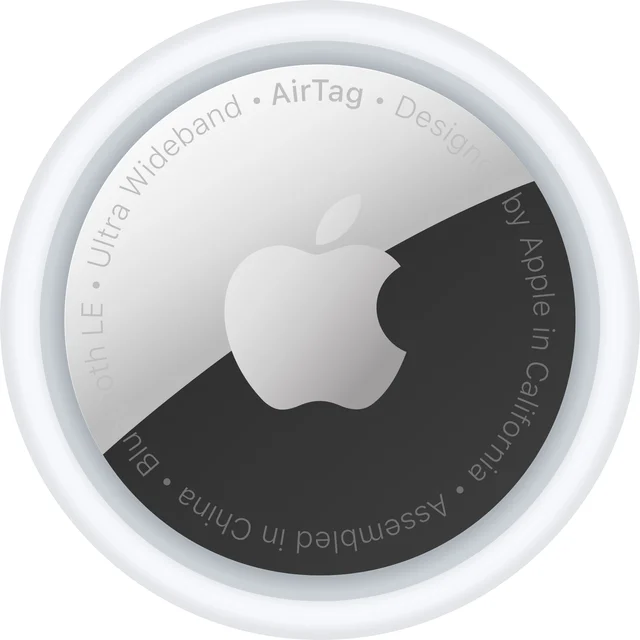
- Apple AirTag (2nd generation) - Buy. The most reliable finder if you live in Apple's world, and useless outside it.
- Samsung Galaxy SmartTag2 - Buy. Excellent battery and close-range guidance, but only for Galaxy owners.
- Chipolo POP - It depends. The flexible one: pick Apple or Google, but give up ultra-wideband to get there.
- Life360 Tile Pro - Skip. A capable finder held back by a thin network, paywalls, and privacy baggage.
The verdict in 30 seconds
What mattered most
- Precision finding (UWB)
- Crowd-finding network
- Works with
- Battery
- Built-in keyring hole
- Water/dust resistance
Bluetooth trackers only earn their keep when the finding network behind them is dense enough to locate a lost bag in the real world. We synthesized independent expert teardowns and long-term owner reports to sort the genuinely useful trackers from the ones that lean on marketing. The catch nobody advertises: the best tracker for you depends almost entirely on which phone you carry.
The most reliable finder if you live in Apple's world, and useless outside it.
Best for: IPhone owners who want the most accurate close-range finding and the widest recovery net.
- Second-generation U2 ultra-wideband chip drives Precision Finding that points you to an item from meaningfully farther away, and now works from an Apple Watch
- The Find My crowd-finding network is by far the largest, so a lost item quietly reports its location when any nearby iPhone passes it
- No keyring hole in the body, so attaching it to keys or a bag means buying a separate holder that adds bulk and cost
- It is iPhone-only; Android users cannot set it up or track with it at all
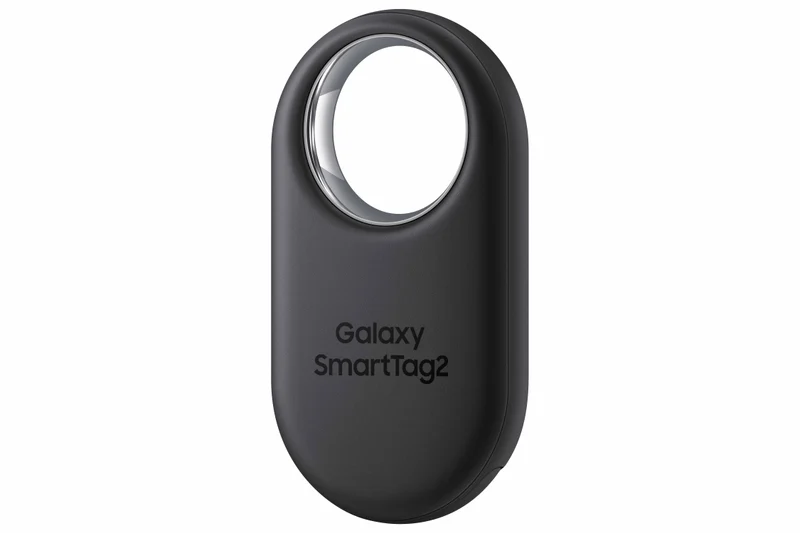
Excellent battery and close-range guidance, but only for Galaxy owners.
Best for: Samsung Galaxy owners who want long battery life and precise in-room finding.
- Rated for roughly 500 days on a replaceable battery, stretching further in power-saving mode, so you rarely think about swaps
- Ultra-wideband with Compass View draws an on-screen arrow and distance to the tag, and the body has a built-in metal loop that needs no accessory
- Works only with Samsung Galaxy phones through SmartThings Find; other Android phones and every iPhone get nothing
- Its crowd-finding network is smaller and limited to Samsung devices, so public recovery is less certain than Apple's

The flexible one: pick Apple or Google, but give up ultra-wideband to get there.
Best for: People who move between iPhone and Android, or want one tracker that is not locked to a single brand.
- Can register to either Apple Find My or Google Find Hub, so it rides a large crowd network on whichever phone you own
- Loud roughly 120 dB ring and a built-in keyring hole make close-range, at-home finding easy without extra accessories
- No ultra-wideband, so there is no to-the-inch Precision Finding, only Bluetooth signal strength
- You commit to one network at setup; switching between Apple and Google means re-registering the tag, and the IP55 rating is less sealed than IP67 rivals

A capable finder held back by a thin network, paywalls, and privacy baggage.
Best for: Almost no one today; only mixed iOS/Android households already committed to the Life360 app.
- A single app works on both iOS and Android, and the long Bluetooth range plus a built-in keyring hole cover the basics
- The multi-function button doubles as an SOS trigger tied to the companion app
- No ultra-wideband precision finding, and the crowd-finding network is smaller and less dense than Apple's or Google's, so public recovery is unreliable
- The most useful protections sit behind a paid subscription, and parent company Life360 has a documented history of monetizing user location data
| Criteria | Apple AirTag (2nd generation) Top pick | Samsung Galaxy SmartTag2 | Chipolo POP | Tile Pro |
|---|---|---|---|---|
| Verdict | Buy it | Buy it | It depends | Skip it |
| Best for | IPhone owners who want the most accurate close-range finding and the widest recovery net. | Samsung Galaxy owners who want long battery life and precise in-room finding. | People who move between iPhone and Android, or want one tracker that is not locked to a single brand. | Almost no one today; only mixed iOS/Android households already committed to the Life360 app. |
| Price tier | $ · budget | $ · budget | $ · budget | $$ · mid-range |
| Precision finding (UWB) | Yes - U2 ultra-wideband | Yes - UWB with AR arrow | No - Bluetooth only | No - Bluetooth only |
| Crowd-finding network | Apple Find My (largest) | Samsung Galaxy only (smaller) | Apple Find My or Google Find Hub | Life360/Tile (smallest) |
| Works with | iPhone only | Samsung Galaxy only | iPhone or Android | iPhone and Android |
| Battery | Replaceable coin cell, about a year | Replaceable, up to ~500 days | Replaceable coin cell | Replaceable, about a year |
| Built-in keyring hole | No - needs a holder | Yes - metal loop | Yes - built-in | Yes - built-in |
| Water/dust resistance | IP67 | IP67 | IP55 | IP67 |
Which one is right for you?
- IPhone owners who want the most accurate close-range finding and the widest recovery net. Buy it Apple AirTag (2nd generation)
- Samsung Galaxy owners who want long battery life and precise in-room finding. Buy it Samsung Galaxy SmartTag2
- People who move between iPhone and Android, or want one tracker that is not locked to a single brand. It depends Chipolo POP
- Almost no one today; only mixed iOS/Android households already committed to the Life360 app. Skip it Life360 Tile Pro
How we judged the field
A Bluetooth tracker is not really a piece of hardware; it is a membership card to a finding network. The tag itself only chirps over Bluetooth. Everything that makes it useful when your keys vanish depends on how many other phones are silently listening and reporting locations back. So we weighted network size and reach first, then close-range finding technology, then the boring practicalities that decide whether you keep using the thing: battery, attachment, water resistance, and whether basic features are held hostage by a subscription.
We synthesized independent expert testing and long-term owner reports rather than running our own lab. Two patterns showed up again and again. First, the trackers tied to Apple, Google, or Samsung recover lost items in public far more often than anything on a smaller proprietary network. Second, the right choice is dictated almost entirely by the phone in your pocket. There is no universal winner, so we picked the best option for each kind of buyer and named the one to avoid.
Apple AirTag (2nd generation)
Buy itFor iPhone owners, this is the default for good reason. The second-generation ultra-wideband chip drives Precision Finding that points you to a nearby tag with a direction and distance, now reaching from noticeably farther away and even working from a recent Apple Watch. Behind it sits the Find My network, which is effectively every iPhone on earth, making it the most likely tracker to resurface after a bag goes missing in a strange city.
What owners like more is that combination of pinpoint close-range finding and a recovery net nothing else matches. What they like less is the design stubbornness: there is still no hole in the body, so attaching one to keys means buying a holder that adds cost and bulk. And it is a closed door to Android. If your household is all-iPhone, none of that stops it from being the pick.
Samsung Galaxy SmartTag2
Buy itIf you carry a Samsung Galaxy phone, the SmartTag2 delivers the same close-range confidence as the AirTag on the other side of the fence. Ultra-wideband plus Compass View paints an on-screen arrow and live distance to the tag, and the standout practical win is battery life measured in hundreds of days on a replaceable cell, with a power-saving mode that stretches it further. The body also has a proper metal loop, so it clips to a keyring straight out of the package.
The reason it is a conditional buy rather than a universal one is lock-in. It runs only through SmartThings Find on Samsung Galaxy devices. A non-Samsung Android phone or an iPhone cannot use it, and its crowd network, while real, is smaller and Samsung-only. Owners like the endurance and the arrow-guided finding; they like less that the whole thing evaporates the moment they switch away from Galaxy.
Chipolo POP
It dependsThe POP is the answer to the ecosystem trap. At setup you choose Apple Find My or Google’s Find Hub, and the tag then rides whichever of those large networks matches your phone. That flexibility is the headline: it is the sensible pick for Android users and for anyone who suspects they might switch platforms. It rings loudly, which makes at-home finding painless, and unlike the AirTag it has a built-in hole for a keyring.
The trade-offs are honest and worth stating. There is no ultra-wideband, so you get Bluetooth signal-strength finding rather than an exact arrow to the item. You also commit to one network per tag; moving from Apple to Google means re-registering it. Its water and dust sealing is a step below the IP67 rivals. Owners like the freedom and the ring volume; they like less the missing precision and the one-network-at-a-time rule.
Tile Pro
Skip itOn paper the Tile Pro reads fine: long Bluetooth range, a built-in keyring hole, an SOS button, and a single app that runs on both iOS and Android. In practice it has been overtaken. It has no ultra-wideband, so there is no precise last-few-feet finding. More damaging, its crowd-finding network is smaller and thinner than the ones Apple, Google, and Samsung can call on, which is exactly the capability a tracker exists to provide.
Then come the strings. Several of the genuinely useful protections are gated behind a paid subscription, turning a one-time purchase into a recurring cost to keep full functionality. And the parent company carries a documented history of monetizing user location data, which is uncomfortable baggage for a device whose entire job is knowing where your things are. Owners appreciate the cross-platform app and the loud ring, but like far less the paywall, the weak network, and the privacy questions. For nearly everyone, one of the platform-native tags is the better buy.
Apple AirTag vs Chipolo POP: which should you buy?
This is the decision most people actually face, because it comes down to precision versus flexibility. The AirTag wins on raw capability: ultra-wideband Precision Finding and the largest recovery network mean that in-room searches and public losses both go better. The catch is that all of it requires an iPhone.
The Chipolo POP wins on freedom. It works on Android or iPhone, hooks into either Apple’s or Google’s large network, and adds the keyring hole Apple omits. You give up the exact directional arrow and settle for Bluetooth proximity. If you own an iPhone and expect to keep owning one, take the AirTag. If you are on Android, or you value not being locked in, the POP is the smarter buy and the reason it is our runner-up.
What to look for
Start with your phone, not the tag. iPhone-only household: AirTag. All-Samsung household: SmartTag2. Mixed or Android: Chipolo POP. That single question settles most of the decision.
After that, weigh three things. Do you need ultra-wideband to find items inside a room, or is ringing them enough? Do you want a keyring hole in the body or are you fine buying a holder? And are you willing to pay a subscription for full features, because at least one option quietly asks for one. Buy tags in multipacks if you plan to tag several items, and remember that every tracker here uses a user-replaceable battery, so none of them is disposable after a year.
Our final take
The finding network is the product. Choose the tracker that matches your phone and you inherit a dense, effective recovery net; choose against it and even good hardware underperforms. iPhone owners should buy the Apple AirTag, Galaxy owners the Samsung SmartTag2, and everyone else the Chipolo POP. Leave the Tile Pro on the shelf: a thinner network, subscription-gated features, and its privacy record make it the one honest skip in this category.
Questions, answered
Do Bluetooth trackers use GPS?
No. These tags have no GPS. They broadcast Bluetooth, and nearby phones on the maker's network anonymously report the location back to you. That is why a large, dense crowd network matters far more than any single hardware feature when you actually lose something.
What is ultra-wideband Precision Finding and do I need it?
Ultra-wideband lets your phone show an exact direction and distance to a nearby tag, guiding you the last few feet with an on-screen arrow. It is genuinely useful for finding items in a room. The AirTag and SmartTag2 have it; the Chipolo POP and Tile Pro do not.
Can an AirTag work with an Android phone?
No. The AirTag depends on Apple's Find My network and app, which do not run on Android. Android and iPhone-switching users should choose the Chipolo POP, which registers to either Apple Find My or Google's Find Hub, one network at a time.
Why not just buy the cheapest tracker?
A tracker is only as good as the phones quietly listening for it. Off-brand or small-network tags rarely get located once they leave your home. Paying slightly more for a tag on Apple's, Google's, or Samsung's network buys you real-world recovery odds, which is the entire point.
Deciding between the top two? See our head-to-head: Apple AirTag (2nd generation) vs Chipolo POP.
More Tech & Gadgets reviews
 The Best Book Lights: 4 Compared (and One to Skip)
  Best Budget 1440p Gaming Monitors (27"): What's Actually Worth It
  The Best Budget Laptops for Everyday Use: 4 Compared (and One to Skip)
  Best Budget Mechanical Keyboards: The 3 Worth Buying and 1 Popular Pick to Skip
  The Best Budget Tablets: Four Compared, One to Skip
  The Best Cable Modems: 5 Compared (and One to Skip)