Explained
4K TVs, Explained
After reading this, you'll be able to look at any 4K TV listing and know - from the panel type, dimming, and ports alone - whether it will actually look good in your room.
In this guide
Every 4K TV promises 'stunning picture' and 'billions of colors,' which makes the spec sheet nearly useless at first glance. The real quality gap hides in a handful of terms most listings bury or dress up: what kind of panel it is, whether it has local dimming, and what its HDMI ports can actually do. Buyers most often get tripped up by trusting a famous badge or a marketing name (QLED, Crystal, 4K HDR) instead of the two or three specs that genuinely predict how the TV will look at night, in daylight, and with a game controller in hand.
The 30-second version
- Contrast is king. how a TV handles dark scenes - self-emissive OLED pixels or a good local-dimming backlight - predicts your satisfaction better than resolution, brand, or any marketing term.
- Match the panel to the room. OLED shines in dim or light-controlled rooms; mini-LED's raw brightness wins in sunlit living rooms and for daytime sports.
- The badge is not the spec. big brands sell entry-level sets with no local dimming and 60Hz panels under premium-sounding names; a mid-range set from a value brand often outperforms them.
- Gamers should read the ports, not the box. you want full-bandwidth HDMI 2.1, 120Hz or higher, and VRR - and you should check how many ports actually deliver it, and whether one is shared with eARC.
- HDR is only as good as the hardware. an 'HDR' logo on a dim TV with no dimming zones changes almost nothing; brightness and contrast are what make HDR visible.
The products this guide is about
Our verdict on each, with the full reasoning on the companion review.
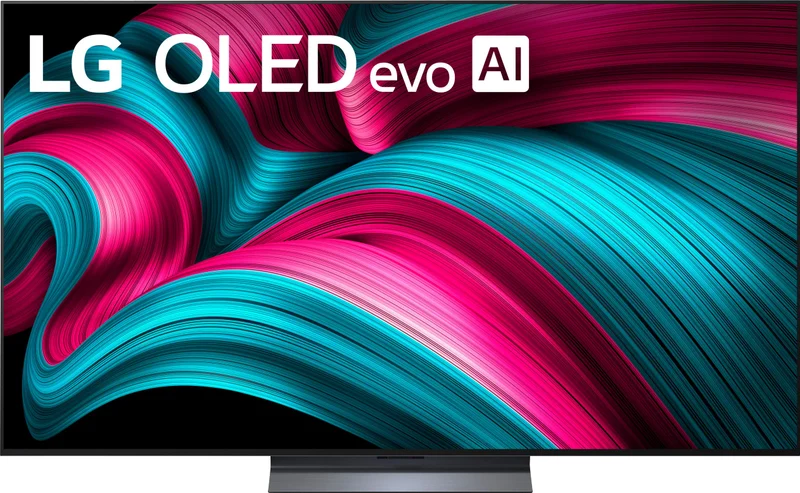
- Buy LG C5 OLED (OLED65C5) A strong all-around picture-per-dollar choice: deep blacks, serious brightness, and the gaming features that matter. Amazon
- Buy TCL QM7K QD-Mini LED (65QM7K) A quantum-dot mini-LED that gets shockingly close to OLED contrast with much higher brightness - for a lot less money.
- It depends Sony BRAVIA 8 II QD-OLED (K65XR80M2) A very refined picture - but you pay a steep premium for processing polish many viewers won't miss. Amazon
- Skip Samsung Q6F QLED (QN65Q6F) A famous badge on an entry-level panel: no local dimming and a 60Hz refresh rate make it easy to outclass at this price.
What actually matters
- Panel technology - OLED (each pixel makes its own light) versus LED/LCD (a backlight shines through the picture) is the single biggest fork in the road; it decides contrast, viewing angles, and how the TV behaves in bright versus dark rooms.
- Local dimming - on LCD-based TVs, the ability to dim the backlight in zones behind dark parts of the picture; without it, black scenes look gray and flat, and few other specs can compensate.
- Peak brightness - determines whether HDR highlights actually pop and whether the picture survives a sunny room; mini-LED sets lead here, while OLEDs have closed much of the gap.
- Gaming connectivity - full-bandwidth HDMI 2.1 ports, a 120Hz-or-faster panel, VRR, and low input lag decide whether a current-gen console or gaming PC can run at its best.
- HDR format support - Dolby Vision and HDR10+ are competing 'smart' HDR formats with exclusive content; some brands support only one, and a set that supports both hedges the bet.
- Processing and upscaling - most of what you watch isn't native 4K; better processors make cable, older streams, and fast motion look clean instead of soft or artificial.
- Viewing angle - OLED and some LCD panel types stay accurate from side seats; most affordable LCDs wash out off-center, which matters for wide couches and open-plan rooms.
The specs, in plain English
Green flags vs red flags
Green flags
- The listing names the dimming technology specifically - 'full-array local dimming' or 'mini-LED' with a zone count - rather than vague phrases like 'contrast enhancer'.
- At least two full-bandwidth HDMI 2.1 ports with 120Hz+ and VRR spelled out, and the spec sheet says which ports they are.
- Support for both Dolby Vision and HDR10+, so no streaming catalog is left showing baseline HDR.
- A native 120Hz (or faster) panel - stated as native, not a made-up motion number.
- Independent testing and long-term owner reports consistently praise dark-scene performance and reliability, not just out-of-box color pop.
- The brand publishes real specs (nits, zone counts, port bandwidth) instead of only marketing names.
Red flags
- No mention of local dimming anywhere - on an LCD TV, silence on dimming almost always means it has none, and dark scenes will look gray.
- A 60Hz panel dressed up with an inflated 'motion rate' number (e.g., 'Motion Rate 120' usually means a 60Hz panel).
- An 'HDR' badge on a set with modest brightness and no dimming zones - the HDR content will look nearly identical to standard content.
- 'QLED' or quantum-dot branding used as the headline feature with no contrast technology behind it.
- A famous brand's cheapest tier priced near a value brand's mid-range - the badge is what you're paying for, not the panel.
- A flagship-priced set with only two full-bandwidth HDMI 2.1 ports, one of them shared with eARC, if gaming plus a soundbar is part of your setup.
Who's who: the brands
- LG - The dominant OLED maker; its mid-flagship OLED line is the perennial 'best TV for most people,' with strong gaming connectivity. Backs Dolby Vision but not HDR10+.
- Samsung - The biggest TV brand overall; strong QD-OLED and mini-LED at the top, but its entry QLED tiers often lack local dimming - and its TVs do not support Dolby Vision (HDR10+ instead).
- Sony - The processing benchmark - well-regarded upscaling and motion, with a premium price to match; historically stingier with full-bandwidth HDMI 2.1 ports.
- TCL - The value leader in quantum-dot mini-LED; its mid-range sets deliver a startling share of the flagship experience, though processing trails Sony and LG on poor sources.
- Hisense - TCL's closest rival in aggressive mini-LED value, often pushing extreme brightness numbers; quality is strong for the money but quality control and software polish vary more by model.
How to read a listing without getting fooled
Start by identifying the panel: is it OLED (self-emissive) or LCD-based? If it's LCD, immediately look for the words 'full-array local dimming' or 'mini-LED' - if the listing talks about quantum dots, 'billions of colors,' or a fancy tier name but never mentions dimming, assume there is none and that dark scenes will disappoint. Next, decode the motion numbers: only a stated *native* refresh rate counts, and inflated 'motion rate' or 'clear motion index' figures are usually double the real number. Then check the ports section, not the headline: count how many HDMI inputs are genuinely full-bandwidth 2.1, and note whether eARC occupies one of them. Finally, treat HDR logos as a claim, not a feature - a set earns its HDR badge only if it has the brightness and contrast hardware to show it. If a spec sheet hides zone counts, brightness, and port details behind marketing names, that omission is itself information.
How much should you spend?
What you're really paying for as you move up the range is contrast hardware first (from no dimming, to full-array dimming, to mini-LED, to OLED), then brightness, then processing polish and connectivity. The value sweet spot right now sits squarely in mid-range quantum-dot mini-LED: those sets deliver the large majority of the flagship experience - deep contrast, serious HDR punch, real gaming features - at a fraction of flagship money. Stepping up to a mainstream OLED is worth it if you watch mostly in dim rooms, care about cinema, and want perfect blacks and viewing angles; it's the last upgrade most people will ever notice. Paying flagship money on top of that buys refinement - purer color, better upscaling, subtler motion - that dedicated cinephiles appreciate and most households honestly won't miss. At the other end, spending the least on a big-brand entry set is usually the worst deal in the entire market: a modest step up buys a large jump in picture quality, so stretch one tier rather than saving on the badge.
Questions, answered
Is OLED or mini-LED better?
Neither is universally better - they win in different rooms. OLED lights each pixel individually, so it delivers perfect blacks, infinite contrast, and very wide viewing angles: ideal for movie nights and light-controlled rooms. Mini-LED can get much brighter, so it wins in sunny living rooms and for daytime sports, and the best examples now get remarkably close to OLED contrast for less money. Pick by your room and budget, not by the acronym.
Should I worry about OLED burn-in?
For normal mixed viewing - streaming, movies, games, sports - long-term owner reports suggest burn-in is uncommon on current-generation panels, which run automatic pixel-refresh and screen-care routines. It's only a practical concern if the screen will show the same static image (a news ticker, a dashboard, a point-of-sale display) for many hours daily; in that case choose mini-LED instead.
Is 8K worth buying instead of 4K?
For most people, no. There's very little native 8K content, and at normal living-room distances the human eye can struggle to resolve the extra pixels on common screen sizes. The money an 8K set commands buys far more visible quality spent on a better 4K panel - stronger contrast, brightness, and processing.
What actually matters for gaming on a TV?
Four things: full-bandwidth HDMI 2.1 ports (count the real ones - many TVs only wire two, and one may be shared with the eARC soundbar port), a native 120Hz-or-faster panel, VRR support to eliminate stutter and tearing, and low input lag in game mode. Both OLED and good mini-LED sets can excel; it's the ports and panel speed that separate them.
Do I need Dolby Vision, HDR10+, or both?
Each format has exclusive content on major streaming services, so a TV supporting both rarely leaves quality on the table. In practice, Dolby Vision has the wider catalog, which is why some brands' refusal to support it stings - especially on dimmer sets, where the format's scene-by-scene tuning helps most. Treat dual-format support as a nice hedge, not a dealbreaker, if the panel itself is strong.
What size should I get - 55 or 65 inches?
A useful rule of thumb: 65 inches if you sit about eight feet or farther from the screen, 55 inches for smaller rooms or seating closer than about six to seven feet. At typical living-room distances a 65-inch 4K panel gives you noticeably more immersion with no visible pixels. When in doubt, most owners who go bigger don't regret it - the 'too big' feeling fades within a week.
Or jump to the head-to-head: LG C5 OLED (OLED65C5) vs TCL QM7K QD-Mini LED (65QM7K).