Explained
Webcam Lights, Explained
After reading, you'll know how much output your setup needs, what colour rendering figures mean, and how to match a light to your room.
In this guide
Lighting for a camera is a different problem from lighting a room. A camera has a small sensor and a fixed exposure, so it needs a bright, soft, consistently coloured source pointed at the subject rather than a general glow. Almost everything in this category is an attempt to put one of those on a desk, and they differ by a factor of ten in how much light they actually produce.
The 30-second version
- Distance matters more than raw output, because illumination falls off with the square of it.
- CRI decides whether you look like yourself, and above 90 is the threshold to look for.
- Match colour temperature to the room, or your camera will white balance for one and ruin the other.
- Diffusion is what makes light flattering, by turning a small hard source into a large soft one.
- Wi-Fi control adds a dependency, so a dongle, Bluetooth or a dial is worth having.
The products this guide is about
Our verdict on each, with the full reasoning on the companion review.
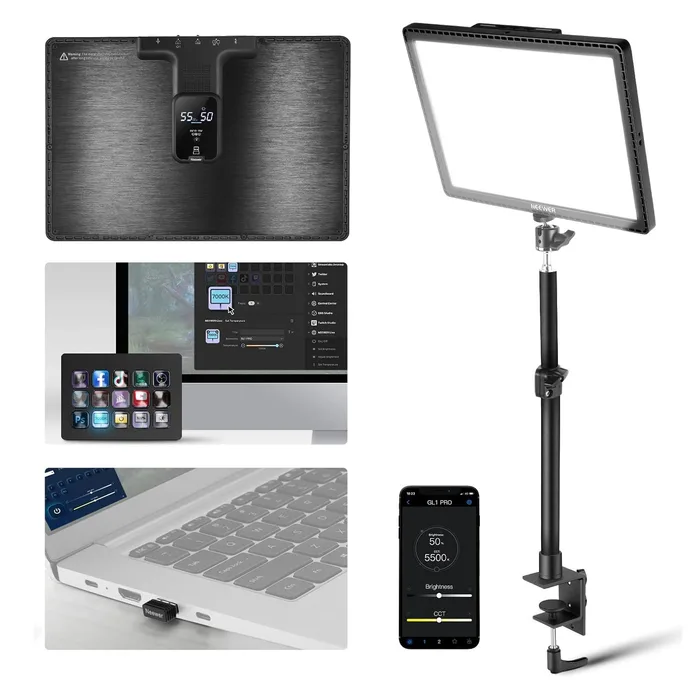
- Buy NEEWER GL1 PRO 15.5 inch Key Light The highest published colour accuracy here, and the only one that works without Wi-Fi.
- Buy Elgato Key Light 2800 lumens through a four-stage diffusion stack, on a clamp that frees your desk.
- It depends Logitech Litra Glow 250 lumens over USB, which lights a face beautifully and nothing else.
- Skip Lume Cube Video Conference and Phone Lighting Kit Adjustable brightness and colour temperature, with no figure attached to either.
What actually matters
- Output - given in lumens, the total light emitted, or in lux at a stated distance, the light arriving at a surface. These are not interchangeable and both need a figure.
- Colour rendering index (CRI) - how accurately colours appear under the light, out of 100. Above 90 is considered excellent; below 80 renders skin poorly at any brightness.
- TLCI - the television lighting consistency index, the broadcast equivalent of CRI, measured as a camera would see it rather than as an eye would.
- Colour temperature range - from warm around 2700K to daylight around 7000K. A wider range makes it easier to match existing room lighting.
- Diffusion - the optical layers between the LEDs and you. Scatter plates, double diffusers, opal glass and edge-lit panels all enlarge the apparent source.
- Power source - mains for full-size panels drawing up to 45W, USB for compact panels, or an internal battery for portability.
- Control and mounting - app, Wi-Fi, Bluetooth, dongle or physical dial, and whether it clamps to the desk, stands on it or threads onto a tripod.
The specs, in plain English
Green flags vs red flags
Green flags
- An output figure with its unit and, for lux, its distance.
- A CRI number, and better still a TLCI number alongside it.
- A stated colour temperature range covering warm through daylight.
- The diffusion described layer by layer, or edge-lighting named.
- Power draw, dimensions and control method all published.
Red flags
- Adjustable brightness claimed with no output figure.
- Adjustable colour temperature claimed with no Kelvin range.
- Best in class colour rendering with no CRI number.
- No dimensions or weight anywhere on the page.
- A battery-powered light with no capacity or run time given.
Who's who: the brands
- NEEWER - Publishes unusually complete specifications including CRI and TLCI figures, and offers control by 2.4GHz dongle, Wi-Fi and Bluetooth across its key light range.
- Elgato - The streaming standard, with Wi-Fi panels, named OSRAM emitters, multi-layer diffusion stacks and a mature app and Stream Deck ecosystem.
- Logitech - Makes the compact USB-powered Litra range aimed at laptop calls, with TrueSoft full-spectrum LEDs and standard tripod mounting.
- Lume Cube - Portable battery-powered lights and clip-on kits for laptops and phones, strong on build and light on published specification.
- Ulanzi - Value-focused video lighting brand whose panels and tube lights target camera work rather than fixed desk setups.
How to read a listing without getting fooled
Start with the output number and check its unit. Lumens describes the light leaving the panel, lux describes the light arriving somewhere and only means something with a distance attached, and a page with neither has skipped the most basic claim it could make. Then find the CRI, and treat a maker who claims excellent colour rendering without printing a figure the way you would treat a car sold on great fuel economy with no number. Check the colour temperature range covers your room, which for most homes means reaching down to about 2700K. Read the diffusion description and look for layers rather than an adjective. Work out how it is powered and whether that suits where it will live, since USB is portable and 45 watts is not. Then decide how you want to control it and what that depends on, and finally check the mount, because a clamp and a stand use very different amounts of desk.
How much should you spend?
The budget tier buys a compact USB panel that lights a face at close range, which is genuinely all most people on video calls need and is the right first purchase if your setup is a laptop. The mid-range buys a full-size panel with a complete published specification, high CRI, app control and a stand, and it is where the value in this category sits. The premium tier buys better optics, named emitters, a desk clamp and a mature software ecosystem, which is worth the difference for a permanent streaming setup that runs for hours a day. What is poor value at any price is a light that will not publish its output or its colour rendering, because those two numbers are the entire product. Budget for two lights eventually if you stream, since one panel on one side gives you a harder look than most people want.
Questions, answered
Where should the light actually go?
Above your eyeline and off to one side, angled down at roughly 45 degrees, at about arm's length. Putting a light directly behind the webcam flattens your face and turns your eyes into two bright dots; putting it below you produces the torch-under-the-chin effect. Off to one side gives some shadow and therefore some shape. If you wear glasses, raise the light higher and angle it down more steeply until the reflection drops out of the lenses, which is usually a small adjustment.
Will a webcam light help with a bright window behind me?
Only partly, and the window is the real problem. A camera exposes for the whole frame, so a bright window behind you makes it darken everything, leaving you a silhouette. A strong key light can rebalance that, and it needs to be genuinely strong, which is where a 250 lumen panel will lose and a 2800 lumen one has a chance. The much cheaper fix is to turn around so the window is in front of you, or to close the blind.
Do I need two lights?
Not to look good, but a second light is the usual next upgrade. One light produces a lit side and a shadowed side, which is flattering and deliberate in photography and can look harsh on a webcam at close range. A second, dimmer light on the other side fills the shadow without flattening the face. If you only want one improvement, make the single light softer by moving it closer and using its diffusion, rather than buying a second panel.
Can I leave a key light on all day?
Yes, these are LED panels designed for continuous use, and a 45 watt draw is comparable to a desk lamp. Two practical notes. Run it well below maximum where you can, since LEDs last longer and stay cooler when dimmed, and most desk setups do not need full output anyway. And be aware of eye fatigue: a bright panel just above your monitor for eight hours is tiring, which is why designs that hide the LEDs behind diffusion rather than pointing bare emitters at you are worth the money.
Or jump to the head-to-head: NEEWER GL1 PRO 15.5 inch Key Light vs Elgato Key Light.