Explained
Thermal Paste, Explained
After reading, you'll understand why thermal conductivity ratings are close to useless for comparing brands, what specs to read instead, and when liquid metal is worth the risk.
In this guide
Many thermal paste listings lead with a thermal conductivity figure in W/mK, and almost every buyer treats a bigger number as a better product. That instinct is wrong in a specific and interesting way: the figure is measured differently by different companies, the relevant standard calls its own output apparent thermal conductivity because these materials are not homogeneous, and some brands do not publish the number at all. Meanwhile the specs that decide whether a paste damages your hardware or dries out in two years usually sit further down the page.
The 30-second version
- The W/mK number is not comparable between brands, because makers use different test methods and some do not publish one at all.
- The real spread between good pastes is small, with Thermal Grizzly's own datasheet showing 0.06 K between its flagship and its standard paste.
- Non-conductive and non-capacitive are different claims, and a paste can carry the first without the second, as Arctic Silver 5 does.
- Liquid metal and aluminium must never meet, since gallium alloys attack aluminium and manufacturers list it as a substance to be avoided.
- Pump-out and dry-out are what actually kill a joint, so a stated service life is worth far more than a headline conductivity figure.
The products this guide is about
Our verdict on each, with the full reasoning on the companion review.
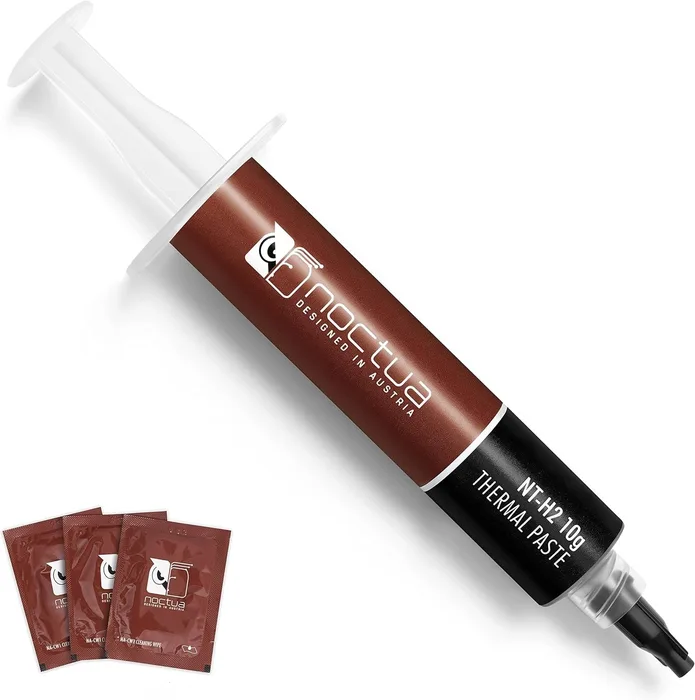
- Buy Noctua NT-H2 The safe default: non-conductive, non-corroding, no burn-in, and the only paste here with a published service life on the CPU. Amazon
- Buy Arctic MX-6 The value pick, and the only maker here that explains in writing why it refuses to print a W/mK number. Amazon
- It depends Thermal Grizzly Conductonaut A gallium-indium-tin liquid metal that genuinely outperforms grease and will genuinely destroy an aluminium cooler. Amazon
- Skip Arctic Silver 5 A well-made compound from an earlier era that still asks you to wait 200 hours and still carries a capacitance warning. Amazon
What actually matters
- Electrical conductivity - decides whether a stray smear near pins is a wipe-up job or a dead motherboard. Filled greases are almost always non-conductive; liquid metals are conductive by definition and must be treated as live.
- Capacitance - a paste can fail to conduct current and still store enough charge to misbehave if it bridges two close traces. Arctic Silver flags this for Arctic Silver 5, while Arctic explicitly rules it out for MX-6.
- Metal compatibility - normal pastes work on any cooler base, but gallium-based liquid metals attack aluminium and amalgamate with copper, silver and gold, so they want nickel plating.
- Bond line thickness - the thinner the layer of paste in the finished joint, the less the paste's own conductivity matters. Good mounting pressure and a flat cooler base shrink the bond line more than upgrading paste does.
- Pump-out resistance - repeated heating and cooling makes the joint breathe and can squeeze paste sideways out of the middle. Viscosity is the main defence, which is why some good pastes are deliberately stiff.
- Burn-in or cure behaviour - most modern pastes reach full performance instantly, but a few take days of thermal cycling to settle. If you benchmark straight after mounting, know which kind you have.
- Stated service life - very few makers commit to how long the paste should stay good on a running CPU. Where one does, it is a more meaningful quality signal than any performance claim.
The specs, in plain English
Green flags vs red flags
Green flags
- The maker publishes electrical specs such as volume resistivity or breakdown voltage, not just adjectives.
- A stated operating temperature range with both ends given, rather than a single maximum.
- A resealable syringe and a stated storage life, which shows the maker expects you to keep it.
- An explicit statement about whether burn-in is required, either way.
- A named service life or usage period on the CPU rather than a phrase like long-term stability.
Red flags
- A very large W/mK figure with no test standard named anywhere on the page or datasheet.
- Marketing that leans on exotic ingredients such as diamond or silver content instead of measurable properties.
- No statement at all about electrical conductivity, which is the one safety question every listing should answer.
- Liquid metal sold without aluminium warnings, application tools or a safety data sheet.
- No batch, revision or authenticity information from a brand whose products are widely counterfeited.
Who's who: the brands
- Noctua - Austrian cooling specialist whose pastes are conservative, non-conductive and unusually well documented on storage and service life.
- Arctic - High-volume German brand that competes on price-to-performance and publicly refuses to quote thermal conductivity figures at all.
- Thermal Grizzly - German enthusiast brand covering everything from budget greases to liquid metal, with full datasheets and safety data sheets for each.
- Arctic Silver - Long-established US maker of silver-loaded compounds, best known for Arctic Silver 5 and its lengthy break-in period.
How to read a listing without getting fooled
Start at the bottom of the listing, not the top. Skip the headline conductivity claim and find the technical table: you want an operating temperature range with both ends stated, a density and viscosity figure, and something concrete about electrical behaviour. If the maker gives volume resistivity and breakdown voltage, that is a good sign they measure their own product. Next, look for the words burn-in, cure or break-in, because a paste that needs 200 hours of thermal cycling behaves very differently from one that is at full performance the moment you tighten the bracket. Then check what the maker says about metals, which only matters if you are looking at liquid metal but matters absolutely in that case. Finally, look for anything resembling a durability commitment. Almost everyone says non-drying and long-term stable; almost nobody puts a number on it, and the one who does is telling you something.
How much should you spend?
This is a category where spending more buys you very little performance and occasionally buys you real peace of mind. Budget tier pastes from reputable makers already give you non-conductive filler, a resealable syringe and no burn-in, and they are the right answer for most builds; the value here is genuinely high because the difference between a competent paste and an excellent one is a degree or two. Mid-range tier gets you better documentation, longer stated service life, sometimes a higher temperature ceiling, and extras such as cleaning wipes. Premium tier is mostly liquid metal and specialist compounds, where you are paying for a different physical mechanism rather than a better version of the same one, and where the risk profile changes completely. A useful rule: if the price gap between two pastes would cover a meaningfully better cooler, buy the cooler.
Questions, answered
Does more expensive paste run cooler?
Barely, and there is manufacturer data that points that way. Thermal Grizzly's Kryonaut datasheet charts its own range on an identical test and the whole line spans only a few degrees, with only 0.06 degrees between the flagship and the standard paste. A competent budget paste from a reputable maker gets you almost all of the available benefit. Spend the difference on cooler surface area or fan quality instead.
How often should I replace thermal paste?
Less often than the internet suggests, though it depends on the paste and the thermal load. Noctua publishes a recommended usage time of up to five years on the CPU for NT-H2, which is the clearest guidance any maker in this group gives. If your temperatures have crept up over a year or two under the same workload, that is a symptom of pump-out or dry-out and a re-paste is worth doing. Otherwise, leave it alone.
Is silver paste better than ceramic or metal oxide paste?
Not in any way you will notice, and the filler type is largely a marketing distinction now. Silver-loaded compounds were genuinely ahead when they arrived, but modern metal oxide and ceramic formulations perform comparably in a thin bond line. Silver content also brings a downside, since silver-filled compounds tend to carry capacitance warnings that non-metallic ones do not. Judge on the published electrical and durability specs, not on the ingredient.
What happens if I use too much paste?
Usually nothing dramatic, because the excess squeezes out at the edges when you tighten the cooler. The real risk is what the squeeze-out lands on: a non-conductive paste is a cleanup job, while liquid metal on a socket or on surface-mount components can short things permanently. Too little paste is the worse mistake, since gaps trap air and air is a terrible conductor. Aim for full coverage under mounting pressure and wipe up anything that escapes.
Or jump to the head-to-head: Noctua NT-H2 vs Arctic MX-6.