Explained
Surge Protectors, Explained
After reading, you'll know which surge protector specs actually keep your electronics safe and which are just marketing on the box.
In this guide
A surge protector looks like a glorified power strip, and many of them basically are. What separates real protection from a false sense of security is buried in specs most shoppers never learn to read: joules, clamping voltage, fail-safe shutoff, and mode coverage. The single biggest trap is assuming a bigger joule number means a safer unit, when it often doesn't.
The 30-second version
- Joules are not the whole story. they measure total lifetime energy capacity, not how tightly a unit holds voltage down during an actual surge.
- Fail-safe shutoff is a key feature. the best protectors cut power once their protection is spent, instead of quietly reverting to an unprotected strip.
- Surge protectors wear out. the components that absorb spikes degrade with every hit, so plan to replace yours every few years or after a major event.
- Data lines carry surges too. coax, phone, and Ethernet jacks close a path that spikes can otherwise take straight into a TV, modem, or router.
- A power strip, a surge protector, and a UPS are three different things. only two of them protect your gear, and only one keeps it running through an outage.
The products this guide is about
Our verdict on each, with the full reasoning on the companion review.
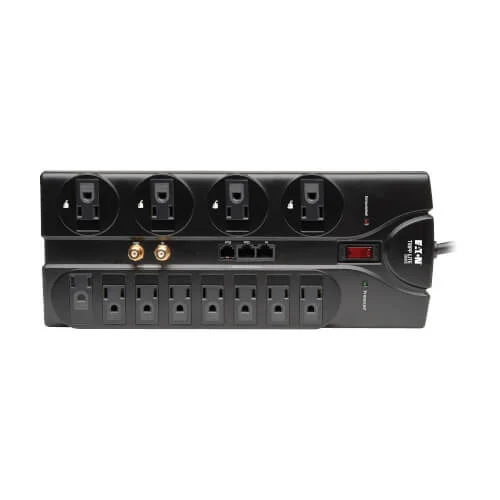
- Buy Tripp Lite Protect It! TLP1208SAT A complete package: 2,880 joules, full data-line coverage, and an automatic shut-off listed in the maker's specs. Amazon
- Buy APC SurgeArrest Performance P11VNT3 A well-reviewed performer that protects all three power modes and is sold with a lifetime equipment guarantee.
- It depends Belkin 12-Outlet SurgeMaster BE112230-08 A high joule rating, UL 1449 certification, and plenty of block-spaced outlets, but a shorter product warranty. The maker page is currently out of stock. Amazon
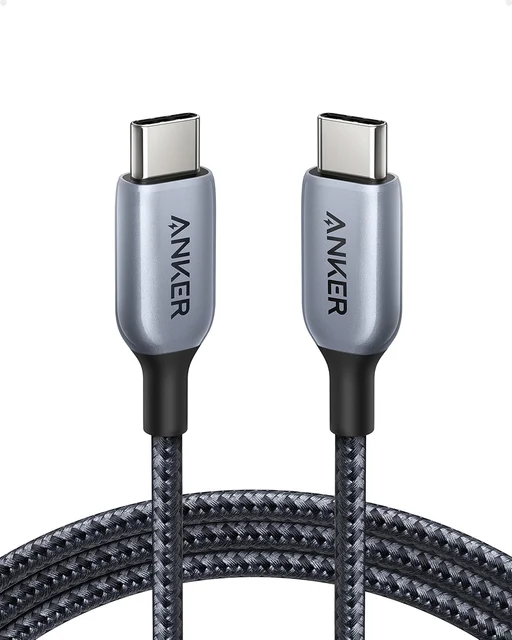
- Skip Anker 351 Power Strip A modern charging strip with USB-C, but its lower joule rating and shorter warranty make it a weak choice as a dedicated surge protector. Amazon
What actually matters
- Clamping voltage is how tightly the unit holds the line during a surge; a lower clamping voltage means less excess voltage reaches your devices, and it often matters more than the joule rating.
- Fail-safe (end-of-life) shutoff cuts power when the protection is exhausted, so a worn-out unit doesn't keep silently passing unprotected power to your electronics.
- Joule rating describes total energy the unit can absorb over its lifetime; useful as one signal of headroom, but not a standalone measure of safety.
- Mode coverage means protecting all three wiring paths (line-neutral, line-ground, neutral-ground); some cheaper units protect only one and leave gaps.
- Data-line protection adds coax, phone, and Ethernet jacks so surges arriving over those lines are handled, not just the ones on the AC cord.
- Connected-equipment warranty is the maker's promise to pay for gear damaged while properly connected; a lifetime guarantee can signal confidence in the design.
- Outlet count, spacing, and cord length decide whether the unit actually fits your setup and lets you plug straight into the wall instead of daisy-chaining.
The specs, in plain English
Green flags vs red flags
Green flags
- A fail-safe shutoff that cuts power when protection is exhausted, not just an indicator light.
- A low clamping voltage (around 330V) rather than the box shouting only about joules.
- Protection across all three modes (line-neutral, line-ground, neutral-ground).
- A current UL 1449 listing and a meaningful, ideally lifetime, connected-equipment warranty.
- A protection or status LED that clearly tells you when the unit is still working.
- Enough well-spaced outlets and a long cord so you can plug directly into the wall.
Red flags
- Marketing that leads with a huge joule number and says nothing about clamping voltage or shutoff.
- No fail-safe, and no way to tell whether protection is still active.
- No UL 1449 listing or safety certification mentioned anywhere.
- A 'surge protector' that's really a charging strip with a very low surge rating.
- A short or vaguely worded warranty with no connected-equipment coverage.
- Suggestions that it's fine to daisy-chain it or run it off an extension cord.
Who's who: the brands
- Tripp Lite (Eaton) - Long-established maker of protectors, including models with data-line jacks.
- APC (Schneider Electric) - Maker of SurgeArrest protectors and UPS systems, with lifetime equipment guarantees on many models.
- Belkin - Consumer brand offering protectors with high joule ratings and adapter-friendly outlets; check each model for end-of-life shutoff.
- Anker - Best known for modern charging strips with USB-C, great for convenience but check surge ratings before relying on one for costly gear.
- CyberPower - Value-oriented maker of surge protectors and UPS units, popular for balancing features and price.
How to read a listing without getting fooled
Start by ignoring the giant joule number on the front of the box and turn it over to find the spec table. Look for clamping (let-through) voltage first; 330V is strong, and higher numbers mean more of a surge reaches your gear. Check whether it protects all three modes or just line-neutral, and confirm there's a current UL 1449 listing. Then decide whether it has a genuine fail-safe shutoff or only an indicator light, since a light does nothing if you never look at it. Treat the connected-equipment warranty as a signal of the maker's confidence, but read its conditions, as many require a direct wall connection and exclude daisy-chained setups. Only after all that should you weigh the joule rating and outlet count.
How much should you spend?
You do not need to spend much to get real protection, and the most expensive unit is not necessarily the safest. The sweet spot is a mid-range protector that pairs a low clamping voltage with a fail-safe shutoff and full mode coverage; those features add little to the cost but do most of the protecting. Spending more is worth it when you want built-in data-line jacks, more outlets, or a lifetime connected-equipment guarantee for a pricey home-theater or desktop setup. Spending more purely to chase the biggest joule number is usually wasted money. At the bottom of the market, the cheapest strips may skip the shutoff and cover only one mode, so a small step up in price buys a large step up in real safety. Remember that any protector wears out, so budget for replacement every few years rather than treating it as a one-time purchase.
Questions, answered
How many joules do I really need?
Enough for your gear, but the exact number matters less than people think. For a computer or home-theater stack, a mid-to-high rating is plenty, and a unit with a lower clamping voltage and a fail-safe shutoff can protect better than one with a huge joule number and neither feature. Treat joules as one factor, not the deciding one.
Do surge protectors wear out?
Yes. The metal oxide varistors inside degrade a little with every spike they absorb and eventually stop protecting. Some units keep passing power after that point with no warning, which is why a fail-safe shutoff or a clear protection light is valuable. As a rule, replace a well-used protector every few years, or right away after it has taken a large hit like a nearby lightning strike.
Is a surge protector the same as a UPS?
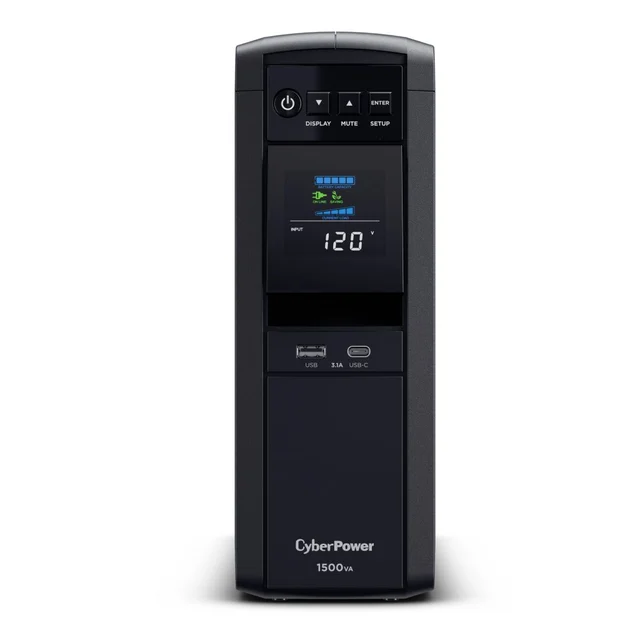
No. A plain power strip only splits one outlet into several. A surge protector adds circuitry that diverts voltage spikes away from your devices. A UPS (uninterruptible power supply) goes further, adding a battery that keeps equipment running through brief outages and lets you shut down safely. If you also need ride-through power for a desktop or network gear, look at a UPS instead of, or in addition to, a surge protector.
Can I daisy-chain surge protectors or use an extension cord?
No. Chaining protectors together or running one off a light-duty extension cord can overload the wiring, defeat the protection, and create a fire risk; it can also void connected-equipment warranties. Plug each surge protector directly into a wall outlet and pick a model with a cord long enough to reach where you need it.
Do I need the coax, phone, and Ethernet jacks?
Only if a surge could reach your equipment along those lines. Cable or satellite coax and telephone lines can carry spikes into a TV, modem, or router, so routing them through the protector adds a layer of defense. If your internet and TV arrive over fiber, or you have no coax or landline, those jacks add little and a model without them is fine.
Or jump to the head-to-head: Tripp Lite Protect It! TLP1208SAT vs APC SurgeArrest Performance P11VNT3.