Explained
Network Switches, Explained
After reading, you'll understand which figures on a switch spec sheet decide whether it fits your house, and which ones are there to justify a higher price.
In this guide
Switch spec sheets are unusually honest documents, which is part of what makes them confusing. Nearly every number on them is real, and almost none of them will change your experience. First-time buyers get tripped up in three predictable places: assuming the management tier buys them something they need, reading a PoE wattage as per-port when it is a shared pool, and worrying about switching capacity when the genuine constraint is port count. Learn to read those three and the rest of the sheet becomes background noise.
The 30-second version
- Unmanaged is usually correct, and the smart or web-managed tier only earns its price if you specifically want VLANs, link aggregation or per-port statistics.
- Switching capacity should be twice the sum of the port speeds, because Ethernet is full duplex and every port can send and receive at the same time.
- PoE wattage is a shared budget, so an eight-port PoE+ switch almost never delivers the full per-port allowance on all eight ports at once.
- Fanless is a spec worth hunting for, since decibel figures are rarely printed and a fan in a home office is a permanent, daily cost.
- 2.5GbE is cheap and silent now, while 10GBASE-T over copper still draws several times the power and usually arrives with a fan attached.
The products this guide is about
Our verdict on each, with the full reasoning on the companion review.
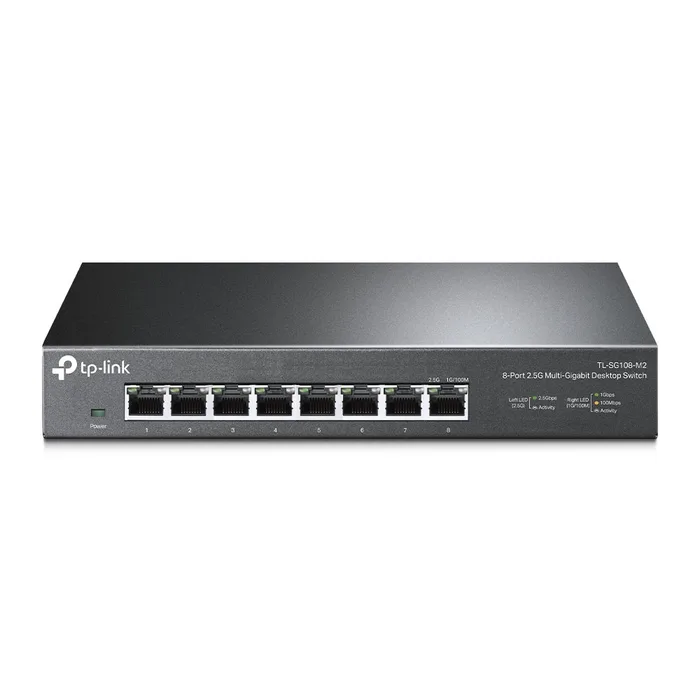
- Buy TP-Link TL-SG108-M2 8-Port 2.5G Desktop Switch Eight 2.5GbE ports, no fan, no menus, and a published switching capacity that covers every port at once. Amazon
- Buy TRENDnet TEG-S350 5-Port Unmanaged 2.5G Switch Five 2.5G ports in a metal box that draws under ten watts and has nothing to configure. Amazon
- It depends Ubiquiti UniFi Flex 2.5G PoE (USW-Flex-2.5G-8-PoE) A superb eight-port 2.5G PoE++ switch whose usefulness depends entirely on running UniFi and on how you feed it power. Amazon
- Skip NETGEAR GS308PP 8-Port Gigabit Unmanaged PoE+ Switch Eight PoE+ ports sharing 83 watts, on a gigabit-only fabric, at a tier where 2.5G PoE now exists. Amazon
What actually matters
- Port count - the single spec most likely to make you buy twice. Count what you will plug in today, add two for growth, and buy that size rather than the exact size.
- Port speed - gigabit is still fine for most traffic, but 2.5GbE now costs little more and removes the ceiling on a NAS or a modern access point. Every 2.5G port also negotiates down to gigabit automatically.
- Switching capacity - the total the fabric can move, and it should equal twice the sum of every port's speed. Below that, the switch cannot run all ports flat out at once, which is what non-blocking means.
- Packet forwarding rate - the same idea expressed in packets per second, and often the only performance figure a maker prints. Full rate is about 1.488 Mpps per gigabit port and 3.72 Mpps per 2.5G port.
- Total PoE budget - the watts available for all powered devices combined. Compare it to the sum of what your cameras and access points actually draw, not to the number of PoE ports.
- Cooling - fanless or fanned decides whether the switch can live on a desk. A fanless design also removes the one moving part that fails.
- Management tier - unmanaged, smart or web-managed, and fully managed. Each step up adds configuration surface and price, and only pays off if you have a specific use for it.
The specs, in plain English
Green flags vs red flags
Green flags
- The spec sheet publishes a switching capacity equal to twice the sum of all port speeds.
- The word fanless appears in the hardware table, ideally with a fan count of zero.
- A total PoE budget is stated in watts alongside the per-port class, not just a count of PoE ports.
- Ports are listed as 100M/1G/2.5G under IEEE 802.3bz, so older gear still connects.
- The maker publishes maximum power consumption and, better still, a heat dissipation figure.
Red flags
- PoE marketing that names a per-port wattage with no total budget printed anywhere.
- No switching capacity and no forwarding rate figure on the spec page at all.
- A management tier priced well above the unmanaged version with no feature list you can actually use.
- A spec sheet that does not say whether the switch has a fan, on a product meant for a desk.
- Hardware version numbers on the page that differ from the one you are being sold, since revisions change specs like MAC table size.
Who's who: the brands
- TP-Link - Broad range from plain unmanaged desktop switches to the Omada managed line, with detailed spec tables that usually list capacity, forwarding rate and heat dissipation.
- NETGEAR - Strong on PoE and multi-gig, and the most consistent about publishing acoustic noise figures and fan counts.
- Ubiquiti - UniFi switches are designed to be run from the UniFi Network application rather than standalone, and publish switching capacity alongside non-blocking throughput.
- TRENDnet - Focused on straightforward unmanaged and PoE switches with metal cases, explicit fan and acoustics lines, and long warranties.
- MikroTik - Very high capability for the money running RouterOS or SwitchOS, aimed at people comfortable with a configuration language, and it publishes cooling type including fan counts.
How to read a listing without getting fooled
Start at the interface line and count the ports and their speeds, then multiply the sum by two and check that against the switching capacity. If capacity is missing, use the forwarding rate instead and divide by the port count, looking for roughly 1.488 Mpps per gigabit port or 3.72 Mpps per 2.5G port. Next find the PoE section if there is one, and read the total budget rather than the port count or the per-port class; the two numbers are almost never compatible. Then check the hardware line for fan quantity or a fanless statement, and the power line for maximum consumption, which is a decent proxy for how warm it will get. Finally, confirm the hardware version on the spec page matches what you are buying, because revisions quietly change figures like MAC table size, and glance at the standards list to make sure 802.3bz is there if you want anything above gigabit.
How much should you spend?
Budget tier buys a small unmanaged switch, five to eight ports, and these days that increasingly includes 2.5GbE rather than only gigabit. Mid-range covers eight-port multi-gig unmanaged switches, gigabit PoE switches with a modest shared budget, and entry-level web-managed models. Premium is where PoE++ meets multi-gig, where 10G uplinks appear, and where ecosystem switches that expect a controller live. The spend that reliably pays off is more ports and faster ports; the spend that most often does not is a management tier bought speculatively. If PoE is in your plan, expect to pay noticeably more for a genuinely useful total budget than for a switch that merely has PoE ports, and treat that gap as the real price of the feature.
Questions, answered
Can I just chain a second switch instead of buying a bigger one?
Yes, and for a home network it usually works fine. Modern switches auto-detect crossover so any port will do as the link between them. The cost is one extra hop of latency, another power adapter, and a single cable between the two that all cross-switch traffic has to share. If most of the traffic stays local to each switch, you will not notice; if a NAS on one is serving devices on the other, that link becomes the bottleneck.
Will a 2.5G switch work with my gigabit devices?
Yes. Ports built to IEEE 802.3bz negotiate down to 1G and 100M automatically, so mixing old and new gear on the same switch is normal and requires no configuration. Each link runs at the fastest speed both ends agree on, so a gigabit laptop and a 2.5G NAS on the same switch each get their own best speed. Cat5e cabling is generally sufficient for 2.5G over household distances.
Do I need a managed switch to separate my smart home devices?
To put them on a genuinely separate VLAN, yes, and your router has to support VLANs too. That is the one common home scenario where the smart or web-managed tier earns its money. If your goal is looser, such as keeping cameras on a separate guest network, many routers can do that over Wi-Fi without any switch involvement. Decide whether you want real segmentation or just separation before paying for the feature.
How do I know how much PoE budget I actually need?
Add up the rated draw of every device you intend to power, using each device's own spec rather than the port class. A basic fixed camera may sit well under 10 W while a pan-tilt-zoom camera with a heater or a high-end access point can want 25 W or more. Add headroom of roughly a quarter on top, because startup surges and cable losses eat into the budget. Then compare that total, not your port count, against the switch's published wattage.
Or jump to the head-to-head: TP-Link TL-SG108-M2 8-Port 2.5G Desktop Switch vs TRENDnet TEG-S350 5-Port Unmanaged 2.5G Switch.