Explained
Kids Smartwatches, Explained
After reading, you'll understand what a kids watch needs to work, what its location and SOS claims actually mean, and what to check before your child wears one.
In this guide
First-time buyers often compare screens and colors and skip the plan page, which is where most surprises live. A kids watch is a small phone: it needs a cellular plan, a parent app and a company that stores your child's location and messages. The words on the box, such as GPS tracking, SOS and safe zones, can mean quite different things between makers. This guide explains the terms and the fine print so you can compare watches on what they actually do.
The 30-second version
- Read the plan page first, because calling, texting and location usually stop without an active subscription.
- Location is only as good as the update rate, and makers describe it very differently.
- An SOS button is not the same as 911, so check what it calls on the maker's page.
- School mode should be schedulable from the parent app, with emergency contacts still reachable.
- Ask what data the company sees, including messages, photos and location history.
The products this guide is about
Our verdict on each, with the full reasoning on the companion review.
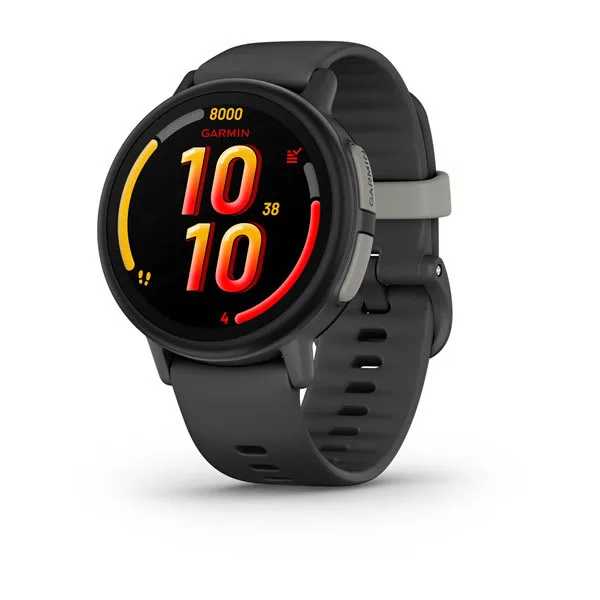
- Buy Garmin Bounce 2 An LTE kids watch with a full parent app, school mode, on-request location tracking and a clearly documented subscription. Amazon
- Buy Verizon Gizmo Watch 4 Verizon's own kids watch, with video calling, safe zones, school mode and a dedicated low-cost watch plan.
- Buy Bark Watch A Galaxy Watch8 based kids watch with LTE calls and texts, GPS, and Bark's message monitoring. Amazon
- It depends Pinwheel Watch A standalone kids watch built around an approved-contacts list, text review and an optional parent-monitored AI chat.
- It depends Apple Watch SE 3 (cellular, Family Setup) The cellular Apple Watch SE 3 set up through Family Setup, for children whose parents have an iPhone. Amazon
- Skip Gabb Watch 3e A simple calling and texting watch, held back by slow location updates and an SOS button that does not reach 911.
What actually matters
- Cellular plan - Most kids watches need a monthly plan to call, text or share location. Without it the watch may work only as a clock.
- Carrier or network - Some watches run on one carrier, and others do not name it. Coverage where your child lives and studies decides whether the watch works.
- Parent app - This is where you set contacts, school hours and safe zones. A clumsy app makes every other feature harder to use.
- Location update rate - A watch that updates about every 15 minutes is not live tracking. Look for how often and how the maker describes accuracy.
- SOS button - It may call 911, call a parent, or text a list of contacts. Check the exact behavior before you rely on it.
- School or focus mode - It silences the watch during set hours, and some keep emergency contacts open. Check whether your child can still call a parent.
- Data and privacy - The company stores location, contacts and sometimes message content. Read what is scanned and who can view it.
The specs, in plain English
Green flags vs red flags
Green flags
- The maker publishes the exact plan and the features that need it
- The location update rate and its limits are stated
- The SOS behavior is described in plain words
- School mode is schedulable from the parent app
- The privacy policy explains what data is stored and for how long
Red flags
- No plan or carrier information on the product page
- Vague claims like real-time tracking with no limits stated
- An SOS button that does not say what it calls
- No way to review or limit who can contact the child
- A parent app that is hard to find or poorly maintained
Who's who: the brands
- Garmin - Known for fitness watches, and its Bounce line is built around a parent app called Garmin Jr.
- Verizon - A carrier that sells its own Gizmo watches on a dedicated watch plan.
- Bark - Known for parental monitoring software, now with its own watch.
- Pinwheel - Makes kids phones and a watch focused on approved contacts and parent oversight.
- Gabb - Sells kids phones and watches with its own wireless plan.
How to read a listing without getting fooled
Start with the plan and carrier lines, then the footnotes. Maker pages often put the real limits in small print under the feature list, such as how often GPS updates or whether SOS calls 911. Look for the words requires, only and not, and treat any claim without a stated limit with caution. Compare watches on the same lines: plan, location wording, SOS behavior, school mode and data handling. Ignore adjectives and count the limits that each maker states.
How much should you spend?
Kids watches have two costs: the device and the monthly plan. A budget tier watch can end up costing more than a premium one over two years if the plan is expensive. Compare the monthly plan and any contract terms before the device. Apple adds an iPhone requirement, which matters if your household does not already have one. Insurance or protection plans are usually extra and worth pricing for a watch worn at school.
Questions, answered
What age is right for a kids smartwatch?
Makers give different ranges, and some give none. Gabb lists ages 5 to 12 on its watch page. Many parents match the watch to whether the child needs to call a parent on the way to school. Start with contact lists and school mode, and review them as the child grows.
Can I use a prepaid or existing plan?
Usually not freely. Verizon requires its Unlimited for Gizmo plan for Gizmo watches, and Bark, Pinwheel and Gabb each require their own plan. Apple says its carrier must support the watch for kids. Check the plan page before you buy.
Do kids smartwatches have cameras?
Some do and some do not. Bark says its watch has no camera, and Pinwheel lists front and rear cameras that can be disabled. Gabb says its watch has no camera. If cameras concern you, check the spec table.
What should I do before the first day of use?
Set up the parent app, add contacts, turn on school mode, and test calling and location in a place you know. Review the privacy settings. Teach your child what the SOS button does and does not do.
Or jump to the head-to-head: Garmin Bounce 2 vs Verizon Gizmo Watch 4.