Explained
Indoor Security Cameras, Explained
After reading, you'll understand what a camera can do without a subscription, how much it can see, and which privacy and storage features matter.
In this guide
First-time buyers usually compare resolution and price, then discover after the free trial that they cannot watch anything they missed. Indoor cameras also differ in how much of a room they see, whether footage stays in your home, and how easily you can switch them off. Ecosystem matters too, since a camera that does not appear on your smart display gets ignored. This guide explains the terms on the box.
The 30-second version
- The free tier matters most, because some cameras show nothing you missed without a subscription.
- Local storage is insurance, keeping footage when a plan lapses or the internet goes down.
- Field of view beats pixels, since a wide or panning camera covers more of the room than a sharper narrow one.
- Privacy controls vary, from physical lens covers to software privacy modes and schedules.
- Check the Wi-Fi band, because many budget cameras connect on 2.4GHz only.
The products this guide is about
Our verdict on each, with the full reasoning on the companion review.
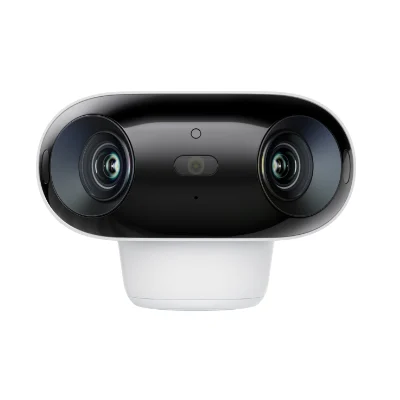
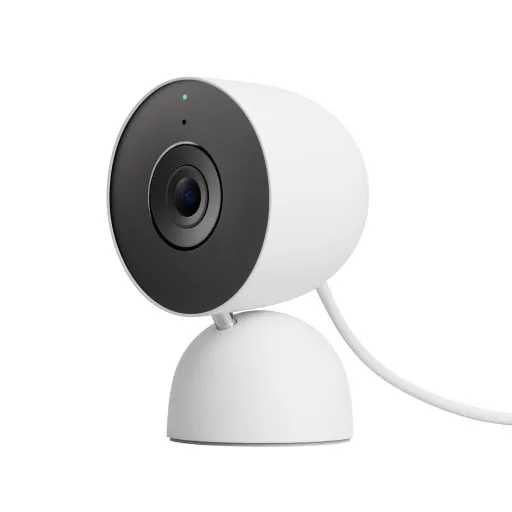
- Buy Google Nest Cam Indoor (wired, 3rd gen) A 2K HDR indoor camera with the widest view in this group and free intelligent alerts in the Google Home app. Amazon
- Buy Tapo (TP-Link) TP-Link Tapo C120 A low-cost 2K+ camera with free on-device AI detection and microSD recording, rated IP66 so it can move outdoors later. Amazon
- Buy Reolink E1 Zoom A 4K pan-and-tilt indoor camera with 3x optical zoom, Wi-Fi 6 and plenty of local recording options. Amazon
- It depends Ring Indoor Cam 4K A 4K indoor camera with a removable sliding lens cover, built for households already paying for Ring. Amazon
- It depends Aqara Camera Hub G3 A pan-and-tilt camera that doubles as a Zigbee hub and IR blaster, with HomeKit Secure Video support. Amazon
- Skip Blink Mini 2K+ A cheap 2K plug-in camera whose useful features sit behind a subscription or an extra Sync Module. Amazon
What actually matters
- Subscription terms - The plan often decides how long clips are kept and whether smart alerts work. Read the free tier first.
- Local storage - A microSD slot or support for a home recorder keeps video in your house. It also works when the cloud is unreachable.
- Field of view - Measured in degrees, usually diagonally. Wider views cover more of a room but make distant faces smaller.
- Resolution - 2K is 2560 x 1440 and 4K is 3840 x 2160. Higher resolution helps zooming but uses more bandwidth and storage.
- Smart detection - Person, pet and vehicle detection cut false alerts from shadows and curtains. Check whether it runs free on the camera or needs a plan.
- Privacy features - A lens cover, privacy mode or schedule keeps the camera off when you are home. A physical cover is easiest to verify.
- Night vision - Infrared gives black-and-white video in darkness; color night vision uses a spotlight or a sensitive sensor. Range is listed in feet or meters.
The specs, in plain English
Green flags vs red flags
Green flags
- Smart detection works without a subscription.
- A microSD slot or NVR support is listed.
- Field of view is published in degrees.
- A physical lens cover or privacy mode is included.
- The maker publishes a full spec sheet with Wi-Fi bands and warranty.
Red flags
- You cannot review missed video without a plan.
- Local storage requires an extra hub you must buy separately.
- No field of view stated anywhere.
- Clip length is capped and continuous recording is not offered.
- The warranty length is missing from the product page.
Who's who: the brands
- Google Nest - Known for polished cameras tied to Google Home and a Google Home Premium subscription.
- TP-Link Tapo - Known for low-cost cameras with free AI detection and microSD recording.
- Reolink - Known for local-first cameras with NVR, NAS and microSD options and no required fees.
- Ring - Known for doorbells and cameras that rely on a Ring subscription for recorded video.
- Aqara - Known for Zigbee sensors and camera hubs with Apple Home support.
How to read a listing without getting fooled
Start with the storage section: does the camera have its own microSD slot, and what does the cloud plan add? Then read the detection list and note which items carry a subscription footnote. Check resolution together with field of view, and notice whether the angle is diagonal or horizontal. Look at the network section for 2.4GHz-only or dual-band Wi-Fi and any Ethernet port. Finally, read the FAQ, where makers put limits like indoor-only use, clip length caps and what stops working without a plan.
How much should you spend?
Budget cameras now include features that once cost more, such as 2K video, free person detection and microSD recording, but some budget models move those features behind a plan instead. Mid-range cameras add wider views, HDR, 4K, pan and tilt or deeper ecosystem integration. The bigger long-term cost is often the subscription, so compare the free tier and plan price together. A cheaper camera with a monthly plan can cost more over a few years than a pricier one that records locally.
Questions, answered
Do indoor cameras work without internet?
Cameras with local storage can keep recording to a microSD card or home recorder during an outage, as Reolink notes for the E1 Zoom. Remote viewing and cloud alerts stop until the connection returns. Cloud-only cameras generally cannot save anything while offline.
How many indoor cameras do I need?
Usually one per main living area and one covering the entry from inside. A wide view, like Nest's 152 degree diagonal, or a pan and tilt camera can cover a room that would otherwise need two. Avoid pointing cameras into bedrooms and bathrooms used by guests.
What microSD card should I use?
Use a card no larger than the camera's stated maximum, such as 512 GB on the Tapo C120 and Reolink E1 Zoom. Makers often publish a compatibility list, and TP-Link links to its own. Cards built for continuous recording tend to last longer in cameras.
Can indoor cameras be hacked?
Any connected device can be targeted, so choose a maker that supports encryption and account security. Google mentions encrypted video and two-step verification, and TP-Link lists AES encryption with SSL/TLS. Use a unique password, turn on two-factor sign-in and keep firmware updated.
Or jump to the head-to-head: Google Nest Cam Indoor (wired, 3rd gen) vs Tapo (TP-Link) TP-Link Tapo C120.