Explained
DIY Home Security Systems, Explained
After reading this, you'll understand what actually protects your home in a DIY alarm kit - and which spec-sheet lines and subscription fine print deserve your attention before you buy.
In this guide
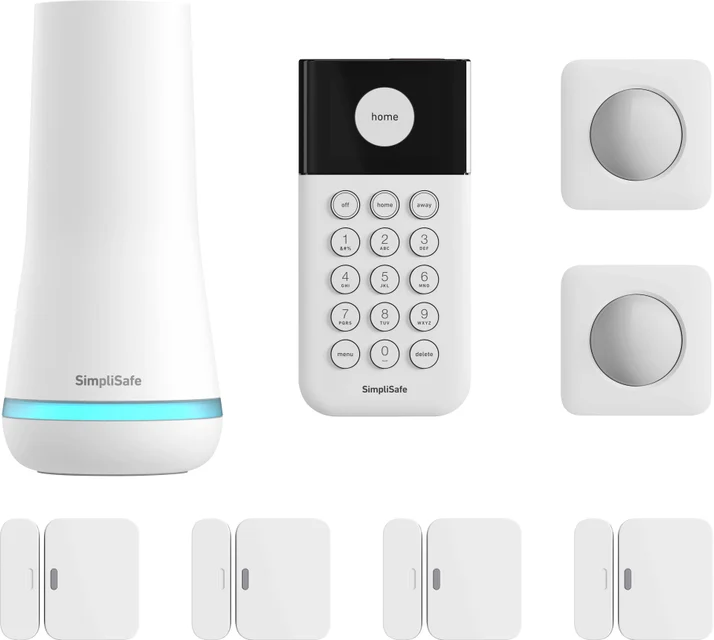
A DIY home security system is an alarm you install yourself: a hub that talks to the outside world, a keypad to arm and disarm, and stick-on sensors for doors, windows, and rooms. The hardware across major brands is now reliably good, which is exactly why buyers get tripped up - the real differences hide in monitoring plans, what happens during an outage, and how much the system quietly costs over the years. This guide decodes the jargon so the spec sheets and subscription pages stop being a maze.
The 30-second version
- The hub is the system. Sensors are comparatively simple; the base station's connectivity, backup, and ecosystem determine what you actually bought.
- Monitoring is the real product. Many brands lean on the monthly plan - judge the subscription terms as carefully as the kit.
- Outage resilience separates the tiers. Battery and cellular backup decide whether your alarm still calls for help when the power or internet goes down - or a burglar cuts them.
- Price the expansion, not the starter kit. Covering every door and window of a real house often costs more than the box you start with, and add-on sensor prices vary widely between brands.
- Trust is a spec. You're handing a company your home's entry data and emergency response; its security track record matters as much as any feature.
The products this guide is about
Our verdict on each, with the full reasoning on the companion review.
- Buy SimpliSafe The Essentials The most polished all-around DIY security kit, with genuinely painless setup and no-contract professional monitoring that just works.
- Buy Ring Alarm 8-Piece Kit (2nd Gen) The best value in DIY security if you subscribe - cheap sensors, deep Alexa integration, and monitoring that undercuts the big names. Amazon
- It depends Abode Smart Security Kit The smart-home enthusiast's alarm - HomeKit, Z-Wave, and Zigbee in one hub - if you'll actually use that flexibility.
- Skip Wyze Home Monitoring Core Starter Kit Temptingly cheap, but a trail of security incidents and bare-bones dispatch make it hard to trust with your home.
What actually matters
- Professional monitoring terms - whether a human dispatch center watches your alarms, what the plan costs relative to the hardware, and above all whether it's month-to-month or a multi-year contract. No-contract monitoring is the standard worth insisting on.
- Self-monitoring quality - what the system does for free if you skip the subscription. Some brands keep free app alerts genuinely useful; others trim the free tier until the hardware is barely functional without paying.
- Cellular and battery backup - whether the hub can still summon help when Wi-Fi and power fail. Some systems build both into the base station; others lock cellular backup behind the paid plan or omit it entirely.
- Cost to expand - the per-sensor price of extra door/window contacts and motion detectors. This is where seemingly cheap and seemingly expensive systems can swap places once you cover a whole home.
- Smart-home compatibility - which ecosystems (Alexa, Google Home, Apple HomeKit) and radio protocols (Z-Wave, Zigbee, Matter) the hub speaks. This decides whether your alarm can trigger locks and lights, or lives on an island.
- Installation method - nearly all modern kits use adhesive-backed sensors and guided app pairing, which makes them renter-friendly; check that the brand you're considering hasn't cut corners here.
- Company track record - a history of security or privacy incidents, abrupt subscription changes, or neglected product lines is a legitimate reason to pay more for a different brand.
The specs, in plain English
Green flags vs red flags
Green flags
- Month-to-month professional monitoring with published terms and no long-term contract
- Cellular and battery backup built into the base station rather than locked behind the top plan
- A free self-monitoring mode that stays genuinely usable - app alerts, arming, and history without a fee
- Inexpensive add-on sensors, so covering a whole house doesn't multiply the cost of entry
- Adhesive, tool-free installation with clear in-app pairing - a sign the brand designed for real self-installers
- A long, stable track record with the same monitoring partner and no history of security incidents
Red flags
- Multi-year monitoring contracts or steep cancellation terms hiding behind a cheap starter kit
- Key safety features - cellular backup, siren control, even basic alerts - that only work with a subscription
- A documented history of security or privacy incidents at the brand, which matters more here than in any other gadget category
- A free tier that has been repeatedly trimmed over time, suggesting the hardware you buy today may do less next year
- Confusingly similar product names where the cheaper variant silently drops the features you're buying the brand for
- Monitoring that is app-relay or callback based rather than a true staffed central station, marketed as if equivalent
Who's who: the brands
- SimpliSafe - The brand that defined modern DIY alarms - polished setup, built-in backup, and no-contract monitoring; a security system first, smart-home device second.
- Ring - Amazon's security arm - the cheapest sensors and deepest Alexa integration, but heavily dependent on its subscription to deliver full protection.
- Abode - The smart-home enthusiast's choice - rare HomeKit, Z-Wave, and Zigbee support in one hub, from a smaller company with flexible, contract-free monitoring.
- Wyze - The extreme-budget option from a camera-first company; rock-bottom pricing offset by a documented history of security incidents and a leaner dispatch service.
- Ecobee and Arlo - Adjacent players that bundle sensors with their thermostat or camera ecosystems - worth a look only if you're already invested in their gear.
How to read a listing without getting fooled
Start with what's actually in the box: kit names like '8-piece' count every keypad and range extender, so tally the entry and motion sensors specifically and compare that against your home's doors and windows. Next, find the monitoring page before you fall for the hardware price - check whether professional monitoring is contract-free, what the free tier still does, and which features (especially cellular backup) only exist with a plan. Treat phrases like 'optional 24/7 monitoring' as a prompt to read the plan comparison table, and treat 'works with' smart-home claims skeptically: a basic Alexa skill is not the same as native HomeKit or Z-Wave support. Finally, look up the price of a single add-on contact sensor - that one number tells you what finishing the job will really cost.
How much should you spend?
In this category, the starter kit is the smallest part of the story. Entry-level kits from major brands cost surprisingly little because the business model is the monitoring subscription - so the meaningful comparison is the total of hardware, the sensors you'll add to cover the whole home, and a year or two of the plan you'll realistically choose. The value sweet spot is a mid-range kit from an established brand with no-contract monitoring and built-in backup; paying more is worth it primarily for outage resilience and, for smart-home households, for a hub that natively speaks HomeKit or Z-Wave. Spending less is a false economy when it means locked-down free tiers, missing cellular backup, or a brand whose trust record is shaky - an alarm you can't rely on during an outage or a breach is the most expensive kind of cheap.
Questions, answered
Do I really need professional monitoring, or is self-monitoring enough?
Self-monitoring means your phone gets an alert and everything else is up to you - which fails exactly when you're asleep, in a meeting, or on a plane. Professional monitoring puts a staffed center behind your alarms to verify events and dispatch help. Owners generally favor having it on a primary residence, and since the good systems are contract-free, you can add it for high-risk periods and drop it later without penalty.
Are DIY systems as good as professionally installed ones?
The sensor technology is largely the same, and reviewers generally find self-install sensors detect intrusions about as reliably. The differences are installation quality - you're responsible for sensible placement - and contract terms: traditional pro-install companies typically bundle multi-year commitments, while DIY systems offer the same central-station response month to month. For most homes a well-placed DIY kit with monitoring is the better value.
What happens when the power or internet goes out?
It depends on the hub. Some base stations include both a backup battery and a cellular or network backup, so they stay armed and can still reach the monitoring center (SimpliSafe, for one, ties its network backup to a monitoring plan). Others include the battery but lock cellular backup behind a paid plan, and budget hubs may have no cellular path at all - meaning a cut line silences them. If you live somewhere with outages, this single spec should drive your choice.
Can I install a security system in a rental?
Yes - this category is one of the most renter-friendly in home tech. Modern kits mount wirelessly, usually with adhesive backing rather than wiring, so you can peel the sensors off and take the whole system to your next address. Pair that with no-contract monitoring and there's nothing tying the system to a home you've left. Just clean the mounting surfaces first so the adhesive holds for the long haul.
How many sensors do I actually need?
A useful baseline: one entry sensor on every exterior door, entry sensors on ground-floor and otherwise accessible windows, and a motion sensor covering the main hallway or living area an intruder would have to cross. Starter kits rarely include enough for more than an apartment, which is why the per-sensor price of add-ons matters so much - count your openings before you compare kits.
Do security systems work with Alexa, Google Home, or Apple HomeKit?
Almost all work with Alexa and Google at some level - arming by voice, basic status. Apple HomeKit support is rare and usually the deciding factor by itself for Apple households. Deeper integration, like using the alarm hub to control third-party locks and lights, requires Z-Wave or Zigbee radios in the hub. Decide whether you want an alarm that joins your smart home or just an alarm; you'll overpay if you buy flexibility you won't use.
Or jump to the head-to-head: SimpliSafe The Essentials vs Ring Alarm 8-Piece Kit (2nd Gen).