

Tech & Gadgets
The Best DIY Home Security Systems: 4 Compared (and One to Skip)
We compared four self-install security kits on monitoring options, smart-home support, backup resilience, and long-term value using independent testing and owner reports.
The short version
After synthesizing independent testing and thousands of owner reports, SimpliSafe The Essentials is the DIY security system we'd put in most homes: the setup is genuinely easy, the base station has network and battery backup built in, and professional monitoring is no-contract with a usable free tier as a fallback. Ring Alarm's 8-Piece Kit is the value play - the cheapest sensors in the category and deep Alexa integration - but it only makes sense if you pay for the subscription that unlocks cellular backup and monitoring. Abode's Smart Security Kit is the one to get if you run Apple HomeKit or a Z-Wave/Zigbee smart home; for everyone else its premium price buys flexibility they won't use. Skip the Wyze Home Monitoring kit: it's cheap, but the brand's repeated security incidents and leaner dispatch service are the wrong corners to cut on a product whose whole job is trust. Best for: most buyers, SimpliSafe; Alexa subscribers, Ring; HomeKit and smart-home tinkerers, Abode.
Our picks at a glance
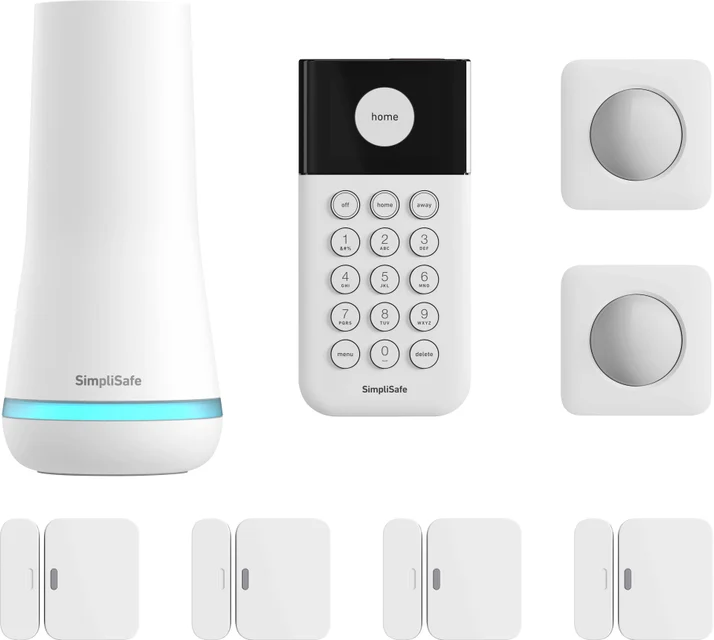
- SimpliSafe The Essentials - Buy. The most polished all-around DIY security kit, with genuinely painless setup and no-contract professional monitoring that just works.
- Ring Alarm 8-Piece Kit (2nd Gen) - Buy. The best value in DIY security if you subscribe - cheap sensors, deep Alexa integration, and monitoring that undercuts the big names.
- Abode Smart Security Kit - It depends. The smart-home enthusiast's alarm - HomeKit, Z-Wave, and Zigbee in one hub - if you'll actually use that flexibility.
- Wyze Home Monitoring Core Starter Kit - Skip. Temptingly cheap, but a trail of security incidents and bare-bones dispatch make it hard to trust with your home.
The verdict in 30 seconds
What mattered most
- What's in the box
- Professional monitoring
- Free self-monitoring
- Smart-home support
- Outage resilience
- Expansion ecosystem
A DIY home security system is a self-install kit - a hub, a keypad, and a handful of entry and motion sensors - that you can arm in an afternoon without a technician or a long-term contract, with professional monitoring as an optional add-on. The category has matured: the hardware is broadly reliable, so the real differences are in monitoring plans, smart-home compatibility, and how much the system costs you over the years. We compared four current systems and found two easy recommendations, one that's excellent for a specific kind of buyer, and one budget kit we'd pass on.
The most polished all-around DIY security kit, with genuinely painless setup and no-contract professional monitoring that just works.
Best for: Most households that want a set-it-and-forget-it alarm with credible professional monitoring and no contract
- Peel-and-stick installation that is widely described as among the easiest in the category
- Base station has built-in network backup and an up to 24-hour backup battery, so a monitored plan keeps working through Wi-Fi and power outages
- No-contract professional monitoring with transparent tiers, plus a working free self-monitoring mode
- Clean, unintimidating hardware that owners say guests and kids actually use
- No Apple HomeKit, Z-Wave, or Zigbee support - it is a security system first and a smart-home citizen second
- Monitoring plans have crept upmarket over the years, and the best app features sit behind the paid tiers
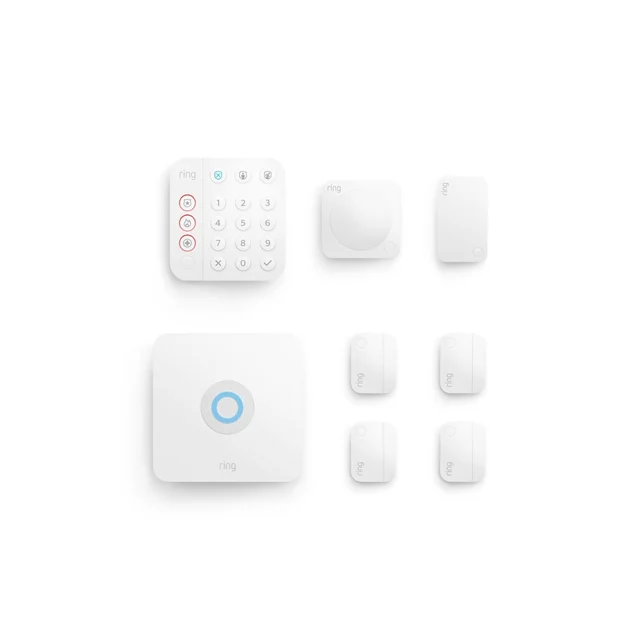
The best value in DIY security if you subscribe - cheap sensors, deep Alexa integration, and monitoring that undercuts the big names.
Best for: Alexa and Ring households that are happy to pay the monthly fee and want the cheapest path to whole-home sensor coverage
- Lowest equipment and expansion costs of the four - extra contact sensors cost noticeably less than rivals'
- Excellent app and seamless integration with Alexa and Ring doorbells and cameras
- Slim second-generation sensors that fit narrow door frames, with quick setup reported by owners
- Professional monitoring tier also bundles camera features, making the subscription good value in the ecosystem
- Heavily subscription-dependent: cellular backup and key features require the paid plan, and free-tier functionality has been trimmed over time
- Amazon-first ecosystem with no HomeKit support
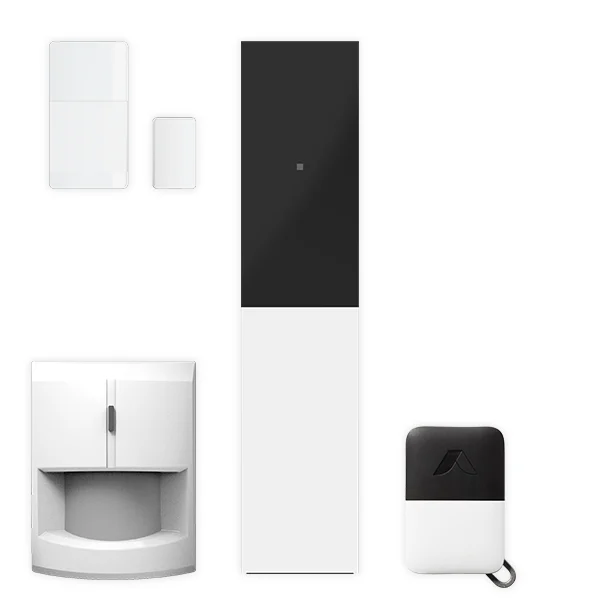
The smart-home enthusiast's alarm - HomeKit, Z-Wave, and Zigbee in one hub - if you'll actually use that flexibility.
Best for: Apple HomeKit users and smart-home tinkerers who want one hub for security and automation
- The only system here with Apple HomeKit support, alongside Alexa, Google Home, Z-Wave, and Zigbee radios
- Powerful automation engine that can tie your alarm state to locks, lights, and thermostats
- Flexible monitoring: free self-monitoring, short-term on-demand professional coverage, or a full plan - all contract-free
- Long-term owners report solid sensor battery life and dependable day-to-day operation
- Costs more up front than rivals, and the deep integrations only pay off if you run a real smart home
- Smaller company than the competition, and owners note support and app polish lag the big brands; the cheaper Abode 'Security Kit' does not support HomeKit, so buy carefully
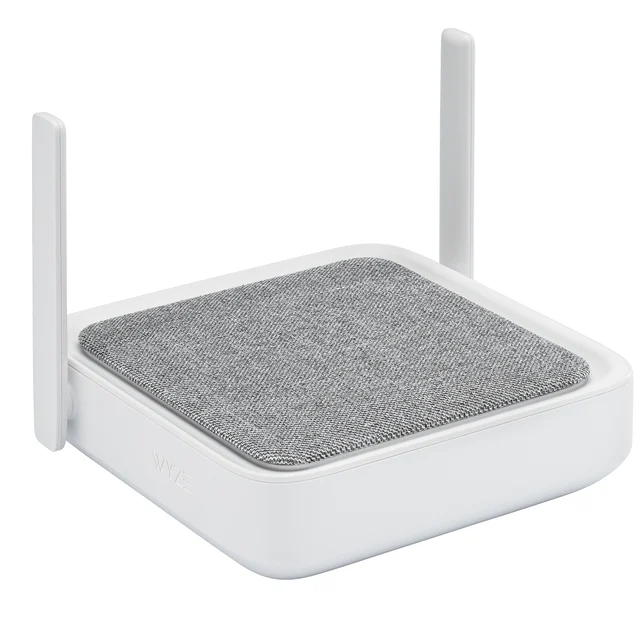
Temptingly cheap, but a trail of security incidents and bare-bones dispatch make it hard to trust with your home.
Best for: Only extreme-budget buyers who already live in the Wyze camera ecosystem and accept the trade-offs
- By far the lowest cost of entry for a hub-keypad-sensor kit, and monitoring is priced well below the mainstream brands
- Hub includes a battery backup and pairs with Wyze's inexpensive camera lineup
- The brand has a documented history of security and privacy incidents, which independent reporting says has left a lasting trust deficit - a real issue for a product guarding your home
- Monitoring dispatch is a leaner, app-driven service rather than a traditional full-service central station, and reviewers report the sensor line receives uneven attention compared with Wyze's cameras
- No HomeKit support, and owners report more firmware quirks than with the mainstream systems
| Criteria | SimpliSafe The Essentials Top pick Buy it Buy | Ring Alarm 8-Piece Kit (2nd Gen) Buy it Buy | Abode Smart Security Kit It depends Buy | Wyze Home Monitoring Core Starter Kit Skip it Buy |
|---|---|---|---|---|
| Best for | Most households that want a set-it-and-forget-it alarm with credible professional monitoring and no contract | Alexa and Ring households that are happy to pay the monthly fee and want the cheapest path to whole-home sensor coverage | Apple HomeKit users and smart-home tinkerers who want one hub for security and automation | Only extreme-budget buyers who already live in the Wyze camera ecosystem and accept the trade-offs |
| Price tier | $$ · mid-range | $ · budget | $$$ · premium | $ · budget |
| What's in the box | Base station, keypad, entry + motion sensors | Base station, keypad, 4 entry sensors, motion sensor, range extender | Hub, keypad fob options, entry + motion sensors | Sense Hub, keypad, 2 entry sensors, motion sensor |
| Professional monitoring | 24/7 pro monitoring, no contract | 24/7 pro monitoring on top-tier plan, no contract | Full plan or short-term on-demand coverage, no contract | Leaner app-based dispatch service |
| Free self-monitoring | Yes, basic app alerts | Yes, but trimmed to basics | Yes, with push alerts and automations | Yes, app alerts |
| Smart-home support | Alexa, Google | Alexa (deep), Google limited | HomeKit, Alexa, Google, Z-Wave, Zigbee | Alexa, Google only |
| Outage resilience | Network backup (with pro monitoring) + up to 24-hour battery | Cellular backup with paid plan; 24-hour battery backup included | Battery backup; cellular with pro plan | Battery backup in hub only |
| Expansion ecosystem | Full sensor range, indoor/outdoor cams, smoke listening | Cheapest add-on sensors, huge Ring camera/doorbell lineup | Wide sensor range plus third-party Z-Wave/Zigbee gear | Wyze cams, leak and climate sensors |
| Track record & trust | Strong; occasional billing/support complaints | Strong hardware record; subscription changes frustrate owners | Good; smaller company, slower support | Multiple documented security/privacy incidents |
| Price tier | $$ · mid-range | $ · budget | $$$ · premium | $ · budget |
Which one is right for you?
- Most households that want a set-it-and-forget-it alarm with credible professional monitoring and no contract Buy it SimpliSafe The Essentials
- Alexa and Ring households that are happy to pay the monthly fee and want the cheapest path to whole-home sensor coverage Buy it Ring Alarm 8-Piece Kit (2nd Gen)
- Apple HomeKit users and smart-home tinkerers who want one hub for security and automation It depends Abode Smart Security Kit
- Only extreme-budget buyers who already live in the Wyze camera ecosystem and accept the trade-offs Skip it Wyze Home Monitoring Core Starter Kit
How we judged the field
We don’t run our own test lab. Instead, we synthesized the findings of independent testing organizations, long-term expert reviews, and aggregated owner reports - the complaints and praise that show up only after a system has lived on someone’s walls for a year or two. For DIY security systems, four things separate the winners: how painless installation and daily arming really are; what professional monitoring costs and whether it requires a contract; how the system survives power and internet outages; and whether the company behind it has earned the trust that a security product demands. We also weighed smart-home compatibility, because for many buyers the alarm hub doubles as the brain of the house.
A note on scope: this guide covers full alarm systems - hub, keypad, and door/window/motion sensors - not standalone cameras or video doorbells. All four systems below are current models you can buy today.
SimpliSafe The Essentials
Buy itSimpliSafe more or less invented the modern DIY alarm, and it shows. Setup is widely described as one of the easiest in the category, and the system talks you through pairing in plain language. Owners often describe a system that disappears into the background: arm it, forget it, and it works.
The quiet advantage is resilience. The base station includes a backup battery of up to 24 hours and built-in network backup, which SimpliSafe says requires professional monitoring, so a power cut or a severed internet line doesn’t take a monitored system down. Professional monitoring is no-contract, and the free self-monitoring mode remains usable if you want to skip the fee.
It isn’t perfect. There’s no HomeKit, Z-Wave, or Zigbee support, so smart-home enthusiasts will feel boxed in. Reviewers also note the monitoring plans have crept upward in price over the years, and some owners report frustrations with billing and cancellation support. But as a security system - the thing it’s actually for - it’s the most complete, least fussy package here.
Ring Alarm 8-Piece Kit (2nd Gen)
Buy itRing’s second-generation alarm is the value leader, and not by a little. The 8-piece kit undercuts comparable bundles, and expansion is where it really pulls ahead: extra contact sensors cost noticeably less than what SimpliSafe or Abode charge, which matters when you’re covering every window in a house. The slim 2nd Gen sensors fit narrow door frames, and owners routinely report complete setup in under an hour.
The catch is that Ring without a subscription is a diminished product. Cellular backup, 24/7 professional monitoring, and the features that make the ecosystem sing all live behind the paid plan, and independent reviewers have documented the free tier being trimmed repeatedly over time. Ring remains an Amazon-first ecosystem - deep Alexa integration and no HomeKit.
If you’re already invested in Ring doorbells and cameras, the math is compelling: one subscription covers monitoring and camera features together, and everything lives in one genuinely good app. Plan to subscribe, and this is the best value in DIY security. Refuse to subscribe, and you should buy SimpliSafe instead.
Abode Smart Security Kit
It dependsAbode is what happens when a security system is designed by smart-home people. The Smart Security Kit’s hub speaks Apple HomeKit, Alexa, Google Home, Z-Wave, and Zigbee - a combination nothing else in this comparison offers. Its automation engine can tie your alarm state to locks, lights, and thermostats, and long-term owners report multi-year reliability. Monitoring is refreshingly flexible: free self-monitoring with full app access, a proper 24/7 plan, or short-term on-demand professional coverage when you travel - all without contracts.
So why ‘it depends’? First, price: the Smart Security Kit costs premium money up front, and its advantages are wasted if you just want an alarm. Second, focus: Abode is a much smaller company than its rivals here, and owner reports note that app polish and support responsiveness trail the big brands. Third, a buying trap: Abode also sells a cheaper hub under the confusingly similar ‘Security Kit’ name that does not support HomeKit - one of the main reasons to choose Abode. Buy the right hub or don’t bother.
If you run HomeKit or a serious multi-protocol smart home, Abode is the best system on this page and worth every penny. If you don’t, SimpliSafe does the security job with less money and less fiddling.
Wyze Home Monitoring Core Starter Kit
Skip itOn paper, Wyze’s kit is irresistible: a hub with battery backup, keypad, motion sensor, and entry sensors for a fraction of what the mainstream brands charge, plus the cheapest monitoring add-on in the category. And to be fair, owners who use it as a basic alert system generally say the hardware works.
The problem is trust. Independent reporting has documented multiple security and privacy incidents at Wyze across several years - including episodes where users briefly saw feeds and event thumbnails from strangers’ cameras - and reviewers consistently describe a lingering trust deficit as a result. A security system is precisely the product where that history matters most. Beyond that, the monitoring service is a leaner, app-driven dispatch arrangement rather than a traditional full-service central station; there’s no HomeKit support; and reviewers report the sensor line receives uneven attention compared with Wyze’s camera business, leaving its long-term future less certain than we’d like.
If your budget truly ends at the bottom of the market and you’re already deep in Wyze cameras, the kit is functional. For everyone else, Ring delivers a dramatically more trustworthy system for only modestly more money - and your home’s security is the wrong place to save the difference.
SimpliSafe The Essentials vs Ring Alarm 8-Piece Kit (2nd Gen): which should you buy?
This comes down to one question: will you pay for a monthly plan?
If you might not, buy SimpliSafe. Its free self-monitoring mode is genuinely usable, and its free self-monitoring still gives you phone alerts without a fee. Its setup and daily experience are also among the most polished of the group.
If you’ll definitely subscribe - especially if you already own Ring doorbells or cameras - buy Ring. The equipment costs less, expanding coverage across a whole house costs much less, and one subscription covers professional monitoring, cellular backup, and your cameras’ recording features together. The Alexa integration is the deepest in the category.
Households wanting maximum independence from subscriptions, or mixed Apple/Google homes, lean SimpliSafe. Alexa-first households optimizing cost per sensor lean Ring. Either is a system you’ll be happy with in year three - which is the real test.
What to look for
- Hub + keypad + sensors, not just cameras. A security system’s core is entry and motion sensing with a siren and dispatch path; cameras are accessories, not the alarm.
- No-contract monitoring. Every system worth buying in 2026 offers month-to-month professional monitoring. Walk away from multi-year commitments.
- Cellular and battery backup. Check what happens when power or internet fails - and whether that resilience is built in or locked behind the top-tier plan.
- Cost to expand. Price the extra contact sensors before you buy the starter kit; covering a whole house can cost more than the kit itself.
- Smart-home fit. HomeKit users need Abode; Alexa homes suit Ring; if you just want an alarm, prioritize monitoring quality over integrations.
- The company’s track record. You’re trusting this brand with your home’s safety data. A history of breaches or abrupt service changes is a legitimate reason to pay more elsewhere.
Our final take
The DIY security market has a clear shape in 2026. SimpliSafe The Essentials is the default answer - the easiest to live with, the most resilient out of the box, and the least fussy to live with. Ring Alarm is the sharp-value alternative for Alexa households that will subscribe anyway, and its cheap expansion sensors make it the budget path to covering a larger home properly. Abode’s Smart Security Kit is the specialist’s choice: uniquely capable in a HomeKit or Z-Wave smart home, but over-specified and over-priced for anyone who just wants an alarm. And Wyze’s kit, despite the tempting price, asks you to extend trust that the brand’s own security track record hasn’t earned. Buy the system that matches your ecosystem and your honesty about whether you’ll pay for monitoring - and put the savings into an extra entry sensor or two, which does more for real-world security than any spec sheet.
Questions, answered
Do I have to pay a monthly fee with a DIY security system?
No - all four systems here can self-monitor for free, sending alerts to your phone when a sensor trips. But professional monitoring is what gets a human to call you and dispatch police or fire when you can't respond, and reviewers generally find it's worth having on your primary residence. The good news is that none of these systems requires a contract: you can add or drop monitoring month to month, and Abode even offers short-term on-demand coverage for trips.
Are DIY systems renter-friendly?
Very. The sensors install wirelessly, typically with adhesive backing rather than wiring, so you can take the system to your next home without losing your deposit. Renters should also note that no-contract monitoring means you're never locked into service at an address you've left.
What happens if the power or internet goes out - or a burglar cuts them?
This is one of the biggest real differences between these systems. SimpliSafe's base station includes a backup battery and network backup that works with professional monitoring, so it can still call for help with the Wi-Fi down. Ring Alarm and Abode offer cellular backup with their paid plans, and the Wyze hub is listed with a battery backup but no cellular path. Owners in outage-prone areas often report this is where the cheaper kits show their limits.
Which DIY security system works with Apple HomeKit?
Of the four we compared, only Abode's Smart Security Kit supports Apple HomeKit, and it also bridges Z-Wave and Zigbee devices - making it the clear choice for Apple-centric or mixed smart homes. SimpliSafe and Ring both work with Alexa (Ring most deeply, as an Amazon brand), and both offer some Google Home support. Wyze is limited to basic Alexa and Google integrations. If HomeKit matters to you, make sure you buy Abode's Smart Security Kit specifically - the cheaper Abode Security Kit does not support HomeKit.
Is a self-installed system as effective as a professionally installed one?
Reviewers generally find that modern DIY sensors detect intrusions about as reliably as professionally installed equipment - the hardware is largely the same technology. The differences are in installation quality (you're responsible for sensible sensor placement), and in monitoring: the traditional pro-install companies bundle multi-year contracts, while these DIY systems let you get the same 24/7 central-station response month to month. For most homes, reviewers conclude a well-placed DIY kit with professional monitoring is the better overall value.
Deciding between the top two? See our head-to-head: SimpliSafe The Essentials vs Ring Alarm 8-Piece Kit (2nd Gen).
More in Tech & Gadgets
DIY Home Security Systems, Explained Plain-English guide → SimpliSafe The Essentials vs Ring Alarm 8-Piece Kit (2nd Gen) Head-to-head →  The Best Laptop Docking Stations: 4 Compared (and One to Skip)
  The Best Camera Drones: 4 Compared (and One to Skip)
  The Best E-Ink Tablets: 4 Compared (and One to Skip)
  The Best E-Readers in 2026: Kindle vs Kobo, and the One to Skip