

Tech & Gadgets
The Best E-Ink Tablets: 4 Compared (and One to Skip)
We compared four current e-ink writing tablets on writing feel, note software, ecosystem, sync, repairability and price for note-taking and reading.
The short version
If you want the best writing experience and a big color screen, buy the reMarkable Paper Pro and budget for its Connect subscription. If you'd rather skip fees, own something repairable and organize notes deeply, the Supernote Manta is the value champion. The BOOX Note Air5 C is the versatile all-rounder for people who want Android apps and color and don't mind tinkering. The Kindle Scribe is a wonderful e-reader but a weak dedicated note-taker, so skip it unless reading comes first. Best for: focused note-takers who want paper-like writing without the distractions of a full tablet.
Our picks at a glance
- reMarkable Paper Pro - Buy. The closest-to-paper writing tablet money can buy, if you accept a walled garden and a subscription.
- Supernote A5 X2 Manta - Buy. A repairable, subscription-free note-taker with a ceramic nib designed not to need replacing and strong organization tools.
- Onyx BOOX Note Air5 C - It depends. The most versatile e-ink tablet you can buy, but its open-Android nature is both the appeal and the catch.
- Amazon Kindle Scribe (2025) - Skip. A superb Kindle that happens to write, but a frustrating choice if note-taking is why you're buying.
The verdict in 30 seconds
What mattered most
- Writing feel
- Display
- Note software & organization
- App & ecosystem flexibility
- Cross-device sync & export
- Subscription for full features
E-ink writing tablets promise the focus of paper with the tidiness of digital notes, but the four leading names in 2026 take very different paths. We weighed writing feel, note organization, app flexibility, sync and long-term cost. Two earn a clear buy, one is a genuine it-depends, and one great reader is a skip if note-taking is your main reason to buy.
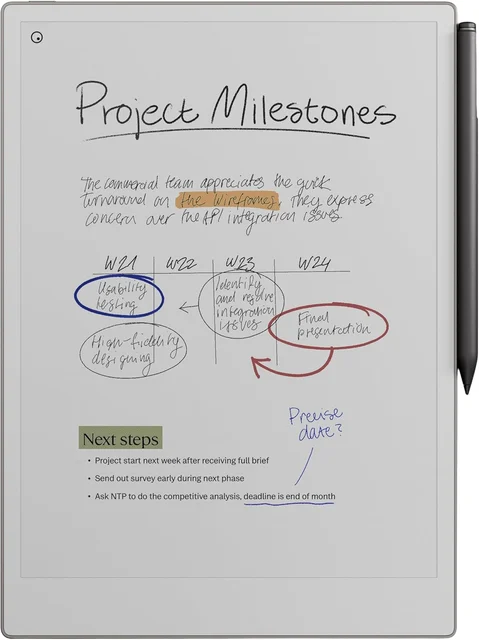
The closest-to-paper writing tablet money can buy, if you accept a walled garden and a subscription.
Best for: Writers and professionals who want the best pure writing experience and zero distractions, and don't mind paying for it.
- reMarkable describes its writing feel as paper-like, and owners commonly rank it at the top of the category
- Large 11.8-inch color display with an adjustable frontlight
- Deliberately closed, distraction-free OS that keeps you writing, with strong PDF markup and handwriting-to-text
- The priciest option, and unlimited cloud storage and sync, note-taking in the mobile and desktop apps, and AI conversion sit behind the paid Connect subscription
- No third-party apps, and color e-ink looks muted with slower refreshes
Own the reMarkable Paper Pro? Tell us how it held up.
Thanks. Counted, and shown once enough owners have weighed in.
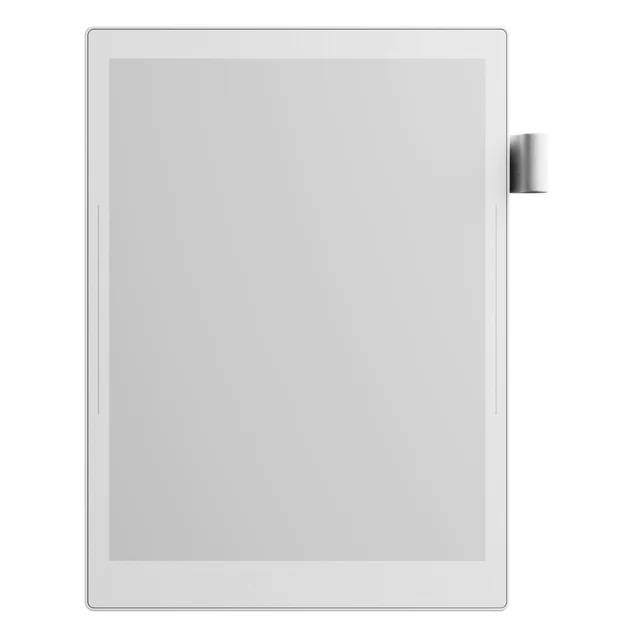
A repairable, subscription-free note-taker with a ceramic nib designed not to need replacing and strong organization tools.
Best for: Note-taking purists who value repairability, no recurring fees, and serious organization over color and flash.
- Ceramic NeverReplace nib and a modular design for user self-repair, with microSD storage expandable up to 2 TB
- No subscription, plus in-device note linking, keywords and organization that owners praise
- Writing on a flexible 10.7-inch E Ink panel with a soft-film surface
- Monochrome only, and Supernote lists it as frontlight free, so no light for writing in the dark
- Software is functional but less polished, and the app ecosystem is small and enthusiast-driven
Own the Supernote A5 X2 Manta? Tell us how it held up.
Thanks. Counted, and shown once enough owners have weighed in.
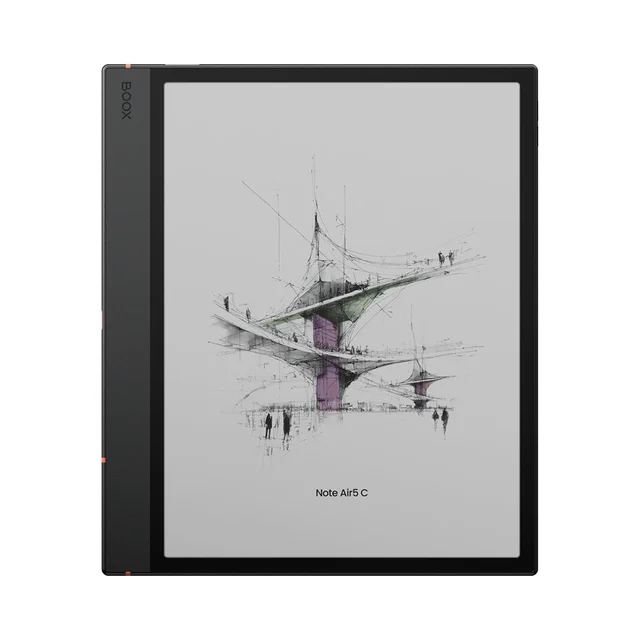
The most versatile e-ink tablet you can buy, but its open-Android nature is both the appeal and the catch.
Best for: Tinkerers who want a single slate to read, annotate and run Android apps, and enjoy customizing it.
- Full Android 15 with the Google Play Store, so Kindle, Notion, OneNote and more run on it
- 10.3-inch Kaleido 3 color screen with a warm-and-cool frontlight, plus speakers and a microphone
- 6 GB of RAM and 64 GB of storage for reading, annotating and light apps in one device
- Color e-ink looks dim and grainy next to paper, and Android on e-ink invites setup fiddling and occasional lag
- Writing feel and note-taking software are less refined than the purpose-built devices here
Own the Onyx BOOX Note Air5 C? Tell us how it held up.
Thanks. Counted, and shown once enough owners have weighed in.
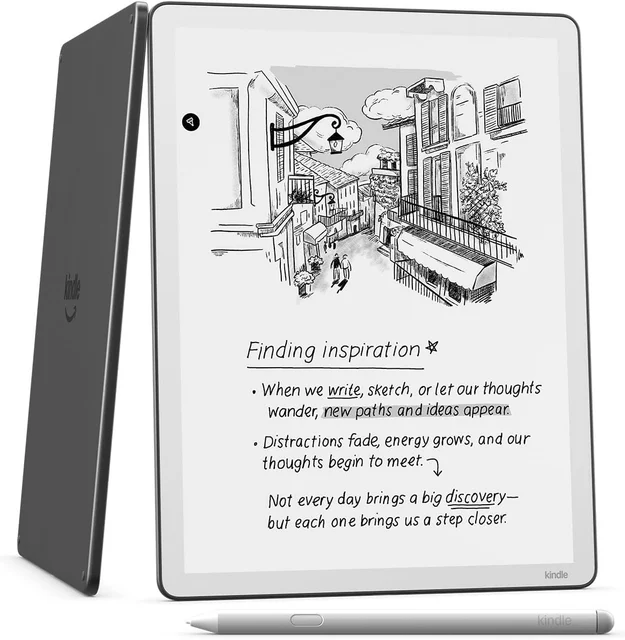
A superb Kindle that happens to write, but a frustrating choice if note-taking is why you're buying.
Best for: Heavy Kindle readers who only occasionally jot notes, not people buying primarily to take notes.
- Strong e-reader with the Kindle library and a front light
- Clean writing feel and handy AI notebook summarization
- Simple, familiar Amazon software that just works out of the box
- Notes are largely tied to Amazon's ecosystem, with narrower export and sync options than open or file-based devices
- Annotation and organization feel like secondary features next to the purpose-built devices
Own the Amazon Kindle Scribe (2025)? Tell us how it held up.
Thanks. Counted, and shown once enough owners have weighed in.
| Criteria | reMarkable Paper Pro Top pick Buy it Buy | Supernote A5 X2 Manta Buy it Buy | BOOX Note Air5 C It depends Buy | Amazon Kindle Scribe (2025) Skip it Buy |
|---|---|---|---|---|
| Best for | Writers and professionals who want the best pure writing experience and zero distractions, and don't mind paying for it. | Note-taking purists who value repairability, no recurring fees, and serious organization over color and flash. | Tinkerers who want a single slate to read, annotate and run Android apps, and enjoy customizing it. | Heavy Kindle readers who only occasionally jot notes, not people buying primarily to take notes. |
| Price tier | $$$$ · flagship | $$$ · premium | $$$ · premium | $$ · mid-range |
| Writing feel | Paper-like, a category benchmark | Excellent, ceramic nib, low latency | Good but less refined | Smooth but a step behind |
| Display | 11.8" color, frontlight | 10.7" mono, no frontlight | 10.3" Kaleido color, frontlight | 11" mono, frontlight |
| Note software & organization | Strong and focused | Linking and keyword tagging | Flexible via Android apps | Basic, Amazon-locked |
| App & ecosystem flexibility | Closed, no third-party apps | Closed but open file formats | Full Google Play (Android 15) | Amazon ecosystem only |
| Cross-device sync & export | Robust (fuller with Connect) | Manual but no lock-in | Whatever the apps support | Mostly within Amazon |
| Subscription for full features | Yes (Connect) | None | None | None |
| Repairability & longevity | Sealed, nibs wear | Modular, self-repair design, ceramic nib | 64 GB, sealed | Sealed, nibs wear |
| Price tier | $$$$ · flagship | $$$ · premium | $$$ · premium | $$ · mid-range |
Which one is right for you?
- Writers and professionals who want the best pure writing experience and zero distractions, and don't mind paying for it. Buy it reMarkable Paper Pro
- Note-taking purists who value repairability, no recurring fees, and serious organization over color and flash. Buy it Supernote A5 X2 Manta
- Tinkerers who want a single slate to read, annotate and run Android apps, and enjoy customizing it. It depends Onyx BOOX Note Air5 C
- Heavy Kindle readers who only occasionally jot notes, not people buying primarily to take notes. Skip it Amazon Kindle Scribe (2025)
How we judged the field
We don’t run a lab. Instead we work from maker specifications and aggregated owner reports to find where each device genuinely shines and where the marketing outpaces reality. For e-ink writing tablets aimed at both notes and reading, five things separate the winners from the also-rans: how paper-like the writing feels, how good the note-organization software is, how flexible the ecosystem is, how easily notes sync and export, and the true long-term cost once subscriptions and wear-items like nibs are counted. We deliberately kept e-readers proper out of this comparison; these are pen-first devices.
reMarkable Paper Pro
Buy itThe reMarkable Paper Pro is the device other companies get measured against. Owners commonly describe its writing feel as the most paper-like available, and the 11.8-inch color display with an adjustable frontlight makes it comfortable in more lighting than older models. Its software is deliberately narrow: a clean, distraction-free notebook and PDF-markup environment with reliable handwriting-to-text. The catch is cost and control. It’s the most expensive option, its unlimited cloud storage, in-app note-taking and AI conversion live behind the paid Connect subscription, and it runs no third-party apps. If a focused, premium writing tool is exactly what you want, few feel better.
Supernote A5 X2 Manta - it depends… but mostly buy
Buy itThe Supernote Manta is the enthusiast’s value pick and our runner-up. It forgoes color and a frontlight for a 10.7-inch monochrome panel, but it answers with things the flashier tablets don’t: a ceramic nib built not to need replacing, a modular design for self-repair, microSD expansion up to 2 TB, and no subscription at all. Owners praise its note linking and organization. The trade-offs are real: the hardware looks plain, there’s no frontlight, and the software, while capable, is less polished than reMarkable’s. If those don’t bother you, it’s the easiest device here to recommend long-term.
BOOX Note Air5 C
It dependsThe BOOX Note Air5 C is the most versatile slate you can buy, and that’s both the pitch and the warning. It runs full Android 15 with the Google Play Store, so Kindle, Notion, OneNote and countless other apps install directly, and its 10.3-inch Kaleido 3 color screen adds a warm-and-cool frontlight, speakers and a microphone. But color e-ink still looks dim and grainy next to paper, Android on an e-ink screen invites setup fiddling and occasional lag, and its writing feel and note software trail the purpose-built devices. It’s a genuinely great fit for tinkerers who want one device to do everything, and a poor fit for anyone who just wants to open a notebook and write.
Amazon Kindle Scribe (2025)
Skip itThe Kindle Scribe is a lovely piece of hardware and, as a reader, arguably the best on this list: the enormous Kindle library, a front-lit screen, a clean writing feel and handy AI notebook summaries. The problem is the job we’re hiring for. As a dedicated note-taker it disappoints: notes are largely tied to Amazon’s ecosystem with narrower export options than the open devices, and annotation and organization are secondary features rather than the main event. If reading comes first and notes are occasional, it’s fine. If you’re buying primarily to take notes, skip it.
Sources
Specs in this review come from these pages.
reMarkable Paper Pro vs Supernote Manta: which should you buy?
This is the real decision for most serious note-takers. The reMarkable Paper Pro wins on polish: a bigger color screen, a frontlight, the best writing feel, and software that feels effortless. The Supernote Manta wins on ownership: it costs less, has no subscription, uses a ceramic nib designed not to wear out, and can be repaired and upgraded instead of replaced. Put simply, buy the reMarkable if the writing experience and screen matter most and recurring cost doesn’t scare you. Buy the Supernote if you want to spend less up front, avoid fees forever, and keep a device that lasts. Both are solid recommendations; they just reward different priorities.
What to look for
- Writing feel: the single most important factor for a daily driver, and where reMarkable and Supernote lead.
- Subscription cost: check whether core features like sync and handwriting conversion require a paid plan before you commit.
- Sync and export: confirm your notes can leave the device in the format and apps you actually use.
- Color vs monochrome: color is nice for highlighting but still looks muted and refreshes slower; monochrome is crisper for text.
- Repairability and consumables: nibs and batteries wear out, so a repairable build or a long-life nib saves money over years.
- Open vs closed: Android devices do more but need tinkering; closed devices do less but stay focused.
Our final take
For most people buying an e-ink tablet to take notes and read, the reMarkable Paper Pro is the device to beat, with the best writing feel and a color screen, provided you accept its closed system and subscription. The Supernote Manta is the value-conscious choice that many owners end up preferring, thanks to its repairability, lack of fees and strong organization. The BOOX Note Air5 C earns its place for anyone who wants Android flexibility and color in one slate and enjoys setting it up just so. The Kindle Scribe, for all its charm as a reader, is the one to skip when note-taking is your real goal. Match the device to why you’re buying, and any of the first three will serve you for years.
Questions, answered
What's the difference between an e-ink writing tablet and an e-reader?
An e-reader like a basic Kindle or Kobo is built mainly for reading, with a small screen and no real pen input. E-ink writing tablets have larger displays, an active stylus and note-taking software, so you can handwrite, mark up PDFs and organize notebooks. Every device here can read too, but their reason to exist is writing.
Do I really need to pay a subscription?
Only for some devices. The reMarkable Paper Pro puts unlimited cloud storage and sync, in-app note-taking and AI conversion behind its paid Connect plan, and the tablet still works without it but with fewer cloud features. The Supernote Manta and BOOX Note Air5 C have no required subscription for their core note-taking and reading, and Amazon's Kindle Scribe does not need one for basic use.
Which one has the best writing feel?
Owners commonly single out the reMarkable Paper Pro as the closest to writing on paper. The Supernote Manta is close behind and adds a ceramic nib designed not to wear out. The BOOX and Kindle Scribe are good, but owners often place them a step below on that specific paper-like sensation.
Can I get my notes into apps like OneNote or Notion?
It depends on the device. The BOOX Note Air5 C runs full Android, so you can install OneNote, Notion or Obsidian directly. reMarkable and Supernote export notes as files or through their own cloud, and reMarkable's sync is fuller with Connect. The Kindle Scribe keeps notes largely inside Amazon's ecosystem.
Is color e-ink worth it for notes?
For most note-takers, not yet. Color panels on the reMarkable Paper Pro and BOOX Note Air5 C are useful for highlighting and light sketching, but owners note the colors look muted and the screens refresh more slowly than monochrome. If your notes are mostly text, a sharp monochrome device like the Supernote Manta often feels crisper and faster.
Deciding between the top two? See our head-to-head: reMarkable Paper Pro vs Supernote A5 X2 Manta.
More in Tech & Gadgets
E-Ink Tablets, Explained Plain-English guide → reMarkable Paper Pro vs Supernote A5 X2 Manta Head-to-head →  The Best E-Readers in 2026: Kindle vs Kobo, and the One to Skip
  The Best Electronic Chess Boards: 4 Compared (and One to Skip)
  The Best ESD Mats: 4 Compared (and One to Skip)
  The Best Ethernet Cables: 4 Compared (and One to Skip)