

Tech & Gadgets
The Best E-Readers in 2026: Kindle vs Kobo, and the One to Skip
We compare four current Kindle and Kobo e-readers on screen, color, buttons and library support, name the best pick for most readers, and flag one to skip.
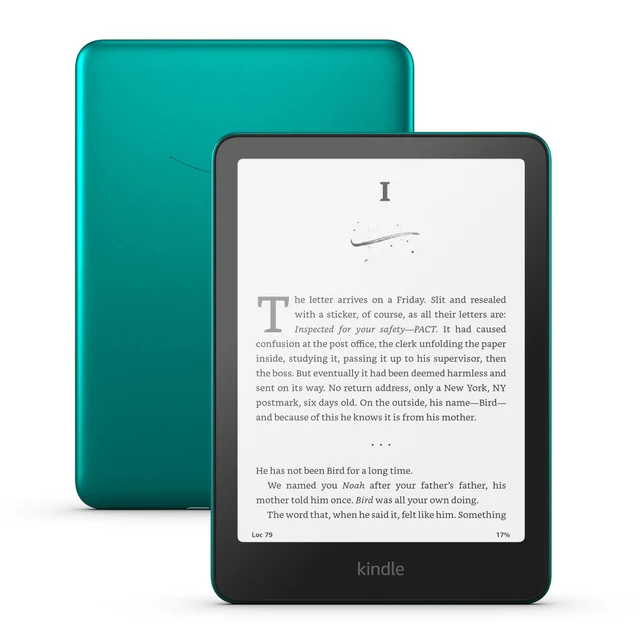
The short version
For most readers the Kindle Paperwhite (2024) is the pick: a fast, glare-free 7-inch screen, weeks of battery, and the largest bookstore behind it. If you borrow from your library or want physical page buttons and open file formats, the Kobo Libra Colour is the better fit, and the compact Kobo Clara BW is the value choice. We would skip the Kindle Colorsoft Signature Edition, whose color is muted and costs a lot more for a feature most black-and-white readers rarely need.
Our picks at a glance
- Amazon Kindle Paperwhite (2024) - Buy. The fast, no-fuss black-and-white reader that fits the most people.
- Kobo Libra Colour - Buy. Physical buttons, library borrowing, and color for readers who want flexibility.
- Kobo Clara BW - Buy. A pocketable, sharp black-and-white reader that costs the least here.
- Amazon Kindle Colorsoft Signature Edition - Skip. Color at a premium price that most black-and-white readers will not need.
The verdict in 30 seconds
What mattered most
- Display
- Color screen
- Physical page buttons
- Library borrowing (Libby)
- Open formats (EPUB/PDF)
- Waterproof (IPX8)
An e-reader is one of the few gadgets you can buy once and use for years, so the real question is not which screen looks best in a store demo but which one fits how you actually read and where your books come from. We compared four current models across display quality, color, one-handed comfort, library borrowing, and file support. Three are easy to recommend for different readers; one is a tempting upgrade we think most people should pass on.
The fast, no-fuss black-and-white reader that fits the most people.
Best for: Most readers who want a simple, fast reader and buy their books from Amazon.
- 7-inch 300 ppi Carta 1300 screen with the fastest page turns of any Kindle
- Weeks of battery, IPX8 waterproof rating, and USB-C charging
- Locked to Amazon's store and formats, with no built-in library-borrowing app
- The cheapest version shows lock-screen ads unless you pay to remove them
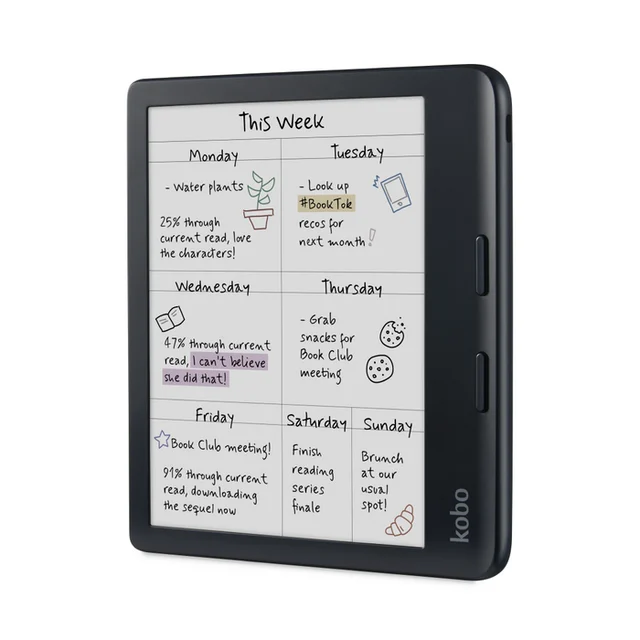
Physical buttons, library borrowing, and color for readers who want flexibility.
Best for: Library borrowers and one-handed readers who want buttons and open file formats.
- Two physical page-turn buttons and an asymmetric one-handed grip
- Built-in Libby and OverDrive borrowing plus direct EPUB and PDF support
- Kaleido 3 color looks muted and drops to a lower resolution than the text
- Stylus writing feels slow and the pen is sold separately
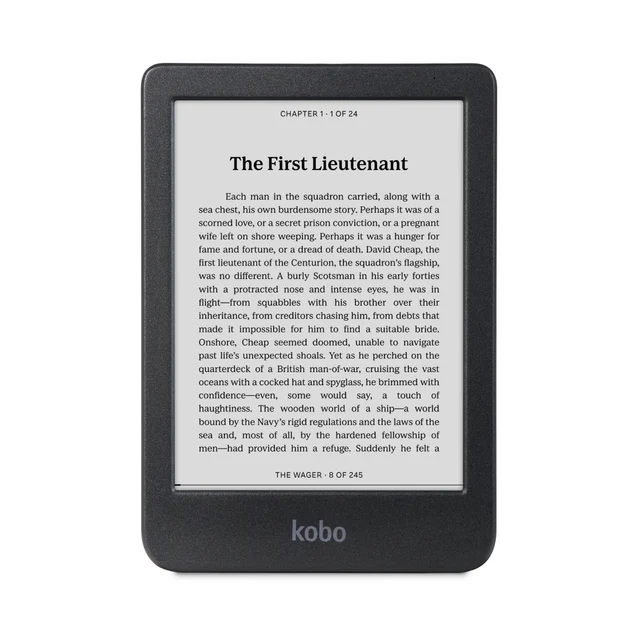
A pocketable, sharp black-and-white reader that costs the least here.
Best for: Budget buyers and commuters who want a compact reader for plain text.
- Crisp 6-inch Carta 1300 black-and-white text on a glass-free screen
- Compact, pocketable body with Libby borrowing and Bluetooth audiobooks
- No physical page-turn buttons, so every page is a tap
- Small 6-inch screen with no color option
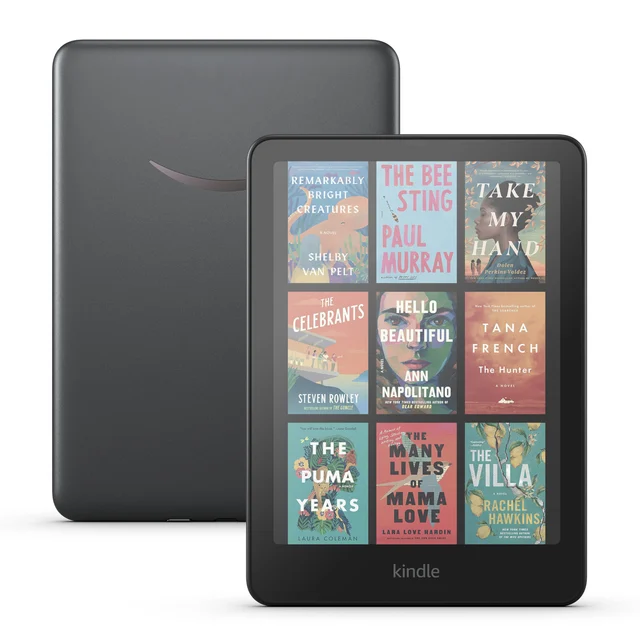
Color at a premium price that most black-and-white readers will not need.
Best for: Only heavy highlighters or comic readers set on color within the Kindle store.
- Colorful covers and highlights on a 7-inch Kaleido 3 screen
- Keeps the fast Kindle software, adds wireless charging and an auto front light
- Premium price for the same muted, lower-resolution color found on cheaper devices
- Launch units shipped with a yellow-band display defect, raising quality-control doubts
Amazon had no buyable listing for this when we last checked. The link still works if it returns.
Check price on Amazon Read our detailed assessment| Criteria | Kindle Paperwhite (2024) Top pick | Kobo Libra Colour | Kobo Clara BW | Kindle Colorsoft Signature Edition |
|---|---|---|---|---|
| Verdict | Buy it | Buy it | Buy it | Skip it |
| Best for | Most readers who want a simple, fast reader and buy their books from Amazon. | Library borrowers and one-handed readers who want buttons and open file formats. | Budget buyers and commuters who want a compact reader for plain text. | Only heavy highlighters or comic readers set on color within the Kindle store. |
| Price tier | $$ · mid-range | $$$ · premium | $ · budget | $$$$ · flagship |
| Display | 7-inch, sharp B&W | 7-inch, color | 6-inch, sharp B&W | 7-inch, color |
| Color screen | No | Yes (muted) | No | Yes (muted) |
| Physical page buttons | No | Yes | No | No |
| Library borrowing (Libby) | No - Amazon only | Built-in | Built-in | No - Amazon only |
| Open formats (EPUB/PDF) | Limited | Broad | Broad | Limited |
| Waterproof (IPX8) | Yes | Yes | Yes | Yes |
Which one is right for you?
- Most readers who want a simple, fast reader and buy their books from Amazon. Buy it Amazon Kindle Paperwhite (2024)
- Library borrowers and one-handed readers who want buttons and open file formats. Buy it Kobo Libra Colour
- Budget buyers and commuters who want a compact reader for plain text. Buy it Kobo Clara BW
- Only heavy highlighters or comic readers set on color within the Kindle store. Skip it Amazon Kindle Colorsoft Signature Edition
How we judged the field
We do not run our own lab or measure these screens with instruments. Instead we read widely across published expert evaluations and the long-term experience of people who read on these devices for months, then we weigh where that evidence agrees and, more usefully, where it disagrees. An e-reader is a long-term purchase, so we cared less about spec-sheet bragging rights and more about the things you notice after the novelty fades: how sharp text looks in daylight, how the device feels in one hand at the end of a chapter, where your books actually come from, and whether the battery is a background concern or a daily one.
We limited this comparison to models you can buy new today, and we deliberately included one popular device we think most people should pass on. Color e-ink is the loudest story in this category right now, so we made a point of holding that promise up against the plain black-and-white reading that still makes up most of the average library.
Kindle Paperwhite (2024)
Buy itThe current Paperwhite is the reader we would hand to most people without much thought. Its 7-inch Carta 1300 screen is sharp at 300 pixels per inch, the front light is even, and page turns are quicker than any Kindle before it, which matters more than it sounds when you flip pages for an hour. Battery life stretches into weeks rather than days, it carries an IPX8 waterproof rating for bath and beach reading, and it charges over USB-C.
What we liked more: the reading experience is friction-free. Text is crisp, the interface is fast, and Amazon’s store and Audible catalog mean you rarely fail to find a book. What we liked less: you are firmly inside Amazon’s walls. There is no built-in library-borrowing app, EPUB files have to be converted through Amazon’s own send service, and the cheapest version shows advertisements on the lock screen until you pay to remove them. If you buy your books from Amazon anyway, none of that will bother you.
Kobo Libra Colour
Buy itThe Libra Colour is for people who want the device to bend to their habits rather than the other way around. It has a 7-inch Kaleido 3 color screen, but the reason to buy it is the hardware around that screen: two physical page-turn buttons and an asymmetric grip that make one-handed reading genuinely comfortable. Library borrowing through Libby and OverDrive is built in, it reads EPUB and PDF files without conversion, and it takes an optional stylus for marking up books and keeping notebooks.
What we liked more: the buttons and the open approach to books. Borrowing from your library or loading your own files is simple, and the grip suits long sessions. What we liked less: the color itself. Like every Kaleido 3 panel, colors look muted and drop to a lower resolution than the black text, so it reads as a pleasant bonus rather than a reason to buy. The stylus is sold separately and writing feels slower than on a device built for notes.
Kobo Clara BW
Buy itThe Clara BW is the quiet value pick. It uses the same excellent Carta 1300 black-and-white panel in a compact 6-inch body that slips into a coat pocket, and the exposed, glass-free screen makes text look like it is sitting right at the surface. It is waterproof, supports Libby borrowing and your own EPUB files, and pairs with Bluetooth earbuds for audiobooks.
What we liked more: for plain text, the screen is as sharp and readable as anything here, and the small size is easy to carry and hold. What we liked less: there are no physical page-turn buttons, so every page is a tap, and the 6-inch black-and-white-only panel will feel limiting if you read illustrated books or want a larger page. For a first e-reader or a commuter’s second device, those are easy trade-offs to accept.
Kindle Colorsoft Signature Edition
Skip itThe Colorsoft is Amazon’s color Kindle, and it is the device in this group we would steer most people away from. It pairs the familiar fast Kindle software with a 7-inch Kaleido 3 color screen, adds wireless charging and an auto-adjusting front light, and sits at the top of the price range.
What we liked more: colorful covers and highlights do look nice, and you keep the speed, store, and simplicity that make a Kindle easy to live with. What we liked less: almost everything about the value. The color is the same muted, lower-resolution Kaleido technology found on cheaper devices, so you pay a steep premium for a layer most black-and-white readers rarely use. Early units also shipped with a visible yellow band along the bottom of the display, a defect that dragged on long enough to raise fair questions about quality control. Unless you specifically read comics or highlight heavily and are committed to the Kindle store, the standard Paperwhite gives you the better screen for less money.
Kindle Paperwhite (2024) vs Kobo Libra Colour: which should you buy?
This is the decision most people are actually making. The Paperwhite is the simpler, faster, and cheaper of the two, and its black-and-white screen is a touch crisper because it is not sitting behind a color filter. If your books come from Amazon and you mostly just want to read, it wins.
The Libra Colour earns its higher price in three specific ways: physical page-turn buttons, built-in library borrowing, and the freedom to load EPUB files directly. The color screen is the least important of its advantages. Choose the Libra Colour if you borrow from a public library, already own files outside Amazon, or know that buttons make reading more comfortable for you. Choose the Paperwhite if none of those apply and you value speed and a clean black-and-white page over flexibility.
What to look for
Start with where your books come from. If that is Amazon, a Kindle keeps everything in one place; if it is your local library or your own files, a Kobo removes friction every single day. Next, decide whether you want physical buttons, because some readers never go back once they have them, and only the Libra Colour here offers them. Then be honest about color: today’s color e-ink is a modest bonus, not a reason to spend significantly more, so buy it only if you read illustrated material. Finally, match the size to your life, with the compact Clara BW for pockets and commutes and the 7-inch models for a roomier page. Everything here is waterproof and lasts weeks on a charge, so those are no longer deciding factors.
Our final take
The Kindle Paperwhite (2024) is the right e-reader for the largest number of people: fast, sharp, long-lasting, and backed by the biggest store. The Kobo Libra Colour is the better choice if library borrowing, open formats, or physical buttons matter to you, and the Kobo Clara BW covers the same Kobo strengths in a smaller, cheaper package. The Kindle Colorsoft Signature Edition is the one to skip; its color does not justify the premium, and the black-and-white Paperwhite remains the smarter buy.
Questions, answered
Is a color e-reader worth it?
For most people, no. Current color e-ink looks muted and lower-resolution than the crisp black text these screens do best, and it adds cost. Color helps mainly if you read comics, illustrated non-fiction, or highlight heavily; otherwise a sharp black-and-white screen is the better buy.
Can I read library books on a Kindle?
Not through a built-in app the way you can on a Kobo. Kindles route borrowing through Amazon and offer it only in some regions. Kobo models include Libby and OverDrive access on the device itself, so if free library borrowing matters to you, a Kobo is the simpler choice.
Do I really need a waterproof e-reader?
If you read in the bath, by a pool, or at the beach, yes; all four here carry an IPX8 rating and survive brief submersion. If you only read indoors, treat it as a safety margin against spills rather than a feature you will actually rely on.
Kindle or Kobo for someone switching over?
Choose Kindle if you already buy from Amazon and want the fastest, simplest setup with the biggest store. Choose Kobo if you borrow from libraries, own EPUB files, or want physical page-turn buttons. Both sync your reading position and last for years on a charge.
Deciding between the top two? See our head-to-head: Amazon Kindle Paperwhite (2024) vs Kobo Libra Colour.
More Tech & Gadgets reviews
 The Best Electronic Chess Boards: 4 Compared (and One to Skip)
  The Best ESD Mats: 4 Compared (and One to Skip)
  The Best Ethernet Cables: 4 Compared (and One to Skip)
  The Best External Hard Drives: 4 Compared (and One to Skip)
  The Best Galaxy Projectors: 4 Compared (and One to Skip)
  The Best Gaming Controllers: 4 Compared (and One to Skip)