Explained
E-Readers, Explained
After reading this you will understand every spec on an e-reader listing and know which ones actually matter for how you read.
In this guide
An e-reader is a single-purpose device built to do one thing better than your phone or tablet: show you text you can read for hours without eye strain, in sunlight, on a charge that lasts weeks. The specs sound technical, but most of the buying decision comes down to three plain questions: how sharp is the screen, where do your books come from, and how does it feel in your hand. Where people trip up is chasing color screens and big numbers that change the experience far less than the store and formats a device locks you into.
The 30-second version
- The ecosystem matters more than the hardware. Where you buy or borrow books decides more about your happiness than any spec, so pick the store first and the device second.
- Color e-ink is still a bonus, not a reason to buy. Current color screens look muted and lower-resolution than sharp black text, so only illustrated readers and heavy highlighters should pay extra for it.
- Sharpness and even lighting are what you actually notice. A 300-ppi screen with an adjustable warm front light reads comfortably for years, while page-turn speed and grip matter more the longer your sessions run.
- Physical buttons and file support are underrated. Page-turn buttons and native EPUB and PDF support quietly remove friction every day for the people who value them.
The products this guide is about
Our verdict on each, with the full reasoning on the companion review.
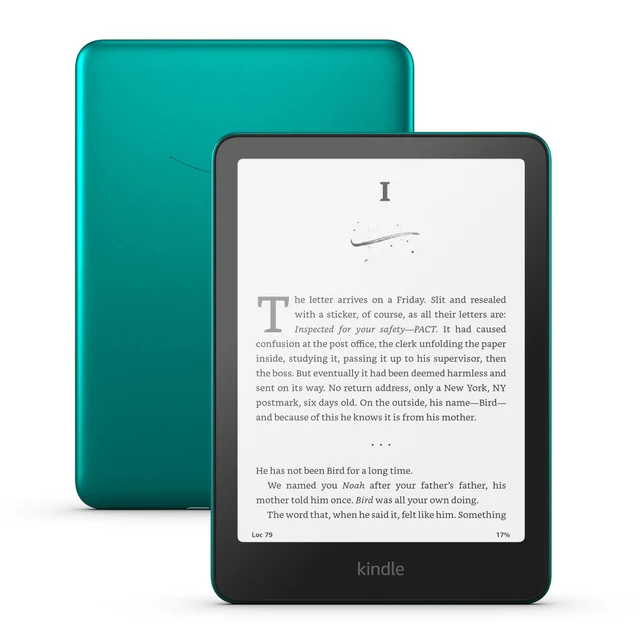
- Buy Amazon Kindle Paperwhite (2024) The fast, no-fuss black-and-white reader that fits the most people. Amazon
- Buy Kobo Libra Colour Physical buttons, library borrowing, and color for readers who want flexibility. Amazon
- Buy Kobo Clara BW A pocketable, sharp black-and-white reader that costs the least here. Amazon
- Skip Amazon Kindle Colorsoft Signature Edition Color at a premium price that most black-and-white readers will not need.
What actually matters
- Ecosystem and store - the bookstore, library app, and account behind the device shape every day of use; a locked store is fine if you already buy there and frustrating if you do not.
- Screen sharpness (PPI) - 300 pixels per inch is the current standard for crisp text; below that, letters look softer, especially at small font sizes.
- Front light quality - an even, adjustable light with a warm (amber) option lets you read comfortably in the dark without the blue glow of a phone.
- Color vs black-and-white - color e-ink adds cost and dims the whole screen slightly; plain black-and-white is sharper and better for text, which is most reading.
- Library and file support - built-in Libby or OverDrive borrowing and native EPUB and PDF handling matter enormously if you use a public library or own files.
- One-handed comfort - weight, size, grip shape, and physical page-turn buttons decide whether a long session feels effortless or tiring.
- Battery and waterproofing - both are now good across the board, so treat them as baseline expectations rather than deciding factors.
The specs, in plain English
Green flags vs red flags
Green flags
- A 300-ppi black-and-white screen for crisp, print-like text.
- An adjustable front light with a warm/amber setting for night reading.
- Built-in library borrowing (Libby/OverDrive) or native EPUB support if you read outside one store.
- Physical page-turn buttons if you read one-handed for long stretches.
- USB-C charging and a battery measured in weeks, not days.
- An IPX8 waterproof rating if you read near water.
Red flags
- Paying a flagship price mainly for color e-ink you will rarely use.
- A screen below 300 ppi, which makes small text look soft.
- A device locked to a store you do not buy from, with no library or file support.
- No front light, or a light that is uneven or lacks a warm mode.
- Lock-screen advertisements you cannot remove without an extra fee.
- Early-run models with reported display defects and unresolved quality-control complaints.
Who's who: the brands
- Amazon (Kindle) - The largest bookstore and the simplest, fastest setup, at the cost of being locked into Amazon's store and formats.
- Kobo - The flexibility choice, with built-in library borrowing, open EPUB and PDF support, and models that offer physical page-turn buttons.
- Boox (Onyx) - Android-based readers and larger writing tablets for people who want app freedom and note-taking, at the price of more complexity.
- PocketBook - A European maker known for very broad native file-format support and physical buttons, popular with readers who juggle many file types.
How to read a listing without getting fooled
Read a spec sheet from the outside in. First find where the books come from: does it borrow from libraries, read EPUB files, or lock you to one store? That single line matters more than everything below it. Next confirm the screen is 300 ppi and note whether it is black-and-white or color; if a listing shouts about color, mentally file that as a bonus, not a headline, and check the color resolution and whether it is a Kaleido panel. Then look for a warm front light, physical buttons if you want them, USB-C charging, and an IPX8 rating. Be skeptical of marketing words like premium or signature, which usually add wireless charging or extra storage rather than a better reading experience, and search the exact model name plus complaints to catch early-run defects before you pay.
How much should you spend?
Spend based on features you will actually use, not on the top of the range. The value sweet spot is a current-generation black-and-white reader with a 300-ppi screen and a warm front light; that covers almost everyone and rarely feels like a compromise. Stepping up is worth it for specific needs: physical page-turn buttons, built-in library borrowing, or a larger screen for a genuinely more comfortable read. Paying flagship money is hard to justify when the premium mostly buys color e-ink that looks muted, plus conveniences like wireless charging that do not change how the page reads. Going too cheap usually costs you screen sharpness or the front light, both of which you notice every session, so that is the wrong place to economize. Buying a slightly older model in good condition is often smarter than paying full price for the newest color device.
Questions, answered
Is a color e-reader worth it?
For most people, no. Current color e-ink looks muted and lower-resolution than the crisp black text these screens do best, and it adds cost. Color helps mainly if you read comics, illustrated non-fiction, or highlight heavily; otherwise a sharp black-and-white screen is the better buy.
Kindle or Kobo, and how do I decide?
Choose a Kindle if you already buy from Amazon and want the fastest, simplest setup with the biggest store. Choose a Kobo if you borrow from public libraries, own EPUB files, or want physical page-turn buttons. The store and formats you use every day should drive the decision more than any single spec.
Can I read library books on any e-reader?
It depends on the brand. Kobo and several others include Libby and OverDrive borrowing on the device itself, so it is seamless. Kindles route borrowing through Amazon and offer it only in some regions, without a built-in library app, so if free library borrowing is central to you, check that first.
Why not just read on my phone or tablet?
You can, but an E Ink screen reflects light like paper instead of shining at you, so it is far easier on the eyes for long sessions, readable in direct sunlight, free of notifications, and lasts weeks on a charge. That single-purpose focus is the whole point of buying one.
Do I really need a waterproof e-reader?
Only if you read near water. If you read in the bath, by a pool, or at the beach, an IPX8 rating means brief submersion is survivable. If you only read indoors, treat waterproofing as insurance against spills rather than a feature you will rely on.
What does PPI mean and is 300 enough?
PPI is pixels per inch, a measure of how sharp the screen is. 300 ppi is the current standard and looks like a printed page, so it is more than enough; you do not need to pay for anything higher, and you will notice softness on screens below it.
Or jump to the head-to-head: Amazon Kindle Paperwhite (2024) vs Kobo Libra Colour.