Explained
Graphics Cards, Explained
After reading, you'll understand what actually makes one graphics card better than another for your monitor, your games, and your budget.
In this guide
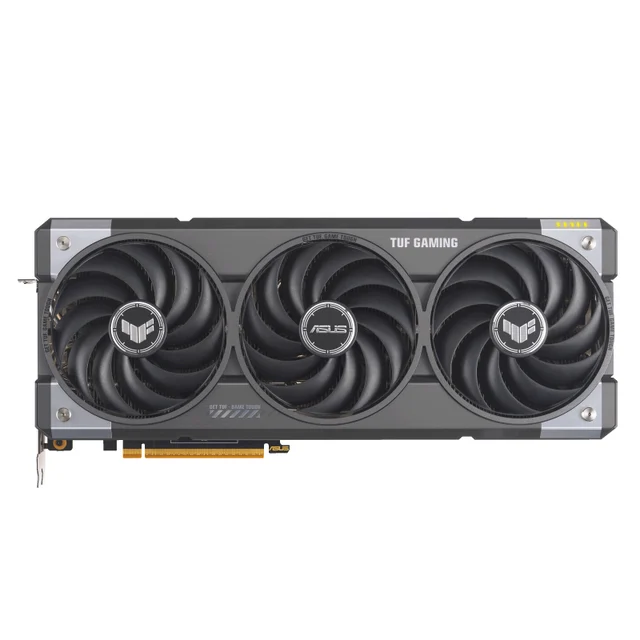
A graphics card (GPU) is the part of your PC that draws every frame you see in a game, and it's usually the single most expensive and confusing component to shop for. The specs are a wall of acronyms, VRAM numbers, and marketing frame rates that don't translate cleanly into 'will this run well on my screen.' The single biggest mistake buyers make is picking a card by brand or price alone instead of matching it to the resolution of the monitor they actually own.
The 30-second version
- Match the card to your monitor, not the hype. A card is only 'fast enough' relative to the resolution you play at, so buy for 1080p, 1440p, or 4K specifically.
- VRAM is future-proofing. Memory on the card decides whether tomorrow's high-texture games run smoothly, and it's the spec most likely to make a cheap card age badly.
- Frame generation is a boost, not a fix. Upscaling and generated frames inflate the FPS number but can't rescue a card that's short on memory or raw power.
- The two brands trade blows. One tends to lead on raw value and standard rendering, the other on heavy ray tracing and creative/AI work, so the 'best' depends on what you play.
- The price you pay beats the price on the box. GPU value swings fast with supply and discounts, so judge the real street price, not a launch figure.
The products this guide is about
Our verdict on each, with the full reasoning on the companion review.
- Buy AMD Radeon RX 9070 XT The frames-per-dollar champion for 1440p high-refresh gaming and capable 4K. Amazon
- Buy AMD Radeon RX 9060 XT (16GB) A cool, efficient 1080p-to-1440p workhorse with rare 16GB of VRAM at its price. Amazon
- It depends NVIDIA GeForce RTX 5090 NVIDIA's most powerful GeForce GPU - and priced, sized, and powered like it (575W total graphics power).
- Skip NVIDIA GeForce RTX 5060 (8GB) Fine for 1080p today, but 8GB of VRAM makes it a short-lived buy in 2026. Amazon
What actually matters
- Target resolution - the number of pixels on your screen (1080p, 1440p, or 4K) sets how hard the card has to work; buying above or below your monitor wastes money either way.
- VRAM (video memory) - the card's dedicated memory holds textures and game data, and running short causes stutter and dropped frames no amount of tuning fully fixes.
- Raster performance - this is 'standard' rendering speed, the frame rate you get in the vast majority of games before any fancy lighting is switched on; it's the foundation everything else builds on.
- Ray tracing - realistic reflections, shadows, and lighting are gorgeous but demanding, and cards differ a lot in how big a hit they take when you turn it on.
- Upscaling and frame generation - software that renders at a lower resolution and intelligently fills in the rest to gain speed; quality and support vary by brand and matter more the higher you push settings.
- Power and heat - faster cards draw more watts and run hotter and larger, so your power supply and case have to accommodate them.
- Longevity - a card that's merely 'fine today' can be a poor buy if thin VRAM or a narrow memory path means you'll want to replace it soon.
The specs, in plain English
Green flags vs red flags
Green flags
- The card's target resolution matches your monitor, so you're not overpaying or underbuying.
- 16GB of VRAM (or at least 12GB for 1440p), giving real headroom for future games.
- A current-generation architecture with meaningfully improved ray tracing over the last one.
- Support for the latest upscaling, so you can gain frames when you push settings.
- Strong independent frame-rate results at your resolution, not just at the easiest one.
- A power and size profile your existing supply and case can actually handle.
Red flags
- Only 8GB of VRAM on a card you plan to keep for several years.
- A frame-rate claim that leans entirely on frame generation being switched on.
- A narrow memory bus paired with a resolution the card is being marketed for.
- Pricing quoted at launch MSRP that's nowhere near the real street price.
- A last-generation card sold at current-generation money with no discount to match.
- Power draw or physical length that exceeds your power supply or case clearance.
Who's who: the brands
- AMD (Radeon) - Known for strong raw performance per dollar and generous VRAM at mainstream prices; its RDNA 4 generation closed much of the old ray tracing gap.
- NVIDIA (GeForce) - Leads on the heaviest ray and path tracing and on creative and AI software support; its DLSS upscaling and frame generation are widely praised.
- Intel (Arc) - The newest challenger, aimed mainly at the budget and mainstream tiers with competitive value, though driver maturity and game support still trail the two incumbents.
How to read a listing without getting fooled
Start with the two numbers that matter most and ignore the marketing headline. Find the card's VRAM amount and the resolution the reviews test it at, then check that both line up with your monitor. When a listing brags about a huge frame rate, look for the fine print: if that number depends on upscaling and frame generation being maxed out, mentally discount it and hunt for the 'native' or raster figure instead. Treat ray tracing benchmarks as a separate question from standard performance, because a card can look great in one and mediocre in the other. Finally, note the generation (a newer architecture usually beats an older one at the same tier) and confirm the power draw and physical length against your existing power supply and case before anything else.
How much should you spend?
Spend based on your monitor, not on getting the 'best' card in the abstract. For a 1080p screen, a budget or mainstream card is plenty, and stretching to a flagship buys frames your display can never show. Stepping up to 1440p is where a mid-range card starts to earn its keep, and this tier tends to hold the sweet spot of performance for the money for most people. True 4K high-refresh gaming, or serious creative and AI work, is where flagship pricing makes the most sense. In every tier, prioritize enough VRAM over a slightly faster chip, since running out of memory hurts more than a small frame-rate deficit. And because GPU value swings quickly with supply and discounts, judge the price you'll actually pay today rather than any launch figure, and be ready to wait out an inflated moment.
Questions, answered
How much VRAM do I really need in 2026?
It depends on your resolution. For 1080p, 8GB is now the bare minimum and already stutters in some new high-texture games, so 12GB is safer. For 1440p, treat 12GB as the floor and 16GB as the future-proof choice. Mostly 4K and creative or AI workloads benefit from 24GB or more.
Does a higher frame-rate number always mean a better card?
Not by itself. Many advertised frame rates rely on upscaling and generated frames being turned on. Those help, but they can't fix a card that's short on VRAM or raw power, so compare the native or standard-rendering numbers at your resolution before you trust the headline figure.
AMD or NVIDIA (or Intel) for gaming right now?
For raw performance per dollar at 1080p and 1440p, AMD is very hard to beat and now handles ray tracing far better than it used to. NVIDIA still leads in the heaviest ray-traced games and in creative and AI software. Intel is a genuine budget option worth watching. Pick based on the games and work you actually do.
Can I just buy a cheap card now and upgrade later?
You can, but a card that's short on VRAM tends to force that upgrade sooner than you'd like, which often costs more overall. Spending a little more for adequate memory today usually buys you several extra years before the next purchase.
Will a powerful graphics card work in any PC?
Not necessarily. Faster cards draw more power and are physically larger, so you need to confirm your power supply has the right wattage and connectors and that the card fits your case. This matters most for flagship models, which run hot and long.
Or jump to the head-to-head: AMD Radeon RX 9070 XT vs AMD Radeon RX 9060 XT (16GB).