Explained
DisplayPort Cables, Explained
After reading, you'll understand what a DisplayPort cable's certification tier actually guarantees, why length is a hard constraint at the top speeds, and how to verify any cable's claim in about two minutes.
In this guide
Most people buy a DisplayPort cable by looking for the biggest number on the packaging, which is exactly the wrong instinct. The version number on a DisplayPort product describes the specification it was designed against, not the speed it has been tested to carry. The number that matters is the certification tier, and the number that quietly limits everything is the length. Get those two right and the rest of the spec sheet is mostly noise.
The 30-second version
- The version number is not a speed rating, so "DisplayPort 2.1" on a package tells you nothing about whether the cable can carry the top link rate.
- VESA certifies cables in named tiers, currently DP8K for HBR3, DP54 for UHBR13.5, DP80 for UHBR20, and DP80LL for active UHBR20 cables.
- You can verify any claim yourself, because VESA publishes a searchable certified products database you can query by company or model number.
- Length is a real electrical limit, not a packaging convention, and it tightens as the link rate rises until passive copper stops being viable.
- Compression does the heavy lifting, so most headline resolution claims assume Display Stream Compression is running in the GPU and the monitor.
The products this guide is about
Our verdict on each, with the full reasoning on the companion review.
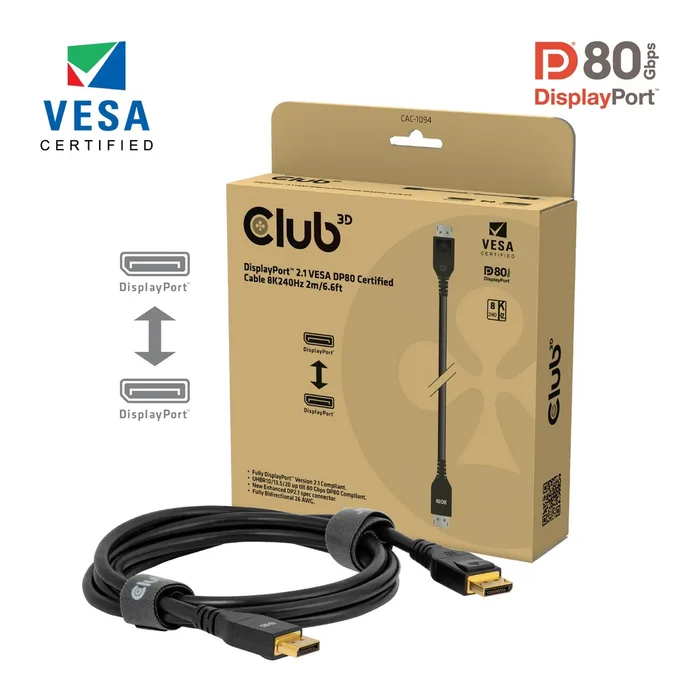
- Buy Club 3D DisplayPort 2.1 VESA DP80 Certified Cable 2m (CAC-1094) A VESA certified DP80 cable that gives you the full UHBR20 link rate across 2 m, which is unusually long for a passive cable at that speed. Amazon
- Buy Cable Matters VESA Certified DisplayPort 2.1 DP80 Cable The same DP80 certification tier for less money, provided you buy a length that VESA actually lists as DP80 certified. Amazon
- It depends Club 3D DisplayPort 2.1 DP54 VESA Certified Cable 3m (CAC-1093) Three metres of certified DisplayPort 2.1 reach, bought by accepting the UHBR13.5 link rate instead of UHBR20. Amazon
- Skip Belkin DisplayPort 1.2 Cable with Latches (F2CD000) A DisplayPort 1.2 cable whose link rate caps at HBR2 and 4K at 60Hz, which is far below what most people plugging it in now expect.
What actually matters
- Certification tier - This is the only part of a cable's claim that has been tested by anyone other than the seller. A tier name such as DP80 tells you the cable met VESA's requirements for a specific link rate, at a specific length, under test.
- Link rate - DisplayPort negotiates a rate per lane and uses four lanes. HBR2, HBR3, UHBR10, UHBR13.5 and UHBR20 are the rungs, and both ends plus the cable have to support a rung for it to be used.
- Length - Higher frequencies attenuate faster in copper, so a cable that certifies at one metre may not at three. This is why the top tiers come with short passive limits and why active cables exist.
- Passive versus active - A passive cable is just conductors. An active cable contains electronics that re-time or amplify the signal, which is how VESA's DP80LL tier reaches further at the UHBR20 rate.
- Display Stream Compression - A VESA codec that runs in the source and the display, not the cable. It reduces the link rate needed for a given resolution and refresh rate, which is why so many claims are conditional on it.
- What your hardware exposes - A cable cannot create a link rate your GPU or monitor does not offer. Check both spec sheets before paying for a tier you will never negotiate.
- The failure mode - Under-specified cables usually do not go dark. They train down to a slower rate so the top refresh option vanishes, or they hold on marginally and produce intermittent sparkles and dropouts.
The specs, in plain English
Green flags vs red flags
Green flags
- A named certification tier printed on the package, such as DP8K, DP54, DP80 or DP80LL, alongside the VESA CERTIFIED logo.
- A specific model number you can find in VESA's certified products database at displayport.org.
- A stated length that matches the certified entry, rather than a product page covering many lengths under one tier claim.
- Resolution claims that say plainly whether Display Stream Compression is assumed.
- A proper locking latch on both connectors that clicks and needs the release pressed to remove.
Red flags
- "DisplayPort 2.1" or "supports 8K" as the only performance claim, with no certification tier named anywhere.
- A long passive cable, three metres or more, claiming the full 80 Gbps UHBR20 rate.
- A brand or model you cannot locate in VESA's database despite a certification claim on the listing.
- Headline resolutions quoted without any mention of compression, especially very large numbers such as 16K.
- A certification badge shown as an image on a listing with no model number or length attached to it.
Who's who: the brands
- Club 3D - A Netherlands based accessory maker that has DP54 and DP80 cables listed in VESA's database.
- Cable Matters - A high volume cable brand with certified DisplayPort products across several tiers, generally priced below the specialists.
- StarTech.com - Focused on the business and AV channel, rather than gaming branding.
- Belkin - Broad consumer and office accessory range, easy to buy through retail channels, though its DisplayPort cables have historically sat at older link rates.
- BizLink and Wieson - Original equipment manufacturers rather than retail brands, named among the first companies with VESA certified UHBR cables and often the makers behind other labels.
How to read a listing without getting fooled
Start at the bottom of the listing, not the top. Find the certification tier and the exact model number, then search that model in VESA's certified products database under Cables and Adaptors. If it is there at the length you are buying, the top of the listing barely matters. If it is not, treat every performance number as a marketing claim. Next, read the resolution figures for the word compression or DSC, because a 16K or 8K 240Hz claim without it is describing something the cable cannot do alone. Then check your own hardware: find the DisplayPort version and link rate on your graphics card's specification page and your monitor's, and buy for the lower of the two. Finally, measure the actual run from port to port, add a little slack, and buy the shortest certified cable that covers it.
How much should you spend?
Budget tier gets you a competent DisplayPort 1.4 class cable, and if you find one with DP8K certification at that price it is a genuine bargain for anyone whose hardware stops at HBR3. Mid-range is where the honest sweet spot sits: certified DP54 cables, and shorter certified DP80 cables from the high volume brands, live here and cover the large majority of real setups. Premium buys either the longest certified length at the top tier or an active DP80LL cable, and it is worth it only when your hardware genuinely negotiates UHBR20 and your desk genuinely needs the reach. What to avoid is paying mid-range money for an uncertified cable with big numbers on the box, because that is a combination where you get neither the price of a budget cable nor the assurance of a certified one.
Questions, answered
Is a more expensive DisplayPort cable actually better?
Only insofar as it buys certification, length or active electronics. Beyond that, gold plating, braided sleeving and thick jackets are durability and handling features, not signal features. A certified budget cable is the safer bet over an uncertified premium one. Spend on the tier and the length, not on the finish.
Can I use a DisplayPort 1.4 cable with a DisplayPort 2.1 graphics card?
Physically yes, and it will work. The link will simply negotiate down to the highest rate all three parts support, which for a DP8K certified cable means HBR3. With Display Stream Compression active that still covers a lot of common modes. You only lose out if you are trying to reach a mode that genuinely needs a UHBR rate.
Do I need a DP80 cable if I own a DisplayPort 2.1 monitor?
Not necessarily. A DisplayPort 2.1 monitor is not required to support UHBR20, and neither is a DisplayPort 2.1 graphics card. Check both specification pages for the actual UHBR rate before buying. If either end tops out at UHBR13.5, a certified DP54 cable is sufficient and often gives you more length.
What about DisplayPort over USB-C?
DisplayPort Alt Mode carries the same protocol over a USB-C connector, and VESA certifies USB-C to DisplayPort cables under the same tier names, so you will find DP40, DP54 and DP80 entries for them in the database. The same rules apply: look for the tier, check the model, and keep the run short at high link rates. The connector changes, the physics does not.
Or jump to the head-to-head: Club 3D DisplayPort 2.1 VESA DP80 Certified Cable 2m (CAC-1094) vs Cable Matters VESA Certified DisplayPort 2.1 DP80 Cable.