

Tech & Gadgets
The Best DisplayPort Cables: 4 Compared (and One to Skip)
We compared DisplayPort cables on the only thing that is actually checkable: which VESA certification tier they hold, at which length, and whether that tier appears in VESA's own certified products database.
The short version
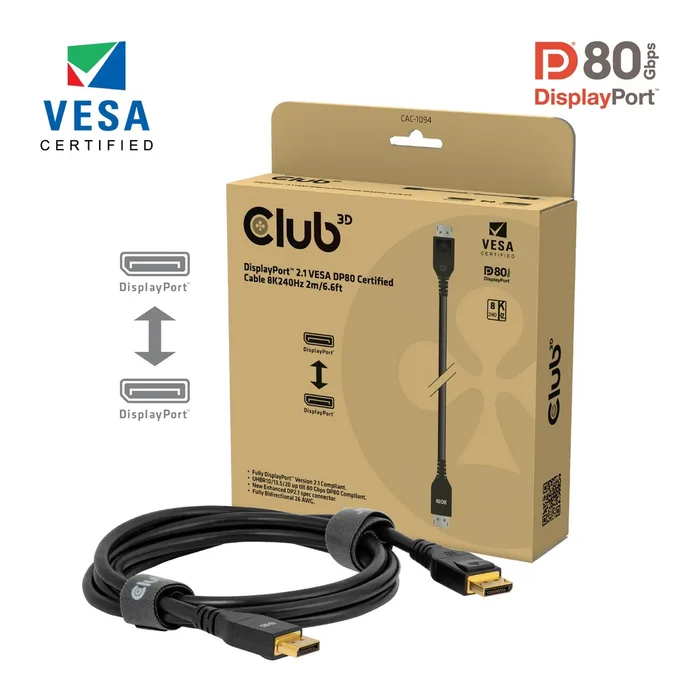
The Club 3D CAC-1094 is our pick: a VESA certified DP80 cable at 2 m, which is a long run for a passive cable at the UHBR20 link rate. The Cable Matters VESA Certified DisplayPort 2.1 DP80 cable does the same job for less, as long as you buy one of the lengths VESA actually lists as DP80 certified rather than assuming the whole product page is covered. Club 3D's CAC-1093 is the reach option: 3 m and VESA certified, but as DP54, which tops out at the UHBR13.5 link rate rather than UHBR20. That is the right cable if your GPU tops out there anyway or you need the extra metre, and the wrong one if you bought a monitor specifically to run UHBR20. Skip the Belkin DisplayPort 1.2 Cable with Latches: a DisplayPort 1.2 cable tops out at HBR2 bandwidth of 21.6 Gbps and 4K at 60Hz, which is a 2010-era ceiling at mid-range money. Buy by certification tier and length, not by the version number on the box. Best for: anyone running a high refresh rate monitor who wants the cable eliminated as a suspect.
Our picks at a glance
- Club 3D DisplayPort 2.1 VESA DP80 Certified Cable 2m (CAC-1094) - Buy. A VESA certified DP80 cable that gives you the full UHBR20 link rate across 2 m, which is unusually long for a passive cable at that speed.
- Cable Matters VESA Certified DisplayPort 2.1 DP80 Cable - Buy. The same DP80 certification tier for less money, provided you buy a length that VESA actually lists as DP80 certified.
- Club 3D DisplayPort 2.1 DP54 VESA Certified Cable 3m (CAC-1093) - It depends. Three metres of certified DisplayPort 2.1 reach, bought by accepting the UHBR13.5 link rate instead of UHBR20.
- Belkin DisplayPort 1.2 Cable with Latches (F2CD000) - Skip. A DisplayPort 1.2 cable whose link rate caps at HBR2 and 4K at 60Hz, which is far below what most people plugging it in now expect.
The verdict in 30 seconds
What mattered most
- VESA certification tier
- Top link rate
- Length
- Passive or active
- Maker's headline resolution claim
- Compression assumed in that claim
A DisplayPort cable is one of the few computer purchases where the packaging claim and the verifiable fact are almost entirely separate things. Any cable can print "8K" on the box. Only some can be found by model number in VESA's certified products database under a named tier such as DP8K, DP54 or DP80. The gap matters because a cable that cannot sustain the link rate your GPU is trying to negotiate usually does not fail cleanly. It drops to a lower rate, or throws intermittent sparkles and blackouts at the top refresh rate, and that gets blamed on the monitor.
A VESA certified DP80 cable that gives you the full UHBR20 link rate across 2 m, which is unusually long for a passive cable at that speed.
Best for: Someone pairing a UHBR20 capable GPU with a high refresh rate monitor who wants the cable permanently ruled out as the cause of any flicker.
- VESA certified DP80, so it is rated for the UHBR20 link rate and 80 Gbps rather than just carrying a version number.
- 2 m of reach at the top tier, which is long for a passive cable at that link rate.
- Findable by model in VESA's certified products database, listed as a bi-directional DP80 cable.
- Priced well above a generic cable for what is, physically, two connectors and some copper.
- Nothing here helps you if your GPU or monitor does not expose UHBR20 in the first place.
- A cable built for the top link rate at 2 m is likely to be stiffer than a thin DisplayPort 1.4 cable behind a monitor arm.
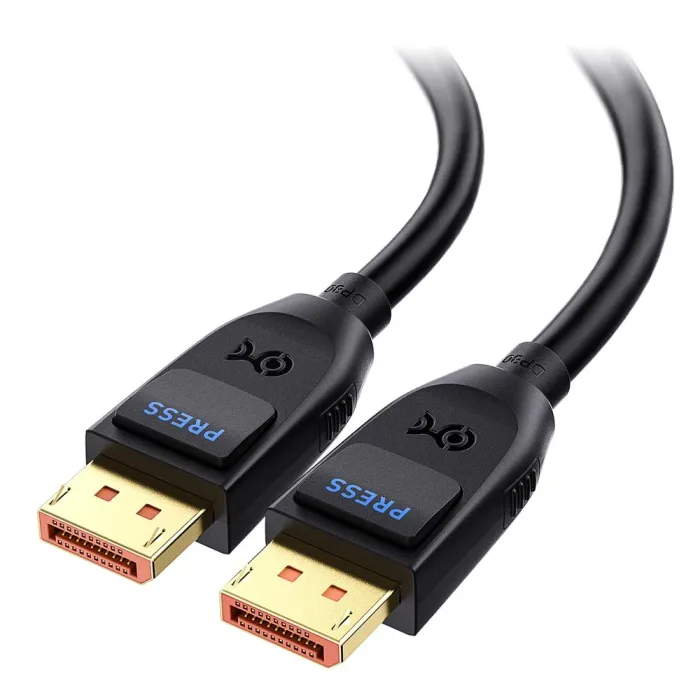
The same DP80 certification tier for less money, provided you buy a length that VESA actually lists as DP80 certified.
Best for: A buyer who wants DP80 certification without the premium, and is willing to check the certified length before ordering.
- DP80 certified variants appear in VESA's database by model number, including the 1 m, 1.5 m and 2 m versions.
- Sold in several lengths from 3.3 ft up, so you can buy short and keep the link margin high.
- Locking latch and gold plated connectors, and Cable Matters lists backward compatibility with DisplayPort 2.0, 1.4 and 1.2.
- The product page sells lengths up to 9.8 ft under a DP80 heading, and VESA lists the 3 m Cable Matters cable under DP54 rather than DP80, so match the exact variant.
- Headline claims such as 16K at 60Hz depend on Display Stream Compression being active at both ends.
- Availability by length moves around, and the exact variant you want is not always the one in stock.
- No published cable specification detail beyond the marketing bullets, so you are trusting the certification rather than a datasheet.
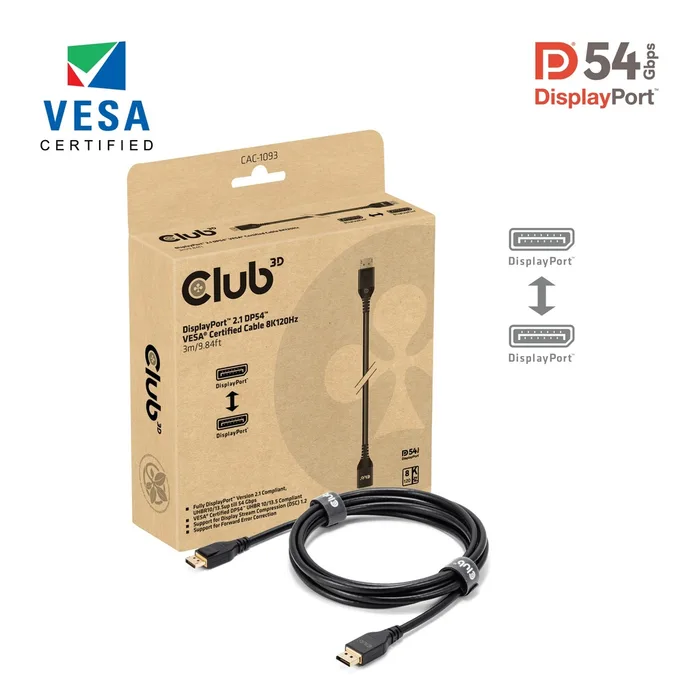
Three metres of certified DisplayPort 2.1 reach, bought by accepting the UHBR13.5 link rate instead of UHBR20.
Best for: Anyone whose GPU or monitor tops out at UHBR13.5, or whose desk simply needs 3 m and would rather have that certified than guessed.
- VESA certified DP54, and listed in VESA's database as a 3 m bi-directional DP54 cable, which is longer than the 2 m passive run the DP54 spec was written to enable.
- Club 3D lists support for Display Stream Compression 1.2 and Forward Error Correction on the packaging.
- Solves the real problem of a tower on the floor and a monitor on a tall desk without resorting to an unverified long cable.
- Caps at UHBR13.5 and 54 Gbps, so a UHBR20 source and display will negotiate down.
- Club 3D's 8K 120Hz figure assumes compression, not an uncompressed link.
- At 3 m it is a bulky thing to route, and you cannot shorten it later.
- If you upgrade to gear that genuinely needs UHBR20, this cable becomes the bottleneck.
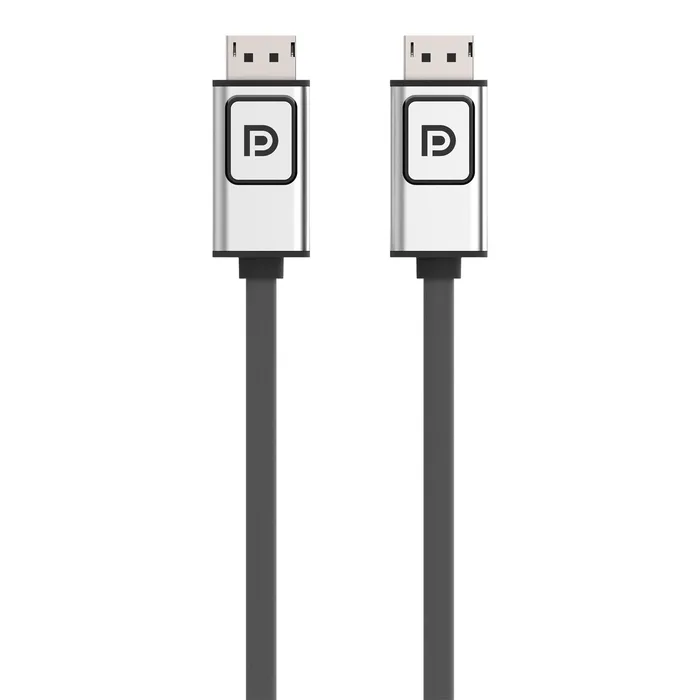
A DisplayPort 1.2 cable whose link rate caps at HBR2 and 4K at 60Hz, which is far below what most people plugging it in now expect.
Best for: An office desk running one 4K 60Hz panel where nothing will ever change, and not much else.
- DisplayPort 1.2 is rated for HBR2 bandwidth of 21.6 Gbps and 4K at 3840 x 2160 at 60Hz, so what it promises is modest and clear.
- Integrated latches on both ends, which is the detail cheap cables most often get wrong.
- Easy to find through business and office supply channels.
- HBR2 is the DisplayPort 1.2 link rate. It cannot reach the HBR3, UHBR13.5 or UHBR20 rates a modern high refresh monitor may want.
- It carries no VESA UHBR certification tier, and Belkin's current cable range lists newer DisplayPort 1.4 and 2.1 models instead.
- Costs mid-range money for a specification that a certified DP8K cable beats outright.
- Buying it for a 1440p or 4K high refresh monitor is a common way people end up blaming a perfectly good display.
| Criteria | DisplayPort 2.1 VESA DP80 Certified Cable 2m (CAC-1094) Top pick | VESA Certified DisplayPort 2.1 DP80 Cable | DisplayPort 2.1 DP54 VESA Certified Cable 3m (CAC-1093) | DisplayPort 1.2 Cable with Latches (F2CD000) |
|---|---|---|---|---|
| Verdict | Buy it | Buy it | It depends | Skip it |
| Best for | Someone pairing a UHBR20 capable GPU with a high refresh rate monitor who wants the cable permanently ruled out as the cause of any flicker. | A buyer who wants DP80 certification without the premium, and is willing to check the certified length before ordering. | Anyone whose GPU or monitor tops out at UHBR13.5, or whose desk simply needs 3 m and would rather have that certified than guessed. | An office desk running one 4K 60Hz panel where nothing will ever change, and not much else. |
| Price tier | $$$ · premium | $$ · mid-range | $$ · mid-range | $$ · mid-range |
| VESA certification tier | DP80 | DP80 on listed lengths | DP54 | No UHBR tier listed |
| Top link rate | UHBR20, 80 Gbps | UHBR20, 80 Gbps | UHBR13.5, 54 Gbps | HBR2, 21.6 Gbps |
| Length | 2 m / 6.6 ft | 3.3 ft to 9.8 ft sold | 3 m / 9.84 ft | 3 ft, 6 ft, 10 ft |
| Passive or active | Passive | Passive | Passive | Passive |
| Maker's headline resolution claim | 8K 240Hz | 16K 60Hz, 8K 240Hz | 8K 120Hz | 4K 3840 x 2160 at 60Hz |
| Compression assumed in that claim | Yes, DSC | Yes, DSC | Yes, DSC 1.2 | No, uncompressed |
| Findable by model in VESA's database | Yes, DP80 | Yes, on certified lengths | Yes, DP54 | No UHBR entry |
| Connector locking latch | Yes | Yes | Yes | Yes |
Which one is right for you?
- Someone pairing a UHBR20 capable GPU with a high refresh rate monitor who wants the cable permanently ruled out as the cause of any flicker. Buy it Club 3D DisplayPort 2.1 VESA DP80 Certified Cable 2m (CAC-1094)
- A buyer who wants DP80 certification without the premium, and is willing to check the certified length before ordering. Buy it Cable Matters VESA Certified DisplayPort 2.1 DP80 Cable
- Anyone whose GPU or monitor tops out at UHBR13.5, or whose desk simply needs 3 m and would rather have that certified than guessed. It depends Club 3D DisplayPort 2.1 DP54 VESA Certified Cable 3m (CAC-1093)
- An office desk running one 4K 60Hz panel where nothing will ever change, and not much else. Skip it Belkin DisplayPort 1.2 Cable with Latches (F2CD000)
How we judged the field
Five things decide whether a DisplayPort cable is worth buying, and only one of them is printed prominently on the box. First, the VESA certification tier: DP8K covers the HBR3 rate, DP54 covers UHBR13.5, DP80 covers UHBR20, and a cable with no tier has passed nothing. Second, whether that tier can be confirmed by model number in VESA’s own products database rather than taken from the listing. Third, length, because passive copper loses signal as frequency rises and the top rates put a hard practical ceiling on how far a passive cable can run. Fourth, whether the maker’s headline resolution figure assumes Display Stream Compression, since almost all of them do. Fifth, the boring physical stuff: a working locking latch, sane conductor gauge, and a connector that does not wobble in the port.
The field splits cleanly once you apply that. At the top are cables certified DP80 for the UHBR20 rate, which is the tier that matters if you own a GPU that exposes it, and the interesting question there is how much length you can get without losing the certification. In the middle sit DP54 cables, which trade the top rate for reach and suit a large number of buyers whose hardware never asks for UHBR20 anyway. At the bottom sit older DisplayPort 1.2 cables, still sold, still well made, still capped at a link rate defined more than a decade ago. We picked one cable from each of those bands, plus a second DP80 option at a lower price, because that is the actual decision people face.
Club 3D DisplayPort 2.1 VESA DP80 Certified Cable 2m (CAC-1094)
Buy itClub 3D’s CAC-1094 is the cleanest answer to the question this whole category poses. It holds VESA’s DP80 certification, which means it has been tested to carry the UHBR20 link rate and 80 Gbps across all four lanes, and it does so over a full 2 m. That length is the notable part: passive copper gets harder to certify the faster the link runs, and A cable built for that rate at that length is likely to be stiff, so plan the routing behind a monitor arm rather than coil it. The catch is that none of this helps if your graphics card and monitor never negotiate UHBR20, in which case you are paying for headroom you cannot use. Get it if you have the hardware to justify it, or if you want the cable struck off the suspect list permanently.
Cable Matters VESA Certified DisplayPort 2.1 DP80 Cable
Buy itThe Cable Matters DP80 cable is the sensible way to buy the same certification tier for less. VESA’s database lists DP80 certified Cable Matters models by number, including 1 m, 1.5 m and 2 m variants, and the cable itself is a straightforward gold plated, latching, well shielded item that Cable Matters lists as backward compatible with DisplayPort 2.0, 1.4 and 1.2. The one thing to watch is that the product page sells lengths up to 9.8 ft under a DP80 heading while VESA lists the 3 m Cable Matters cable under DP54, so the certification does not blanket the whole page. Buy the shortest length that reaches your monitor and confirm that specific variant, and you get everything the premium pick offers for less money. Its headline figures, like everyone else’s, lean on Display Stream Compression being active at both ends. Get it if you want DP80 without the premium and will spend two minutes checking the variant.
Club 3D DisplayPort 2.1 DP54 VESA Certified Cable 3m (CAC-1093)
It dependsThe CAC-1093 exists because desks are not two metres deep. It is VESA certified DP54, which covers the UHBR13.5 link rate and 54 Gbps, and it runs 3 m, which is a metre beyond the passive reach the DP54 tier was written to enable. Club 3D lists Display Stream Compression 1.2 and Forward Error Correction support on the packaging, and quotes 8K at 120Hz, which assumes compression. The trade is explicit and worth stating plainly: you are buying distance by giving up the UHBR20 rate. For a lot of people that costs nothing, because plenty of current graphics hardware exposes DisplayPort 2.1 at UHBR13.5 rather than UHBR20 anyway, and DSC covers most of the gap on the modes people actually run. For someone who bought a monitor specifically to feed it UHBR20, it is the wrong cable and will quietly negotiate down. Get it if you need the reach and have checked what your GPU actually offers.
Belkin DisplayPort 1.2 Cable with Latches (F2CD000)
Skip itThe Belkin DisplayPort 1.2 cable is not a bad cable, and that is exactly why it keeps getting bought. It has integrated latches and is easy to find where office equipment is sold, so it is often the DisplayPort cable in front of someone who needs one today. The problem is the ceiling. The DisplayPort 1.2 spec tops out at HBR2 bandwidth of 21.6 Gbps and 4K at 3840 x 2160 at 60Hz, which is the link rate and nothing more. It carries no UHBR certification, and Belkin’s current cable range has moved on to DisplayPort 1.4 and 2.1 models. Plug it into a 1440p 240Hz or 4K high refresh monitor and the top modes will simply not appear, or will appear and misbehave, and the display will get the blame. It costs mid-range money for a specification a certified DP8K cable beats outright. Skip it unless you genuinely only need one 4K 60Hz panel forever.
Sources
Specs in this review come from these pages.
- VESA - DisplayPort 2.1a update, DP54 replaces DP40 (vesa.org)
- VESA - DP80LL active cable specification for DisplayPort 2.1b (vesa.org)
- VESA - DisplayPort certified products database (displayport.org)
- VESA - Display Stream Compression (DSC) (vesa.org)
- VESA - DP8K certified DisplayPort cables and HBR3 (vesa.org)
- NVIDIA - GeForce RTX 5090 specifications (nvidia.com)
Club 3D DisplayPort 2.1 VESA DP80 Certified Cable 2m (CAC-1094) vs Cable Matters VESA Certified DisplayPort 2.1 DP80 Cable: which should you buy?
Both buy picks hold the same certification, so the choice is not about capability, it is about how much you want to pay to stop thinking about it. The Club 3D CAC-1094 gives you a single confirmed DP80 SKU at 2 m. You order it, you plug it in, and there is no variant to get wrong. The Cable Matters cable gets you to the same place for less, but the certification is attached to specific model numbers and lengths rather than to the product page as a whole, so you have to pick the right length and, ideally, confirm it in VESA’s database before you order. That is two minutes of work in exchange for real money, which is a fair trade for anyone willing to do it and a bad trade for anyone who will not.
The deciding question is length. If your monitor sits within about a metre and a half of the graphics card, take the Cable Matters in the shortest length that reaches, because shorter passive runs give you more electrical margin and cost less. If you need the full two metres at the UHBR20 rate, the Club 3D is the safer buy, because you are near the practical edge of what passive copper does at that speed and you want the specific length certified rather than assumed. And if two metres is not enough, neither of these is your cable: that is the point at which you either drop to DP54 for the extra reach or look for a DP80LL active cable, the tier VESA defined in DisplayPort 2.1b to reach up to three metres at UHBR20.
What to look for
- Tier name, not version number: Look for DP8K, DP54 or DP80 printed on the packaging, because “DisplayPort 2.1” on its own says nothing about the link rate the cable is certified to carry.
- Check the model in VESA’s database: displayport.org hosts a searchable certified products list under Cables and Adaptors, and certification attaches to a specific model and length rather than to a brand.
- Buy the shortest cable that reaches: signal loss rises with both frequency and distance, so at the top link rates a shorter passive cable is genuinely more reliable, not just tidier.
- Know which rate your hardware needs: NVIDIA lists the GeForce RTX 5090 with DisplayPort 2.1b and UHBR20, but plenty of current cards expose lower UHBR rates, so a DP80 cable can be headroom you never use.
- Treat headline resolutions as conditional: figures like 8K 240Hz or 16K 60Hz almost always assume Display Stream Compression is active at both ends, and the cable has nothing to do with whether it is.
- Go active past about two metres at UHBR20: VESA defined the DP80LL tier in DisplayPort 2.1b specifically because passive copper runs out, so a long passive cable claiming 80 Gbps deserves suspicion.
Our final take
DisplayPort cables are one of the rare purchases where a genuine, checkable certification exists and most buyers never use it. VESA names its tiers, publishes a searchable database of certified models, and updates the tiers as link rates climb, which is more transparency than most accessory categories offer. The practical routine is short: work out what link rate your GPU and monitor actually negotiate, buy the shortest certified cable that physically reaches, and confirm the exact model in VESA’s list before ordering. Do that and the cable stops being a variable. Skip it and you may spend an evening convinced your monitor is faulty when the real problem cost very little to avoid.
Questions, answered
Does "DisplayPort 2.1" on the box mean the cable can do 80 Gbps?
No, and this is the single biggest misunderstanding in the category. The version number describes the specification a product is built against, not the link rate it is certified to carry. VESA's cable certification is separate and uses its own tier names: DP8K for the HBR3 rate, DP54 for UHBR13.5, DP80 for UHBR20. A cable can legitimately say DisplayPort 2.1 and hold no UHBR cable certification at all. Buy the tier name, not the version number.
How do I actually check whether a cable is certified?
VESA runs a public products database at displayport.org. You choose the Cables and Adaptors category and search by company name or model number, and certified entries show the tier they passed. This is the only check that does not rely on the seller's own wording. It is worth doing because certification attaches to a specific model and length, not to a brand or a product page, so two variants sold under one heading can hold different tiers. If you cannot find the exact model, treat the claim as unverified.
Why does length matter so much at the highest speeds?
Signal loss in copper rises with both frequency and distance, so the faster the link rate, the shorter a passive cable can be before it stops meeting the specification. VESA made this explicit when it published DisplayPort 2.1a in January 2024: the new DP54 tier was defined to enable UHBR13.5 over a passive cable up to two metres, which it described as doubling the previous passive reach at that rate. For UHBR20 the passive limit is tighter still, which is why VESA went on to define the DP80LL active cable tier in DisplayPort 2.1b to reach up to three metres. If you need real distance at the top rate, the answer is an active cable, not a longer passive one.
What does DSC change about the cable I need?
Display Stream Compression is a VESA codec that runs in the graphics card and the monitor, not in the cable. It compresses the video stream, which VESA describes as visually lossless based on its membership testing, with DSC 1.2 supporting up to 3:1. The cable itself is completely unaware of it. What changes is that a compressed stream needs a lower link rate for the same resolution and refresh rate, so DSC can let a lower certification tier carry a mode that would otherwise need a higher one. That is why so many headline figures on cable packaging are quietly conditional on DSC being enabled at both ends.
My monitor flickers or blanks at its highest refresh rate. Is it the cable?
It is a reasonable first suspect, because an under-specified cable rarely fails outright. The link either trains down to a slower rate, which shows up as the top refresh option disappearing, or it holds the rate marginally and produces intermittent artefacts and dropouts. A quick test is to set the monitor to a lower refresh rate and see whether stability returns, then swap in a certified cable of the shortest length that reaches. If the problem survives a certified short cable, the cable is cleared and you can go looking at the GPU, the port or the display.
Deciding between the top two? See our head-to-head: Club 3D DisplayPort 2.1 VESA DP80 Certified Cable 2m (CAC-1094) vs Cable Matters VESA Certified DisplayPort 2.1 DP80 Cable.
More Tech & Gadgets reviews
 The Best DIY Home Security Systems: 4 Compared (and One to Skip)
  The Best Laptop Docking Stations: 4 Compared (and One to Skip)
  The Best Camera Drones: 4 Compared (and One to Skip)
  The Best E-Ink Tablets: 4 Compared (and One to Skip)
  The Best E-Readers in 2026: Kindle vs Kobo, and the One to Skip
  The Best Electronic Chess Boards: 4 Compared (and One to Skip)