Explained
Desk Mats, Explained
After reading this you'll know which desk mat material fits your habits and how to spot one that will still look good a year from now.
In this guide
A desk mat is the cheapest upgrade that makes a workspace feel finished while protecting the surface underneath. The catch is that 'desk mat' covers three very different products - warm felt, wipeable leather, and thin mousing cloth - that behave nothing alike. Most people pick on looks alone, then discover too late that felt soaks up coffee or that a bargain faux-leather pad peels within months.
The 30-second version
- Material decides everything. so choose felt, leather, or cloth based on how you actually use the desk - not on the product photo.
- Thickness is protection. a little padding cushions dropped pens and dampens noise, while ultra-thin mats look tidy but shield almost nothing.
- Cheap coatings are the failure point. thin bonded PU 'leather' is what flakes, peels, and curls first, so spend on the coating rather than the lowest price.
- Match cleanup to your habits. if you eat and drink at the desk, a wipeable surface ages far better than felt that absorbs spills.
- Extras only count if you use them. cable slots and reversible sides are genuinely useful only when they fit the way you work.
The products this guide is about
Our verdict on each, with the full reasoning on the companion review.
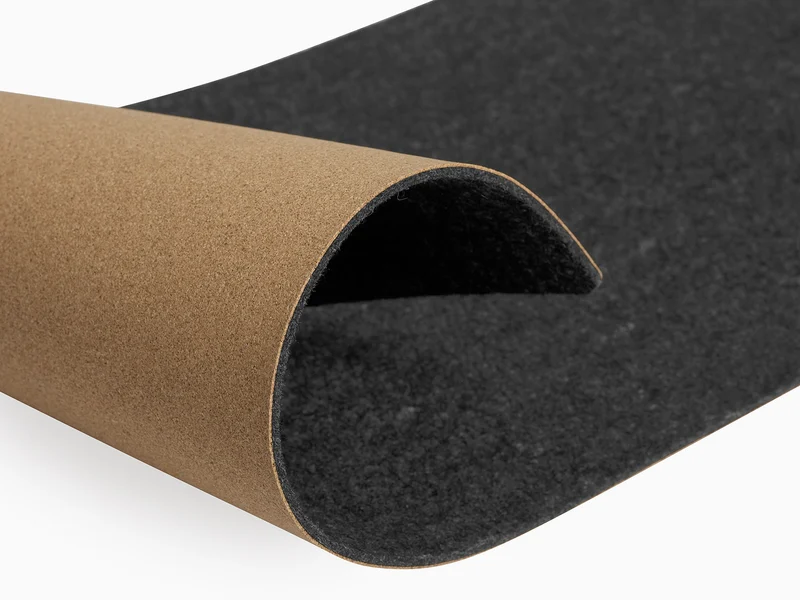
- Buy Oakywood Felt & Cork Desk Mat A merino wool felt pad on a thin cork base that feels premium and protects the desk without trying to be clever. Amazon
- Buy Orbitkey Desk Mat A wipeable vegan-leather mat with a rubber anti-slip base and an included cable clip for a tidy WFH setup. Amazon
- It depends Logitech Desk Mat Studio Series A big, cheap, spill-resistant cloth mat that's a superb mouse surface but barely a desk protector. Amazon
- Skip Threshold Faux Leather Desk Mat Looks the part on day one, then, by owner accounts, often peels and curls within a year.
What actually matters
- Material family - felt/cork is warm and protective, vegan or real leather wipes clean, and woven cloth is the best budget mouse surface; each trades away something the others keep.
- Thickness and cushioning - more padding means better desk protection and quieter typing, but a bulkier mat can feel less 'flat' under a keyboard.
- Spill and stain resistance - crucial if you snack or drink at the desk; felt loses here, coated leather wins, and cloth sits in between.
- Edge and coating quality - stitched, sealed, or borderless edges last, while thin bonded coatings peel and edges curl within a year on cheap mats.
- Mouse tracking - a low-friction cloth or felt face gives most optical mice a more consistent glide than bare wood or glass.
- Size versus your desk - mats look larger online than they feel once a monitor stand eats the depth, so measure before buying XL.
- Grip and base - a firm non-slip backing keeps the mat from sliding every time you lean on it.
The specs, in plain English
Green flags vs red flags
Green flags
- Stitched, sealed, or clean borderless edges that lie flat
- A firm, genuinely non-slip base
- A thick, well-bonded coating on leather-style mats (not a paper-thin film)
- Material honestly matched to your habits - wipeable for eaters, felt for warmth, cloth for mousing
- Multiple size options, including one that fits your measured desk depth
- Consistent long-term owner reports that it still looks good after a year
Red flags
- A very thin PU coating widely reported to flake or peel within months
- Edges that curl or lift instead of lying flat
- A strong chemical smell out of the box that lingers
- Almost no thickness, so it protects the desk in name only
- A premium price driven mostly by a feature you'll never use
- Only one size that may not match your desk
Who's who: the brands
- Oakywood - Polish natural-materials maker of merino wool felt mats on a thin cork base, with clean, borderless edges.
- Orbitkey - Design-focused brand known for wipeable vegan-leather mats with cable clips or magnetic cable holders, depending on the model.
- Logitech - Peripherals giant whose large spill-resistant cloth mats are excellent, affordable mousing surfaces.
- Grovemade - Boutique maker of premium desk pads aimed at the natural-materials crowd.
- Threshold - Budget house brand whose thin faux-leather pads look the part briefly but tend to peel and curl - a cautionary example.
How to read a listing without getting fooled
Start by identifying the true material, not the marketing word. 'Leather' on a cheap listing almost always means a thin polyurethane film over fabric - look for words like 'PU,' 'vegan,' or 'faux,' and check whether the coating and edges are described as thick, stitched, or sealed. Treat thickness as a protection spec: if a listing brags about being 'ultra-slim' it's telling you it won't cushion much. For cloth mats, 'spill-resistant' means you get a head start on a splash, not that it's waterproof or stain-proof forever. Weigh any headline feature - cable slots, reversibility - against how you actually work, since you're paying for it either way. Finally, read the long-term owner reports over the glossy photos: the pattern you're hunting for is whether people say it still looks good a year in, or whether it peeled, curled, or picked up a permanent shine.
How much should you spend?
Desk mats span a wide range, and the right spend depends far more on your habits than on chasing the top or bottom of the market. The value sweet spot for a mat you'll keep is a mid-to-premium felt, cork, or well-made vegan-leather pad with a thick coating and sealed edges - that's where durability and looks actually live. Spending more is worth it when you want natural materials, real protection, or a genuinely useful feature like cable management you'll use daily. Spending more is wasted when the premium is mostly for a feature you'll ignore. At the very bottom, a large cloth mat is a smart, honest buy if you mainly want a mouse surface - but the cheapest faux-leather pads are a false economy, because paying twice after the first one peels costs more than buying a decent mat once.
Questions, answered
Felt, leather, or cloth - which type should I get?
Match it to what you value. Felt is warm, quiet, and the most protective, but it absorbs spills and collects lint. Vegan or real leather wipes clean and looks sharp, so it's best around food and drinks. Large cloth mats are the best pure mouse surface and the cheapest, but they're thin and stain over time. There's no single 'best' - only a best for your desk habits.
Do desk mats actually protect the desk and help with the mouse?
Yes on both counts, to a point. A mat with some thickness cushions dropped pens, hides minor scratches, and dampens keyboard and mouse noise. For tracking, a low-friction cloth or felt surface gives most optical mice a more consistent glide than bare wood or glass. Very thin mats look tidy but do little to protect the surface underneath.
Is vegan or faux leather worth it, or will it just peel?
It depends heavily on quality. A well-made vegan-leather mat with a thick, well-bonded coating and stitched or sealed edges can last years and wipes clean easily. The cheapest faux-leather pads use a thin coating that owners report flaking and peeling within a year. If you want the leather look on a budget, spend a little more on coating quality rather than chasing the lowest price.
What size desk mat should I buy?
For a keyboard-and-mouse zone, a mat around the size of a large cloth pad is enough. To cover most of the desk in front of you, or if you use a full-size keyboard and a wide mouse sweep, step up to XL or extra-large. Measure your usable desk depth first - many mats look larger online than they feel once a monitor stand is in place.
How do I clean and maintain each type?
Leather and vegan-leather mats wipe down with a barely damp cloth; avoid soaking them and let them dry flat. Cloth mats can be spot-cleaned with mild soap and water, and many tolerate a gentle hand wash. Felt should be lint-rolled and vacuumed on a low setting rather than soaked. Whatever the material, store it flat - rolling or folding is what starts most edge-curling problems.
Or jump to the head-to-head: Oakywood Felt & Cork Desk Mat vs Orbitkey Desk Mat.