Explained
Budget Soundbars, Explained
After reading this you will understand what a budget soundbar's specs really mean and which ones deserve your money.
In this guide
A soundbar is the fastest fix for thin, muddy TV audio, but the spec sheets are a wall of numbers and abbreviations that hide what actually changes the sound. Most first-time buyers get tripped up by channel counts and surround logos that promise more than a small bar can deliver. This guide translates the jargon so you can tell a genuine upgrade from marketing.
The 30-second version
- A separate subwoofer is the single biggest upgrade. A bar with a wireless sub delivers real, room-filling bass that a slim single-unit bar simply cannot match.
- Channel counts describe layout, not quality. The numbers tell you how many speaker groups are present, so a 3.1 with a center handles dialogue better than a 2.0 bar, but bigger numbers do not guarantee better sound.
- HDMI ARC or eARC is the connection you want. It carries audio and lets your TV remote control volume over one cable, so confirm your TV has the right port before you buy.
- Virtual surround simulates height and width. It widens the sound convincingly for movies but cannot truly place sound above or behind you the way physical speakers can.
- Spend on the fundamentals, not the logos. Clear dialogue, real bass and a reliable connection matter more day to day than a long list of decoding badges.
The products this guide is about
Our verdict on each, with the full reasoning on the companion review.
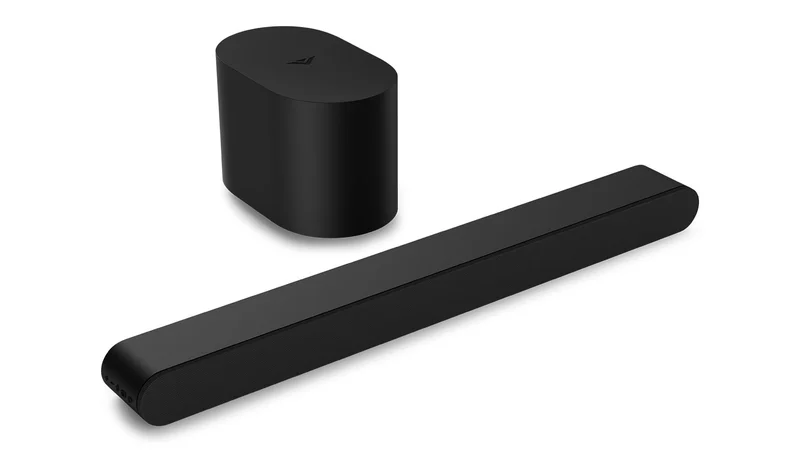
- Buy Vizio 2.1 Soundbar SE A compact 30-inch bar with a genuine wireless subwoofer and modern HDMI simplicity for the least money. Amazon
- Buy Samsung HW-B630F A 3.1 system whose dedicated center channel makes dialogue cut through busy scenes cleanly. Amazon
- It depends Hisense HS2100 A loud, bass-heavy 2.1 value play with rougher edges than our top picks. Amazon
- Skip Bose TV Speaker A premium single bar tuned for dialogue clarity, but with no subwoofer and little cinematic weight. Amazon
What actually matters
- Bass delivery decides how cinematic the bar feels: a dedicated wireless subwoofer produces low end that a compact bar's built-in drivers cannot, and it is the upgrade you will notice first.
- Dialogue clarity is what most people actually complain about with TV speakers, so a dedicated center channel or a dialogue-enhancement mode is worth prioritizing.
- Connectivity determines whether the bar even works with your set, so confirm you have HDMI ARC/eARC or optical to match the bar's inputs.
- Channel configuration shapes how sound is spread across the room, and a modest 2.1 or 3.1 layout covers most rooms without overpaying for channels you cannot place well.
- Setup simplicity matters more than buyers expect: single-cable control, easy pairing and included accessories like a remote save daily friction.
- Room size and placement should guide your choice, because a large sub and wide bar can overwhelm a small room while a single bar can get lost in a big one.
The specs, in plain English
Green flags vs red flags
Green flags
- Ships with a separate wireless subwoofer for genuine low end
- Has HDMI ARC or eARC so one cable handles audio and volume
- Offers a dedicated center channel or a clear dialogue mode
- Includes multiple input options (HDMI plus optical) for flexibility
- Consistent owner reports of easy setup and reliable pairing
Red flags
- Single slim bar marketed as delivering 'deep bass' with no subwoofer
- Only an inflated channel number with no explanation of the actual speakers
- No HDMI input at all, forcing you onto optical or aux only
- Owner reports of the wireless sub dropping connection or humming
- Surround logos front and center while dialogue clarity goes unmentioned
Who's who: the brands
- Vizio - Value-focused American brand known for packing wireless subs and modern HDMI into low-priced bars.
- Samsung - Major TV maker whose bars add polish, dedicated center channels and tricks like pairing with matching Samsung TVs.
- Hisense - Budget-driven brand offering loud, bass-heavy bars with generous specs for the money and rougher refinement.
- Bose - Premium audio name known for dialogue-clear tuning and refined build, often in simpler single-bar designs.
- Yamaha - Long-standing audio manufacturer respected for balanced sound and strong virtual-surround processing.
How to read a listing without getting fooled
Start by decoding the channel number rather than being impressed by it: a 2.1 means left, right and a subwoofer, while a 3.1 adds a center channel for dialogue, so match the layout to what you care about instead of chasing the biggest figure. Next, confirm the connection by looking for 'HDMI ARC' or 'eARC' and checking your TV has the same port, since a bar's surround logos are useless if you cannot connect it cleanly. Treat 'wireless subwoofer' as a real feature but 'deep bass' on a single slim bar as marketing. Finally, read the surround logos as a ceiling, not a promise: a bar can list Dolby Atmos and still only simulate height, so weigh independent testing and owner reports on how it actually sounds over the badges printed on the box.
How much should you spend?
Cost in this category is driven mostly by whether a real subwoofer is included, how many channels are present, and the polish of the processing and build. The value sweet spot sits with a compact 2.1 or 3.1 bar that pairs a wireless sub with clean HDMI control, because that combination fixes the two things people dislike about TV audio, thin bass and buried dialogue, without paying for features a small room cannot use. Spending more is worth it when a dedicated center channel, more refined bass or better connectivity genuinely matches your viewing, such as heavy dialogue-driven television. Spending more is not worth it when the extra outlay buys surround badges, extra channels you cannot place, or a premium single bar that still lacks a subwoofer. Below the sweet spot, the savings usually come at the cost of the subwoofer or a usable HDMI connection, which are the parts worth protecting.
Questions, answered
Do I really need a soundbar with a separate subwoofer?
If you want movies and music to feel full rather than thin, yes. A separate wireless subwoofer is the single biggest upgrade over TV speakers and over slim single-unit bars, because a compact bar physically cannot move enough air for deep bass. If your room is small or you dislike an extra box, a well-tuned single bar can still improve clarity, just without the low-end weight.
What is the difference between HDMI ARC and optical?
Both carry audio from your TV to the bar. HDMI ARC also lets your TV remote control the bar's volume over a single cable and can pass higher-quality surround, which makes it the simpler, more capable choice. Optical is audio-only and older, but it is a reliable fallback for TVs that lack an ARC port, so check which your TV has before buying.
Does a higher channel number always mean better sound?
No. The channel number describes the speaker layout, not the quality of the speakers or tuning. A carefully tuned 2.1 bar can sound better than a cheap 5.1 system. Focus on whether the layout serves your priorities, such as a center channel for dialogue, and lean on independent testing and owner reports rather than the number alone.
Will a budget soundbar give me true Dolby Atmos surround?
Not in the full sense. A budget bar can decode Atmos and simulate a wider, taller soundstage, but without up-firing speakers or separate rear units it cannot truly place sound above or behind you. The virtual effect can still be enjoyable for movies; just treat the Atmos logo as a bonus rather than a guarantee of overhead surround.
How do I know a soundbar will work with my TV?
Check your TV's ports first. Most modern soundbars assume an HDMI ARC or eARC connection, and some budget bars drop the optical input entirely, which can leave older TVs stranded. Find the audio-output ports on your TV, match them to the bar's inputs, and you will avoid the most common setup disappointment.
Or jump to the head-to-head: Vizio 2.1 Soundbar SE vs Samsung HW-B630F.