Explained
Backup Cameras, Explained
After reading, you'll understand every choice that matters when adding a reversing camera to a car that never had one — and which specs are just noise.
In this guide
An aftermarket backup camera is one of the cheapest safety upgrades you can bolt onto an older car, but the listings are a sea of near-identical boxes with confusing spec sheets. The single biggest decision isn't a number on the page — it's whether you're willing to run one wire. Get that right and everything else falls into place. Note up front: a backup (reversing) camera is not a dash cam; it shows what's behind you when you shift into reverse, not the road ahead while you drive.
The 30-second version
- Decide on wiring first. everything else — power, reliability, price — flows from whether you'll run a video cable or go cordless.
- Wired avoids wireless lag. a physical cable avoids the lag and dropouts of a wireless link, which matters for a device you rely on to avoid the curb, a pole, or a child.
- Wireless and solar buy you an easy install. you trade a little possible lag for skipping the hardest part of the job — snaking a cable from tailgate to dash.
- A camera alone is not a finished setup. you need something to view it on — a monitor, a mirror unit, or a phone — so confirm what's actually in the box.
- Match the mount and the field of view to your vehicle. a wide angle and a mount that fits your plate or bumper do more for real-world usefulness than a big megapixel number.
The products this guide is about
Our verdict on each, with the full reasoning on the companion review.
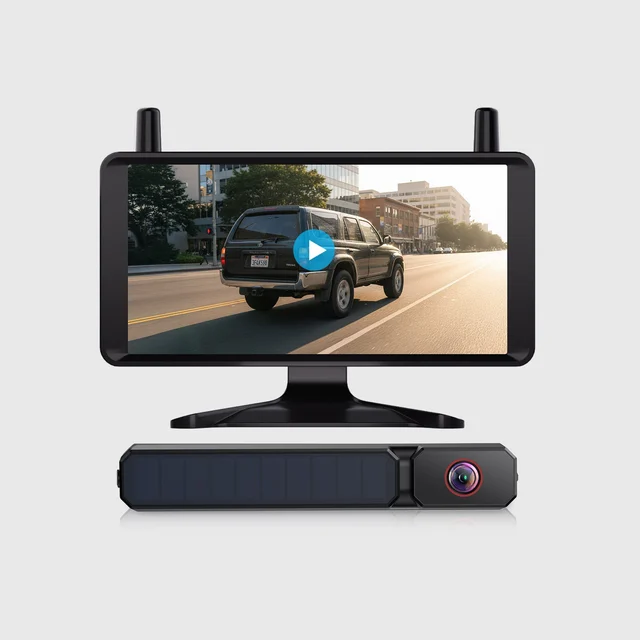
- Buy AUTO-VOX Solar1 Pro 6 Solar Wireless Backup Camera The easiest way to add a camera to a car that never had one — no video wiring, a solar-assisted battery, and a big 6-inch screen in the box.
- Buy eRapta ERT01 License Plate Backup Camera The no-nonsense wired plate camera that just works, if you already have a display with RCA video input. Amazon
- It depends AUTO-VOX Solar 5C Dual-Channel Backup Camera System A two-camera system, one magnetic and one plate-mounted, that's brilliant for towing but overkill for a basic commuter. Amazon
- Skip eRapta AY5 Wireless Backup Camera System A wireless system with a 5-inch monitor, aimed at RVs and trailers, that the solar kit out-simplifies on an ordinary car.
What actually matters
- Wired vs wireless is the decision that shapes the whole project. Wired avoids wireless lag but forces you to run a cable through the car; wireless (and solar-wireless) skips that cable at the cost of an occasional hiccup.
- Feed reliability matters more here than raw image quality because this is a safety device — a picture that stutters or blanks the moment you need it is worse than a slightly softer one that's always there.
- Power source decides how much you'll fuss with it later. A reverse-light tap means the camera powers on with your gear and never needs charging; a solar-assisted battery means less frequent charging in daylight parking; an always-on battery needs occasional recharging.
- What you view it on — an included monitor, a mirror-replacement screen, or your phone — changes both the install and the daily experience, so know which you're getting.
- Mounting type must suit your car and how permanent you want it: a license-plate frame is the tidiest common option, a bracket is flexible, and flush mounts look factory but need drilling.
- Field of view and night vision are what make the camera genuinely useful — a wide angle shows the curb and cross-traffic, and real low-light performance keeps it working after dark.
- Weather sealing (IP rating) determines whether the camera survives rain, road spray, and car washes for years rather than dying in a season.
The specs, in plain English
Green flags vs red flags
Green flags
- The kit includes a monitor (or clearly pairs with one you already own), so it's a complete solution out of the box.
- If it's cordless, the listing specifically says digital wireless — not just 'wireless'.
- A wide field of view (around 130 degrees or more) and a genuinely high IP water rating are both stated.
- Night-vision claims are backed by owner photos or reports of a usable low-light picture, not just a spec line.
- The mount type (plate frame, bracket, or flush) clearly matches your vehicle and how permanent you want it.
- For solar or battery units, the listing is clear about needing manual charging in low-sun conditions.
Red flags
- The listing hides that you must supply your own monitor, so the 'camera' isn't actually a finished setup.
- It advertises 'wireless' but is vague about digital vs analog — often a sign of an old, interference-prone analog kit.
- The product is really a dash cam or a combo unit being passed off as a dedicated reversing camera.
- No IP rating is listed, or only a low one, on a part that lives outside in the weather.
- A narrow field of view or a suspiciously huge megapixel claim with no mention of the screen it feeds.
- Pages of near-identical rebadged listings with only glowing, generic reviews and no specifics about install or reliability.
Who's who: the brands
- AUTO-VOX - Known for solar-wireless and digital-wireless kits that prioritize easy, no-cable installs with included screens.
- eRapta - Sells wired license-plate cameras and wireless systems. Check each listing for whether a monitor is included.
- LeeKooLuu - Sells camera kits. Check each listing for whether a monitor is included.
- Wolfbox - Check each listing for whether it is a mirror-style unit or a separate camera.
- Yada - Sells solar and wireless plate cameras. Check each listing for what is in the box.
How to read a listing without getting fooled
Start by pinning down three things the listing often buries: is a monitor included, is it wired or (digital) wireless, and how does it get power. If any of those is unclear, assume the least convenient answer. Treat the headline megapixel number with suspicion — on a small reversing screen it barely moves the needle, and a wireless link or a cheap bundled monitor will cap the real quality anyway. Give more weight to field of view (you want it wide), the IP water rating (you want it high), and honest talk about install effort. Watch for two common bait-and-switches: a dash cam dressed up as a backup camera, and a bare camera that quietly needs a separate monitor you have to buy. When dozens of listings look identical, they often are — rebadged from the same factory — so lean on specific, detailed owner reports about lag, night vision, and how long the unit survived the weather rather than the star average.
How much should you spend?
The value sweet spot is a plain wired license-plate camera if you already have a display with RCA video input: it's a simple setup, and a wired feed avoids wireless lag. Solar-wireless kits with a bundled screen skip the wiring and turn an afternoon's cable-running into a clip-and-stick job. Spend up only for features you'll actually use: a dual front/rear system earns its premium if you tow or drive something long, and a mirror-replacement screen is worth it if you value the tidy factory look. Where extra money rarely pays off is chasing big resolution numbers or piling on features on a small commuter that just needs to see the curb — a single-camera kit covers most drivers, and a wired option covers anyone comfortable running a cable.
Questions, answered
Do I have to run wires to add a backup camera?
No. Solar and digital-wireless kits let the camera beam its picture to the monitor, so you skip the long video cable — the hardest part of the job. Wired cameras need a cable run to the display plus power from the reverse light, which takes more effort but avoids wireless lag. Deciding whether you'll run that wire is the first choice to make.
Are wireless backup cameras laggy or unreliable?
Digital wireless is a big step up from the old analog kits. That said, any wireless link can show a brief lag or a momentary dropout. If you want to avoid lag on a safety device, a wired camera is the safer bet; if you value an easy install more, good digital wireless is a fair trade.
How does the camera get power — does it ever need charging?
There are three common approaches. A reverse-light tap wires the camera into your reverse circuit so it powers on with your gear and never needs charging. A solar-assisted battery helps extend battery life between charges, and may need manual charging if you garage the car. A plain battery camera needs recharging on a schedule. Wired-from-the-reverse-light is the most maintenance-free once installed.
License-plate mount, bracket, or flush — which should I pick?
A license-plate frame is the tidiest, easiest common option and needs no drilling. A bracket is flexible and can aim the view where you want, good for odd bumpers. A flush mount looks factory-clean but requires drilling a hole, so it's the most permanent and the most work. Match the mount to your vehicle and to how permanent you want the install.
Is a backup camera the same as a dash cam?
No, and it's a common mix-up in listings. A backup (reversing) camera shows what's behind you when you shift into reverse; a dash cam records the road ahead while you drive. Some rear-view-mirror units combine both, but a dedicated reversing camera is a different product — so make sure the listing is actually selling the one you want.
Or jump to the head-to-head: AUTO-VOX Solar1 Pro 6 Solar Wireless Backup Camera vs eRapta ERT01 License Plate Backup Camera.