

Tech & Gadgets
The Best NAS Hard Drives: 4 Compared (and One to Skip)
We compared internal 3.5-inch drives for NAS and RAID use on the one spec that decides everything, CMR versus SMR, then on workload rating, warranty, vibration handling and the bay counts each maker will actually stand behind.
The short version
The Seagate IronWolf Pro is the pick if you want one datasheet that answers every NAS question: CMR across the whole line, a 550 TB per year workload rating against 8760 rated power-on hours, 2.5 million hours MTBF, a 5-year warranty and support for large arrays. The WD Red Plus is the value choice for a small quiet box, with the same CMR guarantee, a 180 TB per year rating and idle acoustics as low as 21 dBA, though Western Digital caps its support statement at 8 bays and the warranty is 3 years. The Toshiba N300 sits in between, offering 7200 rpm CMR with rotational vibration sensors and up to 12 bays on the helium models, but it pairs a Pro-grade read error rate with a consumer-grade 3-year warranty. Skip the Seagate BarraCuda 3.5-inch at 4TB and 8TB: Seagate's own CMR/SMR list marks those capacities as SMR, and the datasheet rates them for 55 TB per year and just 2400 power-on hours per year. Whatever you buy, take the exact model number and check it against the maker's published CMR/SMR list before you pay. That single habit is worth more than any review. Best for: anyone filling a two-bay to eight-bay NAS who wants the array to survive its first rebuild.
Our picks at a glance
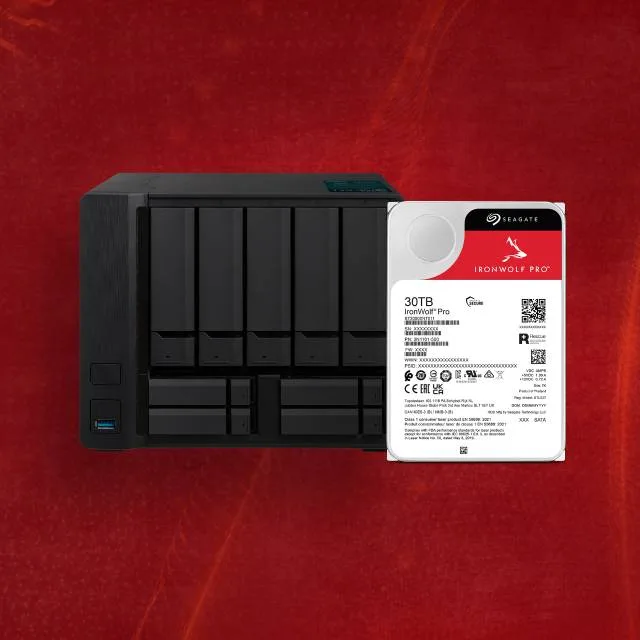
- Seagate IronWolf Pro NAS HDD - Buy. A thoroughly documented NAS drive, with a 550 TB per year workload rating, a 5-year warranty and support for large multi-bay arrays.
- Western Digital WD Red Plus NAS HDD - Buy. The quiet, sensible CMR drive for a small home NAS, and the one whose name you have to get exactly right.
- Toshiba N300 NAS HDD - It depends. Pro-grade internals and a consumer warranty, which makes it a bargain or a gamble depending on how you feel about year four.
- Seagate BarraCuda 3.5-inch (4TB and 8TB) - Skip. A desktop drive that costs less per terabyte for a reason, and at these two capacities that reason is SMR.
The verdict in 30 seconds
What mattered most
- Recording technology
- Workload rating
- Rated power-on hours
- Spindle speed
- Reliability figure
- Read error rate
A NAS drive is not a bigger desktop drive. It sits in a box with three or seven of its siblings, all vibrating, all being read and written at once, and it has to keep answering the controller for years without a break. The specs that separate a real NAS drive from a cheap one are published, but they are buried, and one of them was actively hidden from buyers until a public backlash forced three manufacturers to come clean. We picked four internal drives that cover the range from a five-year commercial part to the bargain drive people keep putting in NAS enclosures by mistake.
A thoroughly documented NAS drive, with a 550 TB per year workload rating, a 5-year warranty and support for large multi-bay arrays.
Best for: Anyone running four bays or more, or anyone who wants the longest warranty and the fewest unanswered questions on the spec sheet.
- Every capacity in the line is CMR, and Seagate publishes a list you can check the model number against.
- Rated for 550 TB per year against 8760 power-on hours per year, with 2.5 million hours MTBF and a read error rate of 1 per 10^15 bits.
- Seagate states time-limited error recovery and rotational vibration sensors, and positions the drive for large multi-bay arrays.
- Spins at 7200 rpm, so it is louder than the slower 5400 rpm alternatives; check Seagate's datasheet for the acoustics of your capacity.
- The premium over a Red Plus or N300 is real, and a lightly used two-bay NAS will never approach the 550 TB per year rating.
- Higher power draw than the slower 5400 rpm alternatives, which matters in a small sealed enclosure.
- Any included Rescue data recovery service covers a shorter period than the 5-year warranty, and availability varies by country.
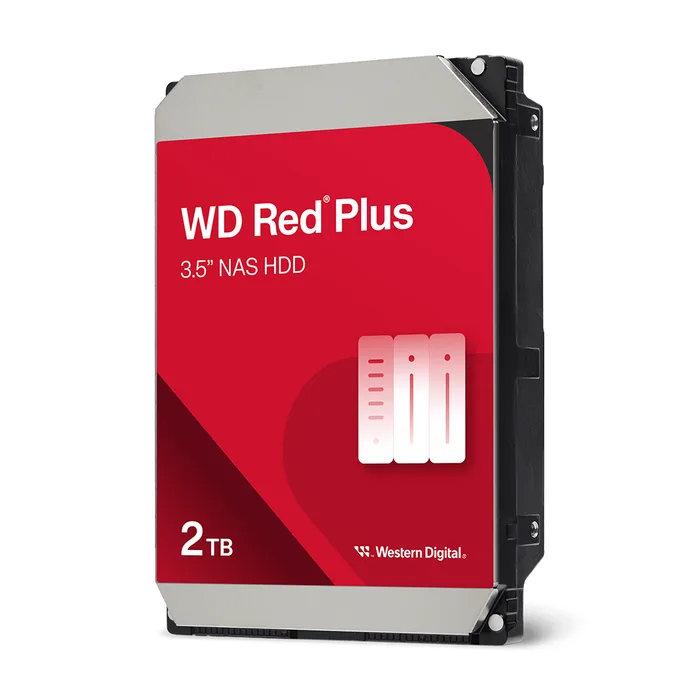
The quiet, sensible CMR drive for a small home NAS, and the one whose name you have to get exactly right.
Best for: A two-bay to four-bay home NAS that lives in a room where you can hear it, doing backups and media rather than constant writes.
- CMR on every capacity from 2TB to 12TB, stated model by model on Western Digital's datasheet.
- Genuinely quiet: the 2TB is rated 21 dBA idle and 26 dBA seek, and most capacities below 10TB spin at 5400 or 5640 rpm.
- Rated for 180 TB per year with 1 million hours MTBF, which is more headroom than a household NAS is likely to use.
- Western Digital only supports it in systems with up to 8 bays, so it is the wrong drive for a larger chassis.
- The warranty is 3 years, two years shorter than the IronWolf Pro or WD's own Red Pro.
- The read error rate is 1 per 10^14 bits, an order of magnitude worse than the Pro-class drives here, which matters on a long rebuild.
- Western Digital describes NASware but does not publish a time-limited error recovery figure the way Seagate does.
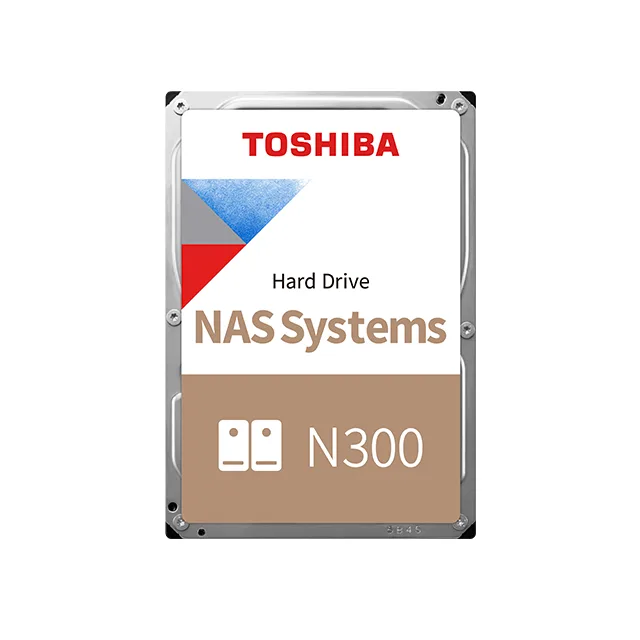
Pro-grade internals and a consumer warranty, which makes it a bargain or a gamble depending on how you feel about year four.
Best for: A cost-per-terabyte buyer filling a mid-size NAS that lives in a cupboard or basement, who values the read error rate more than the warranty length.
- CMR at every capacity from 4TB to 22TB, with rotational vibration and shock sensors fitted.
- Toshiba lists a read error rate of 1 per 10^15 bits on some models, better than the Red Plus.
- Toshiba lists support for up to 12 bays on its higher-capacity models and about 20 dB typical idle acoustics on the helium-sealed 12TB to 22TB drives.
- The warranty is 3 years, which is short for a 7200 rpm drive you intend to run continuously.
- It spins at 7200 rpm across the whole range, so there is no quiet low-power option the way there is with Red Plus.
- The workload rating is 180 TB per year, the same as the far cheaper-to-run Red Plus and a third of the IronWolf Pro.
- Toshiba lists error recovery control as a feature but the quiet 20 dB idle figure applies only to the helium models, not the air-filled ones.

A desktop drive that costs less per terabyte for a reason, and at these two capacities that reason is SMR.
Best for: A single-drive desktop PC or an external enclosure holding cold backups, not a NAS and not a RAID set.
- The cheapest way to buy bulk 3.5-inch capacity, and fine in a desktop PC doing ordinary sequential work.
- 256 MB of cache and a 5400 rpm spindle keep it cool and quiet compared with 7200 rpm NAS drives.
- Seagate does publish the recording technology for it now, on the same public list that covers IronWolf.
- Seagate's own CMR/SMR list marks the 4TB and 8TB 3.5-inch BarraCuda as SMR, which is the worst possible recording format for a RAID rebuild.
- The workload rate limit is 55 TB per year, a tenth of the IronWolf Pro, and the datasheet rates it for 2400 power-on hours per year rather than 8760.
- The warranty is 2 years and the read error rate is 1 per 10^14 bits, with no MTBF figure published on the datasheet.
- No rotational vibration sensors are listed and Seagate states no supported bay count, because it was never meant to sit in a multi-bay array.
| Criteria | IronWolf Pro NAS HDD Top pick | WD Red Plus NAS HDD | N300 NAS HDD | BarraCuda 3.5-inch (4TB and 8TB) |
|---|---|---|---|---|
| Verdict | Buy it | Buy it | It depends | Skip it |
| Best for | Anyone running four bays or more, or anyone who wants the longest warranty and the fewest unanswered questions on the spec sheet. | A two-bay to four-bay home NAS that lives in a room where you can hear it, doing backups and media rather than constant writes. | A cost-per-terabyte buyer filling a mid-size NAS that lives in a cupboard or basement, who values the read error rate more than the warranty length. | A single-drive desktop PC or an external enclosure holding cold backups, not a NAS and not a RAID set. |
| Price tier | $$$ · premium | $$ · mid-range | $$ · mid-range | $ · budget |
| Recording technology | CMR, whole line | CMR, whole line | CMR, whole line | SMR at 4TB and 8TB |
| Workload rating | 550 TB per year | 180 TB per year | 180 TB per year | 55 TB per year |
| Rated power-on hours | 8760 per year | 24x7 operation stated | 24x7 operation stated | 2400 per year |
| Spindle speed | 7200 rpm | 5400 to 7200 rpm by model | 7200 rpm | 5400 rpm |
| Reliability figure | 2.5M hours MTBF | 1M hours MTBF | Not checked on maker page | Not published on datasheet |
| Read error rate | 1 per 10^15 bits | 1 per 10^14 bits | 1 per 10^15 bits | 1 per 10^14 bits |
| Bays supported by maker | Large arrays (check datasheet) | Up to 8 | Up to 8, or 12 on higher-capacity models | Not stated |
| Warranty | 5 years | 3 years | 3 years | 2 years |
Which one is right for you?
- Anyone running four bays or more, or anyone who wants the longest warranty and the fewest unanswered questions on the spec sheet. Buy it Seagate IronWolf Pro NAS HDD
- A two-bay to four-bay home NAS that lives in a room where you can hear it, doing backups and media rather than constant writes. Buy it Western Digital WD Red Plus NAS HDD
- A cost-per-terabyte buyer filling a mid-size NAS that lives in a cupboard or basement, who values the read error rate more than the warranty length. It depends Toshiba N300 NAS HDD
- A single-drive desktop PC or an external enclosure holding cold backups, not a NAS and not a RAID set. Skip it Seagate BarraCuda 3.5-inch (4TB and 8TB)
How we judged the field
Five things decide whether a drive belongs in a NAS. First and above everything else is recording technology. Conventional magnetic recording writes tracks with a guard band between them, so any sector can be overwritten in place. Shingled magnetic recording overlaps the tracks to squeeze in more data, and Western Digital’s own tech brief spells out the consequence: an existing piece of data cannot be overwritten without corrupting the overlapping tracks, so the drive organises itself into zones of several hundred megabytes and shuffles data to new locations, cleaning up in the background. That is survivable when writes are sequential and the drive gets idle time. It is exactly wrong during a RAID rebuild, which is hours of relentless writing, and QNAP states outright that SMR drives will impact RAID rebuild performance. Second is the workload rating in terabytes per year, paired with the rated power-on hours, because that pair is what actually separates a NAS drive from a desktop drive. Third is the warranty, which is the maker’s own bet on the drive. Fourth is vibration handling, since eight spindles in one chassis fight each other. Fifth is the bay count the maker will support, which most buyers never look up.
The field splits cleanly along those lines. At the top sit the Pro-class NAS drives, rated around 550 terabytes a year with five-year warranties and support for large arrays. In the middle are the standard NAS drives, rated around 180 terabytes a year with three-year warranties and a stated bay ceiling. Below that are desktop drives, which are cheaper per terabyte and are where SMR still lives. We took the strongest example of each tier, added the one that muddies the middle, and finished with the drive people buy by accident. Seagate’s IronWolf Pro represents the top. WD’s Red Plus represents the sensible middle and carries the naming trap that started all of this. Toshiba’s N300 is the interesting outlier, with better internals than its warranty suggests. The Seagate BarraCuda at 4TB and 8TB is the skip, and it is a skip on Seagate’s own published evidence rather than on rumour.
Seagate IronWolf Pro NAS HDD
Buy itThe IronWolf Pro is the drive that ends the argument. Every capacity in the line is CMR and Seagate says so on a public page you can check against a model number, which removes the single largest risk in this category. The workload rate limit is 550 terabytes a year measured against 8760 rated power-on hours, which is the honest way to state a 24-hour-a-day drive. MTBF is 2.5 million hours and the non-recoverable read error rate is one per 10^15 bits, ten times better than the consumer-class drives here, which matters most during the long rebuild where a single unreadable sector can cost you the array. Seagate also publishes what its rivals leave out: AgileArray includes time-limited error recovery, the mechanism that stops a drive vanishing from a RAID set while it grinds away at a bad sector. Rotational vibration sensors are fitted and it is aimed at large arrays. It spins at 7200 rpm and it costs what a five-year part costs. For four bays and up, take it.
Western Digital WD Red Plus NAS HDD
Buy itThe WD Red Plus is the drive the plain WD Red should always have been, and the word Plus is the entire difference. Western Digital’s datasheet lists CMR on every capacity from 2TB to 12TB, model number by model number, which is exactly the transparency that was missing in 2020. It is rated for 180 terabytes a year with 1 million hours MTBF and a 3-year warranty, and Western Digital supports it in systems of up to 8 bays. What you get in return for the lower rating is quiet: the 2TB is rated at 21 dBA idle and 26 dBA seek, and most capacities below 10TB spin at 5400 or 5640 rpm rather than 7200. The compromise is the read error rate of one per 10^14 bits, an order of magnitude behind the Pro drives, and Western Digital publishes no time-limited error recovery figure. For a two-bay or four-bay box in a room you occupy, that is a fair trade and the right amount of drive.
Toshiba N300 NAS HDD
It dependsThe Toshiba N300 is genuinely good and genuinely awkward to place. Toshiba lists CMR across the range from 4TB to 22TB, fits rotational vibration and shock sensors, and lists a read error rate of one per 10^15 bits on some models. That is a Pro-class number on a drive that is priced against the standard tier, and Toshiba lists up to 12 bays on its higher-capacity models, with about 20 dB typical idle acoustics on the helium-sealed ones. The catch is the warranty, which is 3 years across the line, and the spindle, which is 7200 rpm everywhere with no slower low-power option. So you get better internals than a Red Plus with a shorter warranty than an IronWolf Pro and no quiet variant at all. If the NAS lives out of earshot and you care more about the error rate than about year four and year five of cover, it is the value play in the group. If not, it sits awkwardly between the two drives above it.
Seagate BarraCuda 3.5-inch (4TB and 8TB)
Skip itThe BarraCuda is not a NAS drive, and Seagate has never said it was, but it keeps ending up in NAS bays because it is the cheapest large 3.5-inch drive on the shelf. Seagate’s own CMR/SMR list marks the 4TB and 8TB 3.5-inch models as SMR, and the datasheet for that generation confirms it alongside the numbers that really settle it: a workload rate limit of 55 terabytes a year and a rating of 2400 power-on hours per year, which is roughly a quarter of a year of continuous running. The warranty is 2 years, the read error rate is one per 10^14 bits, no MTBF is published, no rotational vibration sensors are listed and no supported bay count is stated. Note the trap in reverse: BarraCuda models from 12TB upward are CMR on the same list, so the family name tells you nothing. The specific capacities people reach for on price are the ones you should not put in an array.
Sources
Specs in this review come from these pages.
- Seagate, CMR and SMR drive list (seagate.com)
- Western Digital, WD Internal Client SMR HDDs (published April 2020) (blog.westerndigital.com)
- Western Digital, Recording Technologies tech brief (documents.westerndigital.com)
- Toshiba, Use of Shingled Magnetic Recording (SMR) technology in Toshiba consumer hard drives (toshiba-storage.com)
- QNAP, Will SMR-based hard drives affect RAID rebuilding speed? (qnap.com)
- Western Digital, WD Red Plus HDD datasheet (westerndigital.com)
Seagate IronWolf Pro NAS HDD vs Western Digital WD Red Plus NAS HDD: which should you buy?
The IronWolf Pro and the Red Plus are not really competing for the same buyer, and the honest way to choose is to work out which set of numbers your NAS will ever touch. Both are CMR, which is the part that actually protects you. From there the Pro gives you three times the workload rating, two and a half times the MTBF, a read error rate one order of magnitude better, two more years of warranty and support for larger arrays. The Red Plus gives you a quieter, cooler, cheaper drive that Western Digital supports in up to 8 bays and rates at 180 terabytes a year, which a household NAS is unlikely to exceed.
So the deciding question is how hard the array works and how big it is. If you have four or more bays, run frequent full backups, host virtual machines or record surveillance, or if the thought of a rebuild reading many terabytes off every member drive makes you nervous, the IronWolf Pro’s error rate and warranty are worth paying for. If you have two or four bays doing photos, documents and media in a room where you can hear the machine, the Red Plus is the better-behaved drive and you can put the savings toward an extra drive as a cold spare, which does more for your data than a better spec sheet ever will. What you should not do is split the difference by buying a cheap desktop drive for one bay.
What to look for
- Recording technology first: look up the exact model number on the maker’s own CMR/SMR list, because family names like BarraCuda or Red cover both technologies and retailer listings are unreliable.
- Workload rating paired with power-on hours: a NAS drive states something like 180 or 550 terabytes a year against 8760 power-on hours, while a desktop drive states 55 terabytes a year against 2400 hours, and that pair is the clearest tell in the category.
- Warranty length as the maker’s own bet: three years is the standard NAS tier and five years is the Pro tier, and the gap usually tracks real differences in error rate and vibration hardware.
- Non-recoverable read error rate: one per 10^15 bits is ten times better than one per 10^14, and that difference bites hardest during a rebuild when the array is reading every sector of every surviving drive.
- The stated bay count: Western Digital supports the Red Plus in up to 8 bays and Toshiba supports the N300 in up to 8 or 12 depending on the model, while Seagate positions IronWolf Pro for large arrays, so match the drive to your chassis.
- Rotational vibration sensors and acoustics: RV sensors are listed on Pro-class and on the N300 and matter once you pass four spindles, and published idle and seek figures in dBA will tell you whether you can live with the machine in the room.
Our final take
Buy CMR, check the model number on the maker’s own list, and then pick the tier that matches how hard the box will actually work. The Seagate IronWolf Pro wins because it publishes everything, including the time-limited error recovery that keeps drives from dropping out of an array, and backs it for five years. The WD Red Plus is the better fit for a small, quiet, lightly loaded home NAS and costs less to buy and to run. The Toshiba N300 is the value option if noise does not matter to you and a three-year warranty does not scare you. And the cheapest big drive on the shelf is cheap for a reason that its own maker will tell you if you look it up.
Questions, answered
How do I check whether a specific drive is CMR or SMR before I buy it?
Take the exact model number, not the family name, and look it up on the manufacturer's own published list. Seagate maintains a public CMR/SMR page covering IronWolf, IronWolf Pro, BarraCuda, Exos, SkyHawk and FireCuda. Western Digital states the recording technology row by row on its product datasheets and published a slide in April 2020 naming the SMR SKUs it was shipping at the time. Toshiba published a statement naming which of its consumer drives use SMR and confirming that the N300 does not. Never take this from a retailer listing, because retailers frequently reuse one product page across several model numbers with different platters inside.
Is SMR always bad, or only in a NAS?
SMR is a legitimate way to raise areal density and it is fine for the right workload. Western Digital's own technical brief explains why: the tracks overlap like roof shingles, so an existing piece of data cannot be overwritten without corrupting the tracks above it, and the drive has to move the data elsewhere and clean up later. Seagate says SMR is best suited to workloads that are sequential or easily sequentialized, such as backup and archive. The problem is that a RAID rebuild is the opposite of that: hours of sustained writing with no idle time for the drive to do its housekeeping. QNAP states plainly that using SMR-based drives in a NAS will impact RAID rebuild performance.
Do all four drives in my NAS need to be the same model?
They do not need to be identical, and they do not need to come from one brand. What matters is that every drive in a RAID set is CMR, is at least the size of the smallest member, and has a similar workload and error-recovery profile. Mixing a Pro-class drive rated at 550 TB per year with a desktop drive rated at 55 TB per year does not average out, because the weakest drive sets the risk for the whole array. There is a reasonable argument for deliberately buying from two different production batches so that a batch defect does not take out two drives in the same week. Keep at least one spare of matching or larger capacity on hand, because a rebuild is when arrays actually die.
The workload rating is in terabytes per year. Does that matter for a home NAS?
For most households, no, and this is where people overspend. The workload rate limit is the total data the maker expects the drive to read and write in a year, and a home NAS holding photos, backups and a media library will usually sit well under 180 TB per year. Where it starts to matter is if you run frequent full backups, host virtual machines, run surveillance recording, or have a large array where every scrub and rebuild pushes many terabytes through every member drive. It also matters that the number is paired with a rated power-on hours figure. A drive rated for 2400 power-on hours per year is not designed to run continuously, whatever its capacity.
Should I just buy enterprise drives like Exos or Ultrastar for a home NAS?
Plenty of home lab builders do, and the specs are strong: the same 550 TB per year class of workload rating, long warranties and high MTBF figures. The trade-off is noise, heat and power, because these drives are designed for a rack in a room nobody sits in. Seagate's list is worth reading first, because not every enterprise drive is CMR: some Exos models are listed as SMR, which is fine for a data centre with software written for it and wrong for a consumer NAS. If the box lives in an office or a living room, a NAS-class drive is usually the more livable choice. If it lives in a basement and price per terabyte is the goal, an enterprise CMR drive is a rational pick.
Deciding between the top two? See our head-to-head: Seagate IronWolf Pro NAS HDD vs Western Digital WD Red Plus NAS HDD.
More Tech & Gadgets reviews
 The Best ND Filters: 4 Compared (and One to Skip)
  The Best Network Switches: 4 Compared (and One to Skip)
  The Best Outdoor Security Cameras: Wide Coverage Without the Monthly Trap
  The Best Ethernet Patch Panels: 4 Compared (and One to Skip)
  The Best PC Cases: 4 Compared (and One to Skip)
  The Best Photo and Film Scanners: 4 Compared (and One to Skip)