

Tech & Gadgets
The Best Monitor Calibrators: 4 Compared (and One to Skip)
We compared display colorimeters and one spectrophotometer on what they can actually measure, which panel technologies the maker lists, and how much of the capability is locked behind the software licence rather than the sensor.
The short version
The Calibrite Display Plus HL is the pick if you want the widest software compatibility, because it is on EIZO's ColorNavigator 7 sensor list and Calibrite says it is the first colorimeter approved for Apple's built-in Pro Display Calibrator on macOS Tahoe 26.4 or later. The Datacolor SpyderPro is the value buy: Datacolor's own comparison table gives it a 12,000 nit ceiling, unlimited displays, user defined white point and gamma, and 3D LUT export as 17, 33 or 65 point cubes. The Calibrite ColorChecker Studio is the depends pick, a spectrophotometer that also profiles printers, cameras and scanners, which only earns its keep if you print. Skip the Datacolor SpyderExpress. It shares the Spyder platform but Datacolor's comparison table caps it at 1,200 nits, one white point of 6500K, one gamma of 2.2, and no OLED or QD-OLED backlight types, and Datacolor sells the rest back to you as a software upgrade with no new hardware. That is the trap in this category: the sensor is often not the thing you are paying for. Best for: anyone editing photos or video who wants their screen to agree with everyone else's.
Our picks at a glance
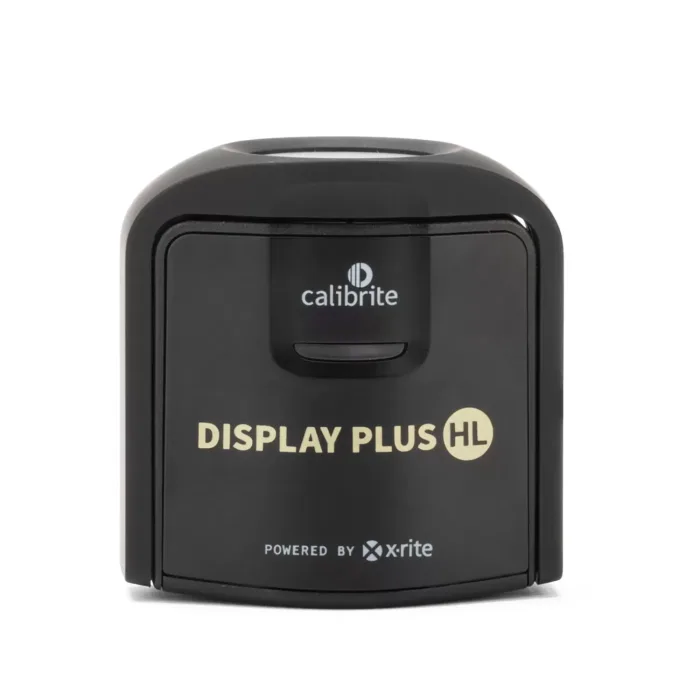
- Calibrite Display Plus HL - Buy. The high luminance Calibrite colorimeter with the broadest third party software acceptance, including Apple's own calibration app.
- Datacolor SpyderPro - Buy. The fully unlocked tier of Datacolor's current platform, and the way to get 3D LUT export and unlimited display matching in the Spyder range.
- Calibrite ColorChecker Studio - It depends. A spectrophotometer that profiles displays, projectors, printers, cameras and scanners, which is either exactly what you need or far too much instrument.
- Datacolor SpyderExpress - Skip. The same Spyder platform as the SpyderPro with almost everything switched off in software, then sold back to you as an upgrade.
The verdict in 30 seconds
What mattered most
- Instrument type
- Max luminance (maker stated)
- Panel types listed by maker
- White point and gamma targets
- Video output
- Also profiles
A monitor calibrator is a small puck that hangs on your screen, reads a few hundred colour patches, and writes a correction so what you see matches a known standard. The hardware has become a commodity. The interesting differences now sit in the software: which panel types it is allowed to read, how bright a display it will accept, and whether the maker sells you the rest of the sensor's capability later. We looked at the current Calibrite and Datacolor lineups, checked the makers' own spec pages and support tables, and cross-checked which devices appear on EIZO's compatible sensor list and in ArgyllCMS documentation.
The high luminance Calibrite colorimeter with the broadest third party software acceptance, including Apple's own calibration app.
Best for: Anyone on an Apple Studio Display, Pro Display XDR or an EIZO ColorEdge who wants calibration written into the display rather than only into an ICC profile.
- Calibrite states it measures up to 10,000 nits and lists LCD, mini-LED, OLED, QD-OLED, XDR class HDR, plasma, RGB LED, PFS phosphor and wide gamut displays.
- Calibrite says it is the first colorimeter approved for Apple's built-in display calibration system, working with Pro Display Calibrator on macOS Tahoe 26.4 or later.
- Named on EIZO's compatible sensor list for ColorNavigator 7 from version 7.1.14, so it drives an EIZO ColorEdge directly.
- The most expensive of Calibrite's colorimeters, and most SDR monitors never get near its measurement ceiling.
- Calibrite PROFILER is the intended software, and Calibrite lists an upgrade requirement for older X-Rite branded devices to use it.
- Apple's full hardware calibration run is long, with a thermal stabilisation wait before measurement even starts.
- It only does displays and projectors, so printing work needs a separate instrument.
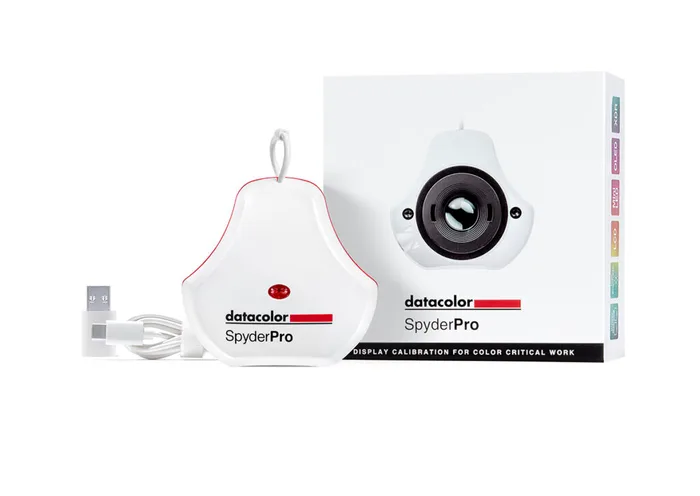
The fully unlocked tier of Datacolor's current platform, and the way to get 3D LUT export and unlimited display matching in the Spyder range.
Best for: Photo and video editors who want every software feature in the range without paying twice, especially if they need LUTs for a grading timeline.
- Datacolor's comparison table lists a 12,000 nit ceiling, unlimited connected displays, and user defined white point, gamma and brightness targets.
- Creates 3D LUTs as 17, 33 or 65 point cubes, which the lower Spyder tiers do not do at all.
- Backlight types listed include OLED, QD-OLED, mini-LED, Apple XDR and Liquid Retina, GB LED, standard LED and wide LED.
- The advertised measurement ceiling is far beyond anything a home monitor produces, so treat it as headroom rather than a reason to buy.
- EIZO lists it for ColorNavigator 7 only from version 7.2.3, so older ColorNavigator installs need updating first.
- The correction set for panel types is what ships with your tier, so the cheap tiers of the same hardware genuinely cannot read an OLED.
- It does not appear on Apple's Pro Display Calibrator route, so Apple displays get an ICC profile rather than a hardware calibration.
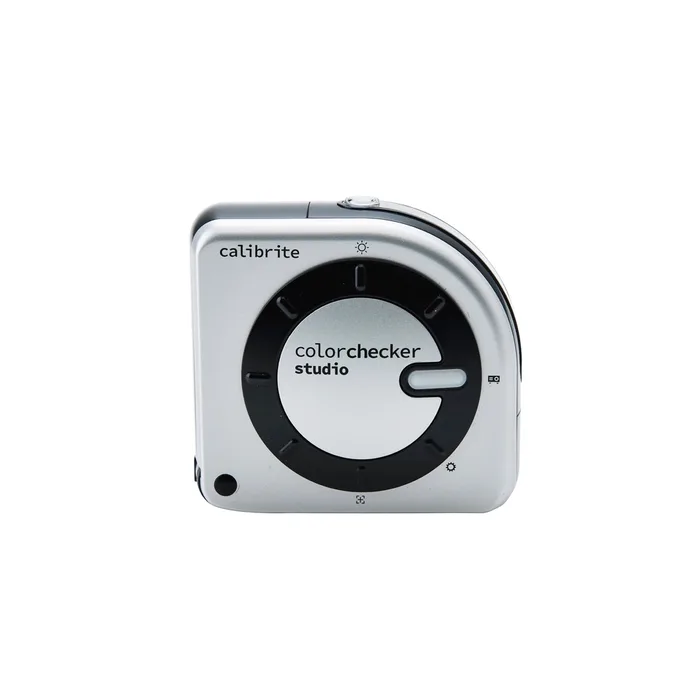
A spectrophotometer that profiles displays, projectors, printers, cameras and scanners, which is either exactly what you need or far too much instrument.
Best for: People who make prints at home and want the screen, the printer and the paper profiled by one instrument.
- Reads the spectrum rather than through coloured filters, so it does not depend on a stored per-panel correction the way a colorimeter does.
- Handles RGB and CMYK printer profiling as well as displays and projectors, replacing two purchases if you print your own work.
- Ships with a mini ColorChecker Classic 24 patch target and works with the Calibrite camera calibration plug-in for Lightroom Classic.
- Calibrite does not publish a maximum measurable luminance for it, so it is not the instrument to buy for an XDR class HDR panel.
- The most expensive option here, and most of that cost buys print capability you may never use.
- EIZO lists it for ColorNavigator 7 only from version 7.1.1, later than the plain ColorChecker Display Pro entry.
- It is a bigger, slower, more fiddly thing to hang on a screen than a puck colorimeter.
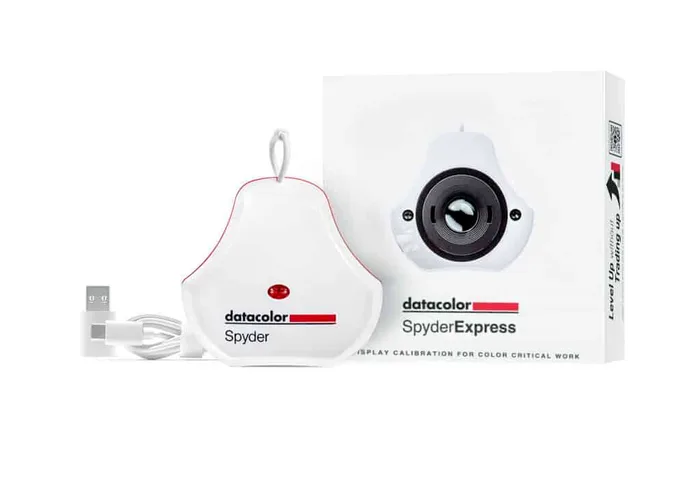
The same Spyder platform as the SpyderPro with almost everything switched off in software, then sold back to you as an upgrade.
Best for: Almost nobody. If your budget really is this tight, work out the cost of the upgrade you will want in six months before you buy at this tier.
- Genuinely cheap, and it will get a plain sRGB laptop or desktop panel closer to correct than no calibration at all.
- Datacolor lists Apple XDR and MacBook or MacBook Pro screens among the display types it will calibrate.
- The upgrade path is real, so the money is not wasted if you later pay to unlock the higher tiers.
- Datacolor's own comparison table gives it a single white point of 6500K, a single gamma of 2.2, and brightness targets of 120 or not adjust, with nothing user defined.
- OLED and QD-OLED are not among its listed backlight types, so a QD-OLED or OLED monitor is outside what Datacolor says it will calibrate.
- Capped at 1,200 nits and three connected displays, with no display matching, no room light adjustment and no 3D LUT.
- Datacolor's upgrade page describes turning the same device into a pro level unit with no new gear required, which means you are paying twice for a sensor you already own.
| Criteria | Display Plus HL Top pick | SpyderPro | ColorChecker Studio | SpyderExpress |
|---|---|---|---|---|
| Verdict | Buy it | Buy it | It depends | Skip it |
| Best for | Anyone on an Apple Studio Display, Pro Display XDR or an EIZO ColorEdge who wants calibration written into the display rather than only into an ICC profile. | Photo and video editors who want every software feature in the range without paying twice, especially if they need LUTs for a grading timeline. | People who make prints at home and want the screen, the printer and the paper profiled by one instrument. | Almost nobody. If your budget really is this tight, work out the cost of the upgrade you will want in six months before you buy at this tier. |
| Price tier | $$$ · premium | $$ · mid-range | $$$ · premium | $ · budget |
| Instrument type | Colorimeter | Colorimeter | Spectrophotometer | Colorimeter |
| Max luminance (maker stated) | 10,000 nits | 12,000 nits | Not published | 1,200 nits |
| Panel types listed by maker | LCD, mini-LED, OLED, QD-OLED, XDR class HDR, wide gamut | OLED, QD-OLED, mini-LED, Apple XDR, GB LED, wide LED | Spectral measurement, no per-panel correction needed | Monitors, laptops, Apple XDR, MacBook; no OLED or QD-OLED |
| White point and gamma targets | Custom white point, luminance and gamma | Predefined plus user defined | Custom targets in PROFILER | 6500K and gamma 2.2 only |
| Video output | Broadcast standards incl. Rec.709 | 3D LUT export, 17 / 33 / 65 point cube | Video presets in PROFILER | None |
| Also profiles | Displays and projectors | Displays and projectors | Printers, cameras, scanners, projectors | Displays only |
| EIZO ColorNavigator 7 sensor list | Listed, from 7.1.14 | Listed, from 7.2.3 | Listed, from 7.1.1 | Not listed |
| Capability sold as a later software upgrade | No tiered unlock offered | Already the top tier | No tiered unlock offered | Yes, higher tiers unlocked by paid software |
Which one is right for you?
- Anyone on an Apple Studio Display, Pro Display XDR or an EIZO ColorEdge who wants calibration written into the display rather than only into an ICC profile. Buy it Calibrite Display Plus HL
- Photo and video editors who want every software feature in the range without paying twice, especially if they need LUTs for a grading timeline. Buy it Datacolor SpyderPro
- People who make prints at home and want the screen, the printer and the paper profiled by one instrument. It depends Calibrite ColorChecker Studio
- Almost nobody. If your budget really is this tight, work out the cost of the upgrade you will want in six months before you buy at this tier. Skip it Datacolor SpyderExpress
How we judged the field
Five things decide whether a calibrator is worth owning. First, what it can physically measure: the maker’s stated luminance ceiling tells you whether a bright HDR panel is in scope or not. Second, which panel technologies the maker lists by name, because a colorimeter reads through filters tuned to an assumed backlight and needs a matching correction for anything spikier. Third, what the software will let you ask for: a device that only offers 6500K and gamma 2.2 is not calibrating so much as nudging. Fourth, whether the software you actually intend to use will talk to it, which for many people means EIZO ColorNavigator, Apple’s Pro Display Calibrator or an open-source stack rather than the bundled app. Fifth, whether the maker sells the rest of the sensor’s ability back to you later.
The field splits along that last point. Datacolor’s current range is one sensor platform sold at three software tiers, and the company advertises upgrading between them with no new hardware. Calibrite’s range is three physically different sensors with different stated luminance ranges and no advertised unlock path, plus one spectrophotometer that does printers as well. So we picked the top of each brand’s colorimeter line, added the Calibrite spectrophotometer to represent the print case, and put Datacolor’s cheapest tier in the skip slot, because it is the clearest example in this category of a product whose limits are a licensing decision rather than an engineering one.
Calibrite Display Plus HL
Buy itThe Display Plus HL is the Calibrite unit to buy if compatibility is what you care about. Calibrite states it measures up to 10,000 nits and lists LCD, mini-LED, OLED, QD-OLED, XDR class HDR, plasma, RGB LED, PFS phosphor and wide gamut panels, which covers essentially every screen a small studio will own for the next several years. What separates it from its cheaper sibling, the Display Pro HL at a stated 3,000 nits, is not really the ceiling. It is that Calibrite says this is the first colorimeter approved for Apple’s built-in display calibration system, working through Pro Display Calibrator on macOS Tahoe 26.4 or later, which writes the calibration into the display itself rather than into a profile on the Mac. It is also on EIZO’s ColorNavigator 7 sensor list from version 7.1.14. The trade is cost, and a long calibration run on the Apple route. Buy it if you own an Apple reference display or an EIZO ColorEdge.
Datacolor SpyderPro
Buy itThe SpyderPro is the top tier of Datacolor’s current platform, and it is the value pick precisely because it is the tier where nothing is switched off. Datacolor’s comparison table gives it a 12,000 nit ceiling, unlimited connected displays, user defined white point, gamma and brightness rather than a fixed list, side by side display matching, projector calibration and 3D LUT creation as 17, 33 or 65 point cubes. Listed backlight types include OLED, QD-OLED, mini-LED, Apple XDR and Liquid Retina. That LUT export is the thing you cannot get anywhere else at this money, and it is why the SpyderPro makes sense for anyone whose work ends up in a grading timeline rather than a print. The catches are that EIZO only lists it for ColorNavigator 7 from version 7.2.3, and that it is not part of Apple’s hardware calibration route. Buy it if video output matters more than living inside a monitor maker’s own app.
Calibrite ColorChecker Studio
It dependsThe ColorChecker Studio is the odd one out here and deliberately so. It is a spectrophotometer, so instead of reading light through coloured filters it measures the spectrum and computes the result, which sidesteps the whole business of needing a stored correction for each new panel technology. It profiles displays and projectors, and it also profiles RGB and CMYK printers, cameras and scanners, shipping with a mini ColorChecker Classic 24 patch target and a Lightroom Classic plug-in. That breadth is the entire argument for it. The counter-argument is equally clear: Calibrite does not publish a maximum measurable luminance for display use, so it is not the tool to reach for on an XDR class HDR panel, and it is priced well above a colorimeter that would do the monitor job better. It is right for the person who prints their own work and wants one instrument for screen and paper, and wrong for everyone else.
Datacolor SpyderExpress
Skip itThe SpyderExpress is the honest skip, and the reason is worth spelling out. It sits on the same Spyder platform as the SpyderPro, and Datacolor’s upgrade page offers to turn a device into a pro level unit with no new gear required. What you get at this tier, per Datacolor’s own comparison table, is a single white point of 6500K, a single gamma of 2.2, brightness targets of 120 or not adjust, a 1,200 nit ceiling, three connected displays, no display matching, no room light adjustment, no soft proofing and no 3D LUT. OLED and QD-OLED are not among its listed backlight types, so the panel type most likely to need calibration help is the one it is not licensed to read. None of that is a sensor limitation. It is a price list. Anyone who buys at this tier and then wants a real target ends up paying twice, so work out that total first.
Sources
Specs in this review come from these pages.
- Calibrite - Display Plus HL product page (calibrite.com)
- Datacolor Spyder Support - SpyderPro, Spyder and SpyderExpress differences (spyder-support.datacolor.com)
- Datacolor - Spyder software upgrade (datacolor.com)
- EIZO - Compatible sensor list for ColorNavigator 7 (eizoglobal.com)
- X-Rite - How often should your unit be recertified (xrite.com)
- ArgyllCMS - Wide gamut displays and colorimeters (argyllcms.com)
Calibrite Display Plus HL vs Datacolor SpyderPro: which should you buy?
The Display Plus HL and the SpyderPro end up close on paper and far apart in practice. On stated numbers the SpyderPro measures higher, 12,000 nits against 10,000, and it adds 3D LUT export in 17, 33 and 65 point cubes that Calibrite does not advertise for the Plus HL. Both list OLED, QD-OLED, mini-LED and Apple XDR among the panel types they will read. Both appear on EIZO’s compatible sensor list for ColorNavigator 7, the Calibrite from version 7.1.14 and the Datacolor from 7.2.3. If the spec sheet were the whole story the SpyderPro would win outright.
The deciding factor is what software you will actually run. If you own an Apple Studio Display, a Pro Display XDR or an Apple Silicon MacBook Pro and want the calibration written into the display itself, the Display Plus HL is currently the route Apple supports through Pro Display Calibrator on macOS Tahoe 26.4 or later, and the SpyderPro is not. If your work ends in a video timeline and you want a LUT rather than an ICC profile, the SpyderPro does that and the Plus HL does not. If neither of those describes you, take the SpyderPro and keep the difference, or step down to Calibrite’s Display Pro HL at a stated 3,000 nits, which is plenty for any SDR monitor.
What to look for
- Stated luminance ceiling: check the maker’s own number in nits, because a device capped below your panel’s peak brightness cannot calibrate it properly no matter how good the software looks.
- Named backlight types: spec sheets list OLED, QD-OLED, mini-LED and similar by name, and a technology that is absent from the list has no correction in that device’s software.
- What targets you can actually set: a device locked to one white point and one gamma is doing a fixed job, not calibration, and the difference shows up the first time you need a print target.
- Compatibility with the software you will use: EIZO publishes a compatible sensor list with minimum ColorNavigator versions, Apple supports a specific device for Pro Display Calibrator, and open-source support is documented separately in ArgyllCMS.
- Whether there is a paid unlock above your tier: if the maker advertises upgrading to a higher tier with no new hardware, the tier you are buying is a software limit and you should price the upgrade before you commit.
- Instrument age and recertification: filters drift, X-Rite recommends recertification every 12 months for its instruments, and a decade-old colorimeter found in a drawer is a measurement you cannot trust.
Our final take
Buy the Calibrite Display Plus HL if you own an Apple reference display or an EIZO ColorEdge, because it is the device those calibration systems currently accept and it will read anything you are likely to put in front of it. Buy the Datacolor SpyderPro if you want every feature in a range for one payment, especially if you need 3D LUTs. Take the ColorChecker Studio only if you print, in which case it replaces two instruments. Skip the SpyderExpress. Its limits are a licence, not a sensor, and the money you save at the counter comes back as an upgrade fee the moment you want a target other than 6500K at gamma 2.2.
Questions, answered
What is the real difference between a colorimeter and a spectrophotometer?
A colorimeter reads light through a set of coloured filters that approximate how a human eye responds. A spectrophotometer splits the light into its spectrum and computes the answer mathematically. The filter approach is fast and cheap but it depends on an assumption about what the display's light looks like, which is why colorimeters carry per-technology corrections. ArgyllCMS documentation puts it plainly: because spectrometers use mathematically computed weighting curves, they are less sensitive to the spectral characteristics of a display's primaries and generally work better on wide gamut displays. For a normal monitor, a modern colorimeter with the right correction is the practical choice.
Why does a colorimeter need a correction for OLED or QD-LED, and what happens without one?
The filters in a colorimeter are calibrated against an assumed backlight spectrum. A wide gamut panel has narrower, spikier primaries than the LCD the filters were tuned around, and ArgyllCMS notes that this spectral difference exacerbates the approximations and errors in the colorimeter filters. Without a matching correction the instrument still returns a number, it is just the wrong number, usually showing up as a white point or grey balance that looks off even after calibration. That is why maker spec sheets list backlight types by name. If your panel technology is not on that list, the device has no correction for it.
Is the software really where the money goes in this category?
For Datacolor's current range, yes, and the company says so openly. Its comparison table shows SpyderExpress, Spyder and SpyderPro differing in luminance ceiling, panel type support, white point and gamma targets, display count, 3D LUT and much else. Its upgrade page then offers to turn an existing device into a pro level unit with no new gear required, unlocking up to 3,000 nits at one tier and up to 12,000 nits with 3D LUT export at the next. Calibrite works differently: its Display 123, Display Pro HL and Display Plus HL are separate sensors with different stated luminance ranges, and there is no advertised path to unlock one into another.
Will DisplayCAL and ArgyllCMS work with the device I buy?
Check before you count on it. ArgyllCMS's changelog records support for the Datacolor Spyder and SpyderPro (2024) added in version 3.4.0 in July 2025, and its instrument list names the i1Display 3 family together with the Calibrite ColorChecker Display, Pro and Plus. The newer Calibrite HL models are not named in that changelog, so treat open-source support for them as unconfirmed rather than guaranteed. DisplayCAL itself is now carried by a community Python 3 fork rather than the original author, which is worth knowing if long-term support matters to you.
How often should I recalibrate, and does the instrument itself go off?
Two separate questions. Recalibrating the monitor is a routine you set by how much the work matters, and most people land somewhere between monthly and quarterly. The instrument drifting is the one people forget. X-Rite, whose sensor technology sits behind the Calibrite colorimeters, recommends recertification every 12 months and notes that new instruments ship with an 18 month certification so the buyer still has at least 12 months left. Datacolor does not publish an equivalent interval for the Spyder range. In practice, a colorimeter that has lived in a drawer for five years should be treated with suspicion rather than trust.
Deciding between the top two? See our head-to-head: Calibrite Display Plus HL vs Datacolor SpyderPro.
More Tech & Gadgets reviews
 The Best NAS Hard Drives: 4 Compared (and One to Skip)
  The Best ND Filters: 4 Compared (and One to Skip)
  The Best Network Switches: 4 Compared (and One to Skip)
  The Best Outdoor Security Cameras: Wide Coverage Without the Monthly Trap
  The Best Ethernet Patch Panels: 4 Compared (and One to Skip)
  The Best PC Cases: 4 Compared (and One to Skip)