

Tech & Gadgets
The Best Mini PCs: 4 Compared (and One to Skip)
We compared four current small-form-factor mini PCs for home and office on performance, noise, upgradeability, connectivity, and value.
The short version
We compared four current mini PCs for home and office use. The Apple Mac mini (M4) is the best all-round choice thanks to class-leading efficiency, near-silent operation, and strong value, provided you can live with soldered memory and macOS. The Beelink SER9 Pro is the top Windows machine, with the fastest CPU and best integrated graphics here, but it commands a premium. The Minisforum UM890 Pro is the expandable, value pick for tinkerers who want upgradeable RAM, extra SSDs, and an external-GPU port. The Geekom A8 is well built but runs hotter and louder than rivals at a similar tier, so it is the one to skip in this field. Best for: most home and office buyers who want a quiet, fast, low-hassle desktop should start with the Mac mini (M4).
Our picks at a glance
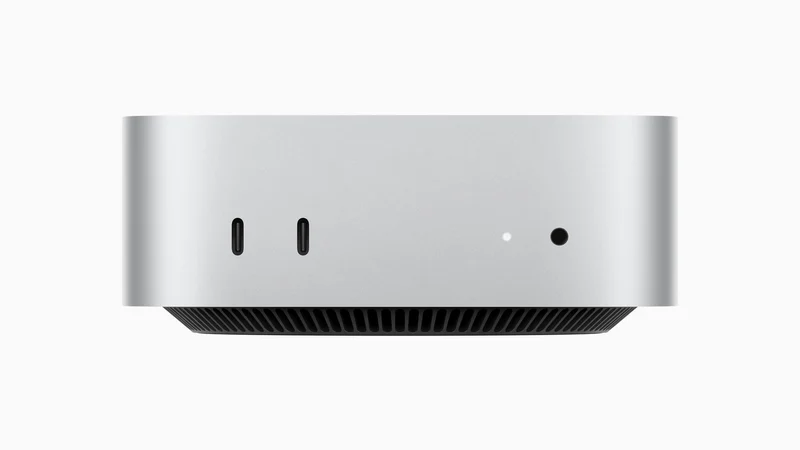
- Apple Mac mini (M4) - Buy. The most polished, near-silent, efficient mini PC you can put on a desk today.
- Beelink SER9 Pro (Ryzen AI 9 HX 370) - Buy. The fastest Windows mini PC here, with the strongest integrated graphics and a whisper-quiet chassis.
- Minisforum UM890 Pro - It depends. A value-focused, endlessly expandable box that shines as a home server or upgrade project.
- Geekom A8 - Skip. A well-built little machine undercut by louder, hotter behaviour than similarly priced rivals.
The verdict in 30 seconds
What mattered most
- CPU performance
- Integrated graphics
- Noise & thermals
- Upgradeability
- Connectivity
- Operating system
Mini PCs now deliver full desktop performance from a box smaller than a lunchbox, but they split sharply between locked-down efficiency and open, upgrade-friendly power. We weighed four models buyable in 2026 across everyday responsiveness, sustained load, noise, and what you can change later. Two earn a clear buy, one is a solid it-depends for tinkerers, and one is easy to skip in this company.
The most polished, near-silent, efficient mini PC you can put on a desk today.
Best for: Home and office users who want a quiet, fast, low-maintenance machine and are comfortable in macOS.
- Reviewers consistently rank its single-thread speed and efficiency at the top of the class
- Runs effectively silent even under sustained load, per owner reports
- Compact aluminium build with fast Thunderbolt ports and a strong resale record
- Memory and storage are soldered, so you buy your final capacity up front
- Apple's paid memory and SSD upgrades are steep relative to open-market parts
- macOS is a poor fit if you need Windows-only software or an external GPU
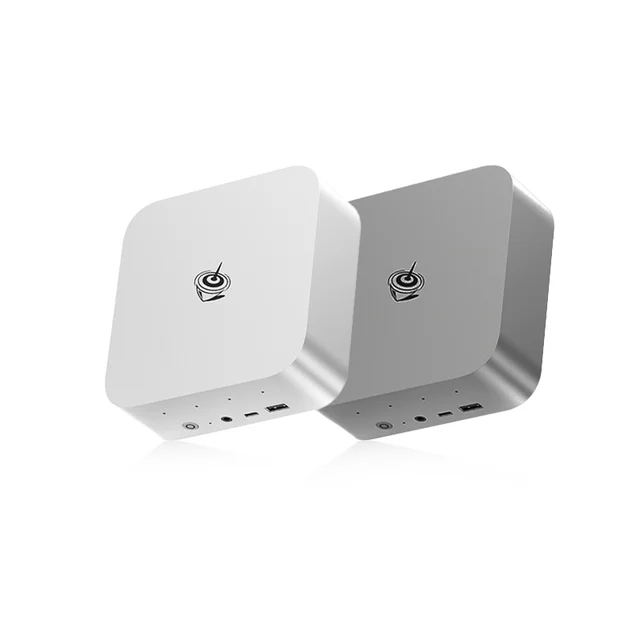
The fastest Windows mini PC here, with the strongest integrated graphics and a whisper-quiet chassis.
Best for: Windows users who want the most CPU and iGPU muscle in a small, quiet box and will pay for it.
- Independent testing places its Radeon 890M integrated graphics at the front of the mini-PC pack
- Twelve-core Zen 5 CPU gives it the best multi-thread output in this comparison
- Owners note low idle power draw and quiet operation despite the performance
- Priced at a clear premium over most Windows mini PCs
- Memory is soldered LPDDR5X, so you cannot add RAM later
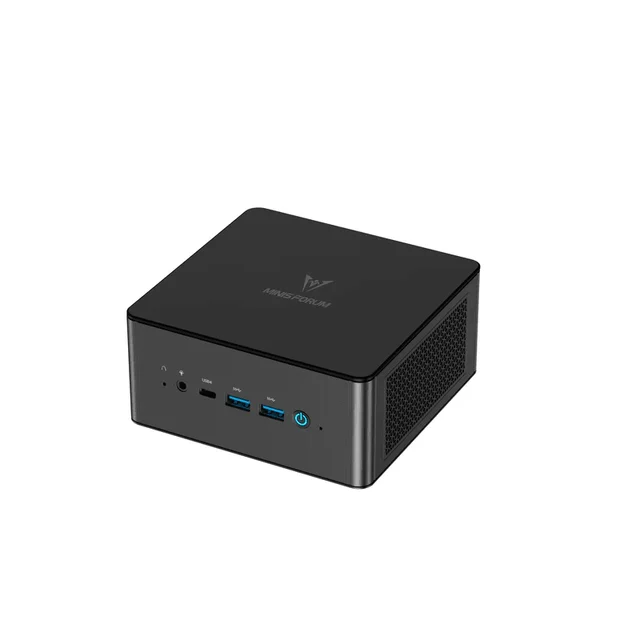
A value-focused, endlessly expandable box that shines as a home server or upgrade project.
Best for: Tinkerers and home-lab users who want maximum expansion and value over out-of-the-box polish.
- User-upgradeable memory to a large capacity plus room for multiple SSDs
- Reviewers highlight an OCuLink port for adding an external GPU and dual 2.5GbE networking
- Available barebones, so you can supply your own RAM and storage to save money
- Uses the older Zen 4 Ryzen 9 8945HS, so raw CPU and graphics trail the newer chips here
- Barebones configurations need self-assembly before first boot
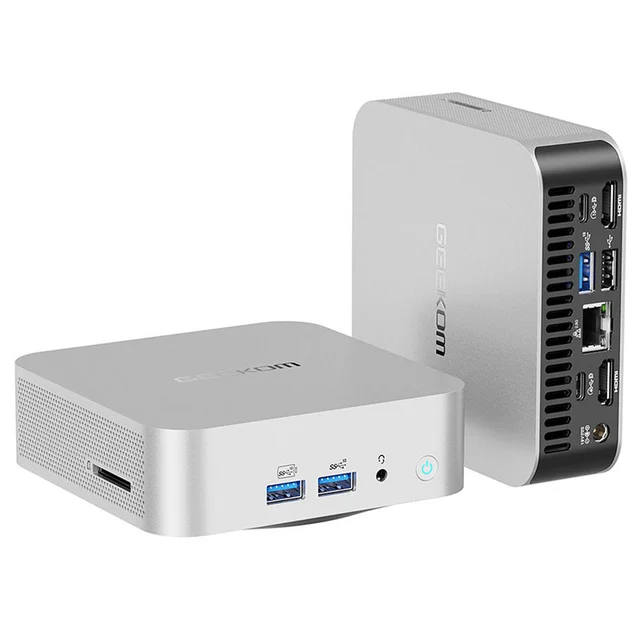
A well-built little machine undercut by louder, hotter behaviour than similarly priced rivals.
Best for: Buyers set on the Geekom design who mostly run light workloads and rarely stress the CPU.
- Attractive brushed-aluminium chassis with a generous port selection
- Same capable Zen 4 Ryzen 9 8945HS and Radeon 780M found in cheaper rivals
- Reviewers report the cooling struggles under load, with the chassis getting hot and the fan turning loud
- Priced close to better-cooled, more expandable alternatives running the same chip
| Criteria | Apple Mac mini (M4) Top pick | Beelink SER9 Pro (Ryzen AI 9 HX 370) | Minisforum UM890 Pro | Geekom A8 |
|---|---|---|---|---|
| Verdict | Buy it | Buy it | It depends | Skip it |
| Best for | Home and office users who want a quiet, fast, low-maintenance machine and are comfortable in macOS. | Windows users who want the most CPU and iGPU muscle in a small, quiet box and will pay for it. | Tinkerers and home-lab users who want maximum expansion and value over out-of-the-box polish. | Buyers set on the Geekom design who mostly run light workloads and rarely stress the CPU. |
| Price tier | $$ · mid-range | $$$ · premium | $ · budget | $$ · mid-range |
| CPU performance | Class-leading single-thread, very efficient | Best multi-thread here (12-core Zen 5) | Strong all-round (8-core Zen 4) | Strong, but throttles under sustained load |
| Integrated graphics | 10-core GPU, great for creative apps | Radeon 890M, best iGPU in test | Radeon 780M, capable | Radeon 780M, capable |
| Noise & thermals | Near-silent | Quiet, low idle | Well-cooled, stays quiet | Runs hot, fan can get loud |
| Upgradeability | None (soldered RAM & SSD) | SSD yes, RAM soldered | RAM & dual SSD user-upgradeable | RAM & SSD user-upgradeable |
| Connectivity | Thunderbolt, 5x USB-C, HDMI, Ethernet | USB4, dual HDMI+DP, 2.5GbE | Dual USB4, OCuLink eGPU, dual 2.5GbE | Dual USB4, dual HDMI, 2.5GbE, SD |
| Operating system | macOS | Windows 11 | Windows 11 | Windows 11 |
| Idle power draw | Very low | Low | Moderate | Moderate |
| Price tier | $$ · mid-range | $$$ · premium | $ · budget | $$ · mid-range |
Which one is right for you?
- Home and office users who want a quiet, fast, low-maintenance machine and are comfortable in macOS. Buy it Apple Mac mini (M4)
- Windows users who want the most CPU and iGPU muscle in a small, quiet box and will pay for it. Buy it Beelink SER9 Pro (Ryzen AI 9 HX 370)
- Tinkerers and home-lab users who want maximum expansion and value over out-of-the-box polish. It depends Minisforum UM890 Pro
- Buyers set on the Geekom design who mostly run light workloads and rarely stress the CPU. Skip it Geekom A8
How we judged the field
We do not run our own lab. Instead, we synthesize independent testing, expert hands-on reviews, and aggregated owner reports, then weigh them against what actually matters for a machine that lives on a home or office desk. Five criteria did the heavy lifting: everyday and sustained performance; noise and thermals, because a desk companion should not roar; upgradeability, since soldered parts fix your ceiling on day one; connectivity for monitors, storage, and networking; and honest value at each price tier. Where sources disagreed, we favoured the consensus of long-term owner reports over first-impression benchmarks.
Apple Mac mini (M4)
Buy itThe Mac mini is the machine most people should buy first. Independent testing repeatedly puts its single-thread performance and efficiency at the top of the small-form-factor field, and owners describe it as effectively silent even when pushed. The compact aluminium chassis, fast Thunderbolt ports, and strong resale value round out an easy recommendation. The catch is permanence: memory and storage are soldered, Apple’s own upgrades cost far more than open-market parts, and macOS rules it out if you depend on Windows-only tools. Buy the configuration you will still be happy with in three years.
Beelink SER9 Pro (Ryzen AI 9 HX 370)
Buy itThis is the Windows performance champion of the group. Its twelve-core Zen 5 processor delivers the best multi-thread output here, and reviewers single out the Radeon 890M as the strongest integrated graphics in this class, while owners note it stays quiet and sips power at idle. You pay a clear premium for that, and the memory is soldered LPDDR5X, so there is no adding RAM later. For anyone who wants maximum Windows muscle in a small, quiet box, it is worth it.
Minisforum UM890 Pro
It dependsThe UM890 Pro trades headline speed for flexibility. Its Zen 4 Ryzen 9 8945HS is a step behind the newer chips above, but the platform is built to grow: user-upgradeable memory to a large capacity, room for multiple SSDs, dual 2.5-gigabit networking, and an OCuLink port for an external GPU. Available barebones, it lets you supply your own parts to keep the cost down. That makes it a strong home server or upgrade project, but a less obvious pick if you want a finished machine out of the box.
Geekom A8
Skip itThe A8 is genuinely well built, with a smart brushed-aluminium shell and the same capable 8945HS and Radeon 780M found in cheaper rivals. The problem is behaviour under load: reviewers report the cooling struggles, the chassis gets hot, and the fan turns audibly loud, and it sits at a tier close to better-cooled, more expandable alternatives running the same chip. In this specific company it is the weakest value, so it is the one to skip unless you are set on the design and rarely stress it.
Apple Mac mini (M4) vs Beelink SER9 Pro: which should you buy?
These are the two strongest machines here, and the choice comes down to platform and priorities. The Mac mini wins on efficiency, near-silent operation, and value at its tier, and it is the better default for most home and office users, so long as fixed memory and macOS suit you. The Beelink SER9 Pro answers the needs the Mac mini cannot: it runs Windows, offers the best integrated graphics in the group for light gaming and GPU-accelerated apps, leads on multi-thread CPU work, and keeps an upgradeable SSD. If you live in macOS or want the quietest, most efficient option, take the Mac mini. If you need Windows and peak integrated performance, pay the premium for the Beelink.
What to look for
- Decide on the operating system first: macOS for efficiency and simplicity, Windows for software breadth, upgrades, and external GPUs.
- Check whether memory and storage are socketed or soldered, and buy soldered machines at your long-term capacity.
- Read owner reports on noise and thermals, since sustained fan behaviour varies far more than peak benchmarks.
- Match ports to your setup: number of displays, Thunderbolt or USB4, 2.5-gigabit networking, and any external-GPU option.
- Compare value within a price tier rather than across tiers, and skip machines that cost as much as better-cooled or more expandable rivals.
Our final take
For most people setting up a compact home or office desktop, the Apple Mac mini (M4) is the smart default: fast, effectively silent, efficient, and good value once you accept soldered parts and macOS. Windows users who want the most performance and the best integrated graphics in a quiet box should choose the Beelink SER9 Pro and pay its premium. The Minisforum UM890 Pro is the expandable value pick for tinkerers and home servers, while the Geekom A8, though well made, is outclassed on cooling and value in this field and is the one to leave on the shelf.
Questions, answered
Are mini PCs powerful enough for real home and office work?
Yes. Every model here handles office suites, web work, video calls, multi-monitor setups, and light-to-moderate photo or video editing comfortably. The newer chips in the Mac mini and Beelink also cope well with heavier creative and multitasking loads. Only demanding gaming or professional GPU workloads clearly justify a full-size desktop.
Can I upgrade the memory and storage later?
It depends on the model. The Minisforum UM890 Pro and Geekom A8 use socketed memory and accessible SSD slots, so you can add capacity after purchase. The Apple Mac mini has soldered memory and storage, and the Beelink SER9 Pro has soldered memory but an upgradeable SSD. If future upgrades matter to you, favour the socketed designs.
Windows or macOS, which should I choose?
Choose macOS with the Mac mini if you value efficiency, quiet operation, and the Apple software ecosystem. Choose a Windows model if you rely on Windows-only applications, want to add an external GPU, or need hands-on upgradeability. Software compatibility should drive this decision more than raw benchmark numbers.
Are these mini PCs quiet enough for a shared room?
Mostly. Owners describe the Mac mini as near-silent and the Beelink SER9 Pro and Minisforum UM890 Pro as quiet under normal use. The Geekom A8 draws the most consistent criticism for fan noise under load, so it is the least suited to a quiet shared space.
Do I need the most expensive configuration?
Usually not. For general home and office use, a mid-tier memory and storage configuration is plenty, and on Windows models you can add socketed RAM or an SSD later to save money. Reserve the premium configurations for sustained creative work or heavy multitasking. This is general product information to guide your own comparison, not a substitute for checking current specs against your specific workload.
Deciding between the top two? See our head-to-head: Apple Mac mini (M4) vs Beelink SER9 Pro (Ryzen AI 9 HX 370).
More Tech & Gadgets reviews
 The Best Mirrorless Cameras for Beginners: 4 Compared (and One to Skip)
  The Best Model Rocket Kits: 4 Compared (and One to Skip)
  The Best Monitor Calibrators: 4 Compared (and One to Skip)
  The Best NAS Hard Drives: 4 Compared (and One to Skip)
  The Best ND Filters: 4 Compared (and One to Skip)
  The Best Network Switches: 4 Compared (and One to Skip)