

Tech & Gadgets
The Best Budget Laptops for Everyday Use: 4 Compared (and One to Skip)
Four affordable everyday laptops - two Windows machines, a Chromebook, and a big-box staple - compared on speed, screen, battery, and long-term usability.
The short version
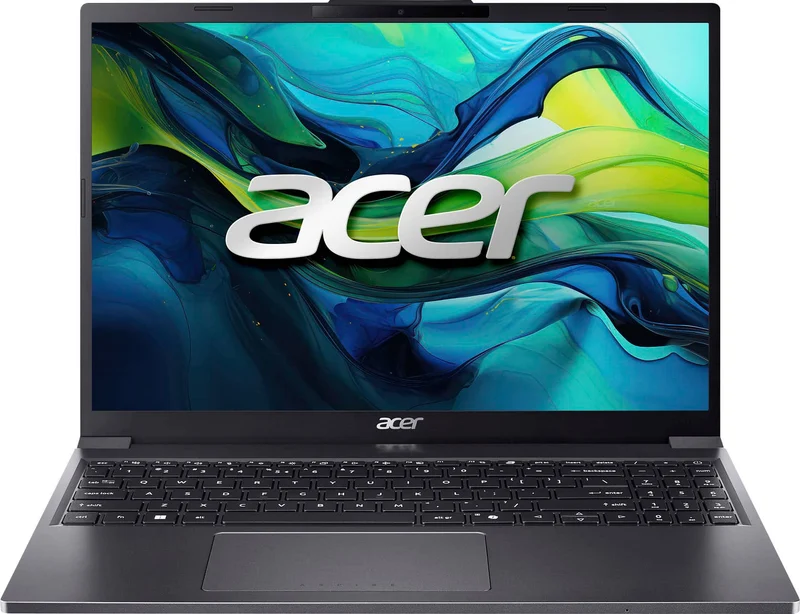
For most people, the Acer Aspire Go 15 (AG15-51P) is the budget laptop to buy: independent testing praises its sharp 1920x1200 display and Core i5 performance, and it runs full Windows without the sluggishness that plagues this price class. If your work and entertainment already live in a browser, the ASUS Chromebook Plus CX34 is even quicker in daily use, with a superb keyboard and roughly ten hours of battery. The Lenovo IdeaPad Slim 3 is a conditional recommendation - its Ryzen 16GB/512GB configurations are outstanding value on sale, but the variant sprawl makes it easy to overpay for old silicon. The HP Stream 14 is the one to skip: 4GB of RAM and 64GB of storage make modern Windows miserable, and owners report update failures within months. Best for: everyday browsing, documents, video calls, and streaming on a tight budget.
Our picks at a glance
- Acer Aspire Go 15 (AG15-51P) - Buy. The rare budget Windows laptop that gets the fundamentals - screen, speed, and battery - right at the same time.
- ASUS Chromebook Plus CX34 - Buy. If your life already runs in a browser, this is the fastest, most pleasant everyday machine you can get for the money.
- Lenovo IdeaPad Slim 3 (15-inch AMD) - It depends. A spec bargain in its 16GB configuration - and an easy way to overpay if you grab the wrong variant.
- HP Stream 14 - Skip. Still stacked high at big-box retailers, and still the most common budget-laptop regret in owner reports.
The verdict in 30 seconds
What mattered most
- Operating system
- Display
- Processor & memory
- Storage
- Battery life (owner-reported)
- Everyday multitasking
A budget laptop in 2026 should handle browsing, email, video calls, documents, and streaming without stutter - and without falling apart in two years. We compared two Windows laptops, one Chromebook, and one perennial big-box special to sort genuine value from false economy. Two earn a clear buy, one is a smart pick only in the right configuration, and one is still on shelves everywhere despite being a machine almost nobody should purchase.
The rare budget Windows laptop that gets the fundamentals - screen, speed, and battery - right at the same time.
Best for: Students and home users who want a real Windows laptop that stays pleasant to use for years without spending mid-range money
- Sharp 15.3-inch 1920x1200 IPS display that independent testing calls a standout at this price
- Core i5-1334U with 8GB RAM handles everyday multitasking smoothly
- Solid-feeling chassis and a full-size keyboard with number pad
- Owners consistently report all-day battery for light work
- No keyboard backlighting, which feels dated even at this price
- Display color accuracy is mediocre - fine for documents, not for photo editing
- Basic 720p webcam and no fingerprint reader
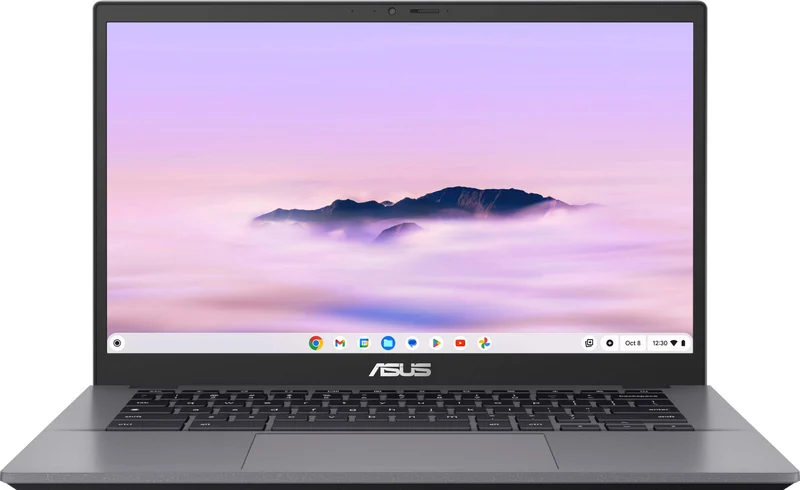
If your life already runs in a browser, this is the fastest, most pleasant everyday machine you can get for the money.
Best for: Anyone whose work and play live in Chrome, Google Docs, and streaming apps - and who values speed and simplicity over software flexibility
- Core i5 power makes ChromeOS feel instant - tabs, video calls, and web apps stay responsive
- Excellent keyboard and responsive touchpad that reviewers single out for praise
- Roughly 10-hour real-world battery life in owner reports
- Chromebook Plus certification brings a 1080p webcam and built-in AI features
- ChromeOS can't run traditional Windows desktop software
- 8GB RAM and 128GB storage are not upgradeable
- Display is sharp but colors look muted next to pricier panels
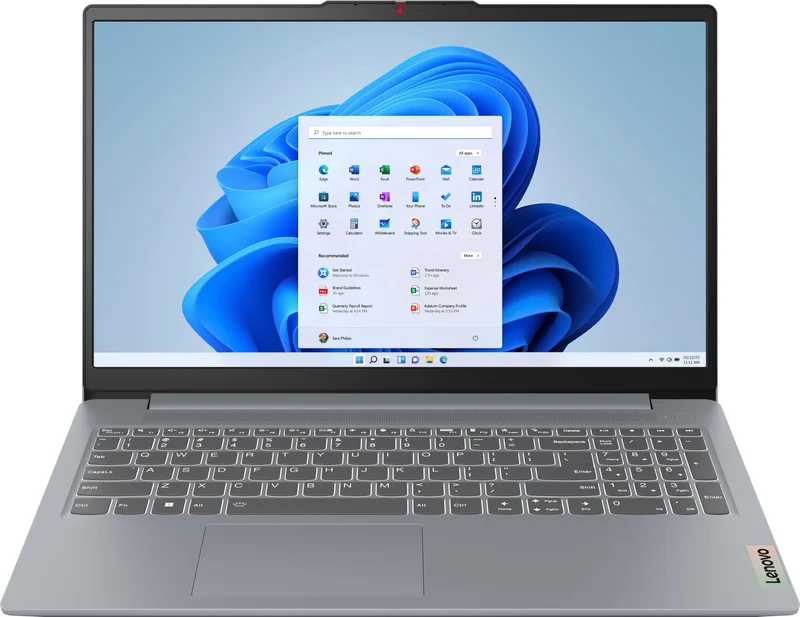
A spec bargain in its 16GB configuration - and an easy way to overpay if you grab the wrong variant.
Best for: Deal hunters who verify the exact spec sheet - the Ryzen 7 with 16GB/512GB on sale is a steal; the base config at full price is not
- 16GB RAM and 512GB SSD configurations offer double the memory and storage of rivals at similar money
- Ryzen multi-core performance is strong for office work and light editing
- Comfortable keyboard (backlit on many configs) and 8-10 hour battery in owner reports
- Bewildering number of variants - many 'new' listings carry several-generation-old Ryzen chips
- Display is serviceable but dim and washed-out compared with the Aspire Go 15
- Base 8GB models are a much weaker deal
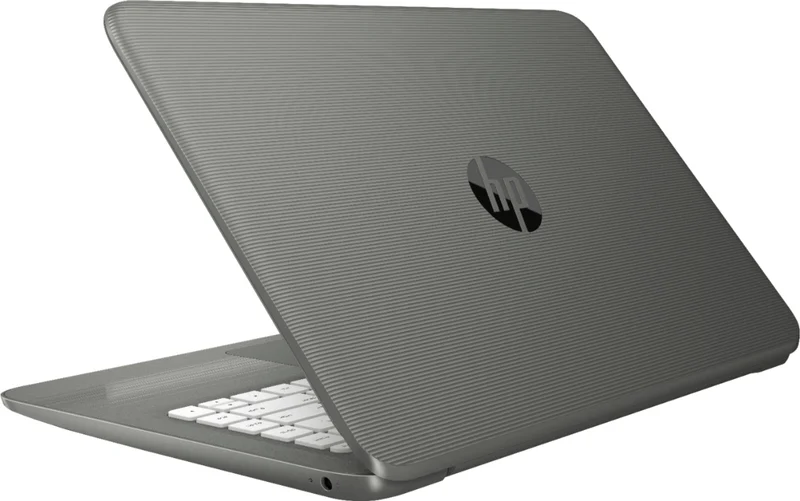
Still stacked high at big-box retailers, and still the most common budget-laptop regret in owner reports.
Best for: Almost no one - the same money buys a Chromebook that will feel faster on day one and still work smoothly in three years
- Genuinely cheap, light, and available everywhere
- Fine for a single browser tab and word processing in a pinch
- 4GB RAM and an aging Celeron chip make modern Windows feel constantly overloaded
- 64GB eMMC storage fills so fast that owners report being unable to install Windows updates
- Dim, low-resolution 1366x768 screen; any bundled Microsoft 365 term is limited and masks the true long-term cost
| Criteria | Acer Aspire Go 15 (AG15-51P) Top pick | ASUS Chromebook Plus CX34 | Lenovo IdeaPad Slim 3 (15-inch AMD) | HP Stream 14 |
|---|---|---|---|---|
| Verdict | Buy it | Buy it | It depends | Skip it |
| Best for | Students and home users who want a real Windows laptop that stays pleasant to use for years without spending mid-range money | Anyone whose work and play live in Chrome, Google Docs, and streaming apps - and who values speed and simplicity over software flexibility | Deal hunters who verify the exact spec sheet - the Ryzen 7 with 16GB/512GB on sale is a steal; the base config at full price is not | Almost no one - the same money buys a Chromebook that will feel faster on day one and still work smoothly in three years |
| Price tier | $ · budget | $$ · mid-range | $$ · mid-range | $ · budget |
| Operating system | Windows 11 Home | ChromeOS (Chromebook Plus) | Windows 11 Home | Windows 11 in S Mode |
| Display | 15.3" 1920x1200 IPS | 14" 1080p IPS | 15.6" 1080p IPS (touch on many configs) | 14" 1366x768 |
| Processor & memory | Core i5-1334U, 8GB | Core i5-1335U, 8GB | Ryzen 5/7, 8-16GB | Intel Celeron, 4GB |
| Storage | 256GB SSD | 128GB flash | 512GB SSD (16GB configs) | 64GB eMMC |
| Battery life (owner-reported) | ~8-9 hours | ~10 hours | ~8-10 hours | ~6-7 hours |
| Everyday multitasking | Smooth | Very smooth (in-browser) | Smooth to very smooth (16GB) | Strained from day one |
| Price tier | $ · budget | $$ · mid-range | $$ · mid-range | $ · budget |
Which one is right for you?
- Students and home users who want a real Windows laptop that stays pleasant to use for years without spending mid-range money Buy it Acer Aspire Go 15 (AG15-51P)
- Anyone whose work and play live in Chrome, Google Docs, and streaming apps - and who values speed and simplicity over software flexibility Buy it ASUS Chromebook Plus CX34
- Deal hunters who verify the exact spec sheet - the Ryzen 7 with 16GB/512GB on sale is a steal; the base config at full price is not It depends Lenovo IdeaPad Slim 3 (15-inch AMD)
- Almost no one - the same money buys a Chromebook that will feel faster on day one and still work smoothly in three years Skip it HP Stream 14
How we judged the field
We don’t run a lab. Instead, we synthesized independent testing of each machine - performance benchmarks, display measurements, and battery rundowns - with aggregated owner reports from long-term use: what breaks, what slows down, and what people wish they’d known at checkout. For everyday budget laptops, four things mattered most: whether the machine stays responsive with a browser full of tabs and a video call running, whether the screen is pleasant enough to look at for hours, whether the battery genuinely lasts a working day, and whether the hardware has enough headroom to still feel usable three years from now. We deliberately excluded gaming machines and tablets - this guide is about the laptop you use for email, documents, streaming, and calls.
Acer Aspire Go 15 (AG15-51P)
Buy itThe Aspire Go 15 is what happens when a manufacturer spends the budget where it counts. The 15.3-inch, 1920x1200 IPS panel is the star: independent testing repeatedly flags it as unusually good for this class, with a taller 16:10 shape that fits more of a document on screen. The Core i5-1334U with 8GB of RAM keeps Windows 11 responsive through real multitasking - reviewers describe desktop performance as good enough that you stop thinking about the price. The plastic chassis is simple but solid, and owners report full-day battery under light loads. The compromises are visible but livable: there’s no keyboard backlight, color accuracy is mediocre (fine for spreadsheets, wrong tool for photo work), and the webcam is a basic 720p unit. None of that undermines the core proposition - this is the most complete cheap Windows laptop in this roundup.
ASUS Chromebook Plus CX34
Buy itThe CX34 makes a different bet: give up Windows software, and get a machine that feels genuinely fast every single day. With a Core i5-1335U driving the lighter ChromeOS, independent testing found it handles heaps of tabs, video calls, and web apps smoothly - a level of responsiveness budget Windows laptops struggle to match. Reviewers consistently praise the keyboard as a joy to type on, the touchpad is accurate, the 1080p webcam is better than what ships on most cheap Windows machines, and owners report battery life around ten hours. Chromebook Plus certification also means guaranteed hardware minimums and built-in AI features. The trade-offs are structural: no traditional desktop software, 8GB of RAM and 128GB of storage that can’t be upgraded, and a display that’s sharp but muted in color. If those don’t affect you - and for browser-first users they usually don’t - this is the best everyday experience for the money in this roundup.
Lenovo IdeaPad Slim 3 (15-inch AMD)
It dependsOn paper, the IdeaPad Slim 3 embarrasses the field: configurations with a Ryzen 7, 16GB of RAM, and a 512GB SSD regularly sell for similar money to 8GB rivals. That’s double the memory and storage, a comfortable (often backlit) keyboard, and 8-10 hours of owner-reported battery in an unpretentious, lightweight body. So why not a straight buy? Because buying one correctly requires homework. Lenovo sells a thicket of near-identical variants, and many current listings carry Ryzen chips several generations old - fine performers for office work, but not what ‘new for 2026’ implies, and not worth full price. The display is also the weakest of the three recommendable machines here: serviceable, but dimmer and more washed out than the Aspire Go 15’s panel. Owner sentiment splits accordingly - people who snagged the 16GB config on sale love it; people who paid full price for a base model are lukewarm. Verify the exact processor, RAM, and storage before checkout and this is a bargain. Grab carelessly and it isn’t.
HP Stream 14
Skip itThe Stream 14 has been the impulse-buy laptop at big-box retailers for years, and owner reports have told the same story the whole time. The aging Celeron processor and 4GB of RAM leave modern Windows gasping - owners describe slowdowns with even a handful of browser tabs - and the 64GB of slow eMMC storage is the real trap: after Windows itself, there’s so little space left that owners routinely report failed system updates and constant storage-full warnings within months. The 1366x768 display is dim and grainy by 2026 standards. Any bundled Microsoft 365 term makes the sticker look generous, but it expires; the hardware limitations don’t. The frustrating part is that perfectly good alternatives exist at nearly the same money - a budget Chromebook delivers a dramatically smoother experience on similar hardware because it isn’t carrying Windows’ weight. Whatever you do with the savings, don’t spend them here.
Acer Aspire Go 15 (AG15-51P) vs ASUS Chromebook Plus CX34: which should you buy?
This comes down to one question: do you need Windows? The Aspire Go 15 runs anything - desktop Office, tax software, printers and scanners with fussy drivers, the odd legacy program - and pairs it with the better screen of the two: bigger, sharper, and taller. It’s the safer default, and the only choice if any Windows-only software is in your life. The CX34 counters with feel: ChromeOS on a Core i5 is simply quicker in daily use than Windows on equivalent budget hardware, and independent testing and owner reports agree it stays that way over time. It also has the better keyboard, the better webcam, and roughly an hour or two more battery. Choose the Acer for flexibility and the nicer display; choose the ASUS if your workflow is fully browser-based and you’d rather have speed and simplicity than software breadth. Both are sound purchases - which is rarer at this price than it should be.
What to look for
- A real SSD, minimum 128GB - avoid eMMC storage on Windows machines; it is a common cause of budget-laptop regret in owner reports.
- 8GB RAM minimum on Windows; 16GB if you can find it - 4GB is a poor fit for modern everyday computing.
- A 1080p (or 1920x1200) IPS display - 1366x768 TN panels still lurk at the bottom of the market and age terribly.
- A current-generation Core i3/i5, Ryzen 5, or better - check the exact chip model number; budget lines recycle old silicon under new lids.
- Consider ChromeOS honestly - if you can’t name a desktop program you need, a Chromebook Plus machine will often feel faster than a Windows laptop at the same price.
- Check the return window - budget panels and keyboards vary; a machine you’ll use daily should pass a week of real use.
Our final take
The budget laptop market in 2026 rewards buyers who know exactly where the traps are. The Acer Aspire Go 15 avoids all of them and is the machine we’d hand to most people: real Windows, a genuinely good screen, and performance that doesn’t advertise its price. The ASUS Chromebook Plus CX34 is the sharper tool for browser-first lives and arguably the nicest of the four to actually use. The Lenovo IdeaPad Slim 3 can be the best value on this page - but only in its 16GB configurations at sale pricing, so read the spec sheet twice. And the HP Stream 14 endures as the cautionary tale: cheap at checkout, expensive in frustration. Buy the storage and memory your next three years will need, not the sticker that looks friendliest today.
Questions, answered
Should I get a Chromebook or a Windows laptop for everyday use?
If everything you do happens in a browser - email, docs, streaming, video calls - a Chromebook like the CX34 will feel faster and stay faster, because ChromeOS is lighter than Windows on identical hardware. Choose Windows (the Aspire Go 15 or IdeaPad Slim 3) if you need specific desktop software, local file management, or peripherals with Windows-only drivers.
Is 8GB of RAM still enough in 2026?
For everyday use, yes - with caveats. On ChromeOS, 8GB is comfortable. On Windows, 8GB handles a browser plus office apps fine, but heavy tab hoarders will feel the ceiling. That's why the IdeaPad Slim 3's 16GB configurations are worth seeking out, and why 4GB machines like the HP Stream 14 are best avoided.
Why is the HP Stream 14 a skip when it's the cheapest option here?
Its 64GB of slow eMMC storage is nearly full after Windows and updates are installed - owners frequently report being unable to install major updates at all - and 4GB of RAM means even light multitasking crawls. It's a false economy: a budget Chromebook at similar money tends to stay smooth for longer.
What does 'Windows 11 in S Mode' mean on cheap laptops?
S Mode locks the laptop to apps from the Microsoft Store for security and performance. You can switch out of it for free (one-way), but on very low-end hardware like the Stream 14, leaving S Mode often makes performance worse because full desktop apps demand more from an already weak machine.
How do I avoid overpaying for a budget laptop?
Check the exact processor model and RAM before buying - budget lines like the IdeaPad Slim 3 sell many near-identical-looking variants, some with chips several generations old. A sensible sweet spot is a current Core i3/i5 or Ryzen 5 with 8-16GB RAM and a true SSD; these machines also go on sale frequently, so patience pays.
Deciding between the top two? See our head-to-head: Acer Aspire Go 15 (AG15-51P) vs ASUS Chromebook Plus CX34.
More Tech & Gadgets reviews
 Best Budget Mechanical Keyboards: The 3 Worth Buying and 1 Popular Pick to Skip
  The Best Budget Tablets: Four Compared, One to Skip
  The Best Cable Modems: 5 Compared (and One to Skip)
  The Best Network Cable Testers: 4 Compared (and One to Skip)
  The Best Camera Straps: 4 Compared (and One to Skip)
  The Best Camera Tripods: 4 Compared (and One to Skip)