

Tech & Gadgets
The Best Cable Modems: 5 Compared (and One to Skip)
We compared five buy-it-yourself DOCSIS 3.1 cable modems on speed headroom, upload readiness, ISP compatibility, and long-term value to end monthly rental fees.
The short version
If you rent a modem from a cable company, buying your own DOCSIS 3.1 unit can pay for itself within a year or two and then saves money every month after. The ARRIS SURFboard S34 is our top pick: a 2.5 Gbps modem with a switchable upstream filter for faster upload tiers, on Xfinity's Next Gen list and backed by a 2 year warranty. The NETGEAR Nighthawk CM3000 costs more but adds high-split support on top of mid-split. The ARRIS SURFboard S33 is still a good, cheaper buy if your plan has no faster upload tier, and the Hitron CODA56 suits buyers who only need one Ethernet port. Skip the ARRIS SURFboard SB8200, which is rated for plans up to 1 Gbps. One limit applies to all five: Xfinity says customer-owned modems cannot currently get its X-Class speeds. Best for: cable subscribers who want to stop paying a rental fee without gambling on activation.
Our picks at a glance
- ARRIS SURFboard S34 - Buy. The S33's 2.5 Gbps hardware with a switchable upstream filter for faster next generation upload tiers, plus a 2 year warranty.
- NETGEAR Nighthawk CM3000 - Buy. A mid-split and high-split DOCSIS 3.1 modem with a 2.5 Gbps port the only high-split modem here, at a higher price tier.
- ARRIS SURFboard S33 - It depends. The proven 2.5 Gbps SURFboard, still a smart, cheaper buy if your plan has no next generation upload tier.
- Hitron CODA56 - It depends. A retail DOCSIS 3.1 modem with switchable mid-split upstream and a 2.5 Gbps port, but only one Ethernet jack.
- ARRIS SURFboard SB8200 - Skip. A reliable but aging DOCSIS 3.1 modem that ARRIS rates for plans up to 1 Gbps, too often priced near the faster SURFboards.
The verdict in 30 seconds
What mattered most
- Plan speed rating (maker)
- Upstream support
- Xfinity Next Gen upload (Xfinity rating)
- Ethernet ports
- ISP approval (maker)
- Warranty
Renting a modem from your cable company quietly adds a recurring fee to every bill, and a good buy-it-yourself modem can pay for itself within a year or two, depending on your provider's fee. But the retail shelf is a mess of near-identical boxes, and a couple of them are quietly outdated. We checked maker spec sheets, cable-ISP approved-device lists and owner reports to sort five current cable modems into two easy buys, two it-depends picks, and one you should skip.
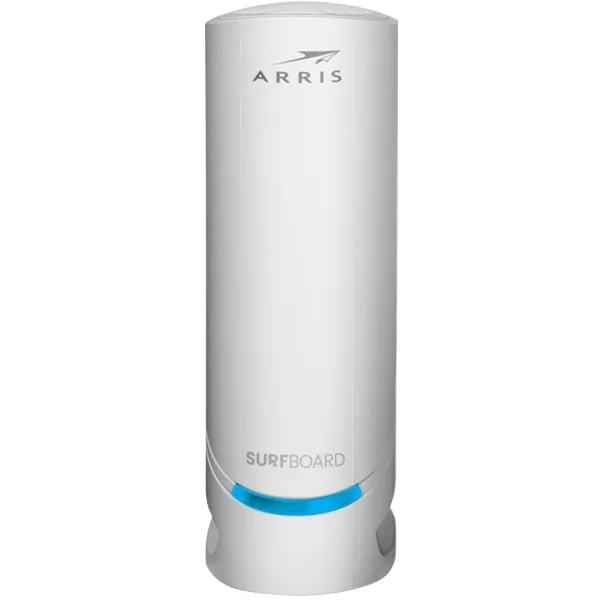
The S33's 2.5 Gbps hardware with a switchable upstream filter for faster next generation upload tiers, plus a 2 year warranty.
Best for: Most people on a gigabit or multi-gig cable plan who want a modem ready for faster upload tiers without paying for high-split hardware.
- DOCSIS 3.1 with one 2.5 Gbps and one 1 Gbps Ethernet port, rated for cable plans up to 2.5 Gbps
- Switchable upstream filter (5-42 MHz or 5-85 MHz) per the ARRIS data sheet, so it can run the faster upload tiers cable ISPs are rolling out
- On Xfinity's Next Gen speed tier list, where Xfinity rates it for up to 444 Mbps wired upload; ARRIS lists Cox and Spectrum compatibility too
- 2 year limited warranty, double NETGEAR's 1 year
- No built-in Wi-Fi and no voice support, so you still need your own router and cannot use it for cable phone service
- Newer than the S33, so the owner track record is shorter
Own the ARRIS SURFboard S34? Tell us how it held up.
Thanks. Counted, and shown once enough owners have weighed in.
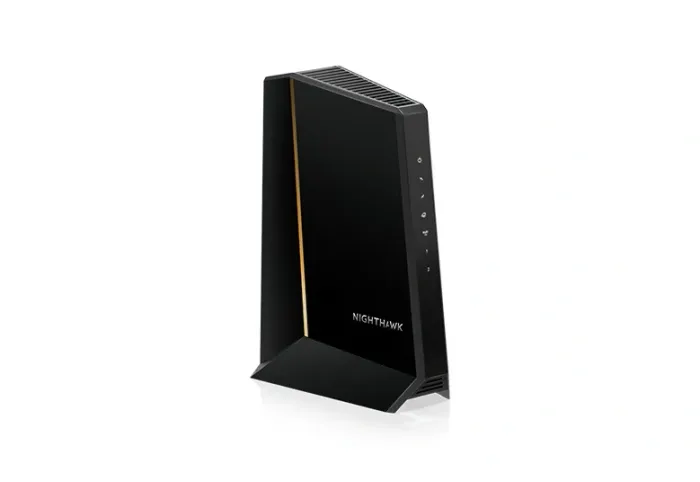
A mid-split and high-split DOCSIS 3.1 modem with a 2.5 Gbps port the only high-split modem here, at a higher price tier.
Best for: Buyers who want high-split upstream support and are willing to pay for high-split support their ISP may switch on later.
- DOCSIS 3.1 with mid-split and high-split support; NETGEAR rates it for up to 2.5 Gbps download and up to 1 Gbps upload
- On Xfinity's Next Gen speed tier list, where Xfinity rates it for up to 486 Mbps wired upload
- One 2.5 Gbps port plus two 1 Gbps ports that support link aggregation with a compatible router
- Costs more than the S34, and high-split only pays off once your ISP offers it; NETGEAR says high-split may come in the near future
- Not compatible with cable bundled voice service, and NETGEAR's warranty is 1 year, valid only from an authorized reseller
Own the NETGEAR Nighthawk CM3000? Tell us how it held up.
Thanks. Counted, and shown once enough owners have weighed in.
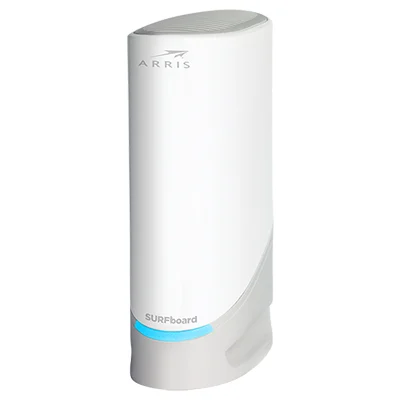
The proven 2.5 Gbps SURFboard, still a smart, cheaper buy if your plan has no next generation upload tier.
Best for: Buyers whose plan uses ordinary upload speeds and who want the cheaper SURFboard.
- Same port layout as the S34, one 2.5 Gbps and one 1 Gbps Ethernet port, rated for plans up to 2.5 Gbps
- On Xfinity's recommended-device list and approved for Cox and Spectrum per ARRIS, with a 2 year warranty
- Large owner base and a long track record of stable connections
- Not on Xfinity's Next Gen speed tier list, so it cannot use Xfinity's faster upload tiers
- Runs warm and needs open air around it, per owner reports
Own the ARRIS SURFboard S33? Tell us how it held up.
Thanks. Counted, and shown once enough owners have weighed in.
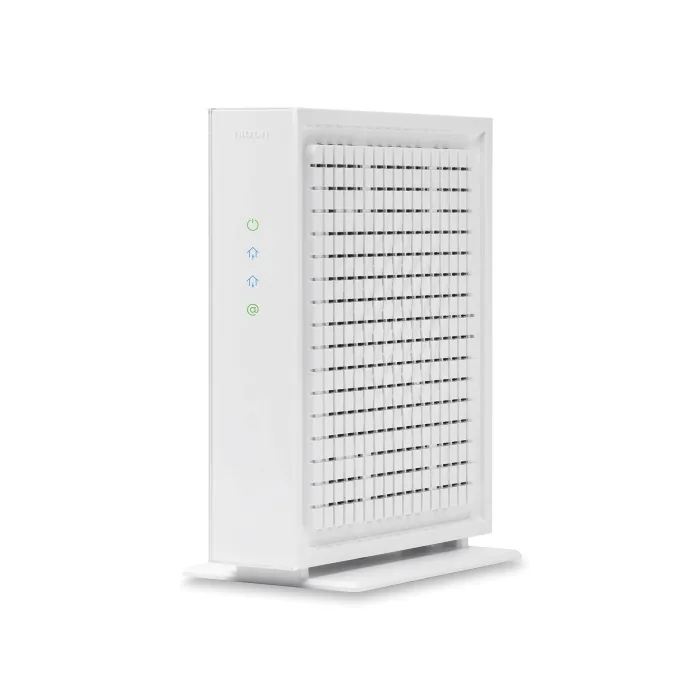
A retail DOCSIS 3.1 modem with switchable mid-split upstream and a 2.5 Gbps port, but only one Ethernet jack.
Best for: Xfinity or Cox customers who only need one wired connection and find it for less than the S34.
- DOCSIS 3.1 with a 2.5 Gbps Ethernet port; Hitron rates it for up to 2.5 Gbps download and up to 1 Gbps upload
- Switchable 5-42 MHz or 5-85 MHz upstream per Hitron's data sheet, and on Xfinity's Next Gen speed tier list at up to 455 Mbps wired upload
- Hitron lists approval by Xfinity, Spectrum, Cox and Sparklight, with activation through the Xfinity app
- Only one Ethernet port, so there is no spare jack for a second wired device
- The product page does not state the warranty; Hitron's US warranty statement says most of its products carry one year, against ARRIS's two
Own the Hitron CODA56? Tell us how it held up.
Thanks. Counted, and shown once enough owners have weighed in.
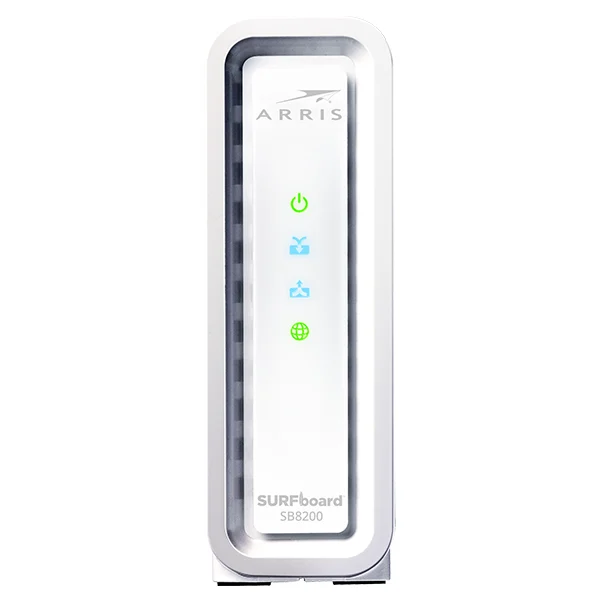
A reliable but aging DOCSIS 3.1 modem that ARRIS rates for plans up to 1 Gbps, too often priced near the faster SURFboards.
Best for: Almost nobody shopping new today; only worth it if you find it well below the price of a 2.5 Gbps modem.
- Long, well-documented owner track record on DOCSIS 3.1
- ARRIS lists Cox, Spectrum and Xfinity compatibility and a 2 year warranty
- Two 1 Gbps ports and no 2.5 Gbps port; ARRIS rates it for plans up to 1 Gbps
- Not on Xfinity's Next Gen speed tier list, and frequently priced near the S33, which does more
Own the ARRIS SURFboard SB8200? Tell us how it held up.
Thanks. Counted, and shown once enough owners have weighed in.
| Criteria | ARRIS SURFboard S34 Top pick Buy it Buy | NETGEAR Nighthawk CM3000 Buy it Buy | ARRIS SURFboard S33 It depends Buy | Hitron CODA56 It depends Buy | ARRIS SURFboard SB8200 Skip it Buy |
|---|---|---|---|---|---|
| Best for | Most people on a gigabit or multi-gig cable plan who want a modem ready for faster upload tiers without paying for high-split hardware. | Buyers who want high-split upstream support and are willing to pay for high-split support their ISP may switch on later. | Buyers whose plan uses ordinary upload speeds and who want the cheaper SURFboard. | Xfinity or Cox customers who only need one wired connection and find it for less than the S34. | Almost nobody shopping new today; only worth it if you find it well below the price of a 2.5 Gbps modem. |
| Price tier | $$ · mid-range | $$$ · premium | $$ · mid-range | $$ · mid-range | $$ · mid-range |
| Plan speed rating (maker) | Up to 2.5 Gbps | Up to 2.5 Gbps download | Up to 2.5 Gbps | Up to 2.5 Gbps download | Up to 1 Gbps |
| Upstream support | Switchable 42/85 MHz (mid-split) | Mid-split and high-split | Not stated by ARRIS | Switchable 42/85 MHz (mid-split) | Not stated by ARRIS |
| Xfinity Next Gen upload (Xfinity rating) | Up to 444 Mbps | Up to 486 Mbps | Not on Next Gen list | Up to 455 Mbps | Not on Next Gen list |
| Ethernet ports | 1x 2.5 GbE + 1x 1 GbE | 1x 2.5 GbE + 2x 1 GbE | 1x 2.5 GbE + 1x 1 GbE | 1x 2.5 GbE | 2x 1 GbE |
| ISP approval (maker) | Xfinity, Spectrum, Cox | Xfinity, Spectrum, Cox | Xfinity, Spectrum, Cox | Xfinity, Spectrum, Cox, Sparklight | Xfinity, Spectrum, Cox |
| Warranty | 2 years | 1 year (authorized resellers) | 2 years | Not listed on the product page | 2 years |
| Price tier | $$ · mid-range | $$$ · premium | $$ · mid-range | $$ · mid-range | $$ · mid-range |
Which one is right for you?
- Most people on a gigabit or multi-gig cable plan who want a modem ready for faster upload tiers without paying for high-split hardware. Buy it ARRIS SURFboard S34
- Buyers who want high-split upstream support and are willing to pay for high-split support their ISP may switch on later. Buy it NETGEAR Nighthawk CM3000
- Buyers whose plan uses ordinary upload speeds and who want the cheaper SURFboard. It depends ARRIS SURFboard S33
- Xfinity or Cox customers who only need one wired connection and find it for less than the S34. It depends Hitron CODA56
- Almost nobody shopping new today; only worth it if you find it well below the price of a 2.5 Gbps modem. Skip it ARRIS SURFboard SB8200
How we judged the field
We don’t run our own modem lab. Instead, we read each maker’s spec page and data sheet, the cable-ISP approved-device lists, and aggregated owner reports to judge these modems on what matters when you’re trying to ditch a rental fee. Four things drove our verdicts. First, speed headroom: does the modem’s fastest Ethernet port keep up with gigabit and multi-gig plans, and can it use the faster upload tiers cable ISPs are rolling out? Second, ISP compatibility: a technically great modem is useless if your provider won’t activate it, so approval lists carried real weight. Third, reliability and support: owner reports on drops and heat, plus the warranty each maker states. Fourth, value: whether a modem earns its price against its closest rival.
ARRIS SURFboard S34
Buy itThe S34 is the modem we’d hand most people. It keeps the S33’s layout, one 2.5 Gbps and one 1 Gbps Ethernet port on DOCSIS 3.1, rated for plans up to 2.5 Gbps, and adds what ARRIS calls Next Generation Upload Speed optimization. The ARRIS data sheet Cox hosts spells it out: a switchable upstream filter that runs at 5-42 MHz or 5-85 MHz, which is what lets a modem use the mid-split upload tiers cable ISPs are rolling out. Xfinity puts it on its Next Gen speed tier list at up to 444 Mbps wired upload, and ARRIS lists Cox and Spectrum too. It carries a 2 year warranty. There’s no Wi-Fi and no voice support, and because it’s newer than the S33 its owner record is shorter. For a modem you’ll keep through the next round of upload upgrades, it’s the sensible default.
NETGEAR Nighthawk CM3000
Buy itThe CM3000 is for the shopper who wants the most upstream room on paper, and it is the only modem here with high-split. NETGEAR builds it on mid-split and high-split DOCSIS 3.1 and rates it for up to 2.5 Gbps download and up to 1 Gbps upload. That upload figure is NETGEAR’s rating against the DOCSIS spec; on Xfinity’s Next Gen list it is certified for up to 486 Mbps wired upload, a little above the S34’s 444. It has one 2.5 Gbps Ethernet port and two 1 Gbps ports that can be aggregated with a compatible router. NETGEAR lists it as working with Xfinity, Spectrum and Cox, though not with cable bundled voice service, and notes that mid-split is offered only by some ISPs in some regions while high-split may come in the near future. The catch is price, a tier above the S34, and a 1 year warranty against SURFboard’s 2. If you want high-split ready hardware now, it’s the one to buy.
ARRIS SURFboard S33
It dependsThe S33 was our previous pick and it’s still a good modem: the same 2.5 Gbps plus 1 Gbps port layout as the S34, rated for plans up to 2.5 Gbps, a 2 year warranty, and a long owner record of stable connections. Xfinity even lists it as a recommended device. What it lacks is the S34’s next generation upload support: it is on Xfinity’s general compatible list but not the Next Gen speed tier list. So it depends on your plan. If your upload speeds are ordinary and your ISP hasn’t upgraded your area, the S33 does the job for less. If you have or want a faster upload tier, spend the difference on the S34. Owners say it runs warm, so give it open air.
Hitron CODA56
It dependsThe CODA56 is Hitron’s retail DOCSIS 3.1 modem, and on paper it lines up with the S34 for upload readiness: Hitron’s data sheet lists a switchable 5-42 MHz or 5-85 MHz upstream, Hitron rates it for up to 2.5 Gbps download and up to 1 Gbps upload, and Xfinity puts it on the Next Gen speed tier list at up to 455 Mbps wired upload. Hitron lists approval by Xfinity, Spectrum, Cox and Sparklight, with self-activation through the Xfinity app. Two facts keep it at it depends. It has a single 2.5 Gbps Ethernet port and nothing else, so there is no spare jack. And the product page doesn’t state its warranty; Hitron’s US warranty statement says most of its products carry one year, half of ARRIS’s two. If you only need one wired connection and find it for less than the S34, it’s a fair buy.
ARRIS SURFboard SB8200
Skip itThe SB8200 isn’t a bad modem. It’s a reliable DOCSIS 3.1 unit with one of the longest owner track records on this list, and ARRIS still backs it with 2 years of warranty. The reason to skip it is headroom. It has two 1 Gbps ports and no 2.5 Gbps port, ARRIS rates it for plans up to 1 Gbps, and it isn’t on Xfinity’s Next Gen speed tier list. Yet it is frequently priced near the S33, which does more for similar money. It only makes sense if you find it clearly cheaper than a 2.5 Gbps modem and are sure you’ll never move past gigabit.
Sources
Specs in this review come from these pages.
- ARRIS SURFboard S34 product page (surfboard.com)
- Cox, ARRIS SURFboard S34 data sheet (webcdn.cox.com)
- ARRIS SURFboard S33 product page (surfboard.com)
- ARRIS SURFboard SB8200 product page (surfboard.com)
- NETGEAR Nighthawk CM3000 product page (netgear.com)
- Hitron CODA56 product page (us.hitrontech.com)
- Hitron CODA56 data sheet (us.hitrontech.com)
- Hitron US limited warranty statement (us.hitrontech.com)
- Xfinity, full list of compatible devices (assets.xfinity.com)
- Xfinity, upgraded areas and upload speeds (xfinity.com)
ARRIS SURFboard S34 vs NETGEAR Nighthawk CM3000: which should you buy?
Both are standalone DOCSIS 3.1 modems with a 2.5 Gbps port, both are on Xfinity’s Next Gen speed tier list, and both are listed for Xfinity, Spectrum and Cox. The difference is how far upstream they go. The S34’s filter switches between 42 MHz and 85 MHz, which covers today’s mid-split tiers. The CM3000 adds high-split, which NETGEAR says ISPs may offer in the near future, and NETGEAR rates it for up to 1 Gbps upload; Xfinity’s own certification is up to 486 Mbps for the CM3000 against 444 Mbps for the S34. The S34 counters with a lower price tier and a 2 year warranty against NETGEAR’s 1. Our rule of thumb: buy the S34 unless you specifically want high-split hardware or the CM3000’s extra 1 Gbps port. On Xfinity, neither will get X-Class speeds, which Xfinity says customer-owned modems cannot currently use.
What to look for
- DOCSIS 3.1, not 3.0. It handles today’s gigabit and multi-gig plans and stays on ISP approved lists longer.
- A 2.5 Gbps Ethernet port if you have or might get a plan faster than gigabit. A 1 Gbps-only modem will bottleneck you.
- Upload tier support. If your ISP sells faster upload plans, look for a switchable upstream filter or mid-split support, and check the ISP’s own list (Xfinity calls it the Next Gen speed tier).
- Your ISP’s approved-device list. Check that your exact model is approved for your provider and your plan speed before buying.
- Warranty and ports. Makers here range from 1 to 2 years, and port counts from one jack to three.
- Ventilation. Owners report the S33 runs warm, so give a modem open air rather than burying it in a cabinet.
Our final take
Buying your own cable modem pays you back on a schedule, and the choice is simpler than the crowded shelf suggests. The ARRIS SURFboard S34 is the pick for most people: 2.5 Gbps ready, built for the faster upload tiers cable ISPs are rolling out, approved by the big three US cable providers, and covered for 2 years. Choose the NETGEAR Nighthawk CM3000 if you want high-split support, which no other modem here offers. The ARRIS SURFboard S33 remains a cheaper buy for plans without a faster upload tier, and the Hitron CODA56 suits a one-jack setup. Skip the ARRIS SURFboard SB8200 and its 1 Gbps rating. Whichever you choose, confirm it’s on your provider’s approved list first, and remember that on Xfinity, X-Class speeds still need a leased gateway.
Questions, answered
Will buying my own modem really save money versus renting?
In most cases yes. Cable providers charge a recurring monthly equipment fee, and a DOCSIS 3.1 modem can take a year or two of those fees to pay back, depending on your provider. After that break-even point, every month is savings, and you keep the modem across plan changes.
What is a "Next Gen" or mid-split upload tier, and do I need it?
Cable ISPs are widening the upstream part of the cable spectrum so they can sell faster upload speeds. A modem needs a switchable or wider upstream filter to use it. The S34, CM3000 and CODA56 are on Xfinity's Next Gen speed tier list; the S33 and SB8200 are not. If your plan's upload is ordinary and your ISP has not upgraded your area, you do not need it yet.
Can a modem I buy get Xfinity's fastest X-Class speeds?
Not currently. Xfinity says X-Class speeds are available in limited areas and that customer-owned modems are not currently compatible with them. In those areas you would need Xfinity's leased gateway for the top tiers.
Which modem should I buy for a gigabit or multi-gig cable plan?
Choose a DOCSIS 3.1 modem with a 2.5 Gbps Ethernet port, like the ARRIS SURFboard S34, NETGEAR Nighthawk CM3000, ARRIS SURFboard S33 or Hitron CODA56. A modem with only 1 Gbps ports, such as the SB8200, will bottleneck plans faster than gigabit.
Do these work with any internet provider?
No. These are cable modems, so they only work on cable internet providers. They will not work on fiber, DSL, or fixed-wireless service. Always confirm your exact model is on your provider's approved-device list before buying, since approvals vary by ISP and plan speed.
Do I still need a router if I buy one of these?
Yes. All five are standalone modems with no built-in Wi-Fi, so you connect your own router or mesh system to them. None supports cable voice service either.
Deciding between the top two? See our head-to-head: ARRIS SURFboard S34 vs NETGEAR Nighthawk CM3000.
More in Tech & Gadgets
Cable Modems, Explained Plain-English guide → ARRIS SURFboard S34 vs NETGEAR Nighthawk CM3000 Head-to-head →  The Best Network Cable Testers: 4 Compared (and One to Skip)
  The Best Camera Straps: 4 Compared (and One to Skip)
  The Best Camera Tripods: 4 Compared (and One to Skip)
  The Best Charging Stations: 4 Compared (and One to Skip)