Explained
USB Microphones, Explained
After reading, you will know which USB microphone suits your room and why capsule type matters more than any headline feature.
In this guide
A USB microphone plugs straight into your computer and skips the audio interface a traditional studio mic needs, which makes it the natural starting point for podcasting, streaming, and calls. The catch is that most listings lead with features that barely affect your sound while burying the one that decides it: whether the mic is a dynamic or a condenser. Get that single choice right for your room and everything else is fine-tuning.
The 30-second version
- Match the mic to your room first. a dynamic capsule forgives an untreated, noisy space, while a condenser rewards a quiet, treated one.
- Capsule type outranks headline specs. sample rate, polar-pattern count, and lighting matter far less than whether the mic drags the room into your recording.
- Onboard processing does real work. a built-in noise gate or denoiser cleans up sound that beginners struggle to fix in software afterwards.
- You will touch the controls constantly. a quiet mute and a zero-latency headphone jack matter more day to day than most spec-sheet numbers.
- USB is enough for most solo creators. an XLR output only earns its keep if you plan to add an interface or mixer later.
The products this guide is about
Our verdict on each, with the full reasoning on the companion review.
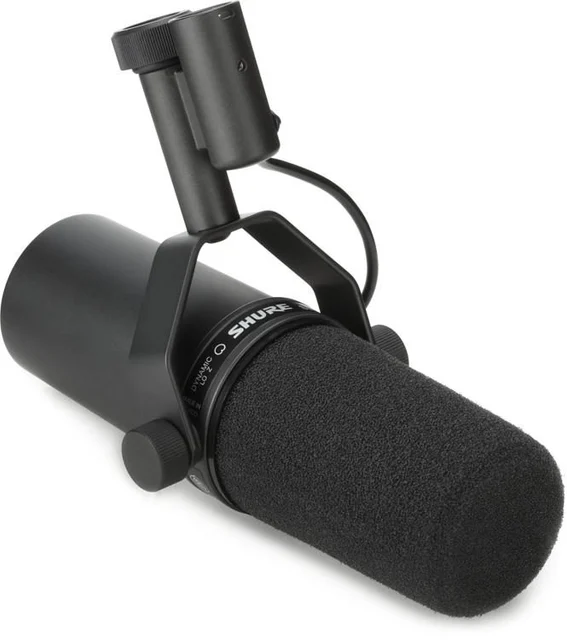
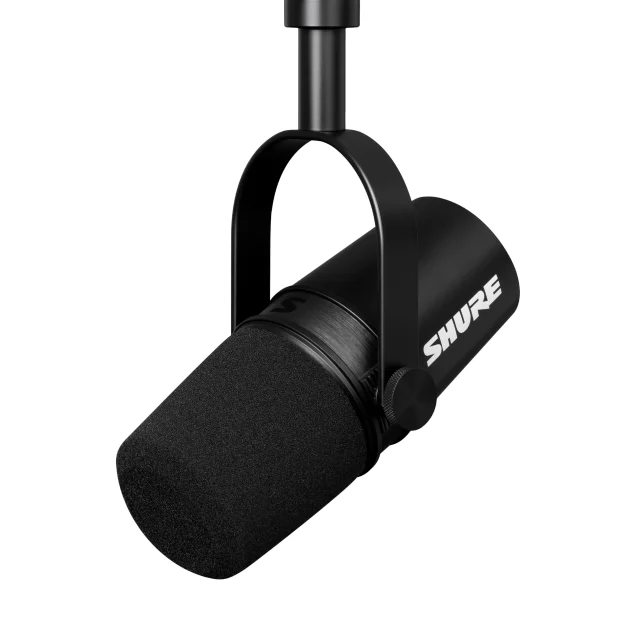
- Buy Shure MV7+ A hybrid dynamic mic that keeps an untreated room out of your recording. Amazon
- Buy Rode NT-USB+ A studio condenser that arrives ready to record, processing and all. Amazon
- It depends HyperX QuadCast 2 A streaming-first condenser with fast controls and desk lighting. Amazon
- Skip Logitech Blue Yeti The popular default that floods an untreated room straight into your track. Amazon
What actually matters
- Capsule type (dynamic vs condenser) - this decides how much of your room the mic captures, so it is the first thing to settle, not the last.
- Your recording environment - bare walls, keyboards, and street noise favour a dynamic mic; a quiet, soft-furnished room lets a condenser shine.
- Onboard processing - a noise gate, compressor, or denoiser built into the mic saves hours of editing you would otherwise do by hand.
- Live controls - a mute you can hit silently and a headphone output for real-time monitoring are the features you use every session.
- Upgrade path - a hybrid USB and XLR output lets you start simple and move to an interface later without buying a new mic.
- Mounting and accessories in the box - a shock mount, pop filter, and stand included means you can record immediately rather than shopping again.
- Address orientation - end-address mics are spoken into from the top, side-address mics from the side, and using the wrong one leaves you sounding distant.
The specs, in plain English
Green flags vs red flags
Green flags
- A dynamic capsule if you record in an untreated or shared room
- Onboard processing such as a noise gate or denoiser you can leave running
- A quiet, tactile mute control and a headphone jack for monitoring
- Everything needed to record in the box, such as a stand, mount, and pop filter
- A hybrid USB and XLR output if you expect to upgrade your setup later
- Clear guidance on how close to sit and which side to address
Red flags
- A highly sensitive condenser marketed as plug-and-play with no noise gate
- Marketing that leads with sample rate or lighting instead of capsule type
- A long list of polar patterns aimed at solo users who only need cardioid
- A side-address design with no explanation of which side to speak into
- No headphone output, leaving you unable to monitor while recording
- Reliance on desktop software to unlock basic, everyday adjustments
Who's who: the brands
- Shure - A long-established microphone maker known for durable broadcast and stage mics, including hybrid USB and XLR models.
- Rode - An Australian brand popular with podcasters and creators for feature-rich mics that ship ready to record.
- HyperX - A gaming-focused brand whose mics emphasise streamer-friendly controls, quick muting, and desk lighting.
- Logitech - A large peripherals maker whose Blue line, including the widely sold Yeti, made USB mics mainstream.
- Audio-Technica - A respected audio manufacturer offering well-regarded entry and mid-range USB microphones.
- Elgato - A streaming-gear specialist whose mics pair closely with its broader creator and broadcast ecosystem.
How to read a listing without getting fooled
Start by finding the capsule type, which is often listed as dynamic or condenser partway down the spec sheet rather than in the headline. If a listing shouts about a high sample rate, RGB lighting, or a long polar-pattern count but stays quiet about the capsule, treat that as a nudge to dig deeper rather than a mark of quality. Check whether the mic is end-address or side-address so you know where to speak, and look for onboard processing such as a noise gate, since that does work you would otherwise have to learn in editing software. Confirm there is a headphone output for monitoring, and note whether a stand, mount, and pop filter are included or sold separately. Finally, decide whether you need an XLR output for later; if you are a solo creator with no plans to add an interface, plain USB is genuinely all you require.
How much should you spend?
The biggest driver of cost is the capsule and the onboard processing built around it, not the accessories or the finish. Entry-level USB mics are inexpensive and fine for calls, but many are sensitive condensers with no way to tame the room, which often means more editing later. Stepping up to the mid-range usually buys you a better capsule, useful onboard processing, and controls that help while you record, which is where most podcasters and streamers find the sweet spot. Spending more still makes sense when you want a dynamic capsule that ignores an untreated room, or a hybrid mic with an XLR output so you never have to rebuy as your setup grows. Paying a premium is harder to justify if your room is already quiet and you only need a clean, simple recording, where a well-equipped mid-range condenser delivers most of the benefit.
Questions, answered
Do I need a dynamic or a condenser USB microphone?
It depends entirely on your room. If your space is untreated, shared, or noisy, choose a dynamic mic, because it ignores most background sound. If your room is quiet and soft, a condenser rewards you with more detail. This one decision matters more than any other spec.
Is a more expensive USB mic always better?
No. Price often buys a better capsule and useful onboard processing, but a costly condenser in a noisy room will sound worse than a modest dynamic mic in the same space. Match the mic to your environment first, then spend within that category.
Does a higher sample rate mean better sound?
Rarely in any way you will hear. Numbers like 24-bit/96kHz look impressive, but capsule type, how close you sit, and your room have far more effect on how your voice actually sounds.
Will a USB mic remove background noise by itself?
Only partly. A mic with an onboard noise gate or denoiser reduces steady background sound, but no mic erases a loud room. The bigger levers are capsule type and sitting close, especially with a dynamic mic.
Do I need XLR, or is USB enough?
For most solo creators, USB is enough and simpler. XLR only matters if you plan to add an audio interface or mixer later. A hybrid mic with both lets you start on USB and switch without buying a new microphone.
Why do so many people say to avoid the popular default mic?
Many best-selling USB mics are sensitive side-address condensers with no noise gate, so in an untreated room they capture keystrokes, hum, and knocks, and people often speak into the wrong side. They can sound fine in a treated, quiet space, but that is a lot of conditions for a mic sold as simple.
Or jump to the head-to-head: Shure MV7+ vs Rode NT-USB+.