Explained
Mesh Wi-Fi Systems, Explained
After reading, you will understand how mesh Wi-Fi works and which specs matter for your home, so you can buy confidently without overpaying for numbers you will never use.
In this guide
Mesh Wi-Fi replaces a single router with two or more units that blanket a whole home in one seamless network, killing dead zones. The trap for first-time buyers is the marketing: giant 'BE' speed numbers, extra bands, and premium tiers promise headroom most homes can never reach, while the specs that actually change your day-to-day experience get buried. This guide decodes the vocabulary so you can match a system to your internet plan and your walls.
The 30-second version
- Buy for your plan and your walls, not the headline speed number; a sensible tri-band Wi-Fi 7 system already outruns a typical 1-gigabit connection.
- Backhaul is the whole game. How the nodes talk to each other, wired Ethernet where possible or a dedicated wireless band, decides whether you keep your speed at range.
- Coverage is about layout, not just square footage. Thick walls and multiple floors cut range far more than raw floor area, so plan node placement accordingly.
- Watch for subscription paywalls. Some brands lock parental controls and security behind recurring fees; others include everything free for the life of the hardware.
- More bands and more gigabits are not automatically better. They only help if your internet plan, wired devices, and home size can actually use them.
The products this guide is about
Our verdict on each, with the full reasoning on the companion review.
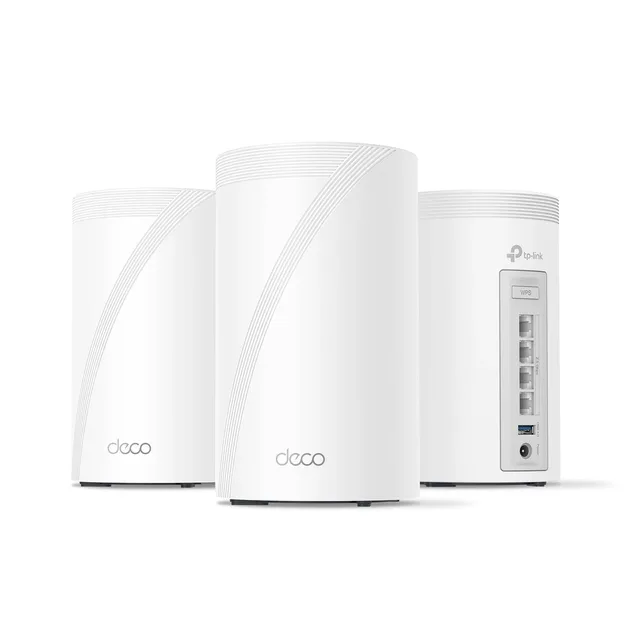
- Buy TP-Link Deco BE63 (Deco 7 Pro) Real Wi-Fi 7 performance and multi-gig wired flexibility at a price that doesn't make you wince. Amazon
- Buy eero (Amazon) Amazon eero Pro 7 The set-and-forget pick - simplest setup around and a real smart-home hub baked in. Amazon
- It depends ASUS ZenWiFi BT10 10-gig wired and a deep feature set with zero subscriptions - if you'll actually use it. Amazon
- Skip NETGEAR Orbi 970 Series (RBE973S) The fastest mesh reviewers have tested - and priced like a luxury item with its best features rented, not owned. Amazon
What actually matters
- Real-world throughput at range matters more than the peak lab number, because you care about speed in the far bedroom, not next to the main unit.
- Backhaul type (wired Ethernet vs. dedicated wireless band) determines how much speed survives the hop between nodes.
- Coverage per node and node count must match your square footage, wall construction, and number of floors.
- Wired port count and speed decide how many desktops, consoles, and NAS boxes you can hardwire and whether you can wire the backhaul.
- Subscription requirements for security and parental controls affect the true long-term cost of ownership.
- Ease of setup and management ranges from hands-off apps to deep manual controls; pick the philosophy that matches how much you want to tinker.
- Smart-home hub support (Thread, Zigbee, Matter) can let the mesh replace separate bridges if you run connected devices.
The specs, in plain English
Green flags vs red flags
Green flags
- Tri-band Wi-Fi 7 with MLO support, which covers what nearly every home actually needs
- Multi-gig Ethernet ports on every node so you can wire a backhaul and hardwire devices
- Parental controls, QoS, and basic security included with no subscription
- A coverage-per-node figure and node count that comfortably match your square footage and layout
- A dedicated backhaul (wired or a reserved wireless band) to hold speed at range
Red flags
- A gigantic 'BE' speed number used as the main selling point when your internet plan is a fraction of it
- Everyday features like security or parental controls locked behind a recurring subscription
- Only one or two Ethernet ports per node when you plan to hardwire several devices
- Coverage claims that assume an open floor plan when your home has thick walls or several floors
- Bulky units that are hard to place well, since node placement drives real performance
- Paying flagship prices for 10-gig ports and extra bands you have no way to use
Who's who: the brands
- TP-Link (Deco) - Known for strong value: current Wi-Fi standards and generous multi-gig wired ports without flagship pricing.
- eero (Amazon) - The set-and-forget brand, prized for the simplest setup and app plus built-in smart-home hub support.
- ASUS (ZenWiFi) - Enthusiast-friendly, with deep manual controls, 10-gig ports, and security features included free for the life of the hardware.
- NETGEAR (Orbi) - The high-end performance brand, offering the fastest, most capable systems at premium prices with some features behind a subscription.
How to read a listing without getting fooled
Start at the bottom of the spec sheet, not the top. Ignore the giant 'BE' headline number, it is a theoretical sum of every band added together and no single device ever reaches it. Instead, find the band layout (tri-band is fine for most homes), confirm MLO support, and check the number and speed of Ethernet ports per node, since that governs how many devices you can hardwire and whether you can run a wired backhaul. Read the coverage figure as optimistic and mentally discount it for walls and floors. Finally, hunt for the words 'subscription', 'plan', or a branded security or parental-control name, then confirm whether those features are included or rented; that single detail often separates two systems that look identical on paper.
How much should you spend?
Spend on the specs your home can actually use, and no more. The value sweet spot for most homes is a tri-band Wi-Fi 7 system with multi-gig ports on each node, which delivers current features and honest coverage without flagship pricing. Paying up makes sense only when you have a genuine reason: a multi-gigabit internet plan that needs 10-gig ports, a very large or multi-floor home that benefits from quad-band radios and a dedicated backhaul, or an enthusiast's desire for deep controls. Where systems look close, weigh the recurring cost of subscriptions: a cheaper unit that rents its security and parental controls can cost more over years than a pricier one that includes them free. The wrong buy is a luxury flagship whose speed and extra bands outrun what your plan and walls will ever call on.
Questions, answered
Do I need Wi-Fi 7, or is Wi-Fi 6 or 6E good enough?
If your current Wi-Fi is fine, you do not urgently need to upgrade. But if you are buying new, Wi-Fi 7 is worth it: features like MLO improve latency, stability, and how the system juggles many devices, even on a 1-gigabit plan where you will never see the headline speeds.
Should my nodes connect wirelessly or by Ethernet?
Wired Ethernet backhaul is best wherever you can run a cable, because it preserves full speed between nodes and frees the airwaves for your devices. Multi-gig ports on every unit make this easier. Where wiring is impossible, a system with a dedicated wireless backhaul band is the next-best choice.
How many nodes do I actually need?
Match node count to your square footage, layout, and construction, not just floor area. A typical home does well with two or three nodes; thick walls and multiple floors call for more or for careful placement. Buy a system that lets you add nodes later if you are unsure.
Why are the advertised speeds so much higher than what I get?
The big 'BE' number adds every band's theoretical maximum together under perfect conditions. No single device connects to all bands at once, and real walls, distance, and your internet plan cap the result. Judge a system by real-world throughput at range, not the sticker number.
Are the monthly subscriptions worth paying for?
It depends on the features. Some brands gate security, ad blocking, and advanced parental controls behind a recurring plan, while others include comparable tools free. If you rely on those features, factor the ongoing fee into the total cost, or choose a brand that bundles them at no extra charge.
Or jump to the head-to-head: TP-Link Deco BE63 (Deco 7 Pro) vs eero (Amazon) Amazon eero Pro 7.