Explained
Logic Analyzers, Explained
After reading, you'll understand why a 24 MHz logic analyzer is really a 6 MHz instrument, and which four specs decide whether a tool is worth buying.
In this guide
First-time buyers almost always sort by sample rate, because it is the biggest number on the listing and it is the only one every seller prints. That number is the least informative thing on the page. What decides whether your capture is readable is the bandwidth of the front end, how far you can move the threshold, how much the probe loads the circuit, and whether the software can decode what you are looking at. Almost nobody explains this before you have already bought the wrong one.
The 30-second version
- Sample rate is not bandwidth, and the usual working rule is to sample at least four times faster than the digital signal you want to see.
- A 24 MHz analyzer is a 6 MHz tool, which is genuinely enough for standard I2C and typical UART, and not enough for fast SPI.
- The software is most of the product, because raw ones and zeros are useless until a decoder turns them into transactions you can read.
- Threshold range decides compatibility, so an adjustable threshold covering 0 V to 5 V is worth more than another hundred megasamples per second.
- Protection ratings are the survival spec, and a maker who publishes an absolute maximum input voltage has thought about the day you miscount pins.
The products this guide is about
Our verdict on each, with the full reasoning on the companion review.
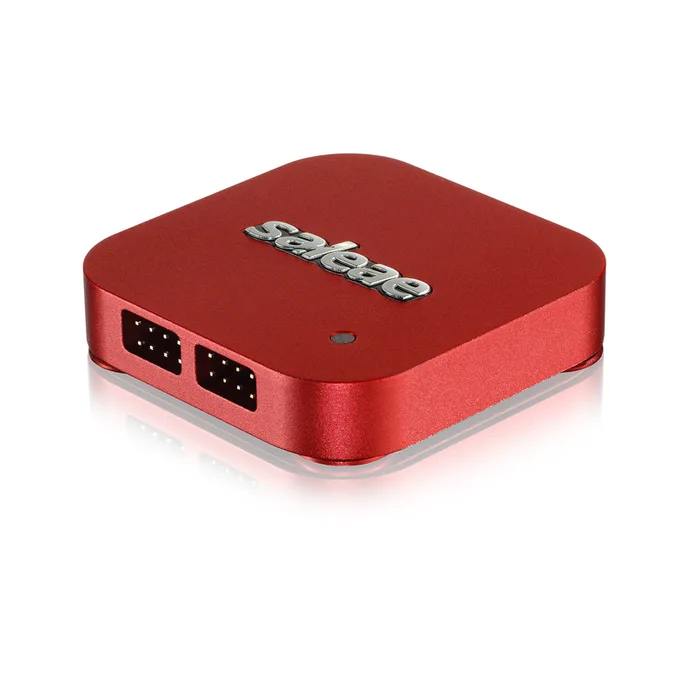
- Buy Saleae Logic Pro 8 The one whose datasheet answers nearly every question, with a published 100 MHz digital bandwidth instead of just a sample rate number. Amazon
- Buy DreamSourceLab DSLogic Plus Sixteen channels, a threshold you can put anywhere from 0 V to 5 V, and real on-board capture memory for budget money. Amazon
- It depends Digilent Digital Discovery Thirty-two channels plus a pattern generator and programmable supplies, aimed squarely at parallel buses and FPGA work. Amazon
- Skip Saleae Logic 8 Premium price, and a datasheet that quotes 25 MHz digital bandwidth and 100 MS/s on only three channels. Amazon
What actually matters
- Bandwidth - this is the highest frequency the analog front end can pass before edges smear into mush. It is the ceiling on what you can actually see, and it is often a small fraction of the advertised sample rate.
- Sample rate - how many times per second the device reads the pin. Useful only in relation to bandwidth, and usually only achievable on a subset of the channels at once.
- Channel count at rate - almost every device trades channels for speed. The Logic Pro 8 hits 500 MS/s on four channels and 100 MS/s on eight, so read the footnotes before assuming the headline applies to your setup.
- Threshold voltage - the level at which the device decides a signal is high rather than low. An adjustable threshold reads 1.2 V, 1.8 V, 3.3 V and 5 V logic; a fixed one does not.
- Input impedance - how much the probe loads the circuit, given as a resistance in parallel with a capacitance. More resistance and less capacitance means less disturbance to the signal you are trying to measure.
- Protection rating - the absolute maximum voltage the input survives. Saleae publishes -25 V to +25 V for its current devices; DreamSourceLab quotes -30 V to +30 V through the supplied fly wires.
- Capture memory - on-board RAM that holds the burst so the USB link does not have to keep up in real time. Devices with none, including the FX2 boards, stream everything live and drop samples when the host stalls.
The specs, in plain English
Green flags vs red flags
Green flags
- The maker publishes an input bandwidth figure, or at minimum a minimum pulse width, alongside the sample rate.
- Input impedance is stated as a resistance and a capacitance rather than left blank.
- The threshold voltage is adjustable across a range instead of fixed at one logic family.
- An absolute maximum input voltage or a protected input range appears somewhere on the datasheet.
- The software is cross-platform, actively updated, and either scriptable or open source.
Red flags
- Sample rate is the only performance number anywhere on the listing.
- The headline channel count and the headline sample rate cannot actually be used at the same time, and the footnote says so.
- No input impedance, threshold or protection figures are published at all.
- The listing shows brand names or software screenshots belonging to a different manufacturer.
- Software is Windows-only, unsigned, distributed as a bare archive, or has not been updated in years.
Who's who: the brands
- Saleae - The premium name in USB logic analyzers, known for the Logic 2 software and for datasheets that publish bandwidth, impedance and absolute maximum ratings.
- DreamSourceLab - Makes the DSLogic family and publishes DSView, its own GPLv3 capture software built on the sigrok project.
- Digilent - Test and measurement arm known for the Analog Discovery and Digital Discovery, all driven by the free cross-platform WaveForms application.
- Kingst - Maker of the budget LA series of USB logic analyzers.
How to read a listing without getting fooled
Start at the bottom of the spec sheet, not the top. Find the bandwidth line first; if there is not one, look for a minimum pulse width, and if there is neither, assume the front end is the weakest part of the product. Then check whether the headline sample rate applies to all channels or only some, because almost every device trades width for speed and the answer is usually in a footnote. Next find input impedance, threshold voltage range, and an absolute maximum input rating, which together tell you whether the tool disturbs your circuit and whether it survives a mistake. Only then look at channel count and memory. Finally, check what the software is, which operating systems it runs on, how many protocols it decodes, and whether the open-source sigrok project lists your exact model and hardware revision as supported rather than planned.
How much should you spend?
The budget tier gets you either an unbranded 8-channel board built on the Cypress FX2 chip, which is honestly a 6 MHz instrument with no capture memory and no hardware trigger, or a real 16-channel device like the DSLogic Plus with an adjustable threshold and on-board memory. The gap in usefulness between those two is enormous and the gap in price is small, so this is the one place where spending a little more changes everything. The mid-range tier buys specialist capability: more channels, pattern generation, programmable supplies, faster front ends. The premium tier is almost entirely about the front end and the software, and about datasheets that publish the numbers everyone else omits. Spend there if debugging is your job rather than your hobby, and be aware that within a single premium brand the cheaper model can be a much worse deal than the flagship.
Questions, answered
How many channels do I actually need?
Eight covers the common cases comfortably: I2C needs two, UART needs one or two, and SPI needs three plus one chip select per device. Sixteen starts to matter when you are watching two buses at once or want spare channels for GPIO markers you toggle from firmware. Thirty-two is parallel-bus and FPGA territory, and if you are not sure you need it, you do not. Channels are cheap compared to a front end that can actually see your signal.
Do I need analog channels too?
They are useful for a specific and common problem: confirming that a signal you think is digital really has clean edges and correct levels. Saleae's current devices double every digital input as an analog input, which makes catching a marginal rise time much easier. The catch is that the analog specs are modest, 1 MHz of bandwidth on the Logic 8 and 5 MHz on the Logic Pro 8, so this is a sanity check rather than a substitute for a scope. If you already own an oscilloscope, digital-only hardware like the DSLogic Plus or Digital Discovery is the better spend.
Can a logic analyzer replace an oscilloscope?
No, and the two answer different questions. An analyzer tells you what the bits were and when, across many channels at once, which is what you need for protocol problems. A scope tells you what the voltage actually looked like, which is what you need for ringing, reflections, slow edges and noise. A logic analyzer with analog channels blurs the line a little but the bandwidth on offer is far below a real scope's. Most benches end up with both, and most people are better served buying the analyzer first if their bugs are protocol bugs.
Does open-source software support matter if the vendor ships its own?
It matters more than it sounds. Open-source support through sigrok and PulseView means the device stays usable if the vendor loses interest, and it gives you access to a decoder library that currently stands at 131 protocols. It is not automatic, though: sigrok lists support model by model, and sometimes revision by revision, with the current Saleae generation marked as work in progress and a DSLogic Plus hardware variant shipping since early 2023 flagged as incompatible. If open-source support is part of why you are buying, check the specific model on the sigrok hardware list before ordering rather than after.
Or jump to the head-to-head: Saleae Logic Pro 8 vs DreamSourceLab DSLogic Plus.