

Tech & Gadgets
The Best Home NAS Devices: 4 Compared (and One to Skip)
We compared four current 2-to-4-bay home NAS units on transcoding, networking, software polish, expansion and value. Drives are sold separately.
The short version
For most homes in 2026 the UGREEN NASync DXP4800 Plus is the smartest buy: it is the only unit here with true 10GbE, it transcodes 4K in hardware, and it undercuts the incumbents on price. The TerraMaster F4-424 Pro is the value alternative, packing an eight-core Intel chip and DDR5 for less. Synology's DS925+ still wins on software polish and reliability, but its GPU-less CPU makes it a poor media streamer, so it is an it-depends pick. The QNAP TS-464 is capable yet runs aging silicon at a premium price, so we advise skipping it unless you are already invested in QNAP. Remember that all four ship without drives. Best for: buyers who want the strongest hardware-per-dollar home NAS, with UGREEN leading and TerraMaster close behind.
Our picks at a glance
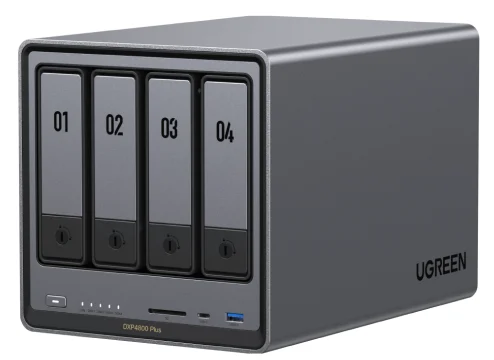
- UGREEN NASync DXP4800 Plus - Buy. The most hardware you can get in a home NAS right now, with true 10GbE and modern transcoding baked in.
- TerraMaster F4-424 Pro - Buy. The horsepower-per-dollar champion: an eight-core Intel chip and DDR5 for the price others charge for four-core boxes.
- Synology DiskStation DS925+ - It depends. The gold standard for software and reliability, but the hardware choices make it a poor fit for media streaming.
- QNAP TS-464 - Skip. A once-strong all-rounder now running aging silicon at a price the competition has left behind.
The verdict in 30 seconds
What mattered most
- Processor & transcoding
- Networking
- Max memory
- NVMe / expansion
- Software & ecosystem
- Drive compatibility
A network-attached storage box is the quiet workhorse of a home network: it backs up every device, hosts your photo library, and streams your media without a monthly bill. The field in 2026 splits cleanly between newcomers pushing aggressive hardware (UGREEN, TerraMaster) and incumbents selling software polish and reliability (Synology, QNAP). We landed on two confident buys, one it-depends, and one to skip. Note that every unit here ships diskless, so budget separately for two to four hard drives.
The most hardware you can get in a home NAS right now, with true 10GbE and modern transcoding baked in.
Best for: Media servers and creators who want fast networking and 4K transcoding without paying flagship prices.
- 12th-gen Intel Pentium Gold 8505 with Quick Sync integrated graphics handles 4K hardware transcoding without leaning on the CPU cores
- Genuine 10GbE port alongside a 2.5GbE port, a combination rivals charge far more for
- DDR5 memory starting at 8GB and expandable to 64GB, plus two NVMe slots and a 4K HDMI output
- Undercuts comparable incumbent units by a wide margin for the spec
- UGOS Pro software is improving quickly but is younger and less battle-tested than DSM
- Third-party app and package ecosystem is thinner than Synology's or QNAP's
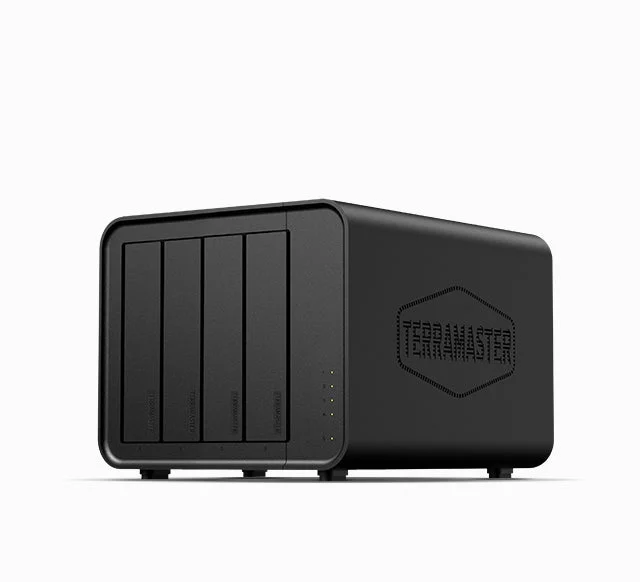
The horsepower-per-dollar champion: an eight-core Intel chip and DDR5 for the price others charge for four-core boxes.
Best for: Tinkerers and media hoarders who prioritize raw compute and price over a turnkey software experience.
- Eight-core Intel Core i3-N305 with integrated graphics delivers class-leading Plex and Emby transcoding for the money
- DDR5 memory expandable to 32GB and two NVMe slots make it a capable virtualization and container host
- Dual 2.5GbE ports with link aggregation support
- Consistently the value pick among 4-bay units in owner reports
- TOS software and the mobile apps feel less polished than the market leaders
- No 10GbE option, and many power users end up installing TrueNAS or Unraid to get the most out of it
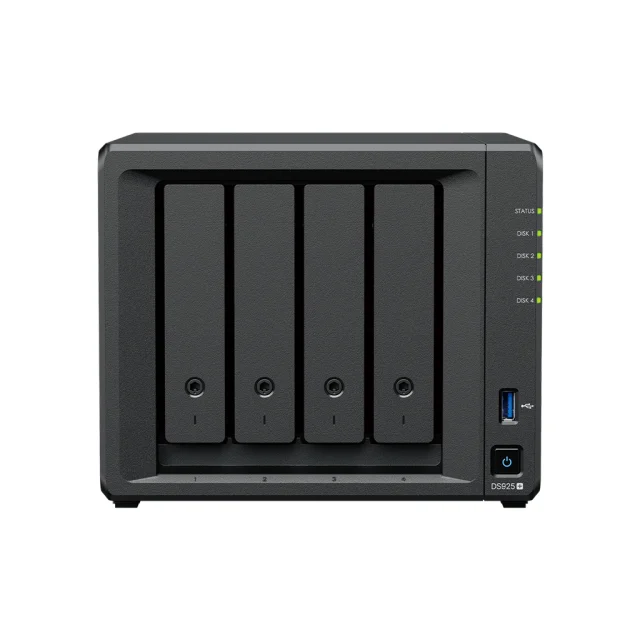
The gold standard for software and reliability, but the hardware choices make it a poor fit for media streaming.
Best for: Households that value rock-solid software and set-and-forget reliability over transcoding and raw value.
- DSM remains the most refined and dependable NAS operating system, with excellent backup, Drive, Docker, Virtual Machine Manager and Surveillance Station apps
- ECC memory, dual 2.5GbE and two NVMe slots on a four-bay chassis
- Deepest, most mature app and support ecosystem, ideal for less technical households
- The AMD Ryzen V1500B has no integrated GPU, so it cannot hardware-transcode video, a real problem for 4K Plex libraries
- 2025-generation drive-compatibility rules push buyers toward Synology-branded drives; third-party HDD support was restored in DSM 7.3 but friction remains
- Premium pricing for hardware that trails newcomers, and no onboard 10GbE
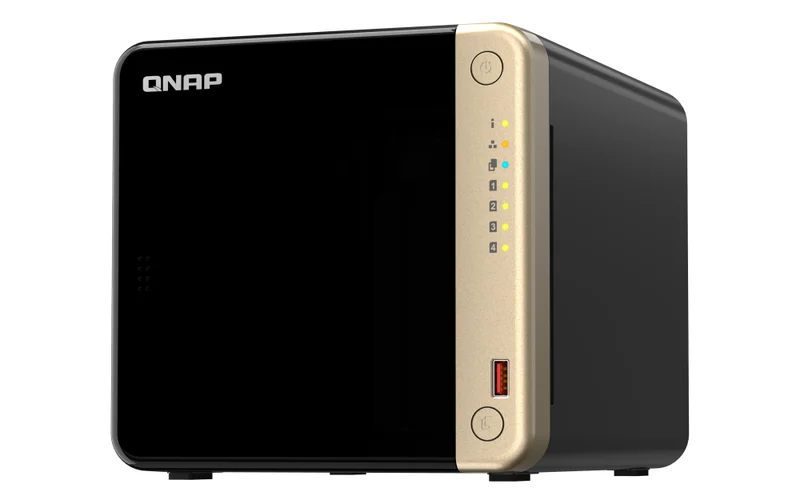
A once-strong all-rounder now running aging silicon at a price the competition has left behind.
Best for: Existing QNAP owners committed to the ecosystem; most new buyers can do better for less.
- Intel Celeron N5105 still handles 4K playback over HDMI, Docker and light Plex transcoding
- Feature-rich QTS software with ZFS-capable QuTS hero as an option and broad expansion accessories
- The N5105 is 2021-era hardware, and owners note it is outspecced by newer, cheaper rivals
- Premium asking price for dated silicon
- QTS can feel cluttered, and QNAP's history of security incidents means diligent patching is essential
| Criteria | UGREEN NASync DXP4800 Plus Top pick | TerraMaster F4-424 Pro | Synology DiskStation DS925+ | QNAP TS-464 |
|---|---|---|---|---|
| Verdict | Buy it | Buy it | It depends | Skip it |
| Best for | Media servers and creators who want fast networking and 4K transcoding without paying flagship prices. | Tinkerers and media hoarders who prioritize raw compute and price over a turnkey software experience. | Households that value rock-solid software and set-and-forget reliability over transcoding and raw value. | Existing QNAP owners committed to the ecosystem; most new buyers can do better for less. |
| Price tier | $$$ · premium | $$ · mid-range | $$$ · premium | $$$ · premium |
| Processor & transcoding | Intel Pentium Gold 8505, hardware 4K transcode | 8-core Core i3-N305, strong 4K transcode | AMD Ryzen V1500B, no GPU / no hardware transcode | Intel Celeron N5105, light 4K transcode |
| Networking | 10GbE + 2.5GbE | Dual 2.5GbE | Dual 2.5GbE | Dual 2.5GbE |
| Max memory | DDR5, up to 64GB | DDR5, up to 32GB | ECC DDR4, up to 32GB | DDR4, up to 16GB |
| NVMe / expansion | 2x NVMe, 4K HDMI, SD slot | 2x NVMe | 2x NVMe, USB-C expansion port | 2x NVMe, HDMI, PCIe slot |
| Software & ecosystem | UGOS Pro, improving but young | TOS, functional but basic | DSM, most polished and mature | QTS, powerful but cluttered |
| Drive compatibility | Open to third-party drives | Open to third-party drives | Nudges toward Synology drives | Open to third-party drives |
| Best use case | Fast media server / creators | Value transcoding & DIY OS | Reliable backup & apps | Existing QNAP owners |
| Price tier | $$$ · premium | $$ · mid-range | $$$ · premium | $$$ · premium |
Which one is right for you?
- Media servers and creators who want fast networking and 4K transcoding without paying flagship prices. Buy it UGREEN NASync DXP4800 Plus
- Tinkerers and media hoarders who prioritize raw compute and price over a turnkey software experience. Buy it TerraMaster F4-424 Pro
- Households that value rock-solid software and set-and-forget reliability over transcoding and raw value. It depends Synology DiskStation DS925+
- Existing QNAP owners committed to the ecosystem; most new buyers can do better for less. Skip it QNAP TS-464
How we judged the field
We do not run our own storage lab. Instead we synthesize published reviews and aggregated owner reports to reach a verdict you can trust. For home NAS units in the 2-to-4-bay class, a handful of criteria consistently separate a great buy from a frustrating one.
- Transcoding ability: whether the processor can hardware-transcode 4K video for Plex, Jellyfin or Emby, which is the single biggest differentiator for media use.
- Networking: 2.5GbE is now the floor; 10GbE is the meaningful upgrade for editing large files over the network.
- Software maturity: how polished, reliable and well-supported the operating system and mobile apps are, which matters most for non-technical households.
- Expansion and memory: NVMe cache slots, memory headroom, and upgrade paths that keep the unit useful for years.
- Drive freedom and value: whether you can use the drives you want, and how much hardware you get for the money. Remember that all of these ship without drives.
UGREEN NASync DXP4800 Plus
Buy itUGREEN is the newcomer that changed the math. The DXP4800 Plus pairs a 12th-generation Intel Pentium Gold 8505 with 8GB of DDR5 (expandable to 64GB), two NVMe slots, and, crucially, both a 10GbE and a 2.5GbE port. Its integrated graphics with Quick Sync are built for hardware 4K transcoding, and reviewers repeatedly note it undercuts comparable incumbent units by a wide margin. The catch is software: UGOS Pro is improving fast but is younger and has a thinner app ecosystem than DSM. For buyers who prioritize hardware and networking, that is an easy trade to make.
TerraMaster F4-424 Pro
Buy itThe F4-424 Pro is the horsepower-per-dollar pick. Its eight-core Intel Core i3-N305 with integrated graphics is, by owner and reviewer accounts, among the most capable media-class transcoding chips at its price, and DDR5 memory expandable to 32GB plus dual NVMe slots make it a genuinely strong container and virtualization host. It sticks to dual 2.5GbE rather than 10GbE, and TOS software is functional rather than delightful, which is why a portion of power users install TrueNAS or Unraid on it instead. If you want maximum compute for the least money and do not mind a bit of tinkering, it is an excellent buy.
Synology DiskStation DS925+
It dependsSynology still makes the software everyone else is chasing. DSM is the most polished and dependable NAS operating system, its backup, Drive, Docker, Virtual Machine Manager and Surveillance Station apps are excellent, and the DS925+ adds ECC memory, dual 2.5GbE and two NVMe slots. The problem is the hardware fit: its AMD Ryzen V1500B has no integrated GPU, so it cannot hardware-transcode video, making it a weak choice for 4K media streaming. Layer on premium pricing and the 2025-generation drive-compatibility saga, and it becomes a conditional recommendation. If you want a rock-solid appliance for backups and apps and do not care about transcoding, it is superb; if media streaming is your goal, look elsewhere.
QNAP TS-464
Skip itThe TS-464 was a strong all-rounder, and QTS remains a powerful, feature-dense platform with an optional ZFS-based edition. But in 2026 its Intel Celeron N5105 is 2021-era silicon, and owners increasingly note it is outspecced by newer, cheaper rivals while still commanding a premium price. Add QTS’s cluttered interface and QNAP’s well-documented history of security incidents, which demand diligent patching, and there is little reason for a new buyer to choose it. Existing QNAP owners with accessories to reuse are the exception; everyone else can do better for less.
UGREEN NASync DXP4800 Plus vs TerraMaster F4-424 Pro: which should you buy?
These are the two strongest units, and both are Intel-based media powerhouses that ship without drives, so the decision comes down to networking and software. The UGREEN wins on connectivity: its 10GbE port is a real advantage if you routinely move large video files or run a fast wired network, and its DDR5 ceiling of 64GB gives it more long-term headroom. The TerraMaster wins on price and raw core count, with an eight-core chip that can edge ahead on heavy parallel transcoding and virtualization workloads.
Choose the UGREEN DXP4800 Plus if you want the most complete, future-proof package and value fast networking and a slightly more consumer-friendly interface. Choose the TerraMaster F4-424 Pro if you want the best value, are comfortable with less polished software, and do not need 10GbE. Neither choice is a mistake; the UGREEN is simply the more rounded product for most homes.
What to look for
- Match the CPU to your use: if you want Plex or Jellyfin to stream 4K, insist on an Intel chip with integrated graphics for hardware transcoding, and be wary of GPU-less processors.
- Treat 2.5GbE as the minimum, and consider 10GbE only if the rest of your network and your workflow can actually use it.
- Buy memory and NVMe headroom you can grow into; DDR5 and two cache slots age far better than fixed, soldered configurations.
- Check drive compatibility before you buy, and factor two to four drives into your budget since every unit here is sold diskless.
- Weigh software honestly: DSM is the safest bet for non-technical users, while UGOS, TOS and QTS reward buyers willing to learn a little more.
- Plan an off-site backup regardless of model; a NAS with redundancy protects against a dead drive, not against theft, fire or ransomware.
Our final take
The home NAS market has been reshaped by aggressive newcomers, and the buying advice has shifted with it. The UGREEN NASync DXP4800 Plus is our top pick because it delivers the most hardware, the best networking, and modern transcoding at a price the incumbents have not matched. The TerraMaster F4-424 Pro is the value runner-up for buyers who want compute over connectivity. Synology’s DS925+ is still the reliability and software champion, but its inability to hardware-transcode makes it a considered, conditional choice rather than a default. The QNAP TS-464 is the one to skip in 2026 unless you are already locked into its ecosystem. Whichever you choose, budget for drives and an off-site backup, and you will have a home server that earns its keep for years.
Questions, answered
Do these NAS devices come with hard drives?
No. Every model here ships diskless, which is standard for this class. You buy two to four 3.5-inch SATA hard drives (or SSDs) separately and install them yourself. Budget for the drives as a meaningful part of the total cost, and where possible buy identical drives so a RAID array is balanced. This is general product information, not a recommendation for your specific setup; check each maker's current compatibility list before purchasing.
How many bays do I actually need, two or four?
A 2-bay unit in a mirrored configuration is plenty for backups and a photo vault, and it is cheaper and quieter. Choose a 4-bay model if you run a large, growing media library, want to stream several 4K files at once, or value more flexible expansion and redundancy. All four units reviewed here are four-bay, which is the sweet spot for a long-lived home server.
Which of these is best for a Plex or Jellyfin media server?
The UGREEN NASync DXP4800 Plus and TerraMaster F4-424 Pro are the strongest, because their Intel chips include integrated graphics that hardware-transcode 4K video efficiently. The Synology DS925+ is the weakest for this specific job: its AMD processor has no GPU and cannot hardware-transcode, so demanding 4K streams fall back to slower software transcoding.
What is the Synology drive lock-in issue?
Synology's 2025-generation units, including the DS925+, initially restricted full functionality to Synology-branded drives and a short approved list. After criticism, a DSM 7.3 update in late 2025 restored the ability to install the system and create storage pools on non-validated third-party drives on Plus, Value and J series models. Some friction and warning prompts can remain, so if you want maximum drive freedom, the other three brands are more open.
Is a NAS worth it over a cloud subscription?
For most households that store a lot of photos, video and backups, yes. A NAS is a one-time hardware cost (plus drives and electricity) rather than a recurring fee, keeps your data in your own home, and gives you far more space than typical cloud tiers. The trade-off is that you are responsible for setup, updates and an off-site backup copy, since a single NAS is not itself a complete backup strategy.
Deciding between the top two? See our head-to-head: UGREEN NASync DXP4800 Plus vs TerraMaster F4-424 Pro.
More Tech & Gadgets reviews
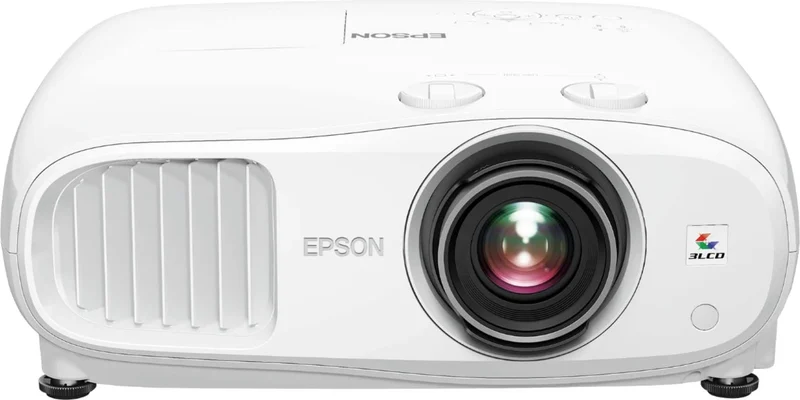 The Best Home Theater Projectors: 4 Compared (and One to Skip)
 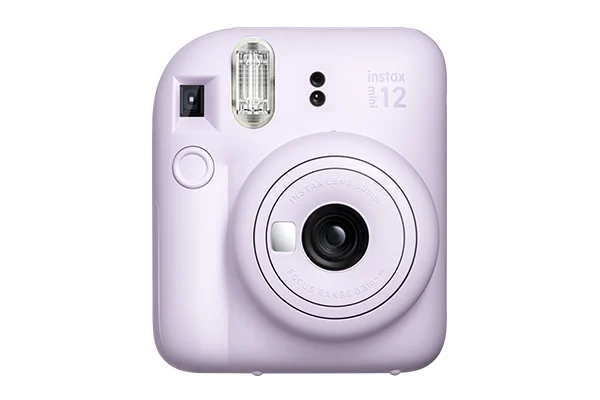 The Best Instant Print Cameras: 4 Compared (and One to Skip)
 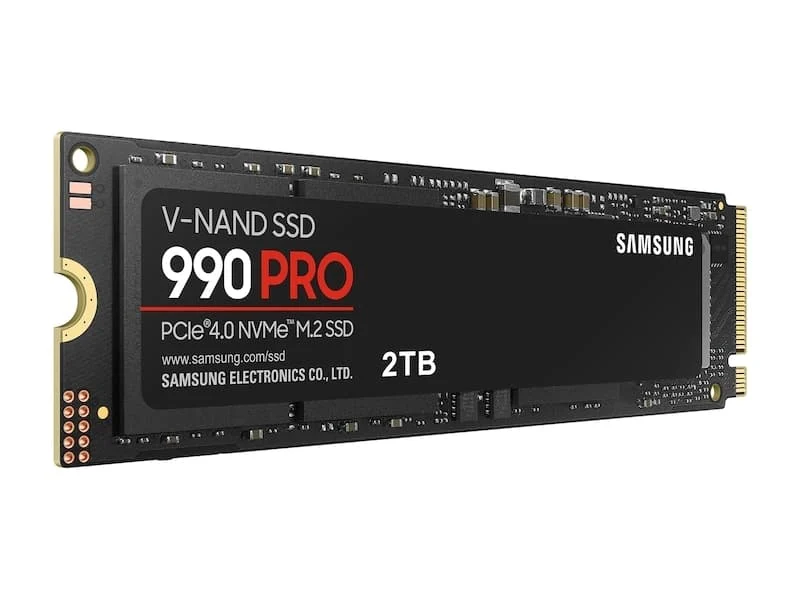 The Best Internal NVMe SSDs: 4 Compared (and One to Skip)
  The Best IP KVM Devices: 4 Compared (and One to Skip)
  The Best Label Makers: 4 Compared (and One to Skip)
  The Best Laptop Sleeves: 4 Compared (and One to Skip)