

Tech & Gadgets
The Best Internal NVMe SSDs: 4 Compared (and One to Skip)
We compared four current internal M.2 NVMe SSDs for PCs, laptops, and the PS5 on real-world speed, sustained performance, thermals, and value.
The short version
For most people, the Samsung 990 PRO is the smartest internal NVMe SSD - balanced, cool, and PS5-ready in its heatsink version. The WD_BLACK SN850X gets you within a hair of it for less, so buy whichever is cheaper when you shop. The PCIe 5.0 Samsung 9100 PRO is the outright speed king but only pays off in a Gen5 desktop doing heavy creative work, and it does nothing for a PS5. Skip the DRAM-less WD Blue SN5000 for any performance use: it's a cheap laptop drive whose sustained speed collapses under real gaming and creative loads. Best for: buy the 990 PRO or SN850X for gaming and PS5, step up to the 9100 PRO only if you have a Gen5 workstation, and pass on the SN5000 unless you just need the cheapest boot drive possible.
Our picks at a glance
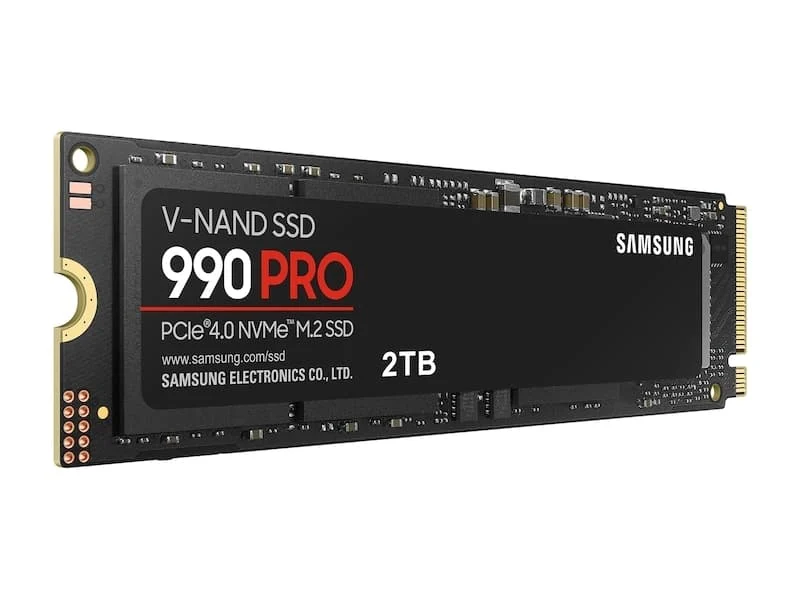
- Samsung 990 PRO (PCIe 4.0 NVMe M.2) - Buy. The most well-rounded PCIe 4.0 drive going - fast where it counts, cool, and PS5-ready in the heatsink version.
- Western Digital WD_BLACK SN850X NVMe SSD - Buy. The gaming and PS5 value pick that trades almost nothing to the pricier flagships.
- Samsung 9100 PRO (PCIe 5.0 NVMe M.2) - It depends. Genuinely blistering PCIe 5.0 speed - but only a specific rig actually feels it.
- Western Digital WD Blue SN5000 NVMe SSD - Skip. A fine cheap laptop drive that quietly disappoints anyone who came here for performance.
The verdict in 30 seconds
What mattered most
- Interface
- Rated peak sequential read
- DRAM cache
- Sustained-write consistency
- PS5 suitability
- Thermals
An internal M.2 NVMe SSD is the single upgrade most people feel every day - faster boots, near-instant game loads, and quicker file work. But the gap between a great drive and a mediocre one is wider than the spec sheet suggests, and the fastest number isn't always the smartest buy. We synthesized published reviews and owner reports to sort four popular drives into two easy recommendations, one that only makes sense in specific rigs, and one we'd steer performance-minded buyers away from.
The most well-rounded PCIe 4.0 drive going - fast where it counts, cool, and PS5-ready in the heatsink version.
Best for: Anyone who wants one drive that does everything well in a gaming PC, laptop, or PS5.
- Excellent random read/write, which is what actually makes a PC feel snappy day to day
- Full DRAM cache and strong efficiency; runs cooler than most high-end drives
- Heatsink version is a proven, hassle-free PS5 storage expansion
- Priced at a premium over equally fast rivals
- Sequential speeds are Gen4-class, so it can't touch Gen5 drives on paper
Own the Samsung 990 PRO (PCIe 4.0 NVMe M.2)? Tell us how it held up.
Thanks. Counted, and shown once enough owners have weighed in.
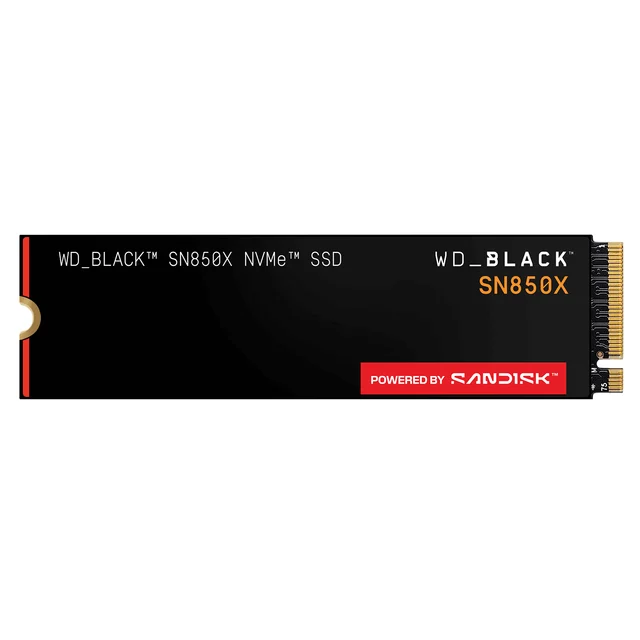
The gaming and PS5 value pick that trades almost nothing to the pricier flagships.
Best for: Gamers and PS5 owners who want near-flagship speed without paying flagship money.
- Gaming-focused tuning holds performance well during long sessions and large installs
- Full DRAM cache and a heatsink option that drops straight into a PS5
- Frequently the best price-to-performance of the top-tier Gen4 drives
- Runs a touch warmer than the 990 PRO under sustained load
- Bare (no-heatsink) version still needs a cooler for a PS5
Own the Western Digital WD_BLACK SN850X NVMe SSD? Tell us how it held up.
Thanks. Counted, and shown once enough owners have weighed in.
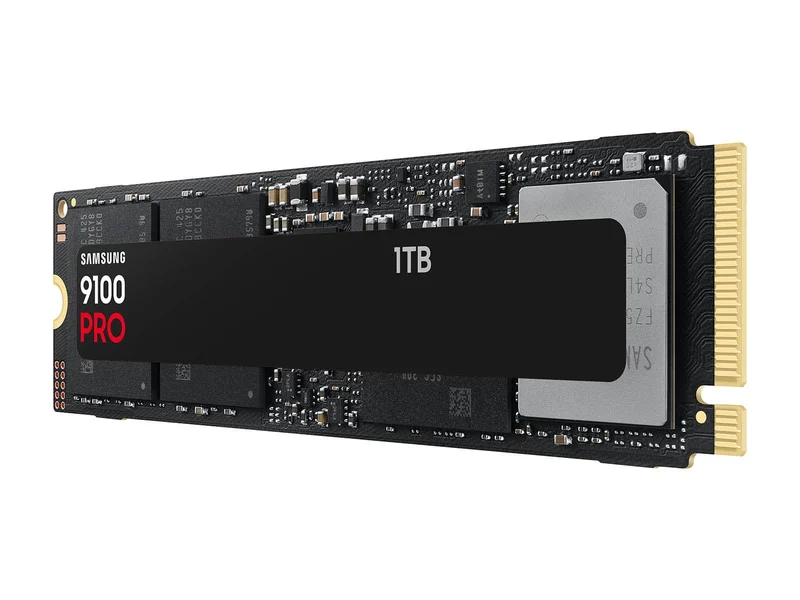
Genuinely blistering PCIe 5.0 speed - but only a specific rig actually feels it.
Best for: Owners of current AMD/Intel Gen5 platforms doing heavy creative or data work who want the fastest drive available.
- Roughly double the sequential throughput of the best Gen4 drives on a Gen5 slot
- Strong pick for large-file creative work and DirectStorage-era workloads
- Full DRAM cache and a flagship-class feature set
- Needs a PCIe 5.0 slot and serious cooling; reviewers report it runs hot
- Owners note little real-world gaming benefit over Gen4 despite the price jump
- Zero payoff in a PS5, which is a Gen4-only console
Own the Samsung 9100 PRO (PCIe 5.0 NVMe M.2)? Tell us how it held up.
Thanks. Counted, and shown once enough owners have weighed in.
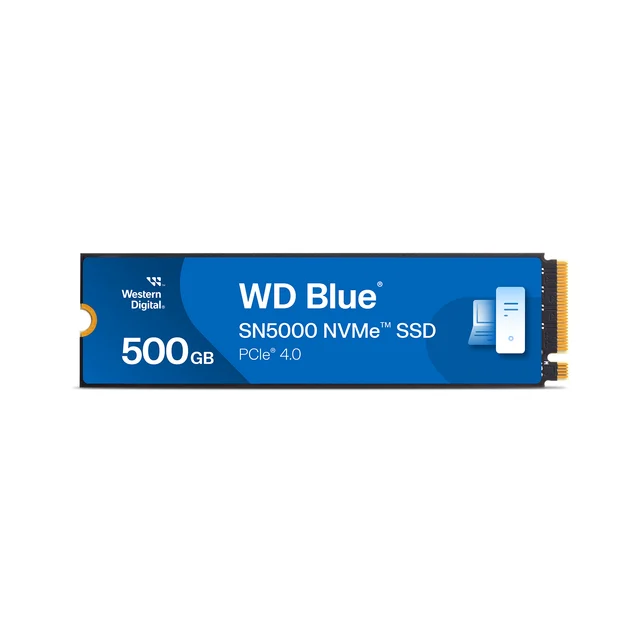
A fine cheap laptop drive that quietly disappoints anyone who came here for performance.
Best for: A rock-bottom-budget boot drive in a light-use laptop - not a gaming, PS5, or creator drive.
- Inexpensive and power-efficient for a basic boot or laptop upgrade
- Peak sequential reads look respectable on the box
- DRAM-less design per reviewers leans on host memory; random performance trails the drives above
- Sustained writes drop sharply once the SLC cache fills, hurting big game installs and file copies
- Marginal in a PS5 and outclassed for gaming or creative work
Amazon had no buyable listing for this when we last checked. The link still works if it returns.
See our pick instead Find it on Amazon anyway Read our detailed assessmentOwn the Western Digital WD Blue SN5000 NVMe SSD? Tell us how it held up.
Thanks. Counted, and shown once enough owners have weighed in.
| Criteria | Samsung 990 PRO (PCIe 4.0 NVMe M.2) Top pick Buy it Buy | WD_BLACK SN850X NVMe SSD Buy it Buy | Samsung 9100 PRO (PCIe 5.0 NVMe M.2) It depends Buy | WD Blue SN5000 NVMe SSD Skip it |
|---|---|---|---|---|
| Best for | Anyone who wants one drive that does everything well in a gaming PC, laptop, or PS5. | Gamers and PS5 owners who want near-flagship speed without paying flagship money. | Owners of current AMD/Intel Gen5 platforms doing heavy creative or data work who want the fastest drive available. | A rock-bottom-budget boot drive in a light-use laptop - not a gaming, PS5, or creator drive. |
| Price tier | $$$ · premium | $$ · mid-range | $$$$ · flagship | $ · budget |
| Interface | PCIe 4.0 x4 | PCIe 4.0 x4 | PCIe 5.0 x4 | PCIe 4.0 x4 |
| Rated peak sequential read | Top-tier Gen4 (~7,450 MB/s) | Top-tier Gen4 (~7,300 MB/s) | Fastest here (PCIe 5.0 class) | Entry Gen4 (~5,150 MB/s) |
| DRAM cache | Yes | Yes | Yes | No (host memory buffer) |
| Sustained-write consistency | Strong | Strong | Strong (with cooling) | Weak once cache fills |
| PS5 suitability | Excellent (heatsink model) | Excellent (heatsink model) | Works, but no benefit | Marginal |
| Thermals | Cool-running | Slightly warm | Runs hot; needs cooling | Cool-running |
| Best use | All-round PC / PS5 | Gaming & PS5 value | Gen5 workstation / creator | Basic laptop / boot |
| Price tier | $$$ · premium | $$ · mid-range | $$$$ · flagship | $ · budget |
Which one is right for you?
- Anyone who wants one drive that does everything well in a gaming PC, laptop, or PS5. Buy it Samsung 990 PRO (PCIe 4.0 NVMe M.2)
- Gamers and PS5 owners who want near-flagship speed without paying flagship money. Buy it Western Digital WD_BLACK SN850X NVMe SSD
- Owners of current AMD/Intel Gen5 platforms doing heavy creative or data work who want the fastest drive available. It depends Samsung 9100 PRO (PCIe 5.0 NVMe M.2)
- A rock-bottom-budget boot drive in a light-use laptop - not a gaming, PS5, or creator drive. Skip it Western Digital WD Blue SN5000 NVMe SSD
How we judged the field
We don’t run our own storage lab. Instead we synthesize published reviews and aggregated owner reports, then weigh the findings against how people actually use these drives. For internal NVMe SSDs that means looking past the single big sequential-speed number on the box - the figure marketing loves - and focusing on the things you feel: random read/write performance (what makes a PC boot and load fast), sustained write speed once the drive’s fast SLC cache is exhausted, thermals under long loads, whether the drive has a real DRAM cache, endurance, and value. We also treat the PlayStation 5 as a first-class use case, since it’s one of the most common reasons people buy a bare M.2 drive, and it has specific requirements: PCIe 4.0, M.2 2280, and a heatsink.
Four drives kept surfacing as the ones shoppers cross-compare, and they map neatly onto the decisions most buyers face.
Samsung 990 PRO (PCIe 4.0 NVMe M.2)
Buy itThe 990 PRO remains the drive it’s hardest to go wrong with. It doesn’t win the sequential-speed drag race anymore, but reviewers repeatedly place it at or near the top for the random-access performance that governs how responsive a system feels. It’s also notably efficient and cool-running for a high-end drive, and the heatsink model is one of the most recommended PS5 expansions available. The only real knocks are price - it usually sits at a premium - and the fact that, being PCIe 4.0, it can’t match Gen5 headline numbers. Neither matters much for the way most people use a PC, laptop, or console, which is exactly why it’s our overall pick.
WD_BLACK SN850X NVMe SSD
Buy itThe SN850X is the value counterpoint. It’s a full-DRAM, gaming-tuned Gen4 drive that owner reports praise for holding its performance during long sessions and large installs, and it’s available with a heatsink for the PS5. Reviewers find it trades tiny, mostly imperceptible margins to the 990 PRO while frequently costing less. It runs slightly warmer under heavy sustained load, but nothing a case with basic airflow or the heatsink version can’t handle. For most gamers and PS5 owners, this is the smart-money buy.
Samsung 9100 PRO (PCIe 5.0 NVMe M.2)
It dependsThis is where the advice gets nuanced. The 9100 PRO is a genuine PCIe 5.0 flagship, and on a Gen5 slot it posts sequential figures roughly double the best Gen4 drives. If you move huge files, work in high-resolution video, or run data-heavy workloads on a current Gen5 desktop, it’s a legitimately exciting drive. But reviewers report it runs hot and demands good cooling, it commands a flagship price, and - crucially - owners note it delivers little to no real-world gaming advantage over a good Gen4 drive. It also does absolutely nothing for a PS5, which can’t use Gen5 speeds. Buy it for the right workstation; don’t buy it expecting your games to load twice as fast.
WD Blue SN5000 NVMe SSD
Skip itThe SN5000 isn’t a bad product - it’s just the wrong product for anyone reading a guide about fast storage. It’s reportedly DRAM-less, leaning on your system memory instead of an onboard cache. Owner reports tell the same story: respectable peak reads, but random performance that trails the drives above and sustained writes that drop off sharply once the fast cache fills, which shows up during big game installs and large copies. As a bargain boot drive in a light-use laptop, it’s fine. As a gaming, PS5, or creative drive, it’s a false economy - spend a little more on the SN850X.
Sources
Specs in this review come from these pages.
- Samsung, 990 PRO PCIe 4.0 NVMe SSD product page (samsung.com)
- Samsung, 990 PRO data sheet (download.semiconductor.samsung.com)
- Sandisk, WD_BLACK SN850X NVMe SSD product page (sandisk.com)
- Samsung, 9100 PRO NVMe SSD product page (samsung.com)
- Samsung, 9100 PRO data sheet (download.semiconductor.samsung.com)
- Sandisk, WD Blue SN5000 NVMe SSD product page (sandisk.com)
Samsung 990 PRO vs WD_BLACK SN850X: which should you buy?
This is the decision most buyers actually face, because the two are so closely matched that you can pick either and be happy. The 990 PRO edges ahead on efficiency and stays a hair cooler under sustained load, and Samsung’s software ecosystem is polished. The SN850X answers with gaming-focused tuning and, usually, a lower price. Our tie-breaker is simple: if they’re close in cost, take the 990 PRO for its slightly cooler, more efficient all-round profile; if the SN850X is meaningfully cheaper on the day - which it often is - buy it and put the savings toward more capacity. Both offer heatsink versions for the PS5, so console buyers can’t go wrong either way.
What to look for
- Match the interface to your slot. A PCIe 5.0 drive in a Gen4 or Gen3 slot just runs at the slower speed. Confirm what your motherboard or laptop supports before paying for Gen5.
- Prioritize a DRAM cache and TLC flash. These, more than the headline sequential number, drive consistent real-world performance. Be wary of DRAM-less drives for anything demanding.
- Buy enough capacity. Aim for at least 1TB, ideally 2TB - larger drives are usually faster and you avoid the slowdown that hits nearly-full SSDs.
- For a PS5, check the checklist. M.2 2280 form factor, PCIe 4.0, and a heatsink are the requirements.
- Mind thermals. Gen5 drives in particular can throttle without a good heatsink or airflow.
- Don’t overpay for speed you can’t feel. For gaming and general use, a top Gen4 drive is the value sweet spot; reserve Gen5 for genuine large-file workloads.
Our final take
Buy the Samsung 990 PRO if you want a single drive that quietly does everything well in a PC, laptop, or PS5, or grab the WD_BLACK SN850X and pocket the difference when it’s cheaper - you’ll barely notice the gap. Step up to the Samsung 9100 PRO only if you own a PCIe 5.0 desktop and have a workload that truly moves large amounts of data; in a gaming rig or a PS5 it’s money spent on a number you won’t feel. And unless you specifically need the cheapest possible boot drive for a light-duty laptop, skip the WD Blue SN5000 - its DRAM-less design gives back exactly the performance you came shopping for.
Questions, answered
Do I need a PCIe 5.0 (Gen5) SSD for gaming or a PS5?
No. The PS5 is a PCIe 4.0 console and gets no benefit from a Gen5 drive, and reviewers commonly find real-world game load times barely differ between good Gen4 and Gen5 SSDs. A top Gen4 drive like the 990 PRO or SN850X is the sweet spot; Gen5 mainly helps large-file creative and data workloads on a compatible desktop.
Which of these works in a PlayStation 5?
The PS5 needs an M.2 2280 PCIe 4.0 drive with a heatsink. The Samsung 990 PRO and WD_BLACK SN850X both sell heatsink versions that drop straight in and are popular, proven choices. The 9100 PRO is Gen5 (overkill and no faster in a PS5), and the DRAM-less WD Blue SN5000 is a marginal fit we wouldn't recommend for a console.
What does 'DRAM-less' mean and why does it matter?
DRAM-less drives such as the WD Blue SN5000 skip an onboard memory cache and borrow a slice of your system RAM instead. It keeps costs down and is fine for light use, but owner reports show weaker random performance and sustained-write speeds that fall off once the drive's fast cache fills - noticeable during big game installs or large file transfers.
Does a bigger capacity make an SSD faster?
Often, yes, up to a point. Larger models (typically 2TB) usually have more flash working in parallel and a bigger cache, so they tend to sustain higher speeds than 500GB or 1TB versions of the same drive. Buying at least a 1TB (ideally 2TB) drive also gives you more headroom before performance-sapping full-drive slowdowns.
Will one of these speed up my older laptop or desktop?
Only if your system has a free M.2 NVMe slot - check whether it's PCIe 3.0, 4.0, or 5.0, and confirm the physical length (most are 2280). A Gen4 or Gen5 drive still works in an older Gen3 slot but is capped at that slower speed, so on genuinely old machines a mid-range drive is the sensible spend. Any of these will feel dramatically faster than a hard drive or SATA SSD.
Deciding between the top two? See our head-to-head: Samsung 990 PRO (PCIe 4.0 NVMe M.2) vs Western Digital WD_BLACK SN850X NVMe SSD.
More in Tech & Gadgets
Internal NVMe SSDs, Explained Plain-English guide → Samsung 990 PRO (PCIe 4.0 NVMe M.2) vs Western Digital WD_BLACK SN850X NVMe SSD Head-to-head →  The Best IP KVM Devices: 4 Compared (and One to Skip)
  The Best Label Makers: 4 Compared (and One to Skip)
  Which Laptop Sleeve Should You Buy? 6 Compared
  The Best Smart LED Strip Lights: 4 Compared (and One to Skip)