

Tech & Gadgets
The Best Smart Glasses With Displays: 4 Compared (and One to Skip)
We compared four display smart glasses and found the category contains two products that share almost nothing: wearable monitors with no battery, and standalone HUDs with a third of the field of view.
The short version
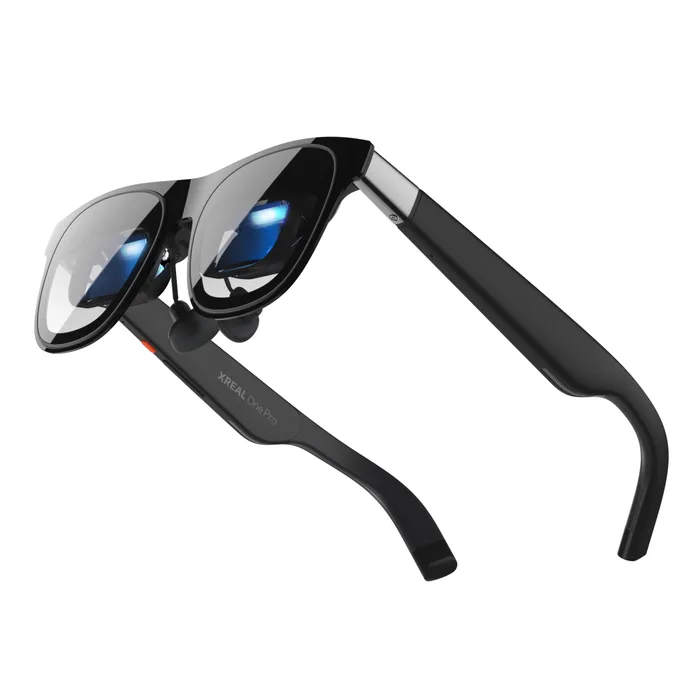
The Xreal One Pro is the pick if you want a screen: 57 degrees of field of view, a 171-inch virtual display, 1080p per eye at 120Hz from Sony micro-OLED, and an X1 chip that does the spatial tracking in the glasses rather than on your phone. Rokid Glasses is the pick if you want a computer on your face: 49 grams, a 30 degree monochrome green micro-LED window at 1,500 nits, a 12MP Sony camera, Snapdragon AR1, and the most complete published spec sheet in this comparison. RayNeo's X3 Pro is the depends option, the same idea in full colour at up to 6,000 nits peak, for 27 grams more. Skip Brilliant Labs Halo for now: it publishes a weight of just over 40 grams and all-day battery and essentially nothing else. Best for: working out which of these two products you actually wanted.
Our picks at a glance
- Xreal One Pro - Buy. The widest field of view here by a distance, with spatial tracking done on board by the X1 chip.
- Rokid Glasses (With Display) - Buy. 49 grams, a standalone computer with a camera, and the most complete spec sheet in this comparison.
- RayNeo X3 Pro AI+AR Glasses - It depends. The same HUD idea in full colour and far brighter, for 27 grams more than the Rokid.
- Brilliant Labs Halo - Skip. Publishes a weight of just over 40 grams and all-day battery, and almost nothing else.
The verdict in 30 seconds
What mattered most
- Type
- Field of view
- Display resolution
- Brightness
- Colour
- Own compute and battery
Smart glasses with a display come in two kinds that get sold under the same words. One is a wearable monitor: a wide, full-colour screen you plug a phone or a console into, with no camera, no battery and no computer of its own. The other is a heads-up display: a small, dim-by-comparison window in the corner of your vision, attached to a standalone computer with a camera and a battery. Their field of view differs by nearly two to one and their resolution by more than ten to one, in opposite directions.
The widest field of view here by a distance, with spatial tracking done on board by the X1 chip.
Best for: Watching, gaming and working on a big private screen from a phone, laptop, Steam Deck or console, where a wide sharp image is the entire point.
- 57 degree field of view giving a 171-inch virtual screen, against 46 degrees on the brand's own Air 2 Pro and 30 degrees on both HUDs here.
- Sony micro-OLED at 1080p per eye, around 4 million pixels, running at 120Hz.
- The X1 chip does native 3DoF tracking in the glasses with 3ms motion-to-photon latency, so the screen stays put without help from the phone.
- Electrochromic dimming with adjustable lens transparency, TÜV Rheinland certified, and M and L sizes matched to IPD ranges of 57 to 66mm and 66 to 75mm.
- No battery, no camera and no computer, so it does nothing until it is plugged into a USB-C DisplayPort source.
- 700 nits, less than half the Rokid HUD and a fraction of the RayNeo, because it works behind tinted lenses rather than against daylight.
- 6DoF needs the separate Xreal Eye accessory, so out of the box it is a screen that follows your head rather than one anchored in the room.
- Xreal's comparison table lists 87 g, nearly twice the Rokid's 49 g, which matters over a long session.
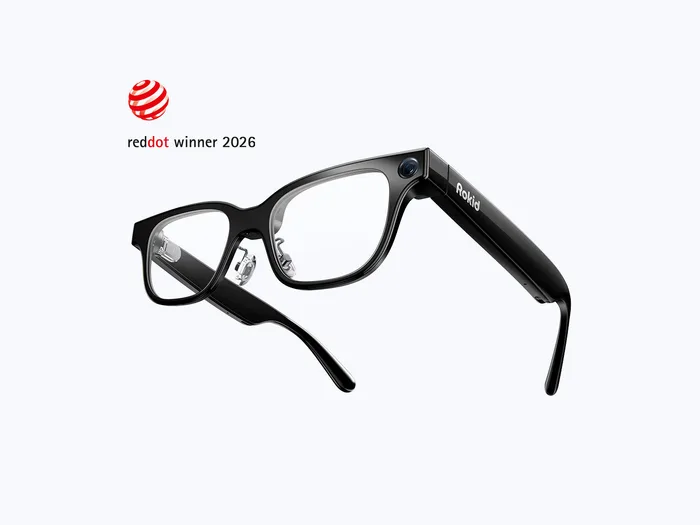
49 grams, a standalone computer with a camera, and the most complete spec sheet in this comparison.
Best for: Live translation, turn-by-turn directions and hands-free capture, worn all day, where a monochrome caption is exactly enough.
- 49 grams, the lightest fully specified product here, in a TR90 frame with titanium alloy hinges.
- Publishes the whole sheet: 30 degree field of view, 480 by 400 resolution, 1,500 nits, Snapdragon AR1, 2GB RAM, 32GB storage, 210mAh battery, Wi-Fi 6, IPX4.
- 12MP Sony IMX681 camera at f/2.25 with a 109 degree ultra-wide view, shooting 1080p 60fps HDR.
- Real-time translation subtitles in your field of view, with up to 89 languages supported.
- The display is a single green colour, so it shows text and directions rather than images.
- 480 by 400 across 30 degrees is a low-resolution window, which is why it suits captions and navigation and not much else.
- A 210mAh battery is small, and everything here runs on it including the camera and the radios.
- The 210mAh battery is rated by Rokid at about 8 to 10 hours of daily use, depending on features, recording and brightness.
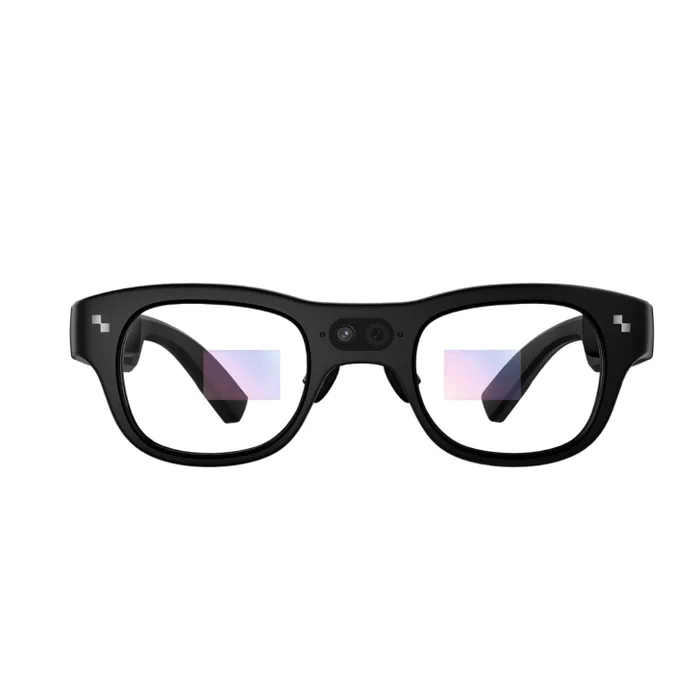
The same HUD idea in full colour and far brighter, for 27 grams more than the Rokid.
Best for: Outdoor use where 6,000 nits matters, and anyone who wants full colour rather than a green caption.
- Full-colour micro-LED through a binocular diffractive waveguide, so the image appears in both eyes.
- 3,500 nits average and 6,000 nits peak, by far the brightest display here and the one most likely to stay legible outdoors.
- 640 by 480 resolution and 16.77 million colours, a step up from the Rokid's monochrome 480 by 400.
- Snapdragon AR1 Gen 1 with 4GB RAM and 32GB storage, a Sony IMX681 12MP camera shooting up to 4K, and Google Gemini as the assistant.
- 76 grams against the Rokid's 49, which is a large difference on something worn on your nose all day.
- 30 degree field of view, the same as the Rokid, so the extra brightness and colour do not buy a bigger window.
- A 43-inch virtual display at 2 metres, which is a notification panel rather than a screen to work on.
- A 245mAh battery is listed, but no runtime or IP rating is published on the product page.
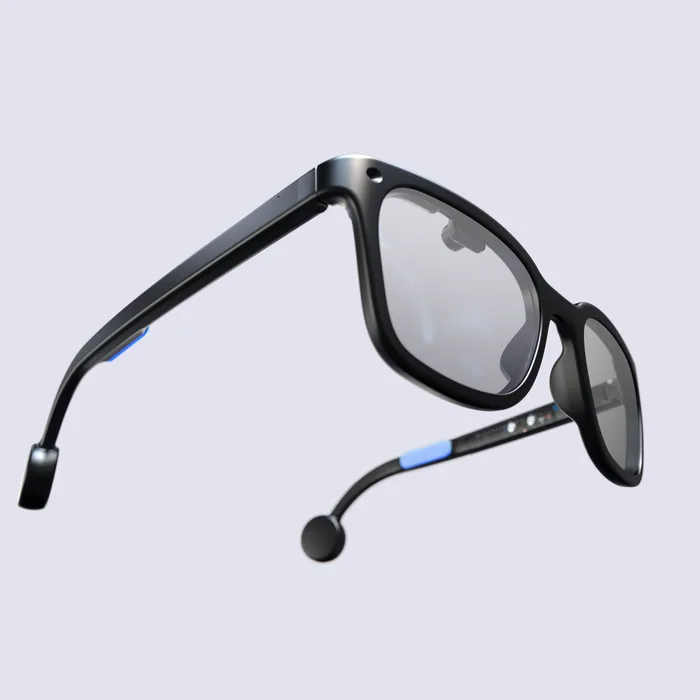
Publishes a weight of just over 40 grams and all-day battery, and almost nothing else.
Best for: Developers and early adopters who want an open platform and are buying the project rather than the specification.
- Just over 40 grams, which would make it the lightest thing in this comparison.
- All-day battery life claimed at estimated normal use.
- Open and developer-facing, which is genuinely rare in a category where everything else is a closed platform.
- No field of view, resolution, brightness, named processor, battery capacity or camera specification published on the product page.
- The page still describes first units rolling off the production line, so this is an early product rather than a settled one.
- All-day battery at estimated normal use is a claim with no runtime figure and no definition of normal.
- Everything else here publishes a spec sheet you can compare, and this publishes a weight and a promise.
| Criteria | One Pro Top pick Buy it Buy | Glasses (With Display) Buy it Buy | X3 Pro AI+AR Glasses It depends Buy | Halo Skip it Buy |
|---|---|---|---|---|
| Best for | Watching, gaming and working on a big private screen from a phone, laptop, Steam Deck or console, where a wide sharp image is the entire point. | Live translation, turn-by-turn directions and hands-free capture, worn all day, where a monochrome caption is exactly enough. | Outdoor use where 6,000 nits matters, and anyone who wants full colour rather than a green caption. | Developers and early adopters who want an open platform and are buying the project rather than the specification. |
| Price tier | $$$ · premium | $$$ · premium | $$$ · premium | $$ · mid-range |
| Type | Tethered wearable screen | Standalone HUD | Standalone HUD | Standalone HUD |
| Field of view | 57° | 30° | 30° | Not published |
| Display resolution | 1080p per eye, about 4 million pixels | 480 x 400 | 640 x 480 | Not published |
| Brightness | 700 nits | 1,500 nits | 3,500 nits avg, 6,000 peak | Not published |
| Colour | Full colour micro-OLED | Single green micro-LED | Full colour micro-LED | Not published |
| Own compute and battery | No, needs a USB-C DisplayPort source | Yes, Snapdragon AR1, 210mAh | Yes, Snapdragon AR1 Gen 1, 245mAh | Battery claimed, capacity not published |
| Camera | None | 12MP Sony IMX681, 109° wide | 12MP Sony IMX681, up to 4K | Not published |
| Weight | 87 g, per Xreal's comparison table | 49 g | 76 g | Just over 40 g |
Which one is right for you?
- Watching, gaming and working on a big private screen from a phone, laptop, Steam Deck or console, where a wide sharp image is the entire point. Buy it Xreal One Pro
- Live translation, turn-by-turn directions and hands-free capture, worn all day, where a monochrome caption is exactly enough. Buy it Rokid Glasses (With Display)
- Outdoor use where 6,000 nits matters, and anyone who wants full colour rather than a green caption. It depends RayNeo X3 Pro AI+AR Glasses
- Developers and early adopters who want an open platform and are buying the project rather than the specification. Skip it Brilliant Labs Halo
How we judged the field
Five things decide a pair of display glasses, and the first is which of the two products you are looking at. A tethered viewer is a screen with no computer, and a standalone HUD is a computer with a very small screen, so every other specification has to be read in that context. Field of view comes second, because it sets whether the display is something you look at or something you glance at, and the spread here is 57 degrees against 30. Third is resolution, which runs in the opposite direction to what you would expect: the viewer has around four million pixels and the HUDs have under a third of a million. Fourth is brightness, which also inverts, because a viewer works behind dimmed lenses and a HUD competes with the sun. Fifth is weight, which is the specification that decides whether you actually wear the thing.
We took one viewer and three standalone pairs, which reflects where the category is moving. The viewer is the mature product: the optics have been iterated for years and the numbers are good. The HUDs are newer, and they diverge sharply on how much their makers are willing to publish, which turned out to be the clearest way to separate them. If none of this is what you pictured and you simply want glasses that take photos and answer questions with nothing in the lens to look at, that is a separate category and we compared it in the best smart glasses without a display.
Xreal One Pro
Buy itThe Xreal One Pro is the best wearable screen in this comparison and it is not close on the numbers that matter for that job. Fifty-seven degrees of field of view produces what Xreal describes as a 171-inch virtual screen at four metres, against 46 degrees on the company’s own Air 2 Pro and 30 degrees on both HUDs here. Behind it sits a Sony micro-OLED panel at 1080p per eye, roughly four million pixels, running at 120Hz. The part that separates it from earlier viewers is the X1 chip, which does native 3DoF tracking inside the glasses with a quoted 3ms motion-to-photon latency, so the virtual screen stays anchored without borrowing the phone’s processor. Electrochromic dimming lets you dial the outside world up or down, and it comes in M and L sizes matched to IPD ranges. What you have to accept is what it is not: no battery, no camera, no computer. It shows you a screen from something you plug in, and until you do it is a pair of tinted glasses.
Rokid Glasses (With Display)
Buy itRokid Glasses is the standalone pair to buy, and the reason is partly the hardware and partly the honesty. At 49 grams it is the lightest fully specified product here, in a TR90 frame with titanium hinges, and Rokid publishes the entire sheet: a 30 degree field of view, 480 by 400 resolution, 1,500 nits, one micro-LED through a waveguide, Snapdragon AR1, 2GB of RAM, 32GB of storage, a 210mAh battery, Wi-Fi 6 and IPX4. Nobody else in this comparison publishes quite as much. The camera is a 12MP Sony IMX681 at f/2.25 with a 109 degree ultra-wide field, shooting 1080p 60fps HDR, and the headline use is live translation subtitles appearing in your view across up to 89 languages. The compromises are stated rather than hidden. The display is a single green colour, so it renders text and arrows and not pictures, 480 by 400 pixels across 30 degrees is a caption window. For what it is for, that is enough.
RayNeo X3 Pro AI+AR Glasses
It dependsThe RayNeo X3 Pro is the one to weigh carefully, because it improves two things and costs you a third. The display is full-colour micro-LED through a binocular diffractive waveguide, so the image is in 16.77 million colours rather than a single green, at 640 by 480 instead of 480 by 400. And it is dramatically brighter: 3,500 nits average with 6,000 nits peak, against the Rokid’s 1,500. Outdoors in strong sun that is the difference between a legible display and a suggestion of one. Behind it is a Snapdragon AR1 Gen 1 with 4GB of RAM and 32GB of storage, a 12MP Sony IMX681 shooting up to 4K, and Gemini as the assistant. The cost is 76 grams against 49, which you feel on the bridge of your nose by mid-afternoon, and the field of view is still 30 degrees, so none of the extra capability buys you a bigger window. RayNeo lists a 245mAh battery but publishes no runtime and no IP rating.
Brilliant Labs Halo
Skip itBrilliant Labs Halo is the one to leave for now, and it is a shame because an open, developer-facing product in this category is genuinely valuable. The problem is that the product page publishes a weight of just over 40 grams, a claim of all-day battery life at estimated normal use, and essentially nothing else. There is no field of view, no resolution, no brightness figure, no named processor, no battery capacity and no camera specification. The same page still refers to the first units rolling off the production line, which places it early in its life rather than settled. Set that against a competitor publishing a 30 degree field of view, 480 by 400 pixels, 1,500 nits, a named Snapdragon part, a 210mAh cell and an IP rating, and there is no basis on which to choose it except enthusiasm for the project. That is a real reason for some buyers and it is not a specification. If you are buying a HUD to use rather than to develop on, buy one that tells you what it is.
Sources
Specs in this review come from these pages.
Xreal One Pro vs Rokid Glasses (With Display): which should you buy?
The Xreal One Pro and Rokid Glasses are the two to buy and they are not alternatives to each other. The Xreal is a screen: 57 degrees, 1080p per eye, 120Hz, full colour, with an X1 chip holding the image steady. It has no camera, no battery and no computer, and it does nothing until a phone, laptop or console is plugged into it. What it does then is give you a large, sharp, private display anywhere.
The Rokid is a computer that happens to have a small display. Forty-nine grams, a 30 degree monochrome green window at 480 by 400, a 12MP camera, Snapdragon AR1 and its own battery, with translation subtitles as the headline feature. It works with nothing plugged in and it will never show you a film. The honest way to choose is to name the thing you want to do. If it is watch, game or work on a big screen, the Xreal is the only product here that can. If it is read a translation, follow a direction or take a photo without lifting a phone, the Rokid is the one, and the Xreal cannot do any of it.
What to look for
- Which of the two products it is: a tethered viewer has no battery, camera or processor, and a standalone HUD has all three and a much smaller display.
- Field of view against the job: 57 degrees is a screen you look at, 30 degrees is a window you glance at, and comparing the numbers across the two types is meaningless.
- Resolution, which runs opposite to expectation: the viewer here carries about four million pixels and the HUDs under a third of a million.
- Brightness read in context: a viewer works behind dimmed lenses at 700 nits, a HUD fights daylight at 1,500 to 6,000, and higher does not mean better.
- Whether the display is colour or monochrome, and how many eyes it reaches: one of these HUDs is single green and the other is full colour.
- A published weight: it is the specification that decides whether you keep wearing them, and the spread here runs from about 40 to 76 grams.
Our final take
Display smart glasses is a category name covering two devices with almost nothing in common, and the specifications only make sense once you have worked out which one you are reading. The Xreal One Pro is the best wearable screen here, with nearly twice the field of view and more than ten times the pixels of either HUD, and no ability to do anything on its own. Rokid Glasses is the best standalone pair, at 49 grams with the most complete published spec sheet, a real camera and a green caption window that is exactly as much display as its job requires. The RayNeo X3 Pro buys full colour and 6,000 nits for 27 extra grams and no extra field of view. And Brilliant Labs Halo asks you to buy a weight and a promise.
Questions, answered
What is the actual difference between these two kinds of glasses?
One is a monitor and one is a computer. A tethered viewer like the Xreal One Pro has no battery, no camera and no processor for running apps: you plug a phone, laptop or console into it over USB-C DisplayPort and it shows you that device's screen on a large virtual display. A standalone HUD like the Rokid or the RayNeo has its own Snapdragon chip, battery, camera and radios, and shows you small pieces of information without any host device. They are sold under the same category name and they solve unrelated problems.
Why is the brightness so different between them?
Because they are fighting different battles. A viewer works behind tinted, electrochromic lenses that dim the world, so 700 nits is enough to look bright against a darkened background. A HUD has to stay legible with daylight behind it, which is why the Rokid runs 1,500 nits and the RayNeo quotes 6,000 nits peak. A higher brightness figure on a HUD does not mean a better picture than a viewer. It means the display is doing a harder job with far fewer pixels.
Is 30 degrees of field of view enough?
For captions, directions and notifications, yes, which is what both HUDs here are for. For watching a film or working on a spreadsheet, no. The RayNeo describes its 30 degrees as a 43-inch screen at 2 metres, while the Xreal describes its 57 degrees as a 171-inch screen at 4 metres. Those are not competing numbers for the same job. Decide which job you have before comparing field of view figures at all.
Do I need to worry about IPD?
On a viewer, yes. Interpupillary distance is the gap between your pupils, and if the optics do not line up with it the image blurs or splits. Xreal sells the One Pro in M and L sizes covering 57 to 66mm and 66 to 75mm, so measuring first matters. On a HUD the tolerance may be wider, though fit still determines whether the window lands where you can read it comfortably.
Can any of these replace a phone?
Not yet, and the two types fail at it differently. A viewer needs the phone to work at all, so it extends the screen rather than replacing the device. A standalone HUD has its own computer but a window of 480 by 400 or 640 by 480 pixels, which is enough for a caption, a direction or a notification and nowhere near enough for an interface. Treat both as accessories to a phone rather than as an alternative to one.
Deciding between the top two? See our head-to-head: Xreal One Pro vs Rokid Glasses (With Display).
More in Tech & Gadgets
Display Smart Glasses, Explained Plain-English guide → Xreal One Pro vs Rokid Glasses (With Display) Head-to-head →  The Best DisplayPort Cables: 4 Compared (and One to Skip)
  The Best DIY Home Security Systems: 4 Compared (and One to Skip)
  The Best Laptop Docking Stations: 4 Compared (and One to Skip)
  The Best Camera Drones: 4 Compared (and One to Skip)