

Tech & Gadgets
The Best OLED Gaming Monitors: 4 Compared (and One to Skip)
We compared four 2026 OLED gaming monitors on motion clarity, HDR punch, text sharpness, and real-world burn-in risk.
The short version
OLED gaming monitors in 2026 all deliver perfect blacks and near-instant response, so the decision comes down to size, resolution, and how you use the desk. The Alienware AW3225QF is our overall pick because its 32-inch 4K QD-OLED panel gives the sharpest text and the most flexible all-round experience. Competitive players who value pure speed should grab the 480Hz ASUS ROG Swift OLED PG27AQDP. The LG 45GS95QE is a spectacular immersion machine but only if you have the desk depth and can accept softer text. The Samsung Odyssey OLED G6 has a lovely panel undermined by a bloated smart interface and tougher rivals. Burn-in is far less scary than it used to be thanks to layered safeguards and multi-year warranties, but it still rewards good habits. Best for: anyone upgrading from LCD who wants OLED contrast without gambling on panel longevity.
Our picks at a glance
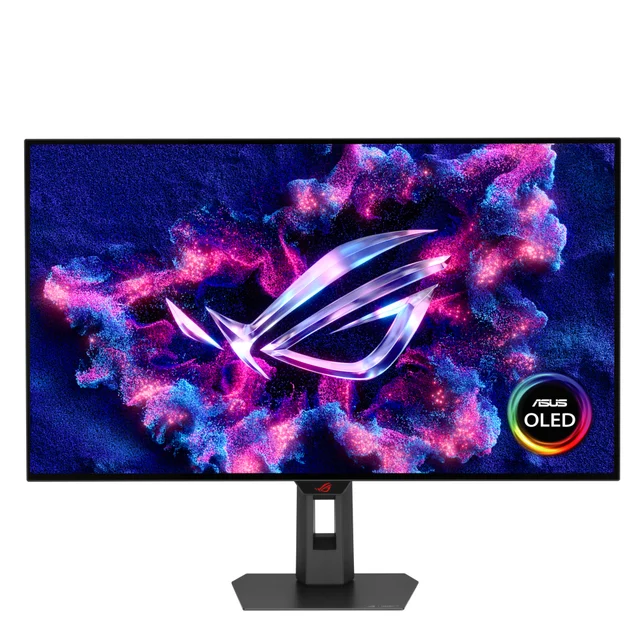
- ASUS ROG Swift OLED PG27AQDP - Buy. A 27-inch 1440p OLED that pushes 480Hz and stays sharp enough for daily desktop work.
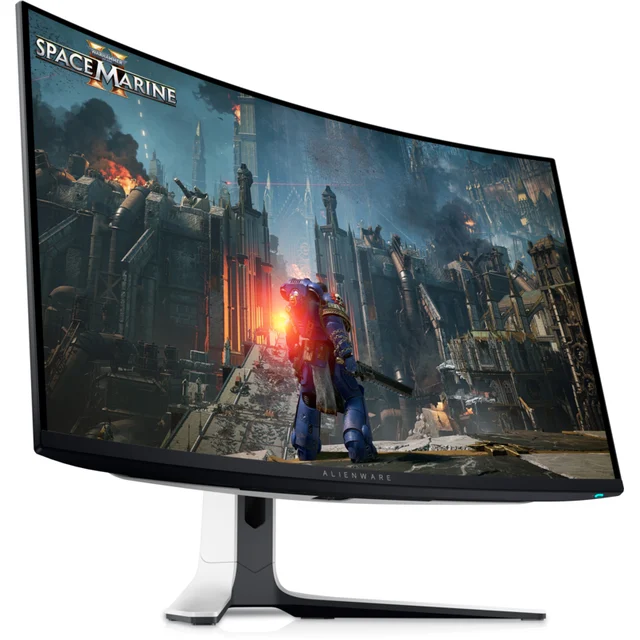
- Dell Alienware AW3225QF - Buy. A 32-inch 4K QD-OLED that balances speed, HDR impact, and the sharpest text of the group.
- LG UltraGear OLED 45GS95QE - It depends. A wildly immersive 45-inch curved ultrawide OLED that only makes sense on a very deep desk.
- Samsung Odyssey OLED G6 G60SD - Skip. A fast 27-inch QD-OLED held back by a cluttered smart interface and stiffer competition.
The verdict in 30 seconds
What mattered most
- Size & resolution
- Panel type
- Max refresh rate
- Text clarity
- Best use
- Burn-in safeguards
OLED gaming monitors finally hit their stride in 2026: per-pixel contrast, near-instant response, and refresh rates that used to be fantasy. But the panels are not interchangeable, and the trade-offs around text clarity, brightness, and long-term burn-in are real. We synthesized independent testing and a large pool of owner reports to sort four popular models. Two are easy recommendations, one is a great fit only for the right desk, and one is worth skipping for most buyers.
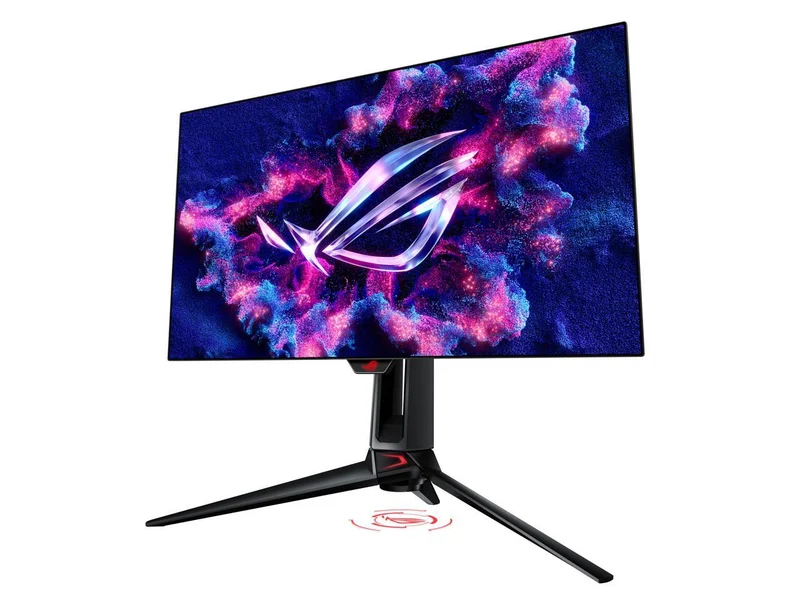
A 27-inch 1440p OLED that pushes 480Hz and stays sharp enough for daily desktop work.
Best for: Competitive players who want the fastest 1440p OLED and will keep it in a dimmer room.
- 480Hz refresh with near-instant response makes competitive motion look almost tearless
- Newer-generation OLED panel that reviewers note is brighter than earlier 27-inch OLEDs
- Layered burn-in protections plus a burn-in warranty that owners cite as reassuring
- The non-standard OLED subpixel layout still adds faint color fringing to small text
- Peak full-screen brightness trails LCD in a bright room
A 32-inch 4K QD-OLED that balances speed, HDR impact, and the sharpest text of the group.
Best for: Players who want one monitor that does high-refresh gaming, movies, and everyday work equally well.
- 4K on 32 inches gives the highest pixel density here, so text and UI look the cleanest of any OLED in the field
- QD-OLED color volume and a gentle curve draw strong praise in independent testing for HDR gaming
- 240Hz with G-Sync and FreeSync support covers both GPU camps, plus factory color calibration
- The glossy-leaning coating shows reflections in a bright room
- Full-field HDR highlights dim in large bright scenes, a common QD-OLED trait
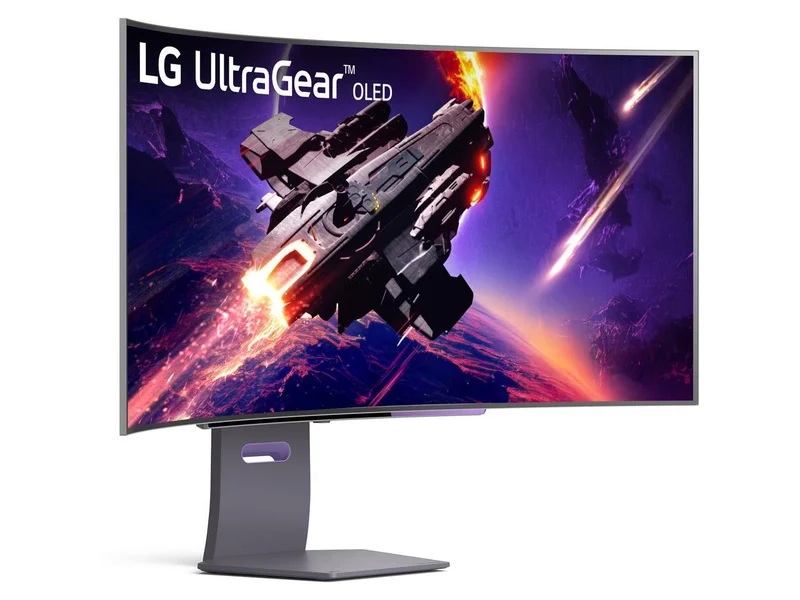
A wildly immersive 45-inch curved ultrawide OLED that only makes sense on a very deep desk.
Best for: Immersion-first players with the desk space who prize width over pixel sharpness.
- The 800R curve and 21:9 width deliver the most enveloping single-screen experience in the group
- 240Hz OLED motion feels effortless in racing, flight, and open-world games
- Owners praise the wraparound field of view for immersive and simulation titles
- 3440x1440 stretched across 45 inches means visibly lower pixel density and softer text up close
- The sheer size and curve demand a deep desk and are awkward for detailed productivity work
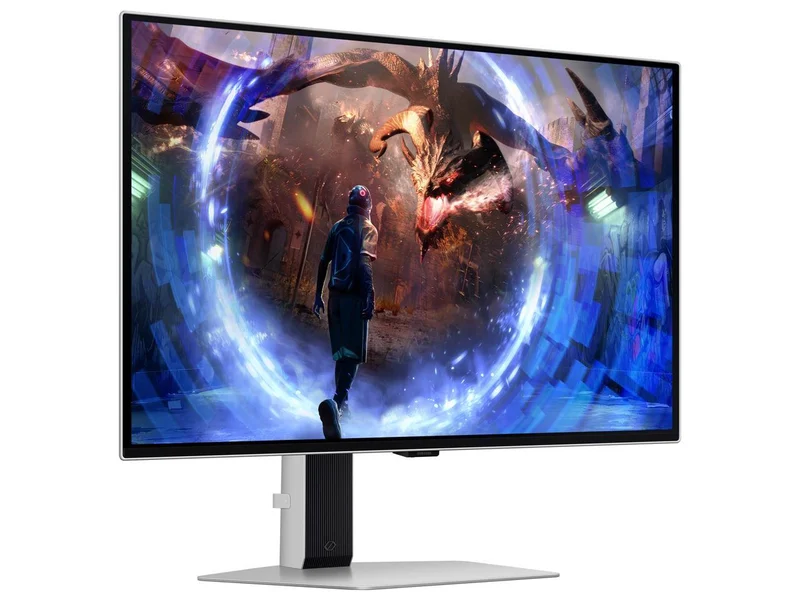
A fast 27-inch QD-OLED held back by a cluttered smart interface and stiffer competition.
Best for: Bargain hunters who catch it on a deep discount and will ignore the smart features.
- 360Hz QD-OLED panel with vivid, high-saturation color and deep blacks
- Anti-glare finish handles ambient light better than glossy rivals
- Built-in burn-in safeguards
- Owners report the built-in smart hub feels bloated and slow, with menu ads some find intrusive
- The matte coating can give bright scenes a slightly grainy look, and the ASUS outclasses it for pure gaming
| Criteria | ASUS ROG Swift OLED PG27AQDP | Alienware AW3225QF Top pick | LG UltraGear OLED 45GS95QE | Samsung Odyssey OLED G6 G60SD |
|---|---|---|---|---|
| Verdict | Buy it | Buy it | It depends | Skip it |
| Best for | Competitive players who want the fastest 1440p OLED and will keep it in a dimmer room. | Players who want one monitor that does high-refresh gaming, movies, and everyday work equally well. | Immersion-first players with the desk space who prize width over pixel sharpness. | Bargain hunters who catch it on a deep discount and will ignore the smart features. |
| Price tier | $$ · premium | $$ · premium | $$ · premium | $ · mid-range |
| Size & resolution | 27" 1440p | 32" 4K | 45" ultrawide 1440p | 27" 1440p |
| Panel type | OLED | QD-OLED | OLED (curved) | QD-OLED |
| Max refresh rate | 480Hz | 240Hz | 240Hz | 360Hz |
| Text clarity | Good | Best in group | Softest (low PPI) | Good |
| Best use | Competitive esports | All-round 4K | Immersion & sim | Budget QD-OLED |
| Burn-in safeguards | Strong + warranty | Strong + warranty | Strong + warranty | Strong + warranty |
| Verdict | Buy | Buy | Depends | Skip |
| Price tier | $$ · premium | $$ · premium | $$ · premium | $ · mid-range |
Which one is right for you?
- Competitive players who want the fastest 1440p OLED and will keep it in a dimmer room. Buy it ASUS ROG Swift OLED PG27AQDP
- Players who want one monitor that does high-refresh gaming, movies, and everyday work equally well. Buy it Dell Alienware AW3225QF
- Immersion-first players with the desk space who prize width over pixel sharpness. It depends LG UltraGear OLED 45GS95QE
- Bargain hunters who catch it on a deep discount and will ignore the smart features. Skip it Samsung Odyssey OLED G6 G60SD
How we judged the field
We do not run our own lab. Instead we synthesize independent testing and a large pool of verified owner reports, then weigh the findings against how people actually use a monitor. For OLED specifically, five things mattered most: motion clarity at high refresh, HDR color and brightness behavior, text and desktop sharpness, real-world burn-in risk under mixed use, and how the size and shape fit a normal desk. Every panel here delivers the OLED essentials, perfect blacks and near-instant pixel response, so our verdicts turn on the trade-offs that separate them rather than on whether OLED is worth it. It is.
This is the speed pick. Reviewers consistently single out the 480Hz refresh and effectively instant response as the closest thing to tear-free motion you can buy at 1440p, and the newer panel reads as brighter than the first wave of 27-inch OLEDs. Owners repeatedly mention how reassuring the layered burn-in protections and warranty feel over months of use. The honest caveat is text: the OLED subpixel layout adds faint fringing to small fonts, and full-screen brightness still trails LCD in a sunlit room. Keep it in a moderately lit space and it is a superb competitive display.
Our overall pick, because it is the most complete monitor in the group. Putting 4K on a 32-inch panel gives it the highest pixel density here, which means the cleanest text and UI of any OLED we compared, and the QD-OLED panel earns strong marks in independent testing for HDR color volume and contrast. The 240Hz refresh with both G-Sync and FreeSync support and factory calibration make it a genuine do-everything screen for gaming, movies, and work. The trade-offs are common to QD-OLED: the semi-glossy coating shows reflections, and full-field HDR highlights dim in large bright scenes. Neither undermines what is otherwise the easiest monitor here to recommend.
When it fits, it is spectacular. The 45-inch 800R curve wraps a 21:9 image around your field of view in a way no flat monitor can match, and 240Hz OLED motion makes racing, flight, and open-world games feel effortless. Owners who love it really love it. But the reason it is a conditional pick is physical: 3440x1440 stretched across 45 inches drops the pixel density noticeably, so text is softer up close, and the size and curve demand a deep desk and are awkward for detailed productivity. If immersion is your priority and you have the room, it is a joy. If you split time with spreadsheets, look elsewhere.
The panel itself is lovely: a 360Hz QD-OLED with vivid color, deep blacks, and an anti-glare finish that tames ambient light better than glossy rivals. The problem is everything around it. Owners frequently describe the built-in smart hub as bloated and slow, with menu advertising that some find intrusive on a device they paid for, and the matte coating gives bright scenes a slightly grainy cast. Against the faster, cleaner ASUS at a similar tier, it simply gets outclassed for pure gaming. It is only worth considering on a steep discount by someone happy to ignore the smart features.
Alienware AW3225QF vs ASUS ROG Swift OLED PG27AQDP: which should you buy?
These two are the strongest all-rounder and the strongest specialist. The Alienware wins on versatility: 4K sharpness makes text and single-player games look their best, the bigger 32-inch canvas is more immersive for cinematic play, and 240Hz is already smooth enough that most people will never feel limited. The ASUS wins on pure speed: its 480Hz refresh and easier-to-drive 1440p resolution are built for competitive shooters where every frame counts, and a smaller 27-inch panel keeps fast targets inside your central vision. Choose the Alienware if you want one screen for everything and value picture sharpness. Choose the ASUS if you play ranked shooters, have a GPU that can feed 480Hz, and treat resolution as secondary to responsiveness.
What to look for
- Match resolution to your GPU. 1440p is easier to drive and hits the highest refresh; 4K looks sharper but demands more graphics horsepower.
- Weigh pixel density for text. If you work on the monitor, higher density (like 4K at 32 inches) means noticeably cleaner fonts.
- Check the coating for your room. Glossy and semi-gloss look punchier but reflect; matte diffuses glare with a slightly grainier look.
- Confirm the burn-in warranty. Look for multi-year coverage that explicitly includes burn-in, and keep the panel’s protection features enabled.
- Measure your desk. Big curved ultrawides need real depth; a screen too large or too close hurts more than it helps.
- Don’t overpay for refresh you can’t use. Beyond 240Hz, gains are subtle unless you play competitively at very high frame rates.
Our final take
OLED gaming monitors are no longer a gamble, and any of these four will make an LCD feel flat by comparison. For most people the Alienware AW3225QF is the right call: it is sharp, fast, gorgeous in HDR, and flexible enough to be your only screen. Competitive players who care about milliseconds more than pixels should take the 480Hz ASUS PG27AQDP and not look back. The LG 45GS95QE is a genuine thrill for the immersion crowd with the desk to house it, and the Samsung Odyssey OLED G6 is a good panel wrapped in software that keeps it from earning a recommendation at full price. Whichever you pick, enable the burn-in safeguards, keep static content moving, and enjoy the best contrast money can buy on a desk.
Questions, answered
Is OLED burn-in still a real risk for a gaming monitor in 2026?
It is real but much smaller than it was a few years ago. These monitors typically layer in pixel shifting, logo dimming, and automatic panel-refresh cycles, and makers commonly back them with multi-year warranties that cover burn-in, so check the terms for your model. Independent testing that runs punishing static content still eventually shows wear, but typical mixed gaming, browsing, and video use with those safeguards on rarely produces visible retention. Hiding the taskbar, varying content, and letting the panel run its maintenance cycles keeps the risk low.
Why does text look slightly fuzzy on some OLED monitors?
OLED panels use non-standard subpixel arrangements rather than the plain RGB stripe most software expects, so thin text can pick up faint color fringing. Higher pixel density hides it: the 32-inch 4K Alienware looks the cleanest here, while the 45-inch ultrawide, which spreads 1440p across a huge panel, shows the softest text. Sitting a normal distance away and enabling your operating system's text-smoothing options reduces it further.
Should I choose 1440p or 4K for an OLED gaming monitor?
It depends on your graphics card and priorities. A 27-inch 1440p OLED like the ASUS reaches the highest refresh rates and is easier to drive, which competitive players love. A 32-inch 4K panel like the Alienware looks sharper for text and single-player games but asks more of your GPU. If you mix gaming with desktop work, the extra pixel density of 4K is the more comfortable long-term pick.
Are these OLED monitors bright enough for a sunny room?
OLED excels at contrast and small bright highlights, but full-screen brightness trails high-end LCD, so a room with strong direct sunlight can wash out the image. Glossy or semi-gloss panels like the Alienware look punchier but reflect more; matte finishes like the Samsung diffuse glare at the cost of a slightly grainier look. If your desk faces a bright window, control the light or lean toward a matte panel.
Do I need the fastest refresh rate, like 480Hz?
Only if you play fast competitive shooters and have a GPU that can push those frame rates. The jump from 60Hz or 144Hz to 240Hz is dramatic; beyond that the gains shrink and are mostly felt by dedicated esports players. For most people, the 240Hz on the Alienware and LG already feels wonderfully smooth, and it frees up resolution or size budget that matters more day to day.
Deciding between the top two? See our head-to-head: Dell Alienware AW3225QF vs ASUS ROG Swift OLED PG27AQDP.
More Tech & Gadgets reviews
 The Best OLED TVs: 4 Compared (and One to Skip)
  The Best Powerline Adapters: 4 Compared (and One to Skip)
  The Best Projector Screens: 4 Compared (and One to Skip)
  The Best 2-in-1 Convertible Laptops: 4 Compared (and One to Skip)
  The Best 3D Printers: 4 Compared (and One to Skip)
  The Best 4K Gaming Monitors: 4 Compared (and One to Skip)