

Gaming
The Best Video Capture Cards: 4 Compared (and One to Skip)
We compared four current capture cards on capture quality, passthrough, latency, setup and value for streaming and recording.
The short version
Most people should buy the Elgato 4K S: it captures up to 4K60 and 1080p240, passes through 4K60 HDR with VRR, and has polished software, all at a mid-range price tier. It is Elgato's named successor to the discontinued HD60 X. Spend up on the Elgato 4K X only if you truly need HDMI 2.1 4K144 passthrough or high-frame-rate 4K capture. The AVerMedia Live Gamer 4K 2.1 makes sense only for desktop owners who lack a fast USB-C port and want an internal HDMI 2.1 card. Skip the aging Razer Ripsaw HD, which is stuck on HDMI 2.0 with no HDR capture and is no longer listed by Razer. Best for: streamers who want the right amount of capture card without overpaying for resolution they will never use.
Our picks at a glance
- Elgato Game Capture 4K X - Buy. The future-proof external pick, with HDMI 2.1 4K144 passthrough and capture up to 4K144.
- Elgato Game Capture 4K S - Buy. The value default: 4K60 capture, 1080p240 and 4K60 HDR passthrough that covers what most streamers actually do.
- AVerMedia Live Gamer 4K 2.1 (GC575) - It depends. A true HDMI 2.1 internal card, ideal only if you have a desktop with a free PCIe slot and no spare 10Gbps USB-C port.
- Razer Ripsaw HD - Skip. A once-loved entry card that HDMI 2.0 and time have left behind, and that Razer no longer lists.
The verdict in 30 seconds
What mattered most
- Connection
- Max capture
- Passthrough
- HDR capture
- Software polish
- Setup
A capture card sits between your console (or second PC) and your streaming rig, turning HDMI gameplay into a clean feed you can record or broadcast. The good news for 2026 buyers is that even mid-priced boxes now handle 1080p60 HDR without breaking a sweat, so the real questions are how much resolution and refresh you actually need, whether you want an external plug-and-play box or an internal card, and how polished the software is. We worked from the specifications each maker publishes to land on two easy recommendations, one card that only makes sense in specific setups, and one popular pick we think most people should now skip.
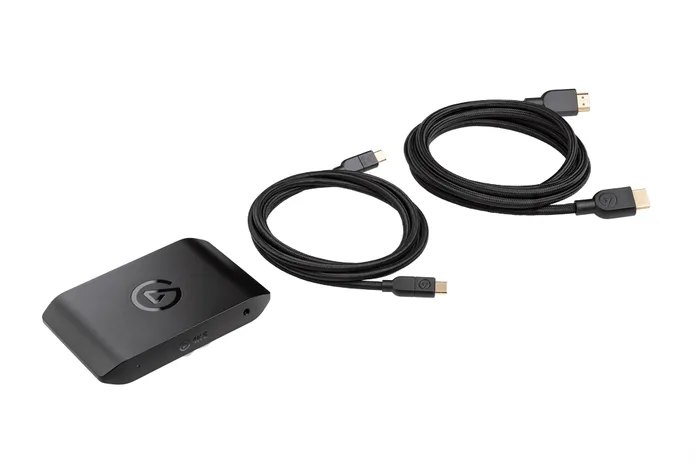
The future-proof external pick, with HDMI 2.1 4K144 passthrough and capture up to 4K144.
Best for: Creators on current-gen consoles or high-refresh 4K setups who want passthrough that never bottlenecks their gameplay.
- HDMI 2.1 lets it pass through up to 4K144 with VRR, so a PS5 Pro or high-refresh 4K monitor plays uncapped while you capture
- Elgato specifies capture up to 4K144 and 1080p240, with HDR10 on selected modes (HDR capture is Windows only), giving you real headroom for recording, not just streaming
- External USB-C box that is genuinely plug-and-play and works across OBS, Windows and Mac
- Wants a 10Gbps USB 3.2 Gen 2 port and a reasonably capable PC for its top modes; Gen 1 works at reduced capture resolution
- Overkill and pricey if you only ever stream 1080p
Own the Elgato Game Capture 4K X? Tell us how it held up.
Thanks. Counted, and shown once enough owners have weighed in.
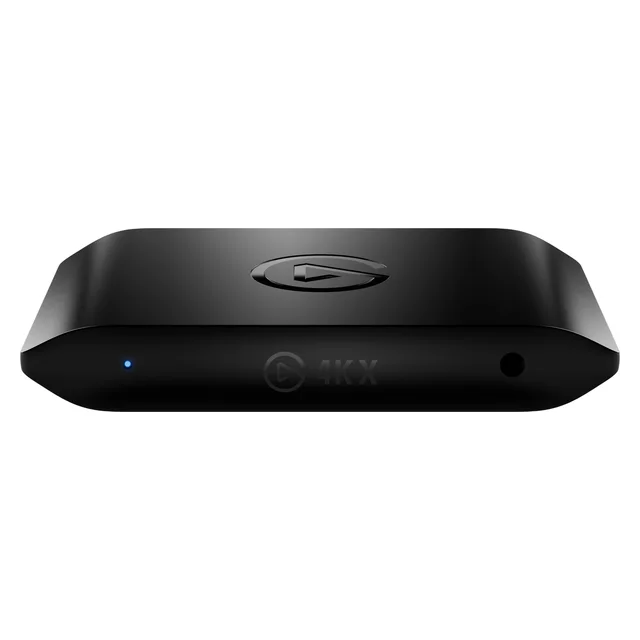
The value default: 4K60 capture, 1080p240 and 4K60 HDR passthrough that covers what most streamers actually do.
Best for: The mainstream streamer capturing 1080p, 1440p or 4K60 who wants the best balance of quality, ease and price.
- Elgato specifies capture up to 4K60, 1440p144 and 1080p240, with HDR10 capture on selected modes (Windows only)
- Passthrough handles 4K60 with HDR10, VRR and ALLM, plus 1440p144 and 1080p240, so it does not cap your monitor while you play
- Simple external USB-C setup for Windows, Mac and iPad, with the same polished Elgato software as the flagship
- HDMI 2.0 only, so it cannot pass through 4K120 or 4K144
- Uses a 5Gbps USB-C 3.2 Gen 1 connection, so its top capture modes sit below the 4K X's
- HDR capture is limited to selected modes, per Elgato's own footnote
Own the Elgato Game Capture 4K S? Tell us how it held up.
Thanks. Counted, and shown once enough owners have weighed in.
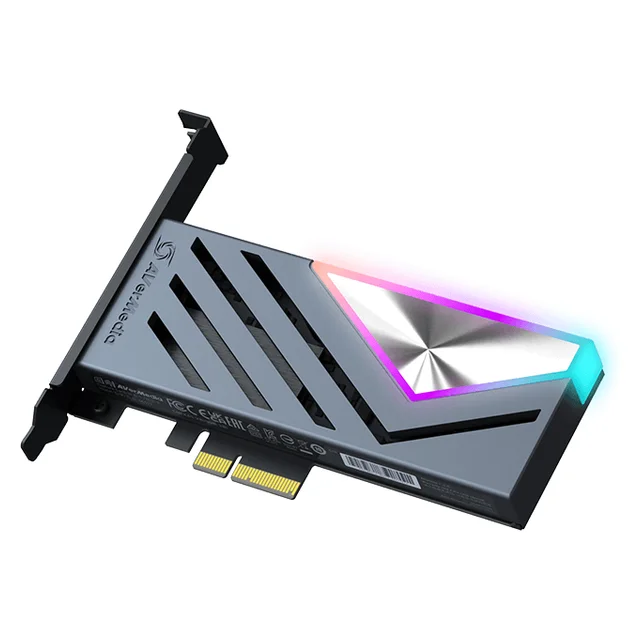
A true HDMI 2.1 internal card, ideal only if you have a desktop with a free PCIe slot and no spare 10Gbps USB-C port.
Best for: Desktop streamers who lack a 10Gbps USB-C port and would rather have HDMI 2.1 capture built into the tower.
- HDMI 2.1 passthrough up to 4K144 with 4K60 capture (4K144 in AVerMedia's Streaming Center) and HDR10 capture support, in the same range as the external competition's headline modes
- Internal PCIe card frees up a USB port and sidesteps the fast-USB-C requirement that trips up some setups
- Supports 5.1 multi-channel audio, and AVerMedia publishes a full spec sheet with supported resolutions
- Desktop-only: you have to open the case and give up a PCIe slot, so it is useless for laptops or console-only creators
- AVerMedia lists Windows 10 or 11 as its system requirement, so it is no use for Mac
- Needs a free PCIe Gen 3 x4 slot and a capable desktop GPU, per its system requirements
Amazon had no buyable listing for this when we last checked. The link still works if it returns.
Find it on Amazon Read our detailed assessmentOwn the AVerMedia Live Gamer 4K 2.1 (GC575)? Tell us how it held up.
Thanks. Counted, and shown once enough owners have weighed in.
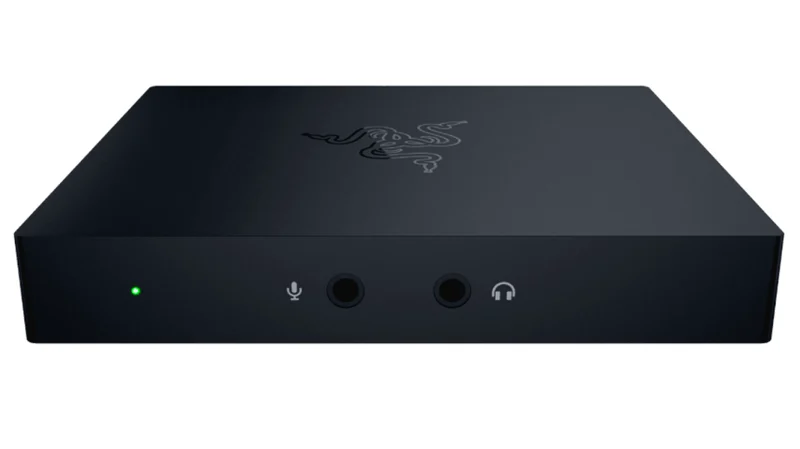
A once-loved entry card that HDMI 2.0 and time have left behind, and that Razer no longer lists.
Best for: Almost no one today; only worth it if you find one heavily discounted and never plan to move past basic 1080p.
- 1080p60 capture that covers basic streaming
- External USB box rather than an internal card
- Stuck on HDMI 2.0 with no HDR capture and no high-refresh or 4K120 passthrough, so it can bottleneck modern displays
- Razer's capture card range page no longer lists it, so support and updates are uncertain
- A step behind the 4K S on HDR capture and passthrough
Own the Razer Ripsaw HD? Tell us how it held up.
Thanks. Counted, and shown once enough owners have weighed in.
| Criteria | Elgato Game Capture 4K X Buy it Buy | Elgato Game Capture 4K S Top pick Buy it Buy | AVerMedia Live Gamer 4K 2.1 (GC575) It depends | Razer Ripsaw HD Skip it Buy |
|---|---|---|---|---|
| Best for | Creators on current-gen consoles or high-refresh 4K setups who want passthrough that never bottlenecks their gameplay. | The mainstream streamer capturing 1080p, 1440p or 4K60 who wants the best balance of quality, ease and price. | Desktop streamers who lack a 10Gbps USB-C port and would rather have HDMI 2.1 capture built into the tower. | Almost no one today; only worth it if you find one heavily discounted and never plan to move past basic 1080p. |
| Price tier | $$$$ · flagship | $$ · mid-range | $$$ · premium | $ · budget |
| Connection | External USB-C (10Gbps) | External USB-C (5Gbps) | Internal PCIe card | External USB 3.0 |
| Max capture | Up to 4K144 (HDR on some modes) | Up to 4K60 (1080p240, 1440p144) | Up to 4K60 (4K144 in Streaming Center) | 1080p60, no HDR |
| Passthrough | Up to 4K144 + VRR (HDMI 2.1) | 4K60 / 1440p144 / 1080p240 | Up to 4K144 (HDMI 2.1) | Up to 4K60 (HDMI 2.0) |
| HDR capture | Yes (HDR10, Windows) | Yes (HDR10, Windows, selected modes) | Yes (HDR10) | No |
| Software polish | Excellent (Elgato) | Excellent (Elgato) | Functional (AVerMedia) | Basic (Razer) |
| Setup | Plug-and-play, needs 10Gbps USB-C | Plug-and-play | Install in a PCIe slot | Plug-and-play |
| Best use | High-refresh 4K creators | Mainstream 1080p to 4K60 streamers | Desktops without fast USB-C | Entry 1080p (now outclassed) |
| Price tier | $$$$ · flagship | $$ · mid-range | $$$ · premium | $ · budget |
Which one is right for you?
- Creators on current-gen consoles or high-refresh 4K setups who want passthrough that never bottlenecks their gameplay. Buy it Elgato Game Capture 4K X
- The mainstream streamer capturing 1080p, 1440p or 4K60 who wants the best balance of quality, ease and price. Buy it Elgato Game Capture 4K S
- Desktop streamers who lack a 10Gbps USB-C port and would rather have HDMI 2.1 capture built into the tower. It depends AVerMedia Live Gamer 4K 2.1 (GC575)
- Almost no one today; only worth it if you find one heavily discounted and never plan to move past basic 1080p. Skip it Razer Ripsaw HD
How we judged the field
We do not run our own capture lab. Instead we worked from the specifications each maker publishes, then weighted the things that actually decide whether a capture card is worth your money. Capture quality and supported resolutions came first: what the card can record and stream, and whether it does HDR. Passthrough mattered just as much, because a card that caps your monitor’s resolution or refresh rate quietly ruins the experience you paid a fast display for. We also weighed setup and connection type (external USB versus internal PCIe), latency behavior, and the polish of the bundled software and drivers, since a card you fight with every session is worse than one that disappears into your routine. Finally we looked at value: not the lowest sticker, but whether the price matches what you get relative to the alternatives.
Elgato Game Capture 4K X
Buy itThis is the card to buy when you want to stop worrying about the future. Its HDMI 2.1 input and output pass through up to 4K144 with variable refresh rate, which means a high-refresh 4K monitor or a current-gen console runs exactly as it should while the card quietly grabs a copy. On the capture side Elgato specifies up to 4K144, with HDR10 on selected modes (HDR capture is Windows only), and 1080p240 if you would rather bank frames than pixels, so it has genuine recording headroom rather than just streaming competence. Because it is an external USB-C box it stays approachable: no case to open, and it plays nicely with OBS on both Windows and Mac. The catch is that it expects a real 10Gbps USB-C port and a capable PC to unlock its best modes, and if you only ever push a 1080p stream you are paying for ceiling you will never touch. For the right setup, though, it is the most trouble-free way to capture modern gameplay at its best.
Elgato Game Capture 4K S
Buy itThe 4K S is the card we would hand most people without hesitation. Elgato specifies capture up to 4K60, with 1440p144 and 1080p240 on offer if you would rather bank frames than pixels, and HDR10 capture on selected modes (Windows only). Its passthrough sends 4K60 with HDR10 and VRR, or 1440p144 and 1080p240, to your display, so plugging it in does not force you to game at a lower resolution or refresh than your monitor supports. Add Elgato’s polished, broadly supported software and a genuinely plug-and-play USB-C connection for Windows, Mac and iPad, and you get a card that just works. The honest limits are that it is an HDMI 2.0 device, so it will not pass 4K120 or 4K144, and it uses a 5Gbps USB connection where the 4K X uses 10Gbps. Neither restriction touches what the mainstream streamer does day to day, which is why it is our top pick. Elgato names it as the successor to the HD60 X, which the maker has discontinued.
AVerMedia Live Gamer 4K 2.1 (GC575)
It dependsThis internal card is a strong piece of hardware aimed at a specific person. It offers HDMI 2.1 passthrough up to 4K144 and 4K60 capture, in the same range as the external flagships on the headline numbers, with HDR10 capture support. Being an internal PCIe card, it frees a USB port and sidesteps the fast-USB-C requirement that occasionally trips up external setups. But those strengths only land in one scenario: a desktop with a spare PCIe slot and no convenient 10Gbps USB-C port. If you use a laptop, or you only capture from a console, it is a non-starter, and even for desktop owners it means opening the case and committing a slot. It is also Windows only. Right setup, quietly excellent; wrong setup, an awkward buy.
Razer Ripsaw HD
Skip itThe Ripsaw HD was a genuinely likable entry card in its day, and it offered 1080p60 capture for basic streaming. The problem is that time and the market have moved past it. It is stuck on HDMI 2.0 with no HDR capture and no high-refresh or 4K120 passthrough, so on a modern console or high-refresh display it can become the bottleneck rather than the enabler. Razer’s capture card range page no longer lists it, which makes updates and support uncertain, and the 4K S captures HDR and passes through far more. Unless you stumble on one at a steep discount and never intend to move past basic 1080p, spend a little smarter.
Sources
Specs in this review come from these pages.
Elgato 4K S vs Elgato 4K X: which should you buy?
This is the decision most readers are really making, and it comes down to one honest question: do you need more than 4K60? If your stream lives at 1080p or 1440p (or you record up to 4K60 for editing), the 4K S gives you HDR capture on selected modes, high-refresh passthrough so your gameplay is never capped, and the same excellent software as its bigger sibling, for a lower price tier. It is the smart-money pick. The 4K X justifies its premium only when your setup demands it: you record local 4K at 120 or 144 frames per second, or you run a high-refresh 4K monitor or current-gen console and want HDMI 2.1 passthrough that keeps everything uncapped. Buy the 4K X for the display and workflow you actually have, not the one you imagine; for most people, the 4K S is the card that ends the search.
What to look for
- Match capture to your output, not the box’s ceiling. Most streams are 1080p; 1080p60 HDR capture is plenty unless you specifically record 4K for editing.
- Check the passthrough, not just the capture number. The card should pass your monitor’s full resolution and refresh (and VRR, if you use it) so gameplay never gets capped.
- HDMI 2.1 vs HDMI 2.0. Only HDMI 2.1 cards handle 4K120 and the newest high-refresh modes; HDMI 2.0 is fine for 1080p but shows its age fast.
- External vs internal. External USB cards work everywhere including laptops and consoles; internal PCIe cards suit desktops that lack a fast USB-C port.
- Mind the USB requirement. The fastest external cards need a genuine 10Gbps USB-C port to reach their top modes.
- Weigh the software. A polished, well-supported app saves you real frustration; rough drivers can undo good hardware.
Our final take
Capture cards have quietly gotten good enough that the wrong move is overspending, not underspending. The Elgato 4K S is the card we would recommend to most streamers: it captures what you actually broadcast, passes through high-refresh gameplay untouched, and pairs great software with a fair price. Step up to the Elgato 4K X only when your workflow or display genuinely calls for HDMI 2.1 and 4K capture, in which case it is the most future-proof external option here. The AVerMedia Live Gamer 4K 2.1 is a fine internal card for the narrow group of desktop owners who need exactly that, and the Razer Ripsaw HD is the one to pass on now that better cards exist. Buy for the setup in front of you, and you will not overpay for headroom you never use.
Questions, answered
Do I even need a capture card to stream?
If you play and stream on the same PC, usually no; modern GPUs encode your gameplay directly, and software like OBS handles the rest. A capture card earns its keep when you are streaming a console (PS5, Xbox, Switch) or running a two-PC setup where a dedicated streaming machine ingests the gameplay feed. If a single PC is your whole setup, spend the money elsewhere first.
Internal PCIe or external USB card, which should I choose?
External USB cards are the easy default: they work with laptops, desktops, Macs and consoles, and you just plug them in. An internal PCIe card like the AVerMedia only makes sense in a desktop, and mainly if you lack a fast 10Gbps USB-C port or want to keep the box out of sight. For most people the flexibility of an external card outweighs any tidiness benefit of going internal.
Will a capture card add lag to my gameplay?
Not to what you play on, as long as you use the card's HDMI passthrough. The card sends a copy of the signal straight to your monitor or TV with minimal added latency, while a separate stream goes to your streaming software. Any small delay lives only in the captured/streamed feed, which viewers see, not in your own controller-to-screen experience.
Do I actually need 4K capture, or is 1080p enough?
Most streamers broadcast at 1080p because that is what platforms deliver reliably and what viewers watch, so a 1080p60 HDR card like the 4K S is plenty. Reach for a 4K-capable card mainly if you record local 4K footage for editing, or you have a high-refresh 4K or current-gen console setup and want passthrough that does not cap your display.
What does my PC need to run the Elgato 4K X's top modes?
The 4K X connects over USB and needs a genuine 10Gbps USB-C port (USB 3.2 Gen 2) plus a reasonably modern PC to hit its highest capture and passthrough modes; a slower port will limit it. If your desktop has neither a fast USB-C port nor room to add one, an internal HDMI 2.1 card is the workaround, whereas laptop and console users are better served by the external Elgato boxes.
Deciding between the top two? See our head-to-head: Elgato Game Capture 4K S vs Elgato Game Capture 4K X.
More in Gaming
Capture Cards, Explained Plain-English guide → Elgato Game Capture 4K S vs Elgato Game Capture 4K X Head-to-head →  The Best Fight Sticks: 6 Compared (and One to Skip)
  Flight Sticks: Which to Buy and Which to Skip
  The Best Gaming Chairs: 4 Compared (and One to Skip)
  The Best Gaming Controllers: 4 Compared (and One to Skip)