

Gaming · Head-to-head
Elgato Game Capture 4K S vs Elgato Game Capture 4K X
Which should you buy? Our verdict on both, pulled from our full The Best Video Capture Cards: 4 Compared (and One to Skip) comparison.
For the overwhelming majority of streamers, the 4K S captures up to 4K60 and 1080p240, passes through 4K60 with HDR10 and VRR, and sits well below the flagship on price tier. Step up to the 4K X only if you genuinely record high-frame-rate 4K or run a high-refresh 4K/PS5 Pro setup that demands HDMI 2.1 passthrough.
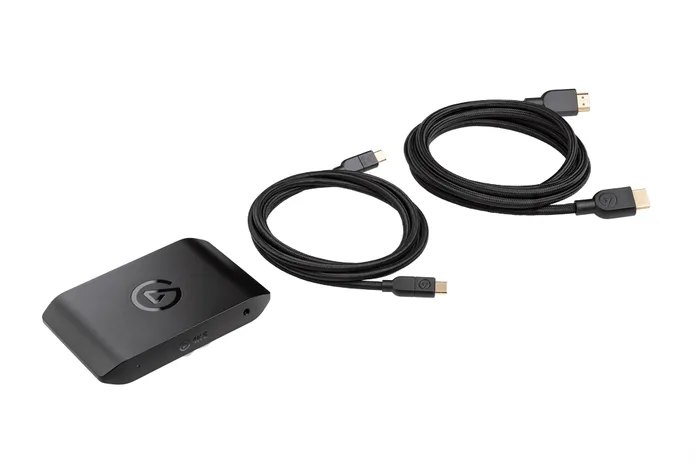
Elgato Game Capture 4K S
Buy itThe value default: 4K60 capture, 1080p240 and 4K60 HDR passthrough that covers what most streamers actually do.
- Elgato specifies capture up to 4K60, 1440p144 and 1080p240, with HDR10 capture on selected modes (Windows only)
- Passthrough handles 4K60 with HDR10, VRR and ALLM, plus 1440p144 and 1080p240, so it does not cap your monitor while you play
- Simple external USB-C setup for Windows, Mac and iPad, with the same polished Elgato software as the flagship
- HDMI 2.0 only, so it cannot pass through 4K120 or 4K144
- Uses a 5Gbps USB-C 3.2 Gen 1 connection, so its top capture modes sit below the 4K X's
- HDR capture is limited to selected modes, per Elgato's own footnote
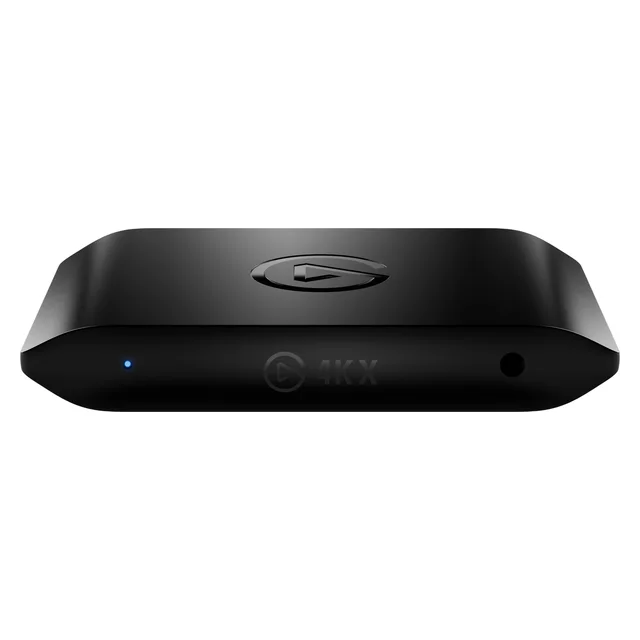
Elgato Game Capture 4K X
Buy itThe future-proof external pick, with HDMI 2.1 4K144 passthrough and capture up to 4K144.
- HDMI 2.1 lets it pass through up to 4K144 with VRR, so a PS5 Pro or high-refresh 4K monitor plays uncapped while you capture
- Elgato specifies capture up to 4K144 and 1080p240, with HDR10 on selected modes (HDR capture is Windows only), giving you real headroom for recording, not just streaming
- External USB-C box that is genuinely plug-and-play and works across OBS, Windows and Mac
- Wants a 10Gbps USB 3.2 Gen 2 port and a reasonably capable PC for its top modes; Gen 1 works at reduced capture resolution
- Overkill and pricey if you only ever stream 1080p
Side by side
The 7 criteria below are the ones our full comparison judged every product on, narrowed to these two.
| Elgato Game Capture 4K S Our pick | Elgato Game Capture 4K X | |
|---|---|---|
| Our verdict | Buy | Buy |
| Best for | The mainstream streamer capturing 1080p, 1440p or 4K60 who wants the best balance of quality, ease and price. | Creators on current-gen consoles or high-refresh 4K setups who want passthrough that never bottlenecks their gameplay. |
| Price tier | $$ · mid-range | $$$$ · flagship |
| Connection | External USB-C (5Gbps) | External USB-C (10Gbps) |
| Max capture | Up to 4K60 (1080p240, 1440p144) | Up to 4K144 (HDR on some modes) |
| Passthrough | 4K60 / 1440p144 / 1080p240 | Up to 4K144 + VRR (HDMI 2.1) |
| HDR capture | Yes (HDR10, Windows, selected modes) | Yes (HDR10, Windows) |
| Software polish | Excellent (Elgato) | Excellent (Elgato) |
| Setup | Plug-and-play | Plug-and-play, needs 10Gbps USB-C |
| Best use | Mainstream 1080p to 4K60 streamers | High-refresh 4K creators |
Which one is right for you?
Pick the Elgato Game Capture 4K S if
the mainstream streamer capturing 1080p, 1440p or 4K60 who wants the best balance of quality, ease and price.
Know before buying: hDMI 2.0 only, so it cannot pass through 4K120 or 4K144.
Pick the Elgato Game Capture 4K X if
creators on current-gen consoles or high-refresh 4K setups who want passthrough that never bottlenecks their gameplay.
Know before buying: wants a 10Gbps USB 3.2 Gen 2 port and a reasonably capable PC for its top modes; Gen 1 works at reduced capture resolution.
The bottom line
Our overall pick is the Elgato Game Capture 4K S - The value default: 4K60 capture, 1080p240 and 4K60 HDR passthrough that covers what most streamers actually do. Choose the Elgato Game Capture 4K X instead if creators on current-gen consoles or high-refresh 4K setups who want passthrough that never bottlenecks their gameplay.
Want the full picture, including the other options we compared and the popular one we'd skip? Read the complete The Best Video Capture Cards: 4 Compared (and One to Skip).