

Gaming · Head-to-head
ASUS ROG Strix XG27ACS vs AOC Q27G3XMN
Which should you buy? Our verdict on both, pulled from our full Best Budget 1440p Gaming Monitors (27"): What's Actually Worth It comparison.
For most people the ASUS ROG Strix XG27ACS is the safest buy: fast IPS motion, accurate color, USB-C and a fully adjustable stand at a fair price. If you game mostly single-player and want HDR that actually impresses, the AOC Q27G3XMN's mini-LED backlight is the standout value. Choose the LG 27GP850-B only when it's on sale and color accuracy matters most. We'd skip the Samsung Odyssey G5 - it's a recognizable name asking similar money for weaker motion, a barebones stand and HDR in name only.
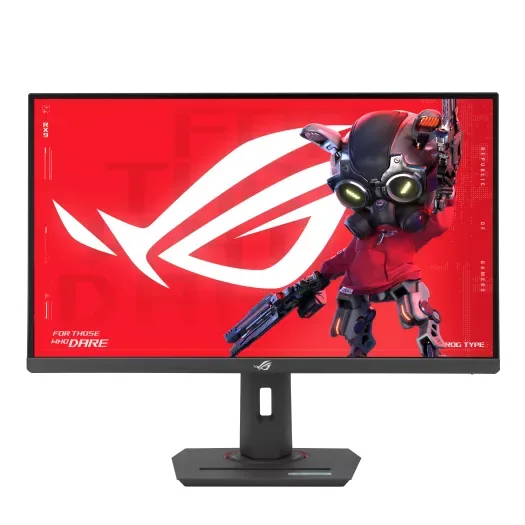
ASUS ROG Strix XG27ACS
Buy itThe best all-rounder here: fast IPS, accurate color out of the box, and a proper adjustable stand.
- Fast IPS with 180Hz and near-instant response - clean, tear-free motion
- Reviewers found it accurate out of the box, with 97% DCI-P3 coverage on ASUS's spec sheet
- Full ergonomic stand plus USB-C video input
- HDR is entry-level (400 nits, no local dimming) - fine, not exciting
- 1000:1 contrast means blacks look grey in a dark room
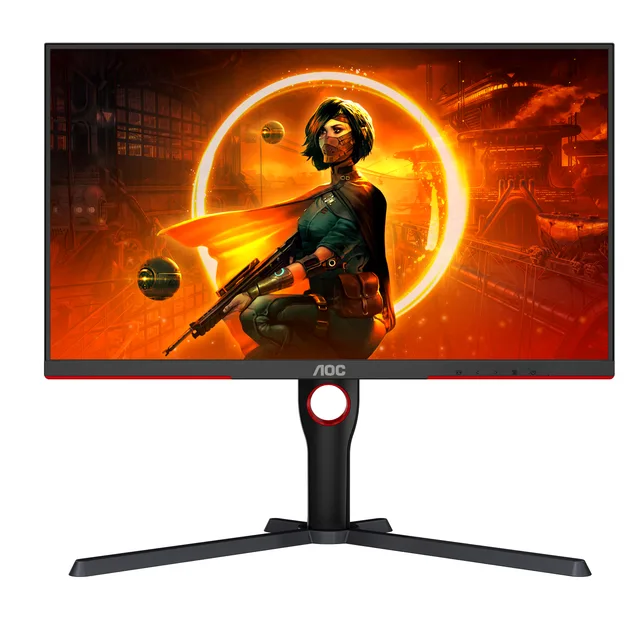
AOC Q27G3XMN
Buy itThe cheapest way to get HDR that actually does something, thanks to a 336-zone mini-LED backlight.
- Real HDR: 336-zone mini-LED local dimming with VESA DisplayHDR 1000 certification
- High-contrast VA panel (4000:1 static) with wide color coverage (101% DCI-P3 on AOC's sheet)
- 180Hz and real HDR at a price others can't match
- VA panel shows mild dark smearing in fast, shadowy scenes
- Visible blooming around bright objects on dark backgrounds
- Local dimming can be fiddly outside of HDR content
Side by side
The 6 criteria below are the ones our full comparison judged every product on, narrowed to these two.
| ASUS ROG Strix XG27ACS Our pick | AOC Q27G3XMN | |
|---|---|---|
| Our verdict | Buy | Buy |
| Best for | Most people who want one monitor that does gaming, work and everything in between without fuss. | Players who mostly game single-player and want HDR highlights that really pop. |
| Price tier | $$ · mid-range | $$ · mid-range |
| Panel & refresh | Fast IPS · 180Hz | VA mini-LED · 180Hz |
| Motion clarity | Excellent - quick IPS + ELMB | Very good, mild dark smear |
| HDR | Basic (HDR400, no dimming) | Real HDR - 336-zone mini-LED, DisplayHDR 1000 |
| Color | Accurate OOTB · ~97% DCI-P3 | Wide gamut · 101% DCI-P3 (AOC) |
| Stand & ergonomics | Tilt/height/swivel/pivot + USB-C | Tilt/height/swivel/pivot |
| Value | $$ · mid-range - best all-round | $$ · mid-range - best HDR value |
Which one is right for you?
Pick the ASUS ROG Strix XG27ACS if
most people who want one monitor that does gaming, work and everything in between without fuss.
Know before buying: hDR is entry-level (400 nits, no local dimming) - fine, not exciting.
Pick the AOC Q27G3XMN if
players who mostly game single-player and want HDR highlights that really pop.
Know before buying: vA panel shows mild dark smearing in fast, shadowy scenes.
The bottom line
Our overall pick is the ASUS ROG Strix XG27ACS - The best all-rounder here: fast IPS, accurate color out of the box, and a proper adjustable stand. Choose the AOC Q27G3XMN instead if players who mostly game single-player and want HDR highlights that really pop.
Want the full picture, including the other options we compared and the popular one we'd skip? Read the complete Best Budget 1440p Gaming Monitors (27"): What's Actually Worth It.