Explained
Smart Light Switches, Explained
After reading, you'll understand which smart switch your wiring can take, whether you need a hub, and what the load ratings mean.
In this guide
Most smart switch returns come down to wiring, not features. First-time buyers discover that their box has no neutral wire, that the light is on a 3-way circuit, or that their LED bulbs flicker on a dimmer rated for incandescent loads. The radio adds another layer, since Wi-Fi, Thread and proprietary systems each need different gear. This guide explains the terms on the box so you can match a switch to your home before you open the wall.
The 30-second version
- Check for a neutral first, because many smart switches need one and older switch boxes often lack it.
- Know if the light is 3-way, since several smart dimmers replace a single-pole switch only.
- The radio decides the hub, with Wi-Fi needing none, Thread needing a border router and Lutron needing its own Smart Hub.
- Stay inside the load rating, and note that LED limits are much lower than incandescent limits.
- Read the certification line, because a UL, ETL or CSA mark is about electrical safety while FCC is about radio emissions.
The products this guide is about
Our verdict on each, with the full reasoning on the companion review.
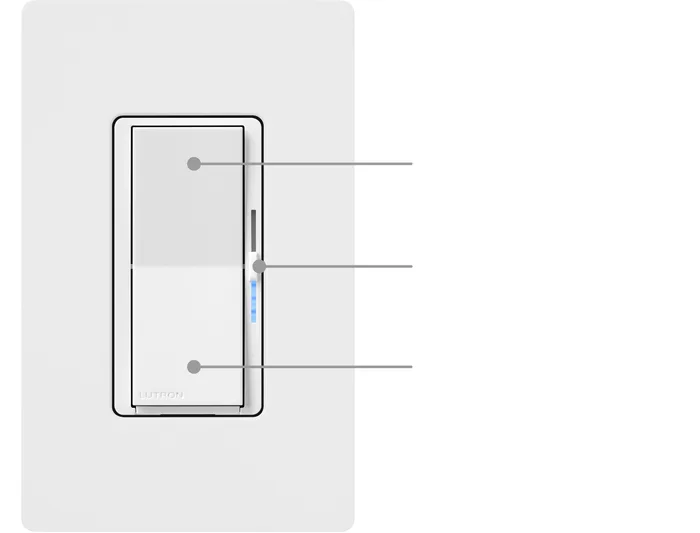
- Buy Lutron Caséta Diva Smart Dimmer Switch A paddle-style smart dimmer that needs no neutral wire and talks to its own hub instead of your Wi-Fi. Amazon
- Buy Kasa Smart Wi-Fi Light Switch, Dimmer (KS225) A low-cost Wi-Fi dimmer with Matter certification and no hub, for boxes that have a neutral wire. Amazon
- It depends Inovelli White Series Smart Dimmer (Thread/Matter) A deeply configurable Thread and Matter dimmer with a full-color LED bar, built for people who enjoy tuning their smart home.
- It depends Eve Dimmer Switch A Thread and Matter dimmer with no Eve cloud and schedules stored on the switch, aimed at Apple Home and Matter users.
- It depends Philips Hue Dimmer Switch (latest model) A battery-powered wall remote for Hue lights that needs no wiring at all. Amazon
- Skip Treatlife Smart Dimmer Switch (DS02S) A cheap 2.4GHz Wi-Fi dimmer that is single-pole only, lists no Matter support and names only FCC certification.
What actually matters
- Neutral wire - Many smart switches draw a little standby power through the neutral. If your box has none, you need a model built to work without it.
- Circuit type - A single-pole switch controls a light from one place; a 3-way setup uses two switches. Check that the smart switch and any companion switch support your layout.
- Radio and hub - Wi-Fi switches connect to your router directly, while Thread switches need a border router and Matter controller. Proprietary systems like Lutron Caséta use their own hub.
- Load rating - Dimmers list separate maximums for LED and incandescent bulbs. Add up the bulbs on the circuit and stay under the LED figure if you use LEDs.
- Dimming type - Leading-edge and trailing-edge dimming suit different bulbs. A mismatch can cause flicker or buzzing at low levels.
- Multi-location support - Some switches pair with a wired accessory switch, some with a battery remote and some with neither. This matters for hallways and stairs.
- Safety listing - A UL, ETL or CSA mark shows the switch was evaluated for electrical safety. Look for it on the spec sheet, not just the marketing copy.
The specs, in plain English
Green flags vs red flags
Green flags
- The spec sheet states the neutral wire requirement plainly.
- A UL, ETL or CSA mark or file number is listed.
- Separate LED and incandescent load ratings are published.
- Multi-way options and any companion switch are named.
- The maker publishes a wiring diagram and installation guide before you buy.
Red flags
- No mention of whether a neutral wire is needed.
- FCC is the only certification named.
- A single wattage figure with no LED rating.
- No word on 3-way support for a model sold for hallways or stairs.
- No warranty length anywhere on the listing.
Who's who: the brands
- Lutron - Known for no-neutral dimmers and the Caséta system, which uses its own Clear Connect radio and Smart Hub.
- Kasa (TP-Link) - Known for low-cost, hub-free Wi-Fi switches, with Matter-certified models such as the KS225.
- Inovelli - Known for highly configurable Z-Wave, Zigbee and Thread switches with LED notification bars.
- Eve - Known for Thread and Matter devices with no Eve cloud and an Apple Home focus.
- Philips Hue - Known for smart bulbs and battery-powered remotes that control them without wiring.
How to read a listing without getting fooled
Start with the requirements block, which should state the neutral wire rule, the supported circuit types and the voltage, usually 120 V at 60 Hz in North America. Then read the load table: the LED maximum is the number that matters for most homes today, and it is often half or less of the incandescent figure. Check the radio and what hub it needs, then look for a certification line naming UL, ETL or CSA. Finally, read the FAQ or installation guide for limits the headline skips, such as single-pole only, no fan loads, or a bypass for no-neutral installs.
How much should you spend?
Budget Wi-Fi dimmers cost the least and need no hub, but they usually require a neutral and vary in how well they document certification and multi-way support. Mid-range switches from Lutron, Inovelli and Eve cost more per switch and may need a hub or border router, but they bring no-neutral options, higher load ratings or deeper configuration. Battery remotes sit at the low end and avoid wiring costs entirely if you already own smart bulbs. Factor the hub into the first switch and spread it across every switch you plan to add later.
Questions, answered
Why does my LED light flicker on a smart dimmer?
Usually the bulb and dimmer disagree on dimming type, or the load is too small for the dimmer to run reliably. Inovelli says very low-wattage LED loads can cause flicker or resets and recommends a bypass in those cases. Eve's app walks you through matching its dimmer to your light's dimming characteristics. Check that your bulbs are marked dimmable first.
Can a smart dimmer control a ceiling fan?
Not a standard dimmer. Inovelli says its dimmer cannot control fans or other motorized loads, and Lutron sells a separate Claro smart switch and fan speed control for that job. Using a light dimmer on a motor can damage it.
What happens to a smart switch when the internet goes down?
The wired switches in our comparison are designed to keep working from the paddle. Lutron says scenes and schedules keep running through its hub without Wi-Fi, TP-Link says the KS225 stays reachable on your local network, and Eve stores schedules on the switch itself. Remote control from outside the home stops until the connection returns.
Do smart switches use power when the light is off?
Yes, a small amount, because the radio has to stay on to listen for commands. Switches that need a neutral draw that standby power through it; no-neutral designs draw it through the light fixture instead, which is why some need a bypass with very small LED loads.
Or jump to the head-to-head: Lutron Caséta Diva Smart Dimmer Switch vs Kasa Smart Wi-Fi Light Switch, Dimmer (KS225).