Explained
Projector Screens, Explained
You'll be able to look at any projector screen listing and know whether the gain, material, and format actually fit your room.
In this guide
A projector throws light onto a surface, and that surface does more work than most buyers expect: it decides how bright the image looks, how well colors hold up, and whether the picture survives a lamp left on in the room. Most confusion comes from treating screen shopping like buying a TV, when the right screen is really an answer to a question about your room, not a spec you can rank in isolation.
The 30-second version
- Room light decides the screen, not the projector. a dark, controllable room wants a neutral white surface, while a bright or multipurpose room needs ambient-light-rejecting material to keep the image from washing out.
- Screen gain is a trade-off, not a bonus. a higher-gain surface looks brighter dead-center but narrows the usable viewing angle, so seats off to the side get a dimmer picture.
- Flatness matters more than people expect. a tensioned, rigid surface stays flatter, while rolled and portable materials can wave or crease in ways that visibly distort the image.
- Format is a permanence decision first. fixed frame, motorized drop-down, and portable each trade picture quality and setup effort for how much the screen needs to disappear between uses.
- Sizing is math, not guesswork. the right diagonal depends on your seating distance and has to fit inside your specific projector's throw distance range, or the picture won't be sharp or won't fill the screen at all.
The products this guide is about
Our verdict on each, with the full reasoning on the companion review.
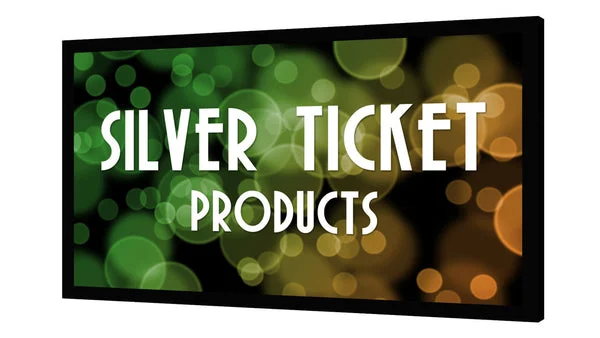
- Buy Silver Ticket STR-169120 120-inch Fixed Frame A drum-tight, color-neutral fixed frame that has been the value benchmark for home theater for years. Amazon
- Buy VividStorm ALR Fixed Frame Obsidian Long Throw Screen An ambient-light-rejecting screen that keeps contrast alive when you cannot fully darken the room.
- It depends Elite Screens Spectrum 2 Electric SPM100H-E12 (100-inch) A budget-friendly motorized drop-down that disappears when you are done watching, with the usual electric-screen trade-offs. Amazon
- Skip Elite Screens Tripod Series Portable Pull-Up Screen A capable grab-and-go presentation screen that struggles to justify itself for a real home theater. Amazon
What actually matters
- Screen gain tells you how much light the surface reflects back compared to a flat white reference, and higher numbers trade off-angle brightness for a punchier center image.
- Ambient-light rejection (ALR) describes material engineered to bounce room light away while still returning the projector's beam, which matters enormously if you can't fully darken the room.
- Screen format (fixed frame, motorized, portable) decides whether the surface stays flat and taut or has to fold, roll, or retract, which directly affects picture quality.
- Surface material and color (matte white, gray, acoustically transparent) change color accuracy, perceived contrast, and whether speakers can sit directly behind the screen.
- Throw distance is the range of distances your specific projector needs from the screen to produce a sharp, correctly sized image, and it has to be checked before buying either component.
- Viewing angle is how far off-center someone can sit before the image looks noticeably dimmer, and it's controlled mostly by gain and surface material.
- Aspect ratio (commonly 16:9 for movies and TV, sometimes 2.35:1 for widescreen film) needs to match your projector's native output or you'll project onto a black bar or off the edge of the screen.
The specs, in plain English
Green flags vs red flags
Green flags
- The listing states a specific gain figure and viewing-angle range instead of just calling the material 'high-definition' or 'premium.'
- The material is described as tab-tensioned or rod-in-pocket, both of which indicate a taut surface.
- The seller publishes a throw-distance or projector-compatibility chart rather than leaving sizing to guesswork.
- Owner reports specifically mention the surface staying flat over time, not just at first setup.
- ALR products describe what angle of light they reject and mention viewing angle explicitly, not just 'rejects ambient light' in vague terms.
Red flags
- Gain numbers well above 1.5 with no mention of viewing angle, since that combination usually means a hot-spotting, narrow-angle image.
- No stated aspect ratio, leaving you unable to check it against your projector's native output.
- Vague marketing language like 'cinema quality' or '4K-ready' attached to a passive screen, since a screen has no resolution of its own.
- Portable or tripod screens marketed for home theater use without any mention of surface flatness or creasing.
- Motorized screens with no mention of a stall protection or auto-limit feature, which protects the motor from damage.
- Reviews that repeatedly mention a chemical smell, sagging, or discoloration after a few months of use.
Who's who: the brands
- Silver Ticket - Known for value-focused fixed-frame screens with rod-tensioned, color-neutral surfaces that have long been a home-theater budget benchmark.
- VividStorm - Specializes in ambient-light-rejecting fixed-frame screens aimed at bright and multipurpose rooms.
- Elite Screens - A broad-line maker covering fixed frame, motorized, and portable formats, often the first name buyers encounter across every screen category.
- Screen Innovations - Known for premium ALR and specialty materials aimed at higher-end custom installs.
- Da-Lite - A long-established commercial and residential screen maker known for motorized and acoustically transparent options.
How to read a listing without getting fooled
Start with three numbers on any listing: gain, diagonal size, and aspect ratio, and confirm the material type before anything else. A high gain figure without a stated viewing angle is a hint the seller is highlighting a narrow sweet spot rather than an all-around good picture. Watch for language borrowed from TVs, like resolution or refresh rate; a screen is a passive reflective surface, so those terms don't apply and their presence in a listing is a sign of filler copy rather than useful spec detail. For ALR screens, look for a stated light-rejection angle or a description of the technology (angular reflective, optical layer, etc.) rather than just the claim itself. Finally, check that the diagonal size and throw ratio math actually works for your room and your specific projector model before you buy either one.
How much should you spend?
Plain white fixed-frame screens sit at the affordable end of the category and represent the best picture quality per dollar spent, since a taut neutral surface is a mature, low-cost technology. Ambient-light-rejecting material costs meaningfully more because the coating and layering process is more complex, and that premium is worth paying only if you actually have light you can't control. Motorized screens add cost for the motor, casing, and remote hardware, which is a fair trade if you need the screen to retract but an unnecessary expense if the room can be dedicated. Portable and tripod screens are the cheapest option and are priced for convenience, not picture quality, so spending more within that format mostly buys a sturdier stand and flatter unrolled material rather than a meaningfully better image. In general, spend on surface quality and flatness first, since those affect every viewing session, and treat motorization and premium coatings as optional upgrades for a specific room constraint rather than default choices.
Questions, answered
Do I need an ALR screen, or is a plain white screen enough?
It depends entirely on whether you can darken the room. A plain white screen around 1.1 gain looks accurate and even in a fully dark or light-controlled room and costs less. An ambient-light-rejecting screen earns its higher price only when you're fighting windows, lamps, or a room that can't go fully dark, since it's specifically built to keep blacks from washing out under stray light.
What's the difference between screen gain and projector brightness?
Projector brightness, measured in lumens, is how much light the device outputs. Screen gain is how much of that light the surface reflects back toward you compared to a reference white. A high-gain screen can make a dim projector look brighter in the middle of the image, but it narrows the angle where that brightness holds up, so it's a compensation tool, not a free upgrade.
Fixed frame, motorized, or portable: how do I choose?
Choose based on whether the room is dedicated to the screen. A fixed frame gives the best picture quality and reliability if the screen can live on one wall permanently. A motorized drop-down is worth the added cost and moving parts only if the room does double duty and the screen genuinely needs to vanish. A portable or tripod screen trades picture flatness for speed and is best suited to presentations, travel, or occasional use rather than a regular movie setup.
How do I figure out what screen size fits my room and projector?
Two things have to line up: seating distance and projector throw distance. As a rough starting point, many owners find a seating distance of about 1.2 to 1.5 times the screen width comfortable for movies, sitting closer risks seeing pixel structure and farther makes the image feel small. Separately, every projector has a specified throw-distance range for a given screen size, so confirm your projector can actually produce that size image from where it will be mounted or placed before ordering the screen.
Can acoustically transparent screens really have speakers behind them without hurting the sound?
Yes, that's their specific purpose. The material is perforated with tiny holes that let sound pass through with minimal loss, so a center or full speaker array can sit directly behind the screen at the correct height instead of being placed off to the sides. They cost more than a solid screen and owners should confirm the perforation pattern is fine enough not to be visible from normal seating distance.
Is a projector screen actually better than a white wall or a bedsheet?
Owner reports commonly find a real screen looks sharper and more uniform. Wall texture and paint scatter light unevenly and are rarely neutral in color, and a sheet ripples and shows the room's ambient light through it. A dedicated screen adds a flat, color-correct surface and often a light-absorbing frame, which together account for most of what makes a projected image look clean rather than soft.
Or jump to the head-to-head: Silver Ticket STR-169120 120-inch Fixed Frame vs VividStorm ALR Fixed Frame Obsidian Long Throw Screen.