Explained
Monitor Arms, Explained
After reading this you will know exactly which numbers on a monitor arm listing matter, and how to spot the arm that will still hold your screen a year from now.
In this guide
A monitor arm frees up desk space and lets you set your screen at a healthy height, but the listings are full of jargon: VESA patterns, weight ceilings, gas versus mechanical springs. The single thing that trips buyers up is capacity, because an arm run near its rated limit is the one that slowly sags months later. This guide decodes the terms so you can match an arm to your specific monitor and desk with confidence.
The 30-second version
- Capacity headroom is everything. an arm rated well above your monitor's weight holds its height for years, while one working near its ceiling is the first to droop.
- Check two numbers before anything else: your monitor's VESA hole pattern and its weight, then confirm the arm supports both with margin.
- The spring mechanism, not the brand, predicts longevity. a quality constant-force or mechanical spring keeps its set height, while cheap gas springs tend to lose tension over months.
- Mount style is about your desk, not the monitor: a C-clamp needs a free edge and no drilling, while a grommet mount is cleaner and more permanent.
- A long warranty is a useful proxy for confidence, signaling how many years the maker expects the mechanism to keep working.
The products this guide is about
Our verdict on each, with the full reasoning on the companion review.
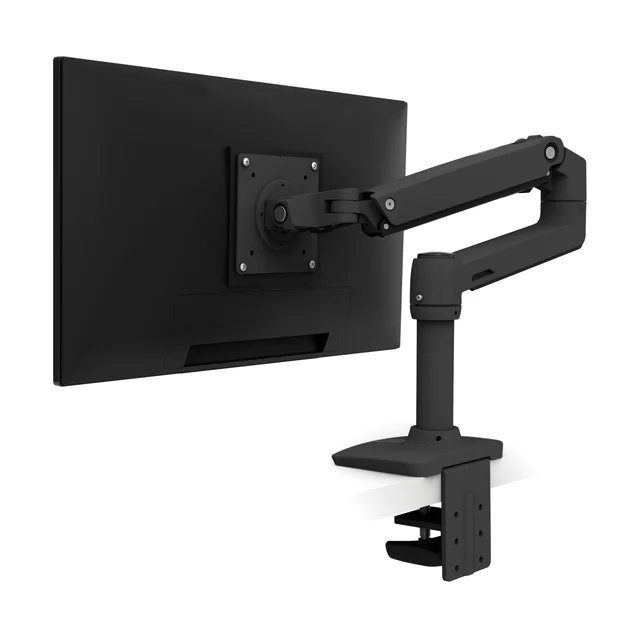
- Buy Ergotron LX Desk Mount Monitor Arm The set-and-forget workhorse most desks should default to, with position-holding owners stop thinking about after install. Amazon
- Buy Humanscale M2.1 Monitor Arm A quiet, near-hardware-free counterbalance arm for people who care how the desk looks and want a long warranty. Amazon
- Buy VIVO Single Monitor Desk Mount (STAND-V001) The honest budget choice, a pole-and-arm mount with clamp and grommet options that holds its height without drama. Amazon
- Skip Mount-It! Gas Spring Single Monitor Desk Mount (MI-1771) Fine on day one, but the arm here most likely to creep downward and need repeated re-tightening. Amazon
What actually matters
- Weight capacity with headroom - find your monitor's mass and pick an arm rated at least 20 percent higher, because the arm run closest to its limit is the one that sags first.
- VESA compatibility - the arm's mounting plate must match your monitor's rear hole pattern (75x75 or 100x100 mm on most desk screens), or it simply will not attach.
- Position-holding over time - the whole point of an arm is that you set the height once and forget it; the mechanism must resist the slow downward creep that plagues cheap arms.
- Mount type and desk fit - clamp or grommet, plus whether your desktop thickness falls inside the clamp's stated range, determines whether it installs cleanly without denting.
- Motion quality - how smoothly the arm tilts, swivels, and adjusts day to day separates a refined spring arm from a stiff budget one.
- Reach and articulation - a true parallel-arm design extends and repositions more fluidly than a pole-and-arm layout, which can flex at full extension.
- Warranty length - a longer term signals the maker's confidence that the spring and joints will not wear out quickly.
The specs, in plain English
Green flags vs red flags
Green flags
- A weight rating clearly above your monitor's actual mass, with visible headroom
- A constant-force or mechanical spring described as set-once, holding height without re-tuning
- Both clamp and grommet hardware included, plus VESA 75x75 and 100x100 plates
- A long stated warranty, which signals confidence in the mechanism
- Metal joints and a solid aluminum or steel build rather than plastic pivots
Red flags
- A weight ceiling that barely clears your monitor, or no clear rating at all
- Owner reports of the screen drooping or needing repeated re-tightening after a few months
- A budget gas-spring cylinder as the sole mechanism with no counterbalance detail
- Plastic joints at the tilt and pivot points where load concentrates
- No VESA pattern or desk-thickness range listed, forcing you to guess at fit
- A very short or vague warranty on a spring-loaded moving part
Who's who: the brands
- Ergotron - The workhorse standard, known for durable constant-force spring arms that hold position for years with little fuss.
- Humanscale - A premium ergonomics maker whose counterbalance arms favor clean looks, hidden hardware, and long warranties.
- VIVO - A value-focused brand offering pole-and-arm mounts with clamp and grommet mounting options.
- Mount-It! - A budget accessory maker whose low-cost gas-spring arms can be prone to sag and repeated re-tensioning over time.
How to read a listing without getting fooled
Start at the two numbers that decide fit: the VESA pattern and the weight rating. Confirm the arm's plate matches your monitor's hole pattern, then check that your screen's weight sits comfortably below the arm's ceiling, not right at it. Next, read what kind of spring drives the motion; a constant-force or mechanical compensator spring is a good sign, while a bare budget gas cylinder is the type most prone to creep. Look for the desk-thickness range and which mounts are included, so you know it will actually attach to your desk. Treat marketing words like premium or heavy-duty as noise until the load rating backs them up, and let a long warranty stand in for the durability you cannot test in a store.
How much should you spend?
Spend enough to clear your monitor's weight with real headroom, because that margin, more than any feature, is what keeps an arm from sagging. Budget arms are honest value when they include both mounts and a sensible rating, and a simple mechanical spring at a low price often holds its height more reliably than a cheap gas cylinder. Stepping up buys smoother motion, cleaner cable management, metal rather than plastic joints, and a longer warranty; that premium is worth it for a heavy or curved panel, a desk on display, or a station adjusted many times a day. It is less worth it for a light secondary screen you set once and leave alone. The trap to avoid is paying little for an arm run near its limit, then replacing it within a year.
Questions, answered
How do I know if a monitor arm will fit my monitor?
Check two things. First, the VESA hole pattern on the back of your screen must match the arm's plate (75x75 or 100x100 mm on most desk monitors). Second, your monitor's weight must sit under the arm's rating with margin. Large, curved, or ultrawide panels often exceed lighter arms, so confirm both before buying.
Should I choose a clamp mount or a grommet mount?
Use a C-clamp if your desk has a free rear or side edge; it needs no drilling and moves easily. Choose a grommet mount for a flush, permanent install or when the edge is blocked. Many arms include both, so you can switch later if your setup changes.
Will a monitor arm damage my desk?
It can if misused. A clamp near maximum load levers on a thin or soft desktop and can leave indentations, and overtightening can split laminate edges. Use the supplied backing plate, keep the monitor within the arm's rating, and confirm your desktop thickness falls inside the clamp's stated range.
Are gas-spring arms worse than mechanical-spring arms?
Not inherently. A quality gas or mechanical spring holds its height for years. The problem is that budget gas springs are the ones owners most often report sagging as they lose pressure over months. If you are buying at the low end, a simple mechanical spring often keeps its set height more reliably than a cheap gas cylinder.
What does the weight rating really tell me?
It is the heaviest screen the arm can hold at your chosen height without slipping. The key is headroom: an arm run near its ceiling is the first to droop, so aim for a rating at least 20 percent above your monitor's actual weight rather than one that just barely clears it.
Or jump to the head-to-head: Ergotron LX Desk Mount Monitor Arm vs Humanscale M2.1 Monitor Arm.