

Office & WFH · Head-to-head
Ergotron LX Desk Mount Monitor Arm vs Humanscale M2.1 Monitor Arm
Which should you buy? Our verdict on both, pulled from our full The Best Monitor Arms for Office and WFH Desks (2026) comparison.
The Ergotron LX holds its height for years, carries heavier panels than the Humanscale, and asks for nothing after the one-time hex-key setup. The Humanscale M2.1 is the pick if you want a cleaner look and a long warranty and your monitor is on the lighter side.
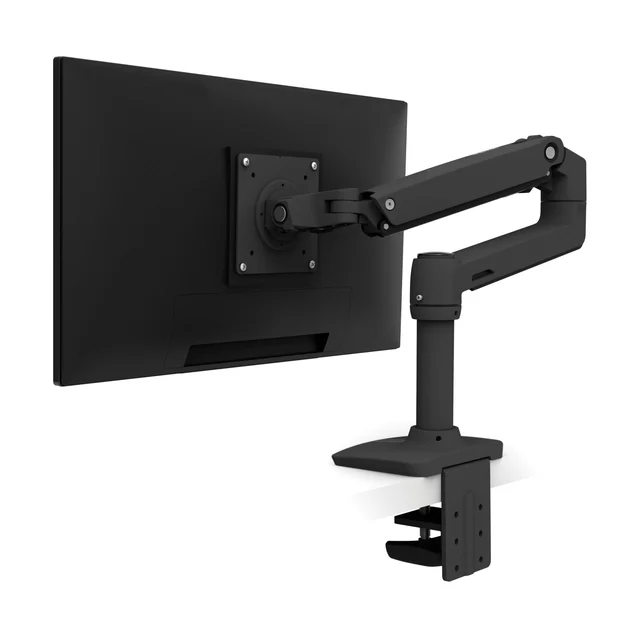
Ergotron LX Desk Mount Monitor Arm
Buy itThe set-and-forget workhorse most desks should default to, with position-holding owners stop thinking about after install.
- Constant Force spring is tensioned once with the bundled hex key and holds a mainstream desk monitor at the chosen height for years
- Higher weight rating than the Humanscale here (check Ergotron's spec sheet against your monitor), so a mainstream monitor sits below the ceiling where drooping begins
- Industrial, utilitarian look that reads more office than home
- The C-clamp base occupies a noticeable chunk of desk-edge depth
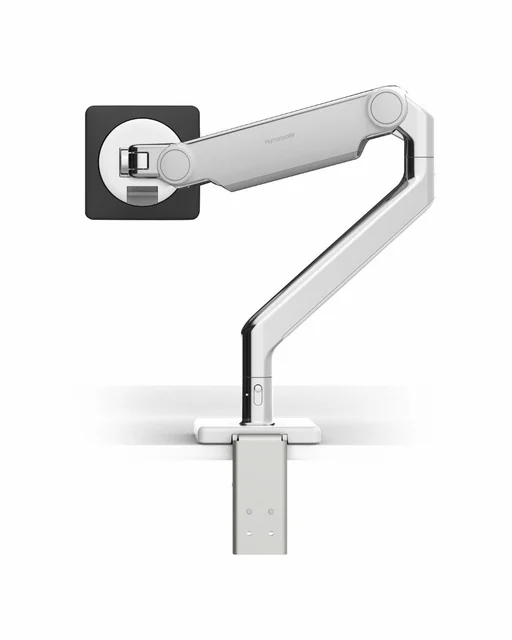
Humanscale M2.1 Monitor Arm
Buy itA quiet, near-hardware-free counterbalance arm for people who care how the desk looks and want a long warranty.
- Mechanical Compensator spring holds any set height without periodic re-tuning, and the self-lubricating precision bearings keep motion smooth over time
- Top-to-bottom cable management hides almost all cabling and hardware, and Humanscale offers a long warranty
- Lower weight ceiling (about 15.5 lb flat, 12.6 lb curved) rules out many heavier 32-inch and curved panels
- Costs meaningfully more than arms that hold position just as well
Side by side
The 6 criteria below are the ones our full comparison judged every product on, narrowed to these two.
| Ergotron LX Desk Mount Monitor Arm Our pick | Humanscale M2.1 Monitor Arm | |
|---|---|---|
| Our verdict | Buy | Buy |
| Best for | Most single-monitor office and WFH desks that want one arm and no fuss. | Lighter monitors on visible desks, and shared or hot-desk workstations. |
| Price tier | $$ · mid-range | $$$ · premium |
| Holds position over time | Set-once spring, stays for years | Compensator holds without re-tuning |
| Weight capacity | Higher than M2.1 (see spec sheet) | About 15.5 lb flat, 12.6 lb curved |
| Screen size range | Mainstream desk monitors | Lighter panels (check weight) |
| Motion mechanism | Constant Force spring | Mechanical Compensator spring |
| Build and finish | Metal, industrial look | Polished aluminum or black, minimal hardware |
| Warranty | Long (check Ergotron terms) | Long (check Humanscale terms) |
Which one is right for you?
Pick the Ergotron LX Desk Mount Monitor Arm if
most single-monitor office and WFH desks that want one arm and no fuss.
Know before buying: industrial, utilitarian look that reads more office than home.
Pick the Humanscale M2.1 Monitor Arm if
lighter monitors on visible desks, and shared or hot-desk workstations.
Know before buying: lower weight ceiling (about 15.5 lb flat, 12.6 lb curved) rules out many heavier 32-inch and curved panels.
The bottom line
Our overall pick is the Ergotron LX Desk Mount Monitor Arm - The set-and-forget workhorse most desks should default to, with position-holding owners stop thinking about after install. Choose the Humanscale M2.1 Monitor Arm instead if lighter monitors on visible desks, and shared or hot-desk workstations.
Want the full picture, including the other options we compared and the popular one we'd skip? Read the complete The Best Monitor Arms for Office and WFH Desks (2026).