Explained
LED Desk Lamps, Explained
After reading, you will know exactly which desk lamp specs matter for eye comfort and productivity, and which are marketing padding you can ignore.
In this guide
LED desk lighting now splits into two camps: monitor-mounted light bars that clamp to your screen and free the desk entirely, and traditional freestanding lamps that light a wider area. The spec sheets throw around lumens, Kelvin, CRI, and flicker claims, and it is easy to overpay for features you will never use. This guide decodes each term so you can match the light to how you actually work.
The 30-second version
- Placement decides everything. A monitor light bar suits screen-based work and keeps the desk clear, while a freestanding lamp is better for lighting a wider area such as paperwork or crafts.
- Adjustable color temperature matters more than peak brightness. Being able to shift from warm evening light to cool daylight is what keeps a lamp comfortable across a full day.
- Flicker-free operation and glare control are the real eye-comfort features. They matter far more than a big lumen number, and cheap lamps often skimp on them.
- Smooth dimming beats a handful of fixed steps. Continuous dimming and a physical dial or wireless controller feel far nicer than five stepped brightness levels.
- Pay for smart and circadian features only if you will use them. Automatic daylight tracking is genuinely lovely but overkill for most people who just need clean task light.
The products this guide is about
Our verdict on each, with the full reasoning on the companion review.
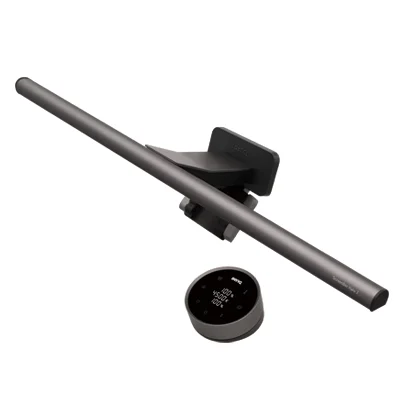
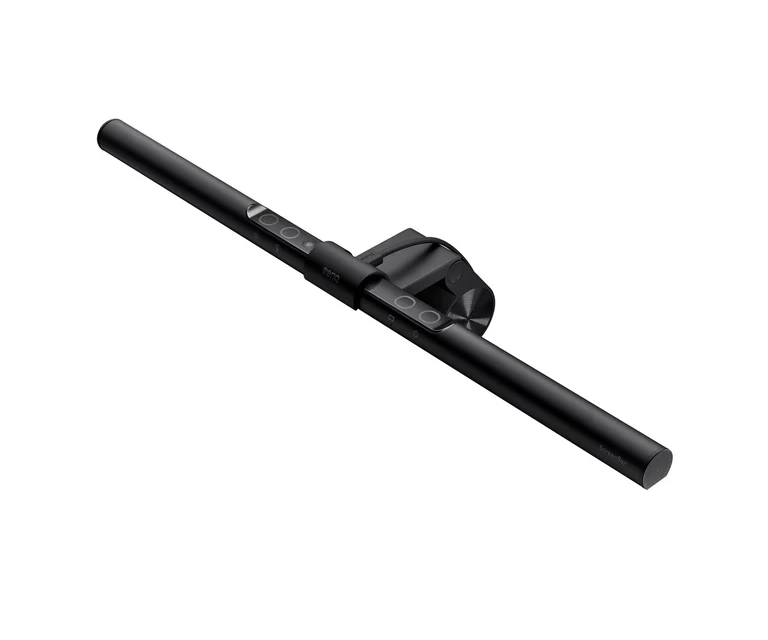
- Buy BenQ ScreenBar Halo 2 A monitor-mounted light bar that lights your desk brilliantly while occupying zero desk space and casting no screen glare. Amazon
- Buy Xiaomi Mi LED Desk Lamp 1S A flicker-free freestanding lamp with app and voice control that costs a fraction of the premium options. Amazon
- It depends Dyson Solarcycle Morph Desk A brilliant, endlessly adjustable circadian lamp whose flagship price and large footprint only suit a specific buyer. Amazon
- Skip Lepro LED Desk Lamp (9.5W Metal) A competent, inexpensive metal lamp let down by stepped controls and a narrow pool of light. Amazon
What actually matters
- Placement and light type, because a monitor-mounted bar and a freestanding lamp solve different problems: one clears the desk and kills screen glare, the other lights a broad area anywhere on the surface.
- Color-temperature range, because the ability to move from warm (around 2700K) to cool daylight (up to 6500K) lets you match the light to the task and time of day.
- Glare control, because light spilling onto your monitor creates reflections that cause the very eye strain a lamp is supposed to reduce.
- Flicker-free operation, because invisible flicker from cheap LED drivers is a common, under-reported cause of headaches and fatigue over long sessions.
- Control quality, because smooth continuous dimming with a good dial or controller is used every day, whereas stepped touch controls quickly become annoying.
- Desk footprint, because a tall arm on a weighted base can eat real space, while a light bar or slim base leaves the surface usable.
- Color rendering (CRI), because if your work involves color accuracy, a high-CRI light makes colors look true rather than washed out.
The specs, in plain English
Green flags vs red flags
Green flags
- An adjustable color-temperature range that spans warm to cool daylight
- Explicit flicker-free operation and, ideally, a stated CRI of around 90 or higher
- Smooth continuous dimming with a physical dial or a dedicated wireless controller
- A design that keeps light off the screen (asymmetric optics on a bar, or a positionable head)
- A slim base or monitor clamp that leaves your desk surface usable
Red flags
- Only a few fixed brightness steps rather than smooth dimming
- No mention of flicker-free operation or any color-rendering figure
- Peak lumens marketed heavily while the color-temperature range is fixed or narrow
- A large weighted base and tall arm that will crowd a small desk
- Expensive smart or circadian features bolted on where clean basic light is missing
Who's who: the brands
- BenQ - Specialist in monitor light bars with asymmetric, glare-free optics and high color rendering; the go-to for screen-based work.
- Dyson - Flagship-priced lamps with genuine daylight-tracking circadian modes and design-showpiece build, aimed at buyers who want the very best light.
- Xiaomi - Value-focused smart freestanding lamps with flicker-free light, app scheduling, and voice control at modest prices.
- Lepro - Budget metal freestanding lamps with solid build and touch controls, but typically stepped brightness and no smart features.
How to read a listing without getting fooled
When you scan a listing, separate the numbers that matter from the ones that flatter. A large lumen figure looks impressive but tells you little unless the light spreads evenly and lands on your work, so look for lux at the desk or a description of coverage instead. Check that the color temperature is a range (for example 2700K-6500K) rather than a single fixed value, because a lamp locked to one white is far less useful across a day. Hunt for the words "flicker-free" and a CRI figure; if neither appears, assume the maker cut those corners. Read the controls carefully: "five brightness levels" means fixed steps, whereas "1-100% dimming" means smooth adjustment. Finally, treat wattage as an electricity number, not a brightness one, and match the base size or clamp style against your actual desk before anything else.
How much should you spend?
Spend based on how you work, not on the longest spec sheet. Entry-level lamps deliver honest task light but usually trade away smooth dimming, smart control, and sometimes flicker-free quality, so the very cheapest options are a false economy if you sit at the desk for hours. The value sweet spot sits with mid-range smart freestanding lamps that give you continuous dimming, a decent color-temperature range, and app or voice control without a premium outlay; for most people this is enough. Paying up for a monitor light bar is worth it specifically when you work at a screen and want glare-free light and a clear desk. The flagship, daylight-tracking lamps are genuinely the best light available, but their cost buys automation and design that most buyers do not need, so reserve that spend for when circadian lighting or a showpiece object is truly the point.
Questions, answered
Are monitor light bars actually better than a normal desk lamp?
For screen-based work, yes for most people. A well-designed light bar lights the desk and keyboard without spilling onto the monitor, so you avoid the reflections a conventional lamp can create. A freestanding lamp remains the better choice if you need to light a wide area for paperwork, crafts, or reading away from a screen.
What color temperature should I use at a desk?
A cooler white in the 4000K-5000K range suits focused daytime work, while a warmer 2700K-3000K is more comfortable in the evening. The ideal lamp is adjustable so you can match the light to the time of day rather than being locked to one setting.
Does a high CRI matter for a desk lamp?
It matters most if color accuracy is part of your work, such as photo editing, design, or detailed craft, where a high color-rendering light makes colors look truer. For general reading and typing any decent lamp is fine, though higher color rendering is generally a little easier on the eyes over long sessions.
How many lumens do I need for a desk lamp?
For typical desk tasks, several hundred lumens spread evenly across the working area is plenty; owner reports suggest around 500 lumens is comfortable for most people. Focus on even coverage and adjustability rather than chasing the highest lumen figure, since a very bright but narrow pool of light is less useful than a moderate, well-spread one.
Do LED desk lamps flicker or cause eye strain?
Quality lamps are engineered to be flicker-free, which reduces the subtle eye fatigue some cheap LEDs cause. Beyond the hardware, the biggest comfort factors are avoiding glare on your screen and matching brightness to your surroundings, so anti-glare design and good dimming matter as much as the flicker spec itself.
Or jump to the head-to-head: BenQ ScreenBar Halo 2 vs Xiaomi Mi LED Desk Lamp 1S.