Explained
Lap Desks, Explained
After reading, you'll understand which kind of lap desk suits how you sit, how to check laptop fit, and which listings to treat with caution.
In this guide
Lap desks look simple, so most people buy one from a photo and find out later that their laptop leaves no room for a mouse or the desk is too low. The three main types, cushioned desks, adjustable stands and bed trays, suit very different habits. Listings also mix up surface size and laptop size. This guide explains what to check so the desk works for the way you actually sit.
The 30-second version
- Pick the type before the model, since a cushioned desk, an adjustable stand and a bed tray suit very different habits.
- Trust the laptop rating, not just the surface size, when checking fit.
- Mouse pads need spare space, so a large laptop can cover a built-in pad.
- Height matters for your neck, and most cushioned desks do not adjust it.
- Weight adds up on your legs, so a light desk is easier for long sessions.
The products this guide is about
Our verdict on each, with the full reasoning on the companion review.
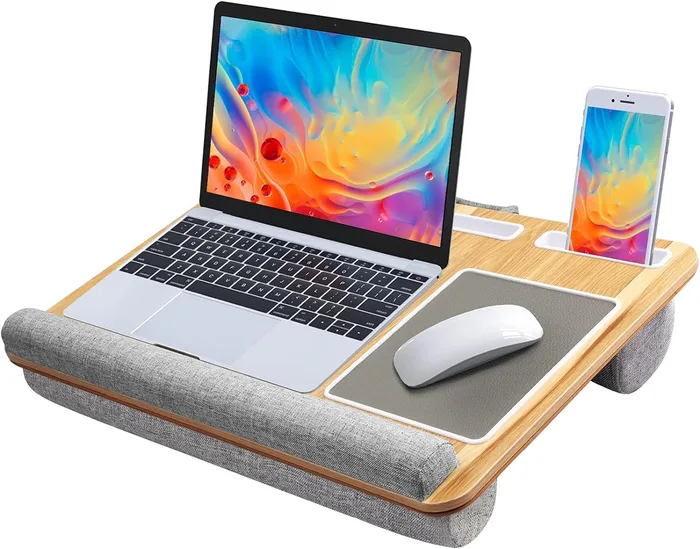
- Buy HUANUO 22-inch Extra-Large Surface Lap Desk The largest cushioned surface here, with room for a 17-inch laptop, a mouse pad, wrist pad and device slots.
- Buy LapGear Home Office Lap Desk A light 2.14 lb cushioned desk for laptops up to 15.6 inches, with a mouse pad, phone slot and device ledge.
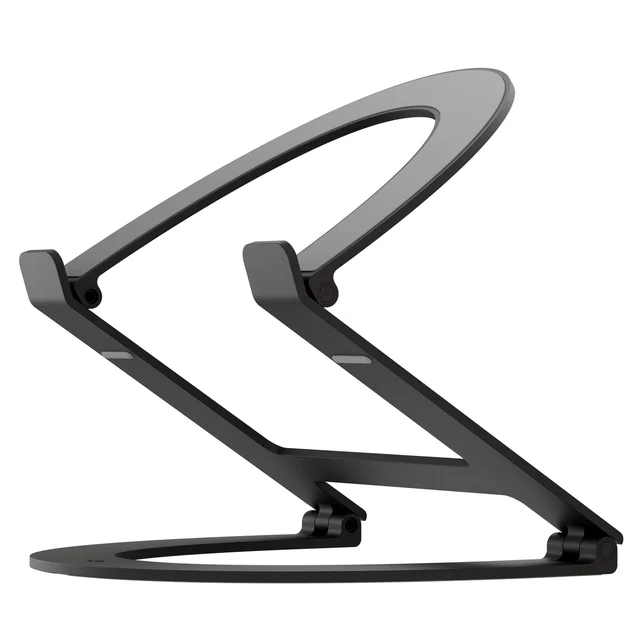
- It depends Uncaged Ergonomics WorkEZ Best Adjustable Laptop Stand & Lap Desk An aluminum stand that raises the laptop 2 to 18 in and tilts through 180 degrees, but with no cushion at all.
- Skip Pipishell Bamboo Bed Tray Table with Foldable Legs A bamboo breakfast tray sold as a laptop desk too, with fixed 6 in legs and no laptop features.
What actually matters
- Laptop rating - Makers list the largest laptop a desk is designed for. It is the most reliable fit check you have.
- Surface size - Width and depth decide whether there is room beside the laptop. Depth also affects how much space your wrists get.
- Base - Cushions conform to your legs and stay stable. Legs and frames stand over you and depend on how you sit.
- Mouse area - A built-in pad saves you from the trackpad. Check that it stays usable with your laptop in place.
- Front ledge or wrist pad - It stops the laptop sliding and supports your hands. Trays with food lips do the first but not the second.
- Adjustability - Height and tilt let you raise the screen. They also add setup time and moving parts.
- Weight - Lighter desks are easier to carry and rest on your thighs. Heavier ones can feel more stable on soft surfaces.
The specs, in plain English
Green flags vs red flags
Green flags
- A stated maximum laptop size
- Surface dimensions and product weight listed
- A front ledge or wrist pad to stop the laptop sliding
- A mouse pad with room left beside your laptop size
- Clear care instructions for the cushion
Red flags
- No laptop size listed for a product sold as a laptop desk
- Raised food-tray lips where your wrists will rest
- Fixed low legs with no tilt or height option
- Only lifestyle photos and no dimensions
- Surface size quoted without saying how much space a laptop leaves
Who's who: the brands
- HUANUO - Sells laptop stands and cushioned lap desks, including large models with built-in mouse pads.
- LapGear - A lap desk specialist known for cushioned desks with integrated mouse pads and phone slots.
- Uncaged Ergonomics - Known for the WorkEZ line of adjustable aluminum laptop stands and ergonomic accessories.
- Pipishell - Known for budget home organization pieces, including bamboo bed trays and side tables.
How to read a listing without getting fooled
Start with the maximum laptop size the maker lists, then compare it with the surface dimensions to see how much room is left for a mouse or your wrists. Check the base type and whether there is a front ledge or wrist pad. Look for the product weight, since you will be holding it on your legs. For adjustable stands, check the height range, tilt range and load limit. If a listing sold for laptops gives none of these and leans on lifestyle photos, treat it as a tray, not a desk.
How much should you spend?
Cushioned lap desks with a mouse pad and phone slot are widely available in the budget tier, and that is enough for most people. Moving up to the mid-range usually buys a larger surface, a wrist pad, more device slots or an adjustable aluminum frame. Bamboo bed trays are also budget items, but at that price a purpose-built lap desk gives a better laptop setup. Paying more makes sense only if you need a large laptop rating or real height adjustment.
Questions, answered
Are lap desks bad for posture?
Any setup that puts the screen low makes you look down, and most cushioned lap desks do. They are still better than a laptop directly on your legs, since they keep it level and stable. If you work for long stretches, an adjustable stand that raises the screen, or an external keyboard, helps more.
Can I use a lap desk in bed?
Yes, cushioned lap desks work well in bed because the base adapts to your legs and the blankets. Adjustable stands also work over your legs while reclining. Fixed-leg trays can be too low or wobble on a soft mattress.
Do I need a mouse pad on a lap desk?
Only if you use a mouse. Built-in pads are handy, but on smaller desks a large laptop can cover part of them. Check the maker's guidance on which laptop sizes leave the pad usable.
How do I clean a lap desk cushion?
Follow the maker's care label. LapGear lists spot clean only for its Home Office desk, and some makers do not say whether covers come off. Wipe the top with a damp cloth and avoid soaking bead-filled cushions.
Or jump to the head-to-head: HUANUO 22-inch Extra-Large Surface Lap Desk vs LapGear Home Office Lap Desk.