

Gaming
The Best Gaming Laptops: 4 Compared (and One to Skip)
We compared four current RTX 50-series gaming laptops across budget, mid-range, and premium tiers on performance, cooling, display, and value.
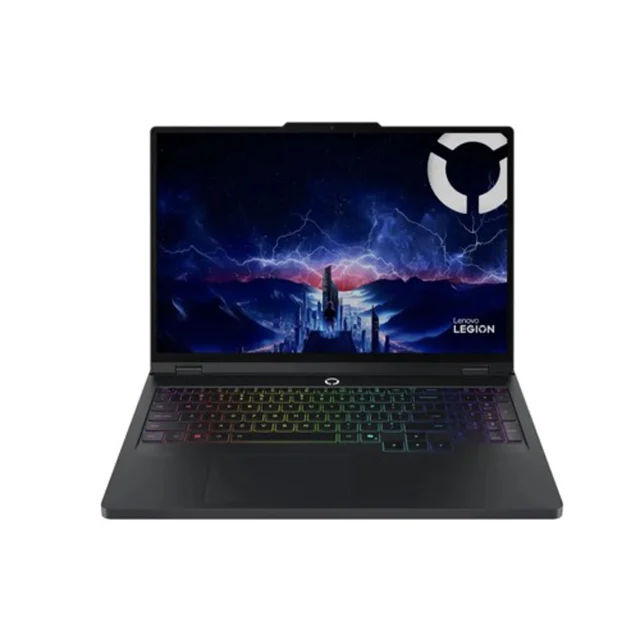
The short version
After weighing independent testing and owner reports across the current RTX 50-series generation, the Lenovo Legion Pro 5i Gen 10 is the gaming laptop most people should buy: it runs its GPU at high power, has a large cooling system, and offers a 240Hz OLED option. The Acer Nitro V 16 AI is the budget buy - current-generation graphics and a smooth 180Hz screen with the corner-cutting confined to things that don't affect frame rates. The ASUS ROG Zephyrus G14 (2025) is the wildcard: a genuinely premium, portable machine with a superb OLED, but its reduced GPU power limits mean you pay more for fewer frames. The MSI Katana 15 HX is the one to skip - a current GPU bolted to a previous-generation hot-running CPU, a dim display, and a build that owners rank below same-price rivals. Best for: plugged-in performance seekers (Legion Pro 5i), first-time buyers on a budget (Nitro V 16 AI), and frequent travelers who'll pay for portability (Zephyrus G14).
Our picks at a glance
- Lenovo Legion Pro 5i Gen 10 - Buy. The performance-per-dollar king: full-power RTX 50-series graphics, a stunning 240Hz OLED, and cooling that actually keeps up.
- Acer Nitro V 16 AI - Buy. The budget pick that gets the priorities right: current-generation RTX 5060 graphics first, luxuries second.
- ASUS ROG Zephyrus G14 (2025) - It depends. The most beautiful gaming laptop you can buy - as long as you accept that portability costs you frames.
- MSI Katana 15 HX - Skip. A current GPU wrapped in last-generation everything else - the same money simply buys a better laptop elsewhere.
The verdict in 30 seconds
What mattered most
- GPU (as configured)
- CPU generation
- Display
- Build & portability
- Cooling & noise
- Battery life
Gaming laptops finally grew up: the current RTX 50-series generation delivers desktop-class frame rates, genuinely good OLED screens, and cooling that doesn't sound like a jet at idle. But the spread between a smart buy and a bad one is wider than ever, because two machines with the same GPU sticker can perform very differently depending on power limits and cooling. We compared four current, widely available models - a budget champion, a mid-range powerhouse, a premium ultraportable, and one popular model that independent testing and owner reports say you should pass on.
The performance-per-dollar king: full-power RTX 50-series graphics, a stunning 240Hz OLED, and cooling that actually keeps up.
Best for: Gamers who want the most real-world performance for their money and mostly play plugged in
- Runs its RTX 5070/5070 Ti at high power limits, so it should outpace sleeker laptops with the same GPU
- 2560x1600 OLED option at 240Hz with excellent contrast and color
- Large cooling system aimed at keeping sustained performance high
- Both RAM and storage are user-upgradable
- Heavy and thick - this is a desk machine you can move, not a daily carry
- Battery life away from the wall is mediocre, as with most performance-first designs
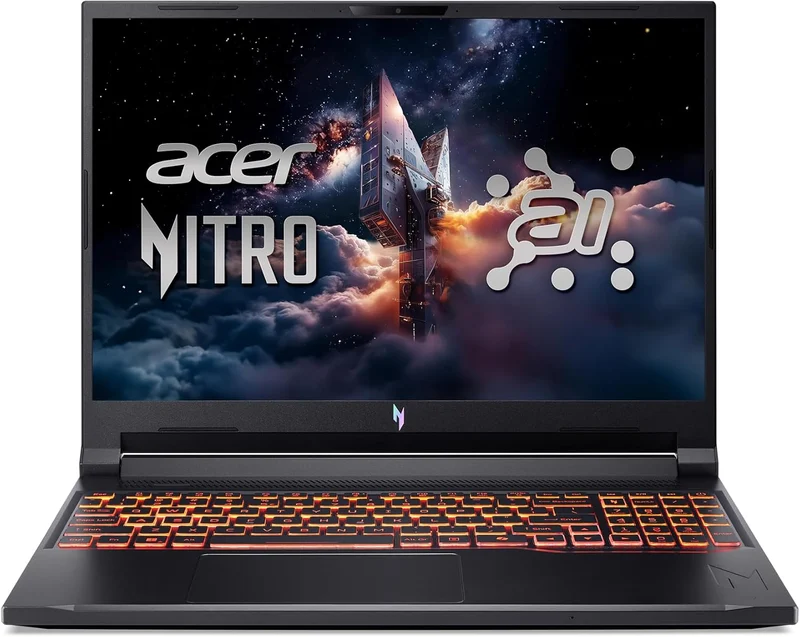
The budget pick that gets the priorities right: current-generation RTX 5060 graphics first, luxuries second.
Best for: First gaming laptop buyers and students who want smooth 1080p/1200p gaming without overspending
- RTX 5060-class graphics with DLSS 4 at a genuinely budget price
- 180Hz 16-inch display is smooth and big enough to be your only screen
- Runs cooler and quieter than most budget gaming laptops, per owner reports
- Easy to open for RAM and SSD upgrades later
- The 1920x1200 IPS panel is serviceable but dimmer and less colorful than mid-range screens
- Plastic chassis, modest speakers, and base storage fills up fast
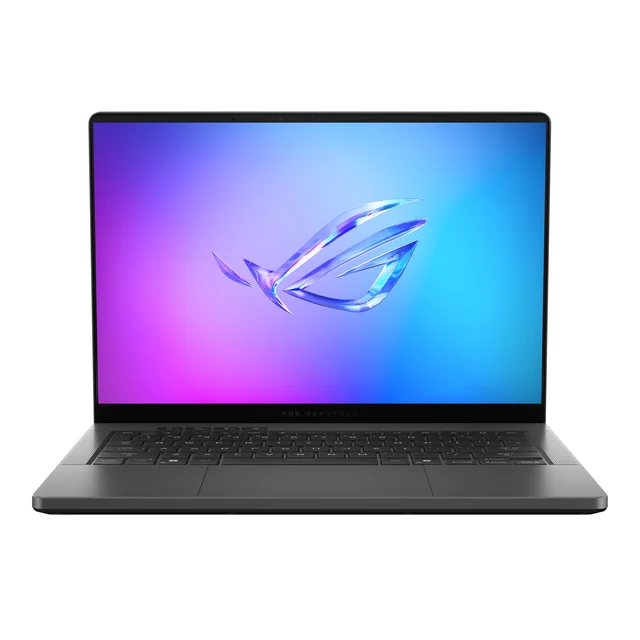
The most beautiful gaming laptop you can buy - as long as you accept that portability costs you frames.
Best for: Travelers and hybrid work-and-play buyers who value design and portability over maximum frame rates
- Gorgeous CNC-machined aluminum chassis that's genuinely thin and light for a gaming machine
- 3K OLED display (120Hz, 100% DCI-P3 per ASUS)
- Lighter and longer-running on battery than full-size gaming laptops (ASUS lists 1.5 kg and a 73Wh battery)
- Doubles convincingly as a professional work laptop
- Reduced GPU power limits mean the same GPU runs measurably slower here than in bigger machines
- You pay a premium for the design, and the RAM is soldered - buy the capacity you'll need up front
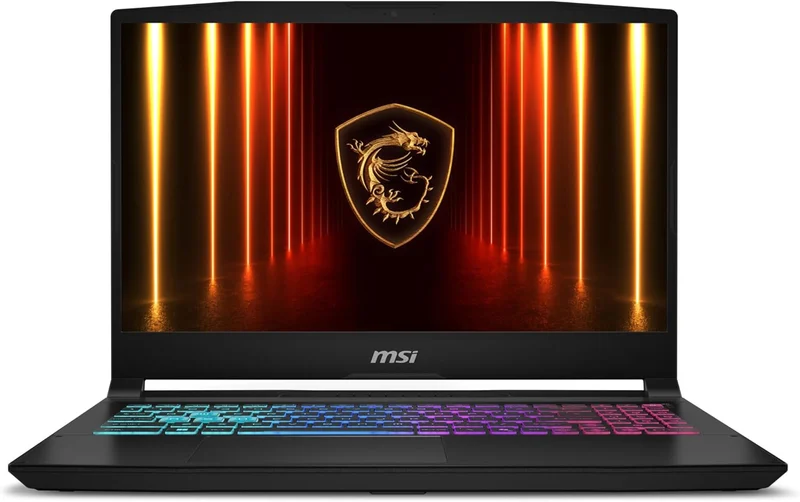
A current GPU wrapped in last-generation everything else - the same money simply buys a better laptop elsewhere.
Best for: Almost no one - the Legion Pro 5i costs similar money and is better nearly everywhere it counts
- RTX 5070 configurations deliver strong raw frame rates for the price
- Keyboard is comfortable with a full number pad
- Built around a previous-generation, heat-prone Intel HX chip that keeps fans loud and battery life short
- Chunky plastic build, mediocre trackpad, and a display that owners describe as noticeably dim next to rivals
- Competitors at the same price tend to offer better cooling, screens, and build
| Criteria | Lenovo Legion Pro 5i Gen 10 Top pick Buy it Buy | Acer Nitro V 16 AI Buy it Buy | ASUS ROG Zephyrus G14 (2025) It depends Buy | MSI Katana 15 HX Skip it Buy |
|---|---|---|---|---|
| Best for | Gamers who want the most real-world performance for their money and mostly play plugged in | First gaming laptop buyers and students who want smooth 1080p/1200p gaming without overspending | Travelers and hybrid work-and-play buyers who value design and portability over maximum frame rates | Almost no one - the Legion Pro 5i costs similar money and is better nearly everywhere it counts |
| Price tier | $$ · mid-range | $ · budget | $$$ · premium | $$ · mid-range |
| GPU (as configured) | RTX 5070 / 5070 Ti, full power | RTX 5050 / 5060 | RTX 5070 Ti / 5080, reduced power | RTX 5070 |
| CPU generation | Current Intel Core Ultra HX | Current AMD Ryzen AI / Intel Core Ultra | Current AMD Ryzen AI HX | Previous-gen Intel HX |
| Display | 16" 2560x1600 OLED, 240Hz | 16" 1920x1200 IPS, 180Hz | 14" 3K OLED, 120Hz | 15.6" QHD IPS, 165Hz (dim per owners) |
| Build & portability | Solid but heavy | Plastic, reasonably portable | Premium aluminum, thin and light | Chunky plastic |
| Cooling & noise | Large cooling system | Good for the class | Dual exhaust, Tri-Fan cooling | Loud under load |
| Battery life | Mediocre | Decent for the class | Best of the group | Poor |
| Upgradability | RAM + SSD upgradable | RAM + SSD upgradable | SSD only, RAM soldered | RAM + SSD upgradable |
| Price tier | $$ · mid-range | $ · budget | $$$ · premium | $$ · mid-range |
Which one is right for you?
- Gamers who want the most real-world performance for their money and mostly play plugged in Buy it Lenovo Legion Pro 5i Gen 10
- First gaming laptop buyers and students who want smooth 1080p/1200p gaming without overspending Buy it Acer Nitro V 16 AI
- Travelers and hybrid work-and-play buyers who value design and portability over maximum frame rates It depends ASUS ROG Zephyrus G14 (2025)
- Almost no one - the Legion Pro 5i costs similar money and is better nearly everywhere it counts Skip it MSI Katana 15 HX
How we judged the field
We don’t run our own lab. Instead, we synthesized published specs and testing coverage of the current RTX 50-series generation - sustained frame rates, GPU power limits, thermal and noise measurements, display quality - with long-term owner reports covering the things spec sheets hide: fan behavior after months of use, build durability, real battery life, and support experiences. Four criteria mattered most: real-world gaming performance for the money (not GPU stickers - actual power limits and cooling), display quality, whether the chassis and thermals hold up over time, and honest value against the other machines a buyer would cross-shop.
Lenovo Legion Pro 5i Gen 10
Buy itThe Legion Pro 5i keeps winning comparisons for one simple reason: Lenovo spends the money where frames come from. Its RTX 5070 and 5070 Ti configurations run at full power limits, and it tends to match or beat sleeker laptops carrying the same or nominally better GPUs. The cooling system is the other half of the story - it is built to hold sustained performance through long sessions. The 2560x1600 OLED option at 240Hz is the kind of screen that used to be reserved for flagship-tier machines, and both RAM and storage are easy to upgrade. The honest downsides: it’s heavy and thick, and battery life away from an outlet is forgettable. If your gaming laptop lives on a desk and travels occasionally, none of that will bother you.
Acer Nitro V 16 AI
Buy itThe budget tier is where most gaming laptop mistakes happen, and the Nitro V 16 AI is the machine that avoids them. Acer put the money into a current-generation RTX 5060-class GPU with DLSS 4 and a smooth 180Hz 16-inch display, then cut costs on things that don’t affect gameplay: the chassis is plastic, the speakers are modest, and the 1920x1200 IPS panel - while perfectly usable - is dimmer and less vivid than mid-range screens. Owners report cooler, quieter behavior than is typical at this price, and the internals are easy to reach when you inevitably want more RAM or storage. Reviewers’ consensus is straightforward: at the budget tier, this is the corner-cutting done right. Plan on adding an SSD eventually, and you have a machine that plays modern titles smoothly for years.
ASUS ROG Zephyrus G14 (2025)
It dependsThe Zephyrus G14 is the machine everyone wants until they see the frame-rate charts. The CNC-machined aluminum body is thinner and lighter than anything else here, the 3K OLED is a 120Hz panel with 100% DCI-P3 coverage per ASUS, and with a 1.5 kg weight and 73Wh battery it doubles as a serious work machine. The catch is physics: to fit a 14-inch chassis, ASUS runs its GPUs at significantly reduced power limits, so a 5070 Ti here should trail the same GPU in the Legion Pro 5i, while costing more. ASUS lists a max TGP of 110W. The soldered memory means no upgrades later. If you fly weekly and want one premium laptop for everything, this is arguably the best object in the roundup. If you want maximum frames per dollar, it’s the wrong way to spend premium money.
MSI Katana 15 HX
Skip itThe Katana 15 HX looks compelling on a spec sheet - a current RTX 5070, lots of RAM in many configurations, aggressive pricing. The problem is everything wrapped around that GPU. It’s built on a previous-generation, heat-prone Intel HX processor that keeps the fans loud, the chassis warm, and battery life at the bottom of the class. Owners describe the display as noticeably dim next to same-price rivals, the trackpad as an afterthought, and the plastic build as feeling a tier below its price. None of these are catastrophic alone; together, they mean that at the same money, the Legion Pro 5i gives you a better screen, better cooling, a newer CPU, and a sturdier machine. We see few configurations of this laptop where it’s the best answer.
Lenovo Legion Pro 5i Gen 10 vs Acer Nitro V 16 AI: which should you buy?
This comes down to how much performance you’ll actually use. The Legion Pro 5i is meaningfully faster - a full-power RTX 5070-class GPU, a far superior 240Hz OLED display, and cooling headroom that keeps it fast for years of demanding releases. If you play new AAA titles, want high refresh rates at 1600p, or plan to keep the machine for four or five years, the extra spend buys real longevity, not vanity. The Nitro V 16 AI counters with sufficiency: for esports titles, indie games, and AAA gaming at sensible settings, its RTX 5060-class GPU is genuinely enough, and the money you save is substantial. Buy the Legion if gaming is your main hobby and the laptop is your main machine. Buy the Nitro if gaming shares the laptop with school or work and the budget has a hard ceiling. The one mistake to avoid is paying mid-range money for less machine than the Legion - which is exactly the Katana trap.
What to look for
- GPU power limit, not just GPU name. The same RTX chip can run at wildly different wattages between laptops - thin chassis mean fewer frames. Check the configured power limit before comparing prices.
- Display resolution and refresh together. 1920x1200 at 165-180Hz is the budget sweet spot; 2560x1600 at 240Hz is worth it on mid-range machines with the GPU to drive it.
- OLED vs IPS. OLED for contrast and response time if the budget allows; a bright, fast IPS is fine and cheaper.
- Current-generation CPU. Previous-generation high-wattage chips run hotter and drain batteries faster for little real gaming benefit - a common trap in discounted models.
- Upgradability. Accessible RAM slots and a spare M.2 slot extend a laptop’s useful life significantly; soldered RAM means buying your final configuration on day one.
- Cooling reputation. Owner reports on fan noise and sustained performance after months of use tell you more than launch-day benchmarks.
Our final take
The current generation rewards buyers who look past the GPU sticker. The Lenovo Legion Pro 5i Gen 10 is the definitive pick because it delivers the full performance its parts promise - full power limits, real cooling, and an OLED screen that makes everything look expensive. The Acer Nitro V 16 AI proves a budget gaming laptop no longer requires apologies, and it’s where value hunters should stop looking. The ASUS ROG Zephyrus G14 is a legitimately premium machine for the specific buyer who values portability and design enough to pay more for fewer frames - know which buyer you are before you order. And the MSI Katana 15 HX shows why this comparison matters: a modern GPU can’t rescue a machine built on last-generation foundations when the same money buys the Legion. Buy the laptop whose whole package matches how you’ll actually use it, and you’ll be happy for years.
Questions, answered
Is a mid-range RTX 5070-class laptop enough, or should I stretch for a 5080?
For 1600p gaming - the native resolution of most current gaming laptops - RTX 5070-class GPUs with DLSS 4 generally handle demanding titles at high refresh rates. The step up to a 5080 matters most if you drive an external 4K monitor or want maxed ray tracing. For most buyers, spending the difference on a better screen or more storage is the smarter trade.
Why does the same GPU perform differently in different laptops?
Laptop GPUs run at whatever power limit the chassis can cool, and manufacturers set very different limits. A thin 14-inch machine like the Zephyrus G14 runs the same GPU at a substantially lower wattage than a thick 16-inch machine like the Legion Pro 5i, which can translate to a meaningful gap in frame rates. Always check the laptop's GPU power limit, not just the GPU name.
Is an OLED display worth it on a gaming laptop?
Generally yes, if it's in your budget. OLED brings per-pixel contrast, near-instant response times, and far richer color than the budget IPS panels on entry-level machines. The trade-offs - slightly higher power draw and a small long-term burn-in risk - matter less on a gaming laptop that mostly shows moving content. That said, a fast, bright IPS panel like the Nitro V 16 AI's is perfectly enjoyable and keeps the price down.
How is battery life on these machines, realistically?
Assume gaming happens plugged in on all of them - on battery, every gaming laptop throttles its GPU and drains quickly. For desk work, browsing, and video, ASUS pairs the Zephyrus G14 with a 73Wh battery and owners report the longest battery life of the group, the Legion Pro 5i and Nitro V 16 manage a few hours, and the Katana 15 HX trails the group because of its previous-generation CPU.
Can I upgrade RAM and storage later?
On the Legion Pro 5i, Nitro V 16 AI, and Katana 15 HX, owners report RAM and storage can be upgraded, but check the exact configuration's spec sheet before buying. The Zephyrus G14 is the exception: its LPDDR5X memory is built into the board, so you must buy the memory configuration you'll want for the machine's whole life.
Deciding between the top two? See our head-to-head: Lenovo Legion Pro 5i Gen 10 vs Acer Nitro V 16 AI.
More in Gaming
Gaming Laptops, Explained Plain-English guide → Lenovo Legion Pro 5i Gen 10 vs Acer Nitro V 16 AI Head-to-head →  The Best Gaming Mice in 2026: Four Flagships Tested, One to Skip
  The Best Handheld Gaming Consoles: 4 Compared (and One to Skip)
  The Best Prebuilt Gaming PCs: 4 Compared (and One to Skip)
  The Best Stream Decks: 4 Compared (and One to Skip)